
Introduction:
Securing your website with SSL is essential for protecting user data and improving trust. Let’s Encrypt is a free, automated, and widely trusted Certificate Authority that provides SSL certificates at no cost. If you're using Webuzo, it makes the process simple with built-in integration for Let’s Encrypt, allowing you to enable HTTPS on your site in just a few clicks.
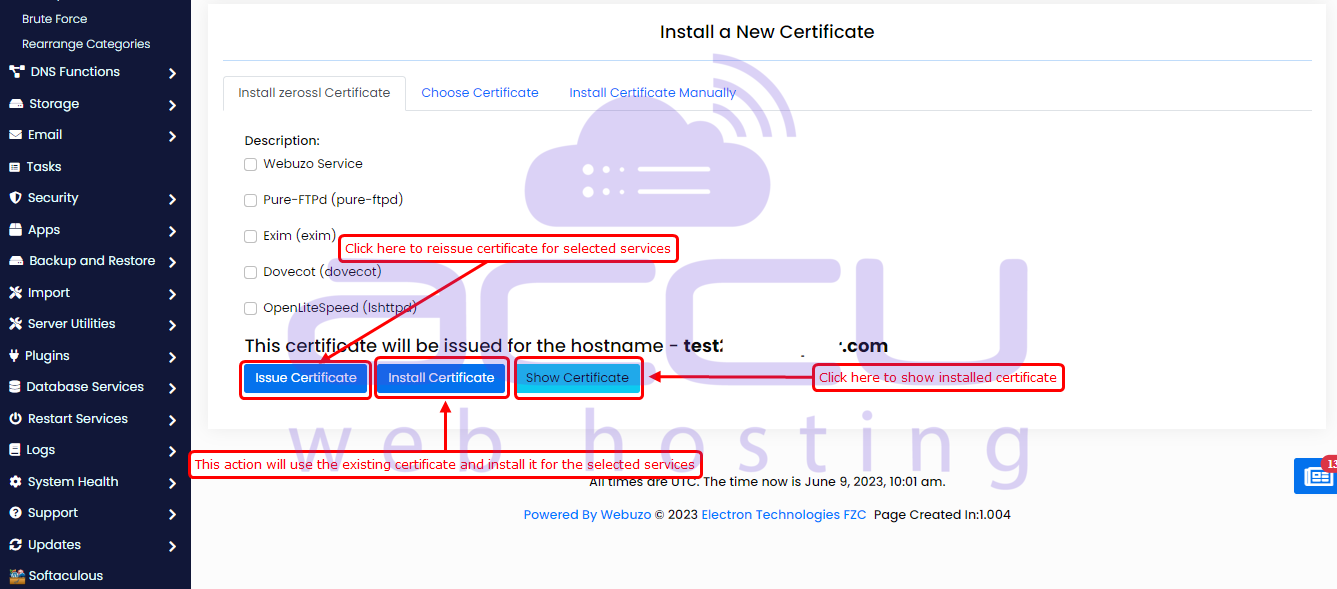
This guide explains how to manage and configure SSL certificates for services in Webuzo. It offers multiple options, including using Let’s Encrypt, ZeroSSL, bypassing certificate authorities (CA), or manually installing your own certificates. You can also choose to apply existing end-user certificates to secure Webuzo services.
You can access this feature from:
Admin Panel -> SSL/TLS -> Manage Service Certificates
This section allows you to configure SSL certificates for different server services, including:
Webuzo Service
Pure-FTPd (FTP server)
Exim (mail server)
Dovecot (mail service)
OpenLiteSpeed (web server)
How to Manage SSL Certificate:
Use SSL Certificate Authority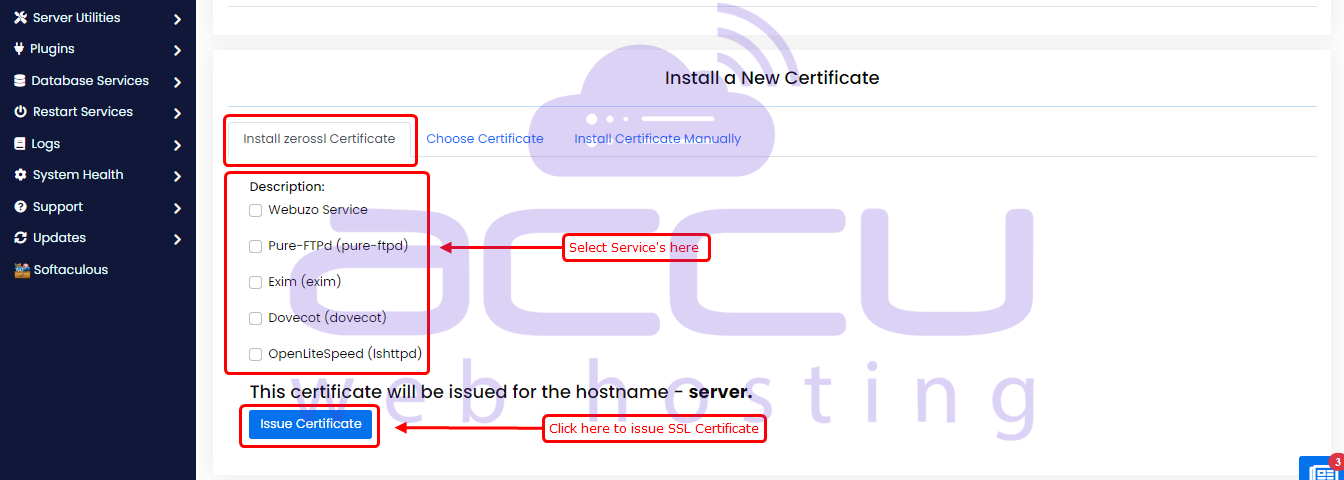
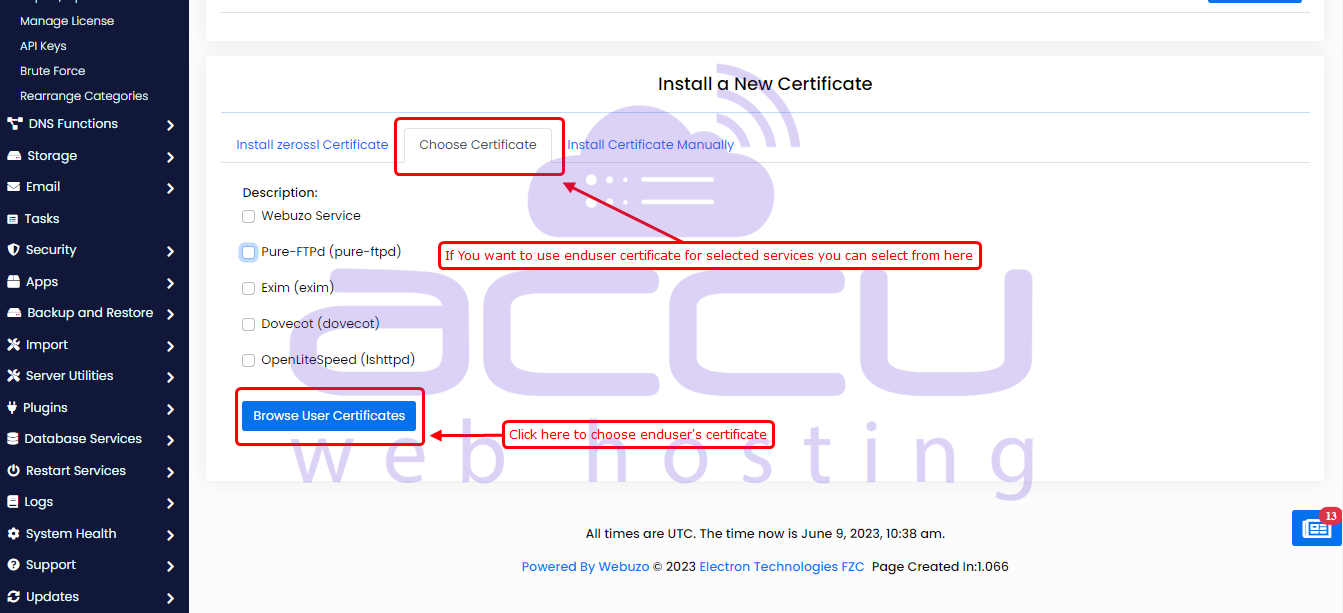
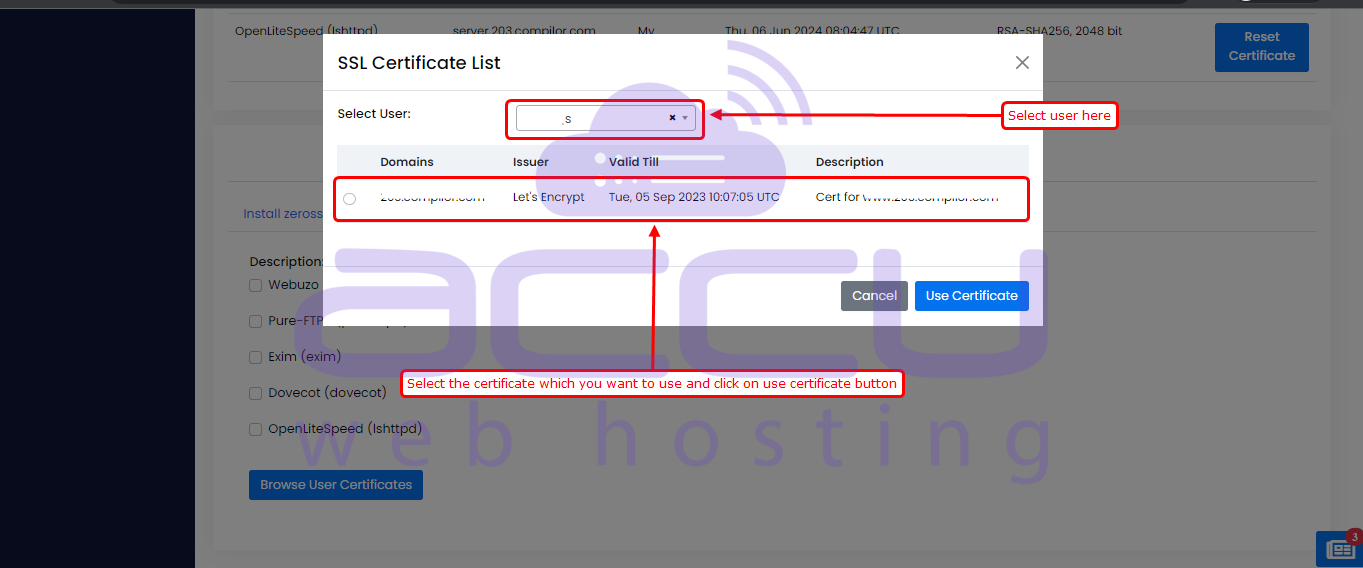
Use End-user's Certificate:
You can choose the existing end-user certificates for any Webuzo services.
Use Manual Certificate:
You can also install the SSL certificate manually if you have the necessary information such as the private key, certificate, and CA bundle.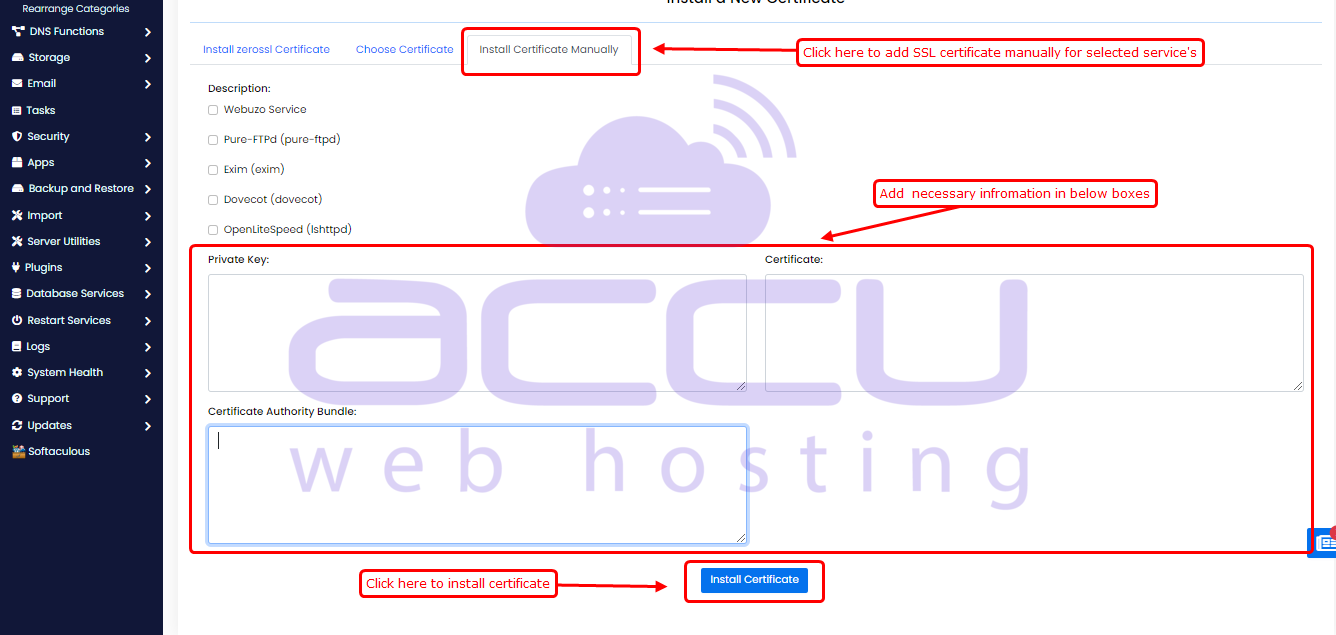
After successfully issuing an SSL certificate, you can retrieve and view important information about the certificate. This information typically includes the certificate issuer, certificate expiry date, and the certificate key.
You can also reset the installed certificate.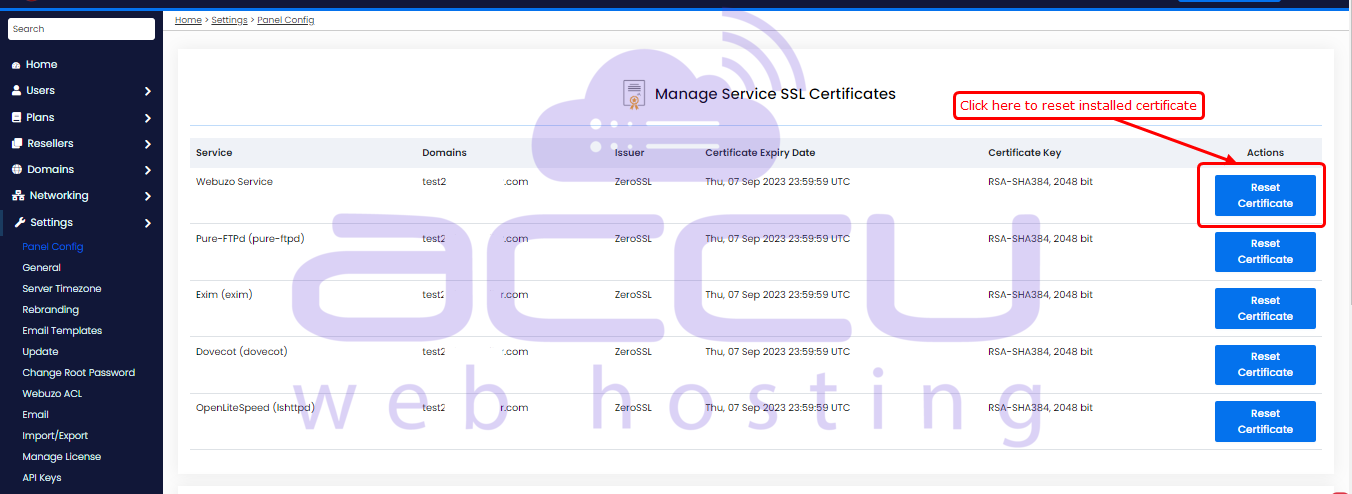
Conclusion
In short, setting up Let’s Encrypt SSL in Webuzo is a quick win for both security and SEO. With its built-in SSL/TLS manager, you can easily secure services like your web server, mail, and FTP using automated or manual certificate options.
SSL isn’t optional anymore; it builds trust, removes browser warnings, and helps boost search rankings and conversions. Enable it once, keep it automated, and your server stays secure, credible, and growth-ready.


