
Webuzo is a multi-user hosting control panel that can be used to host 100s of websites or applications. This article provides simple steps to install the Webuzo control panel in a Linux environment.
System Requirements:
1) OS: CentOS 7.x or latest, Ubuntu LTS 18.04 / 20.04 latest.
2) RAM: Minimum 1 GB of RAM
3) Ports: Required open ports : 2002, 2003, 2004, 2005, 21, 22, 25, 53, 80, 143, 443, 465, 993 , 587 and 3306 (If firewall is enabled on server)
Let's begin the installation of Webuzo...
1) Open SSH and fire the below command to download packages.
wget -N http://files.webuzo.com/install.sh
2) Assign the proper permission to install.sh
chmod 0755 install.sh
3) Now install the LAMP Stack, DNS Server, and FTP server along with Webuzo with the below command.
./install.sh
--------------------------------------------------OR--------------------------------------------------
To install only LAMP (Softname->lamp) with the Webuzo control panel. Multiple softnames for apps needed to be separated from commas.
You can get the entire softname list here: http://api.webuzo.com/apps.php
./install.sh --install=lamp
--------------------------------------------------OR--------------------------------------------------
To install Webuzo with LAMP stack only, use the below command. Later on, you can install apps in the apps panel.
./install.sh --install=none
Once the installation is completed, it will prompt the below screen that indicates installation is completed.
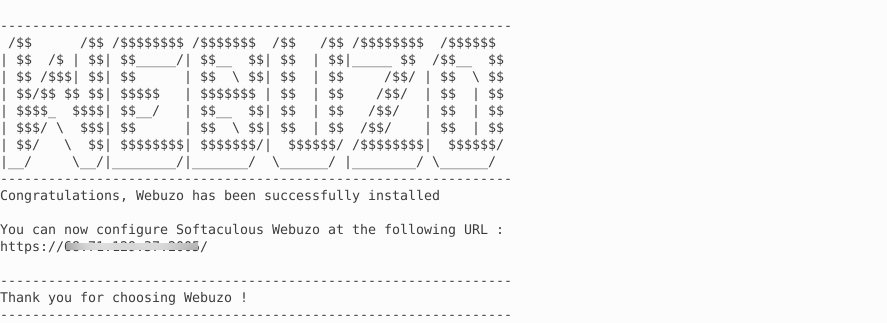
Now you can browse the control panel using the IP address.
URL: https://Your_IP_Address:2005/ OR http://Your_IP_Address:2004/
User: root
Password: To log in to Webuzo as root, use your server's root password.
That's it...


