
The following article describes how to access the Webuzo control panel on Linux VPS or a Dedicated server.
Webuzo is a web-based control panel for managing websites and hosting accounts easily. It is designed to help users manage their websites without having to log into the server. You can easily install a wide variety of software applications with a few clicks by using Webuzo on a Linux VPS. Using Webuzo, you can manage your Linux VPS or dedicated server. This hosting platform helps you manage domains, websites, databases, emails, and other aspects of your web applications.
The following steps will help you access the Webuzo control panel:
Webuzo control panel has two sections :
Admin Panel:
You will have to use the following URL to access the Webuzo Admin Panel:
https://Your-IP:2005/ OR http://Your-IP:2004/
To sign in to the Webuzo administrator account, utilize your root user's username root and password.
Enduser Panel:
You will have to use the following URL to access the Webuzo Enduser Panel:
URL: https://Your-IP:2003/ OR http://Your-IP:2002/
In order to log in Webuzo Enduser account, use the username and password that you entered when you set up the account.
Steps to access the Webuzo control panel.
Step 1. Open the web browser and visit http://xxx.xxx.xxx.xxx:port.
In place of xxx.xxx.xxx.xxx you will have to use your server IP address and port as per your server configuration. By default Admin panel access on 2005 and 2004 port and Enduser panel on 2003 and 2002 port.
Step 2. The URL will take you to the sign-in page of your Webuzo control panel. You will now need to enter your username and password.

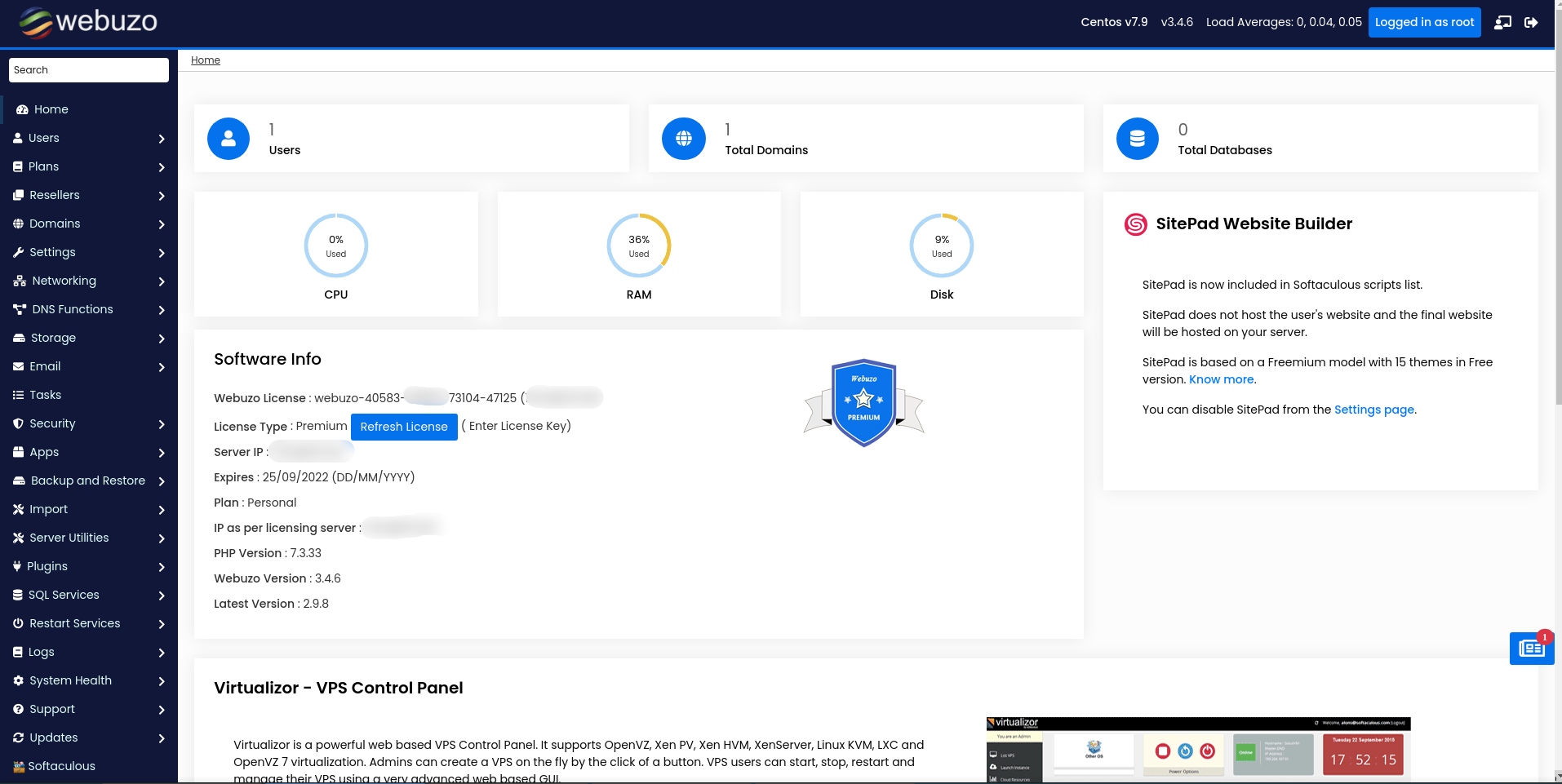
Step 3. Click on the Login button. The Webuzo dashboard appears.
Please visit http://www.webuzo.com for more information about the Webuzo Control Panel.
That’s it.


