
Overview:
Managing the correct time zone on your server is essential for ensuring accurate logs, scheduled tasks (cron jobs), and application behavior. In Webuzo, the server time zone controls how time is interpreted across the system, including websites, databases, and scripts. If the time zone is not configured properly, it can lead to issues like incorrect timestamps, misfired scheduled jobs, and inconsistencies in user-facing data.
Procedure:
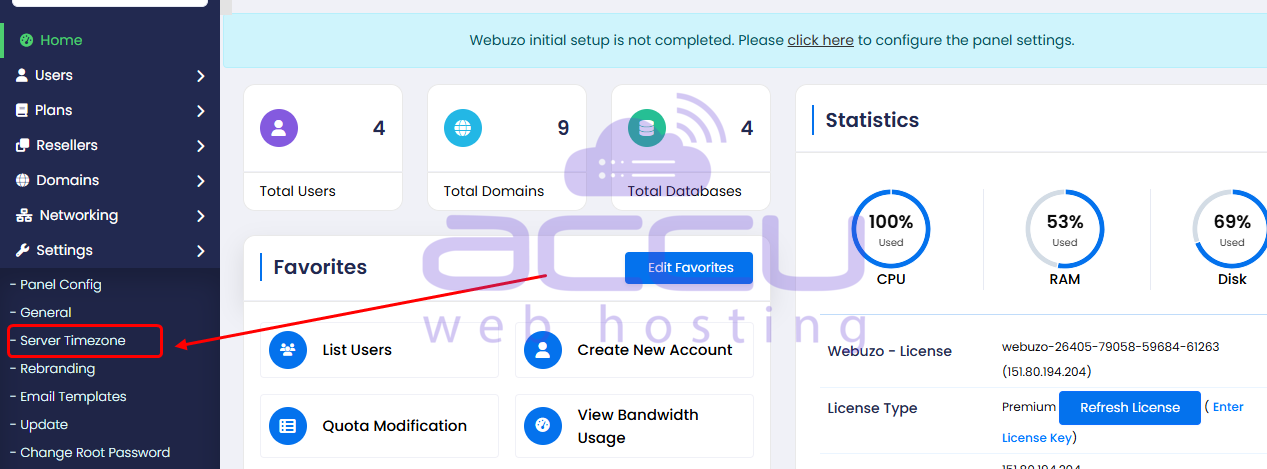
1. To change the server time zone, navigate to the Webuzo Admin Panel > Settings > Server Time Zone
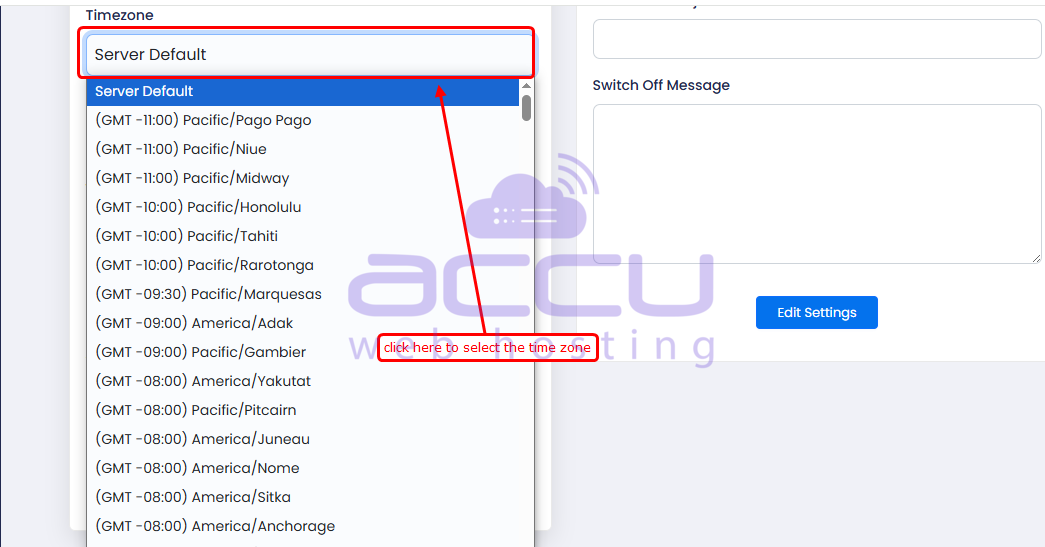
2. You can select the time zone from the drop-down list.
3. Click on the Edit button to save the changes.
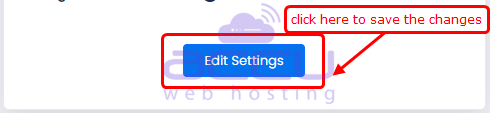
"The server time zone has now been updated."
Conclusion:
Changing the server time zone in Webuzo is a simple but critical configuration task that ensures your server operates accurately and consistently. Whether you update it through the Webuzo control panel, via SSH, or by adjusting PHP settings, aligning all layers of your server environment helps prevent errors in logs, scheduling, and application functionality. Proper time zone configuration ultimately leads to smoother server performance and a better experience for both administrators and users.
