
In this tutorial, we will learn how to upgrade the solidCP version to 1.5 manually.
Before proceeding with the steps mentioned below, we strongly suggest you take a backup of the C:\SolidCP folder. It contains three directories called SolidCP Enterprise Server, SolidCP Server, and SolidCP Portal.
Also, you need to take a backup of the SolidCP database from the MSSQL Database. You can restore this backup in case of any issue with the upgrade.
Please refer to how to take your MSSQL database backup from SQL Management Studio.
At first, download the Manual-update.zip SolidCP version 1.5. You can download it from here.
Update SolidCP Enterprise Server
Step 1: Extract the manual zip directory. Find a folder called EnterpriseServer. Go inside the same folder and copy all the content and paste it into your C:\SolidCP\Enterprise Server. Please don't copy/paste the directory itself.
Step 2: It will ask to replace all the files. You can click on replace all at once.
Update the SolidCP Database
Step 1: Open your SQL Management Studio.
Step 2: Right-click on your SolidCP database and click on New Query.
Step 3: Open update_db.sql from the manual-update folder.
Step 4: Remove the top lines:
USE [${install.database}]
GO
Step 5: Run the script and confirm "Completed successfully" appears.
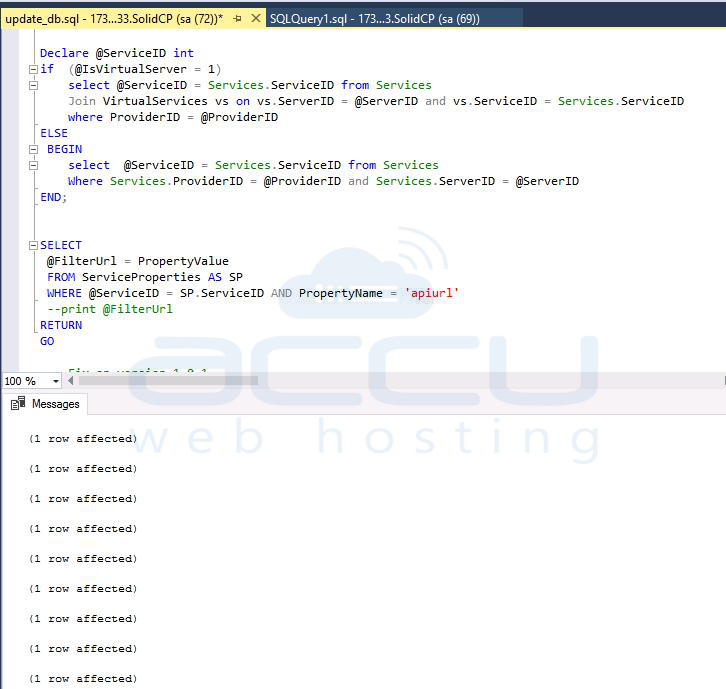
Step 6: Go to Windows Services, and ensure SolidCP Scheduler is still running. If not, start it and confirm it remains active
Update SolidCP Portal
Step 7: Copy all the content from the portal folder of the manual update directory and replace all the content with C:\solidCP\Portal.
Step 8: Open C:\SolidCP\Portal\web.config. Locate and update the HeliconApeStatus provider line:
From
<add type="SolidCP.Providers.ResultObjects.HeliconApeStatus, SolidCP.Providers.Base,
Version=1.4.9.0, Culture=neutral, PublicKeyToken=da8782a6fc4d0081" />
To
<add type="SolidCP.Providers.ResultObjects.HeliconApeStatus, SolidCP.Providers.Base,
Version=1.5.1.0, Culture=neutral, PublicKeyToken=da8782a6fc4d0081" />
Update SolidCP Server
Step 9: Copy all the content from the SolidCP Server folder of the manual update directory and replace all the content in c:\solidCP\Server.
Step 10: Open C:\SolidCP\Server\web.config and ensure the <runtime> section contains the necessary <probing> paths for assembly binding
<runtime>
<assemblyBinding xmlns="urn:schemas-microsoft-com:asm.v1">
<probing privatePath="bin/Crm2011;bin/Crm2013;bin/Exchange2013;bin/Exchange2016;bin/Sharepoint2013;
bin/Sharepoint2016;bin/Lync2013;bin/SfB2015;bin/Lync2013HP;bin/Dns2012;bin/IceWarp;bin/IIs80;bin/IIs100;
bin/HyperV2012R2;bin/HyperVvmm;bin/Crm2015" />
</assemblyBinding>
</runtime>
Step 11: Restart IIS and restart any SolidCP-related services you updated.
Step 12: Log in to the Portal and confirm the version reflects 1.5.1, and verify functionality across all components—Portal, Enterprise Server, and Servers.


