
To provide an individual cPanel login access to end users, resellers, and root users can create cPanel accounts from WHM (WebHost Manager).
With a reseller account, you get WHM access with limited privileges, whereas with root access, you get WHM access with full privileges.
In any case, the following tutorial will guide you to create a cPanel account from WHM.
Step 1: Log in to WHM via URL https://VPS_IP_Address:2087.
NOTE: It is assumed that you have already created a package in WHM. If not, please create a Package before creating a cPanel account.
Step 2: From the left side panel, search for Account Functions and click on Create a New Account.
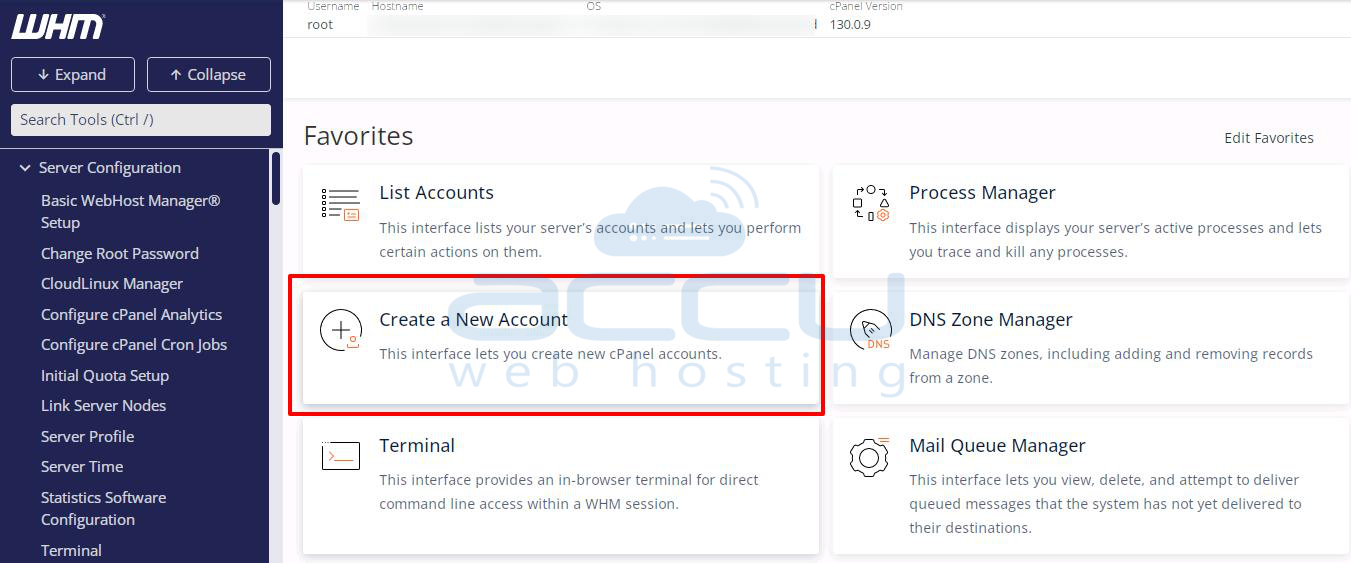
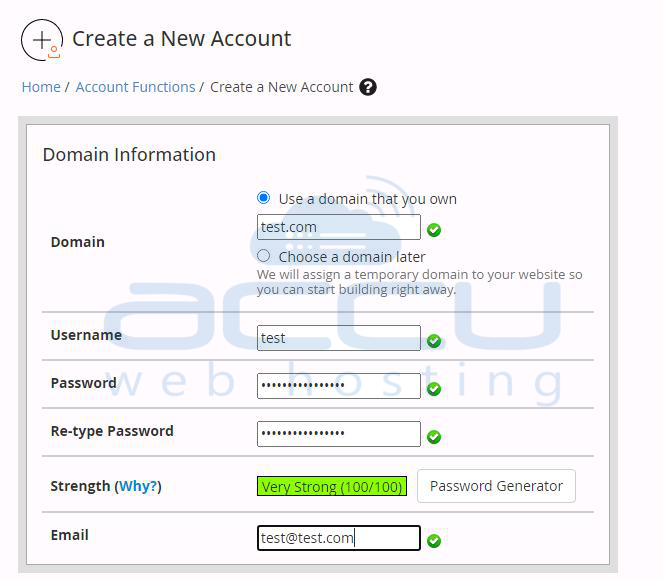
Step 3: Fill in all the details to create an account. The following are the details you will need to specify.
Domain Information
Package & Settings
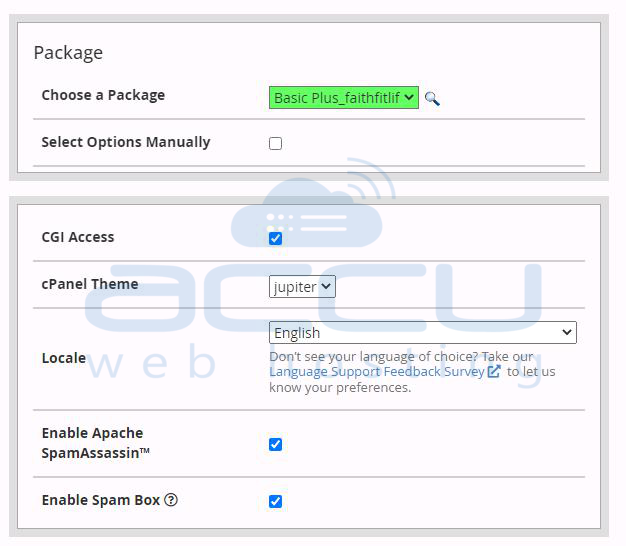
- Choose a package: Select a hosting package that you want to assign to this account.
- Select Options Manually: You can also assign all the resources manually.
- cPanel Theme: Select the cPanel theme you want to assign to this account.
- Locale: Select the language for this cPanel account.
Mail Routing Settings
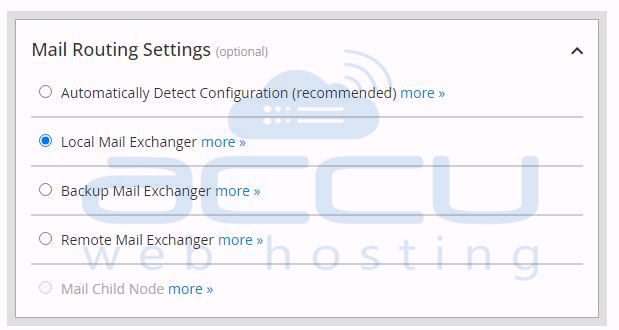
- Automatically Detect Configuration: cPanel will detect and choose the best suitable configuration according to the MX records you have set.
- Local Mail Exchanger: Select this configuration to use only local mail service.
- Remote Mail Exchanger: Select this configuration to use external email services like Gmail, Live, etc.
DNS Settings
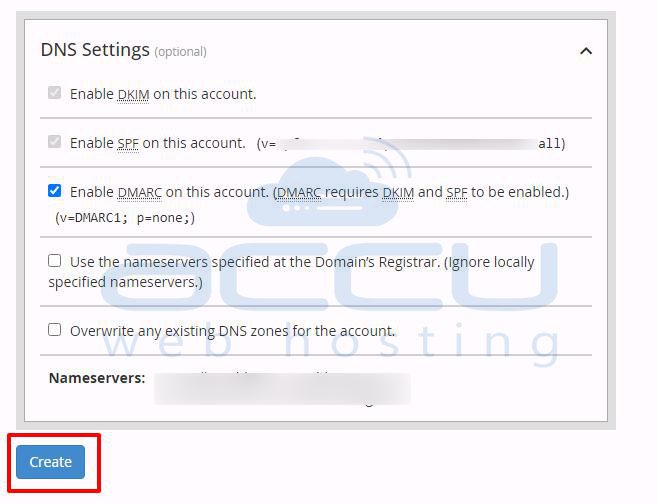
Step 4: Click on the Create button to create the user.
That's it! You've successfully created a cPanel account from WHM.


