
Introduction:
Monitoring website performance and visitor activity is essential for making informed decisions about your online presence. AWStats, a powerful analytics tool available in Webuzo, provides detailed insights into website traffic, including visitor counts, page views, referral sources, and more. By accessing AWStats through the Webuzo control panel, users can easily analyze their website’s performance and understand user behaviour without requiring advanced technical knowledge.
Steps:
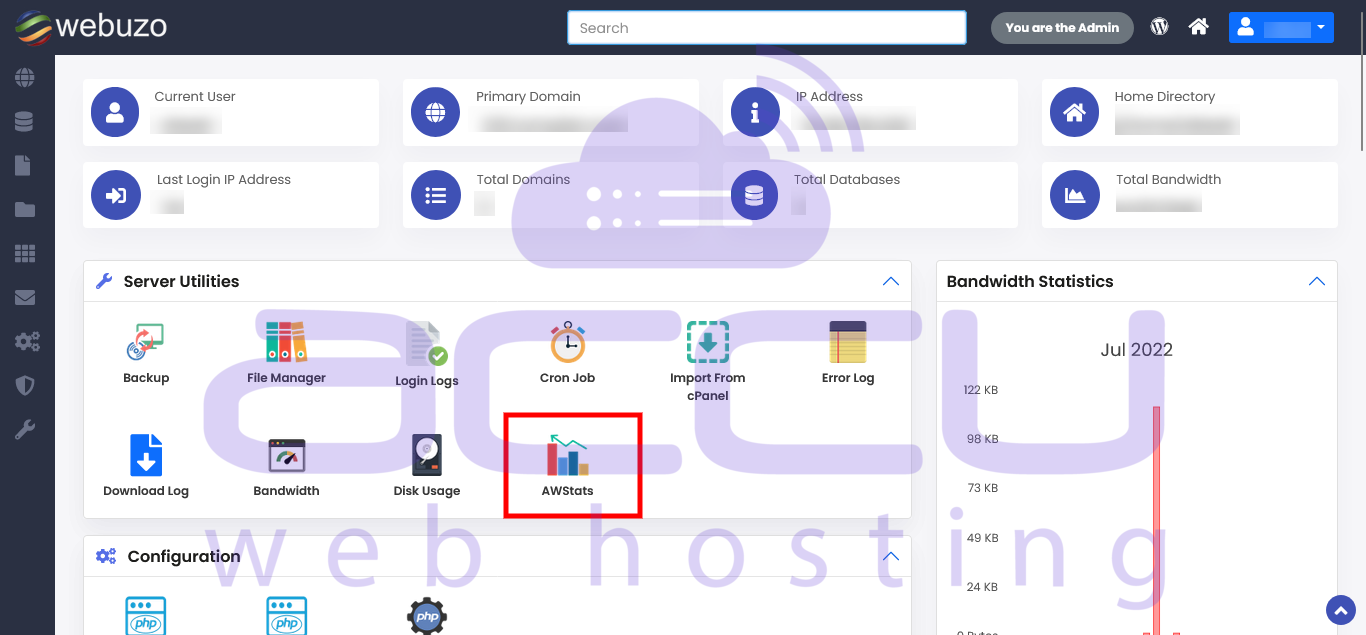
Navigate to Webuzo User Panel > Server Utilities > AWStats.
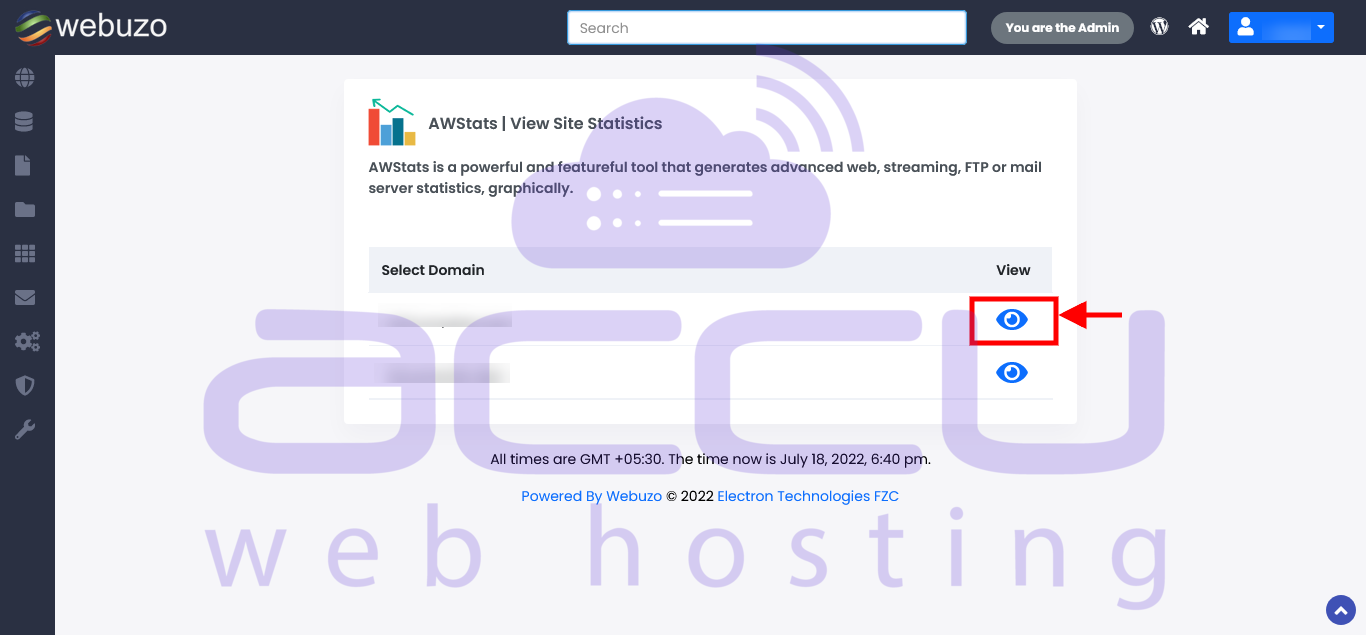
Click on the view icon across your domain name / IP.
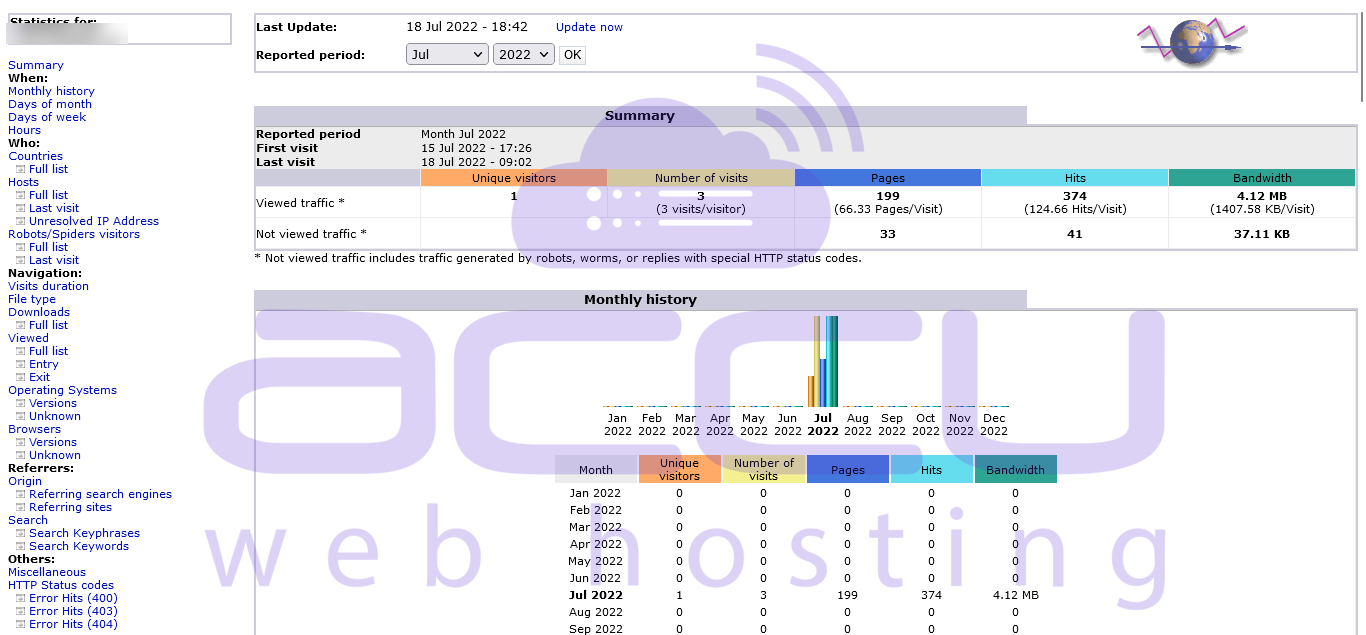
Now, you can view statistics for the particular website.
Conclusion:
In conclusion, using AWStats in Webuzo is an effective way to track and analyze your website’s statistics. It offers valuable data that can help you optimize content, improve user engagement, and make data-driven decisions. Regularly reviewing these insights ensures that you stay informed about your website’s performance and can take proactive steps to enhance its growth and success.


