
Introduction:
MIME types play a key role in how web servers communicate file formats to browsers, ensuring that different types of content are handled and displayed correctly. In Webuzo, adding or modifying MIME types allows you to define how specific file extensions should be processed by the server. This is especially useful when working with custom file formats or ensuring compatibility for certain applications. Understanding how to configure MIME types in Webuzo helps improve website functionality and user experience.
What is MIME type:
A media type (also known as a Multipurpose Internet Mail Extension or MIME type) indicates the nature and format of a document, file, or assortment of bytes.
The Internet Assigned Numbers Authority (IANA) is responsible for all official MIME types.
A MIME type most commonly consists of just two parts: a type and a subtype, separated by a slash (/); with no whitespace between:
> type/subtype
The type represents the general category into which the data type falls, such as video or text.
The subtype identifies the exact kind of data that the specified type of MIME type represents.
For example, for the MIME type text, the subtype might be plain (plain text), html (HTML source code), or calendar (for iCalendar/.ics) files.
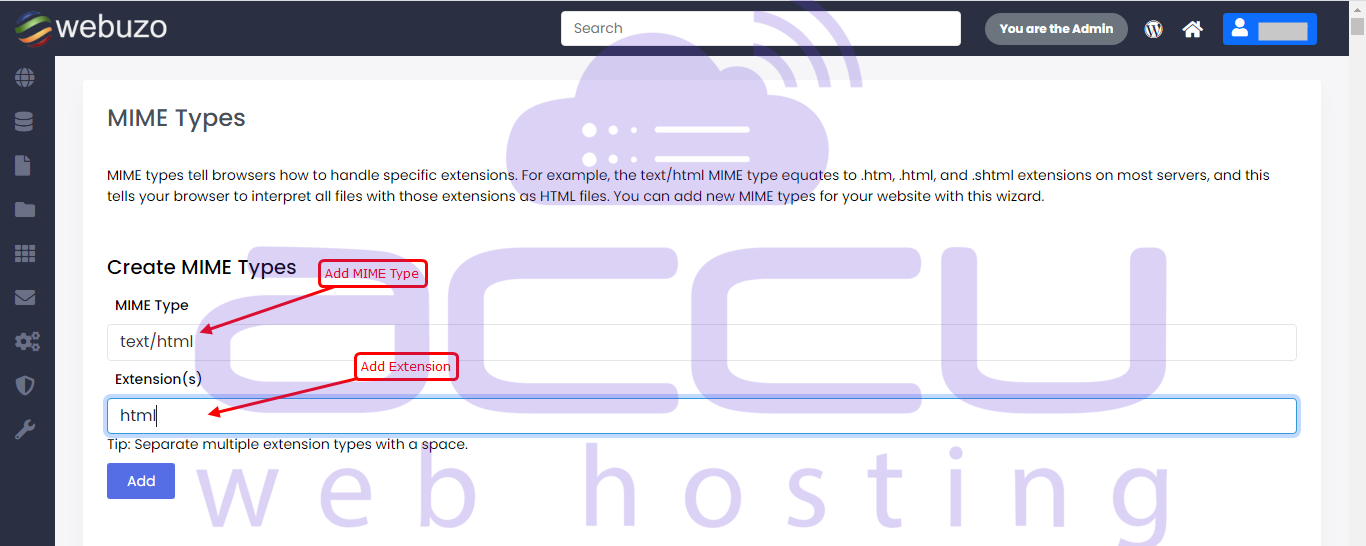
Extension(s): Add Extension for MIME type, Separate multiple extension types with a space.
Steps:
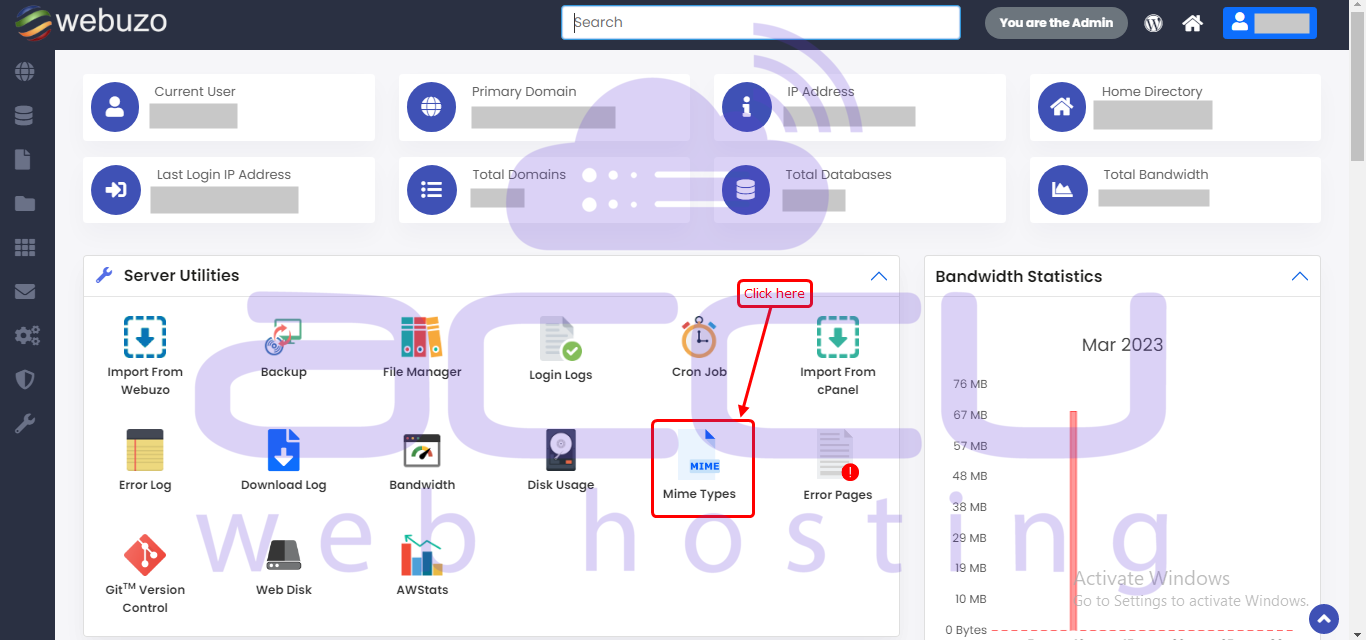
You can create a MIME Type from Webuzo User Panel > Server Utilities > MIME Types.
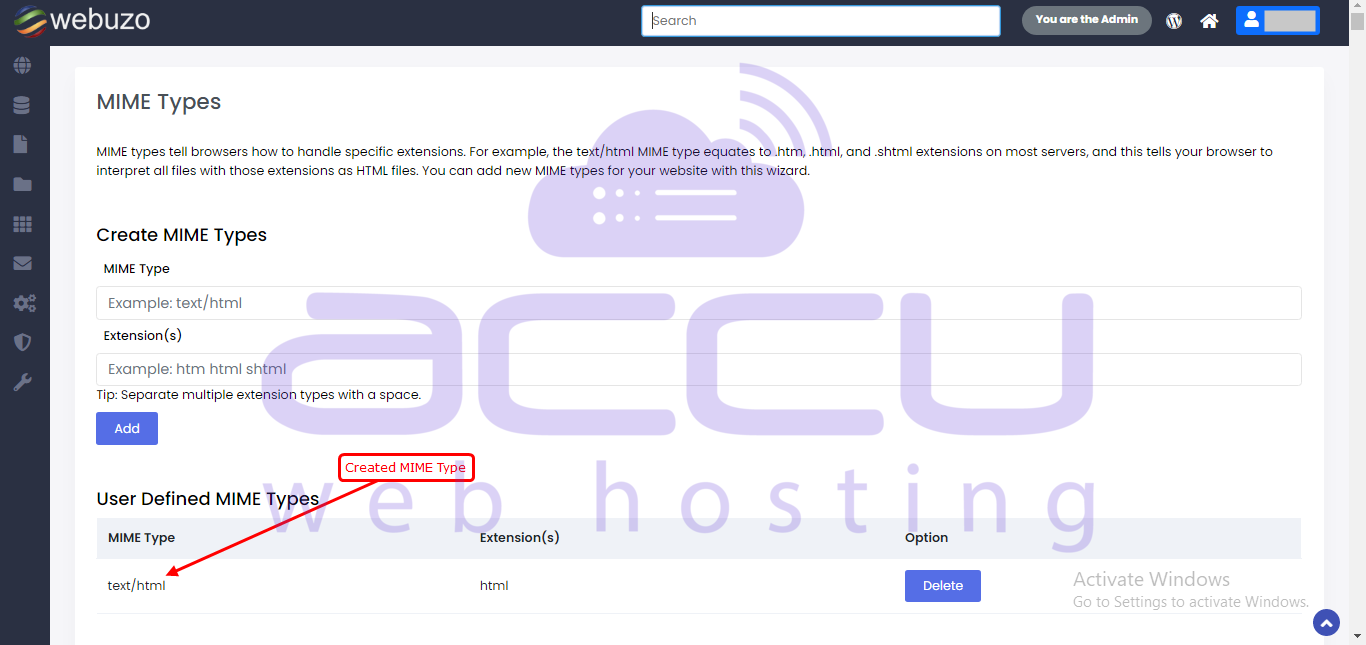
Created mime type will be listed here:
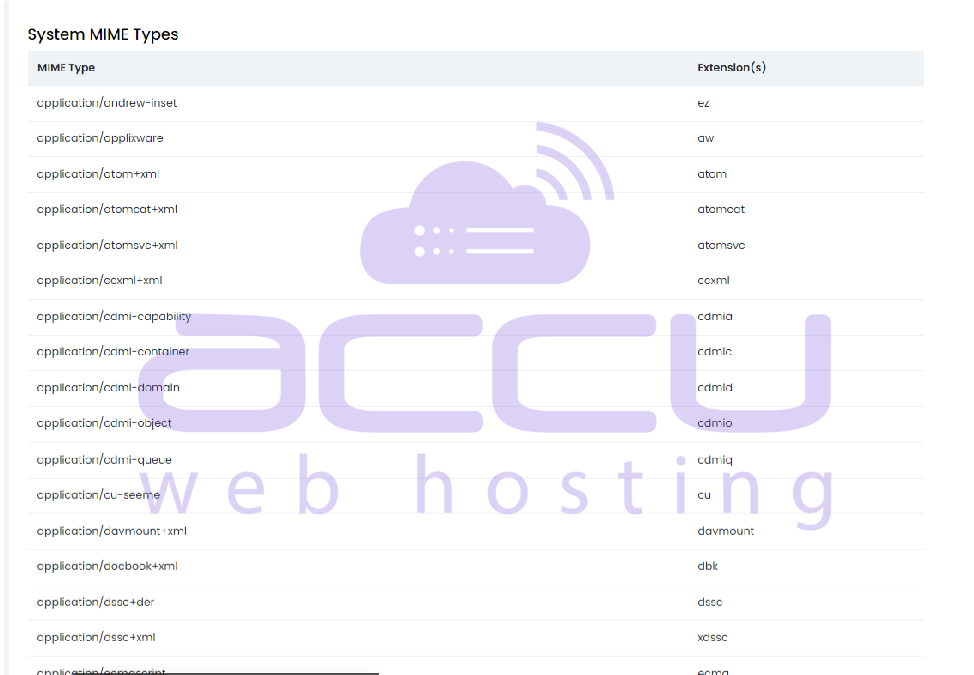
These are System MIME Types:
Conclusion:
In conclusion, adding MIME types in Webuzo is a simple yet important configuration that ensures your server correctly recognizes and serves various file formats. By properly defining MIME types, you can avoid issues with file handling and enhance the overall performance of your website. Regularly reviewing and updating these settings will help maintain smooth and reliable content delivery.


