
Overview:
This guide shows you how to manage PHP versions for your websites using MultiPHP Manager in Webuzo. You can choose different PHP versions for each domain or subdomain, update them easily, and adjust settings. This helps keep your websites running smoothly and makes managing PHP versions.
Steps for Setting the PHP Version for the Selected Domain:
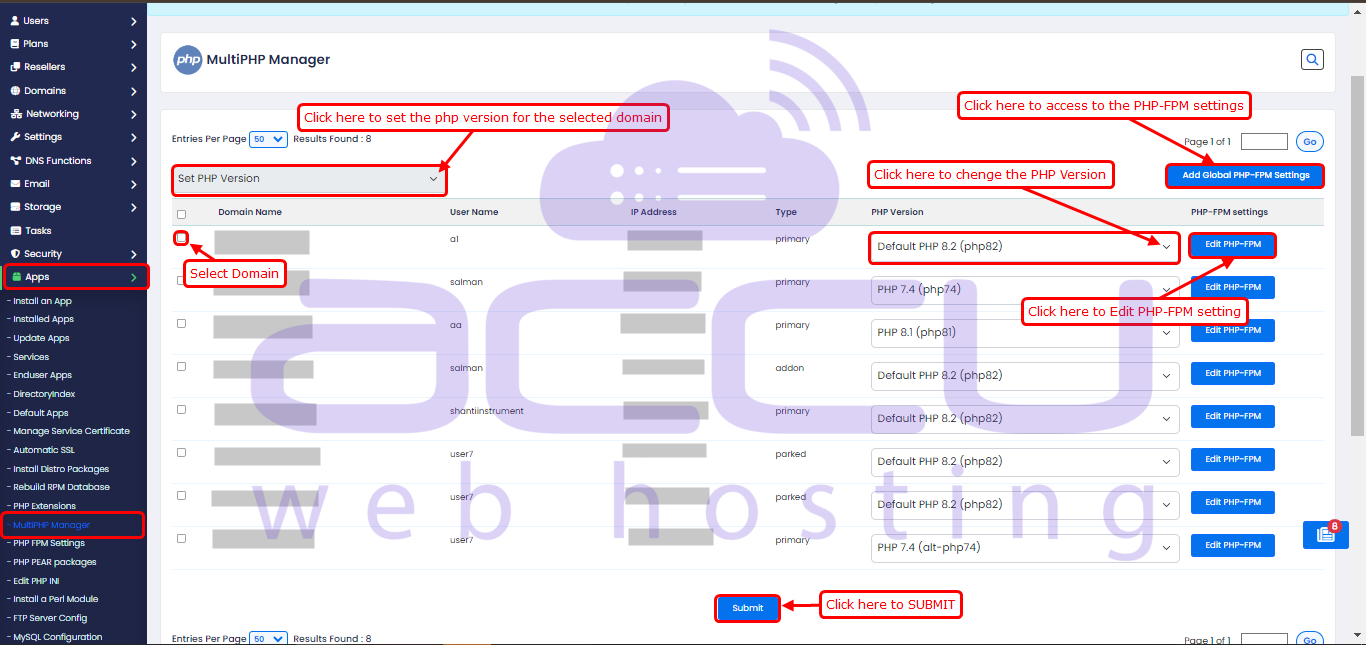
- Navigate to the Webuzo Admin Panel > Home > Apps > MultiPHP Manager.
- Select the domain, then click 'Set PHP Version' to change the PHP version for the selected domain.
PHP FPM Settings:
The PHP-FPM settings help the server run efficiently and handle varying traffic loads well. They balance speed and security to keep PHP applications stable. Adjusting these settings to fit the server’s needs can improve the website’s performance.
You can access the PHP-FPM settings through MultiPHP Manager, or directly by going to Home > Apps > PHP-FPM Settings.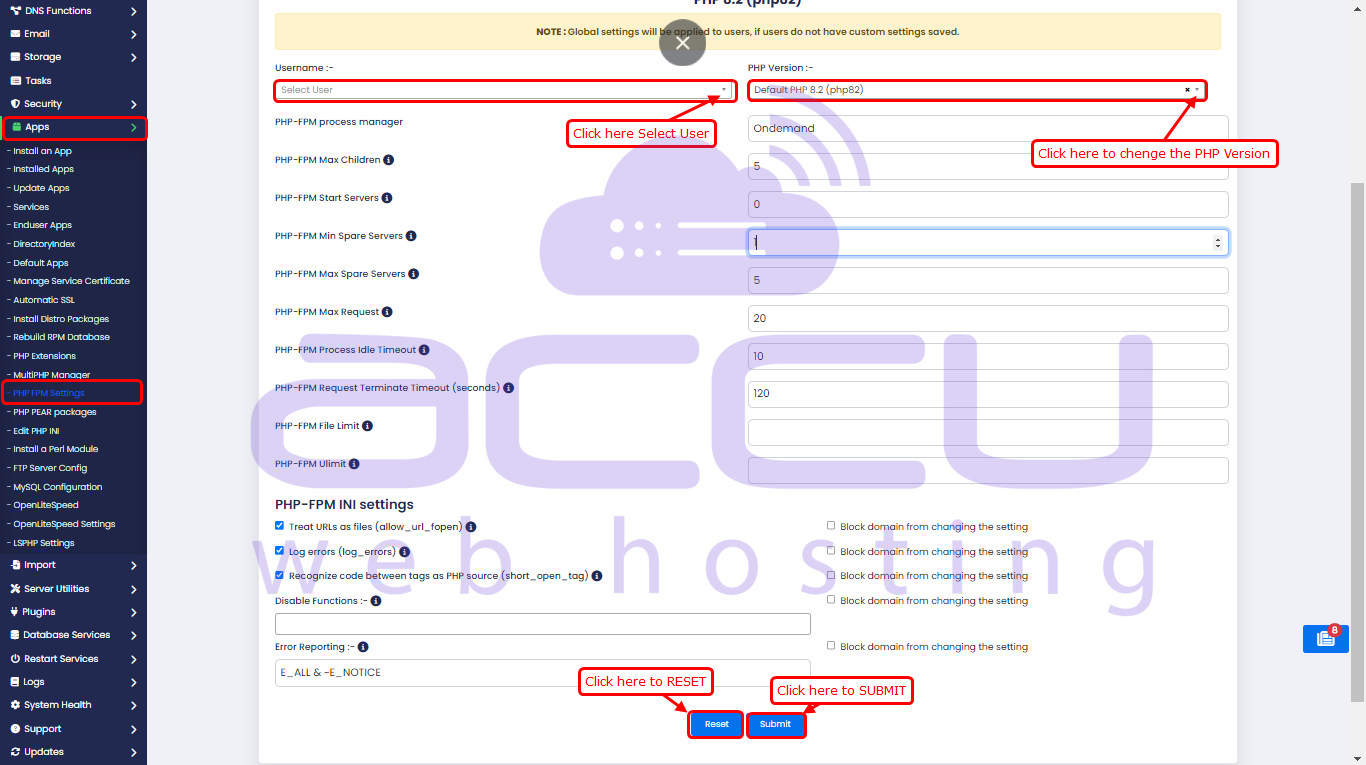
These settings help control PHP-FPM's performance and resource usage based on your server’s needs.


