
Troubleshooting cPanel AutoSSL Failures Caused by IPv6 Networking Issues
cPanel AutoSSL is designed to automatically issue and renew SSL certificates. However, certificate issuance may fail when the server has incomplete or misconfigured IPv6 networking. This guide explains how to diagnose and resolve IPv6-related issues that prevent AutoSSL from completing successfully.
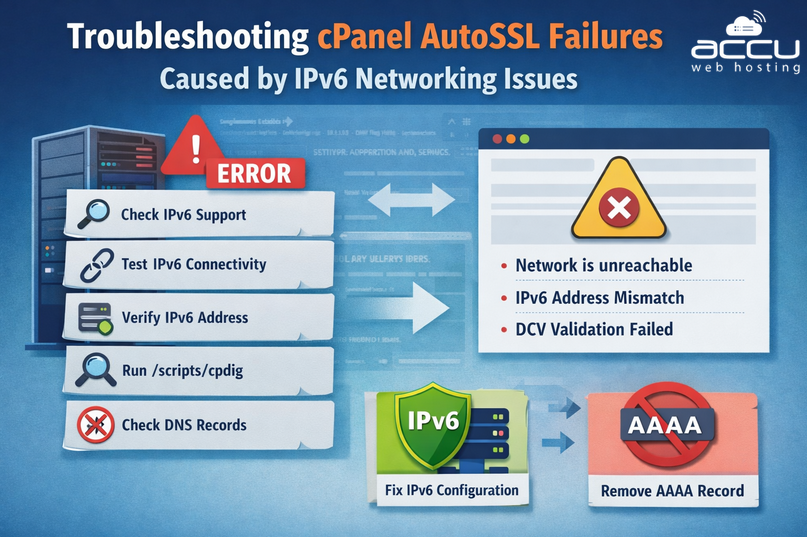
1. Identify IPv6-Related AutoSSL Errors
A common symptom appears when running:
/usr/local/cpanel/bin/autossl_check --user=username
You may see repeated errors similar to:
libunbound info: error sending query to auth server 2001:9dh::53 port 53
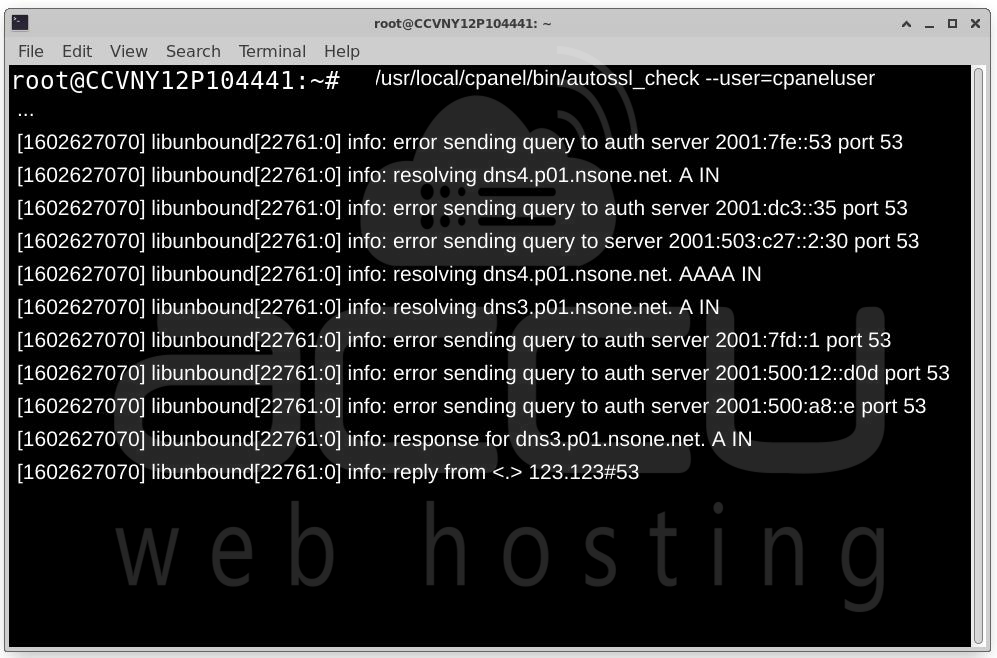
These messages indicate failed outbound IPv6 DNS queries, typically over UDP port 53.
Another common failure appears during Domain Control Validation (DCV):
Could not connect to 'exampledomain.tld:80': Network is unreachable.
The domain resolved to an IPv6 address that does not exist on this server.
This means:
- The domain resolves to an IPv6 (AAAA) record.
- The server does not have that IPv6 address configured.
- The certificate authority does not fall back to IPv4.
- AutoSSL validation fails.
2. Verify IPv6 Support on the Server
First, confirm that IPv6 is enabled in the kernel.
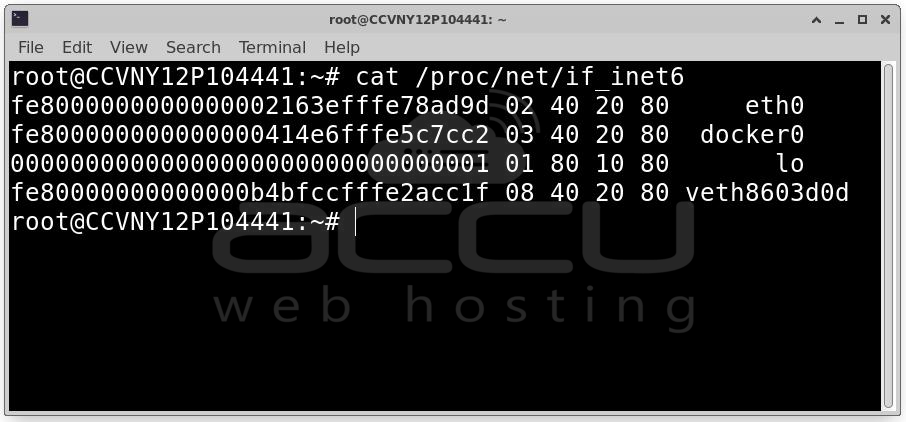
Run: cat /proc/net/if_inet6
Expected Result
If IPv6 is enabled, the file will contain entries like:
00000000000000000000000000000001 01 80 10 80 lo
2620000028a4a05cf8163efffe02812f 02 40 00 00 eth0
If You See: No such file or directory
IPv6 support is not enabled in the kernel. Contact your system or network administrator to enable IPv6 support.
3. Test Outbound IPv6 Connectivity
Even if IPv6 is enabled, outbound traffic may be blocked by routing or firewall rules.
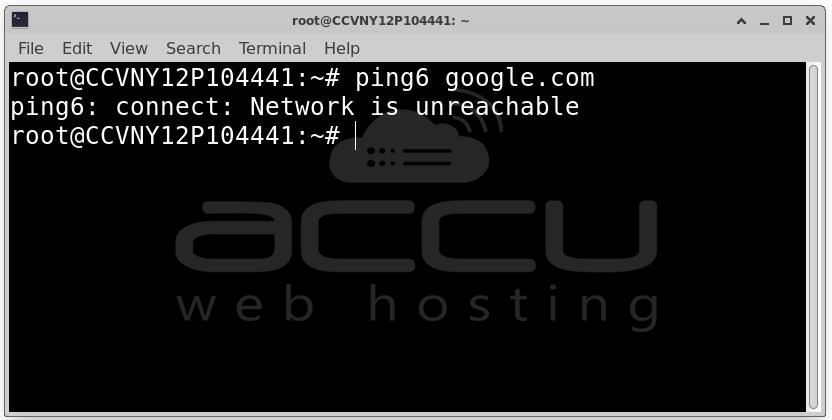
Run: ping6 google.com
Failure Example
connect: Network is unreachable
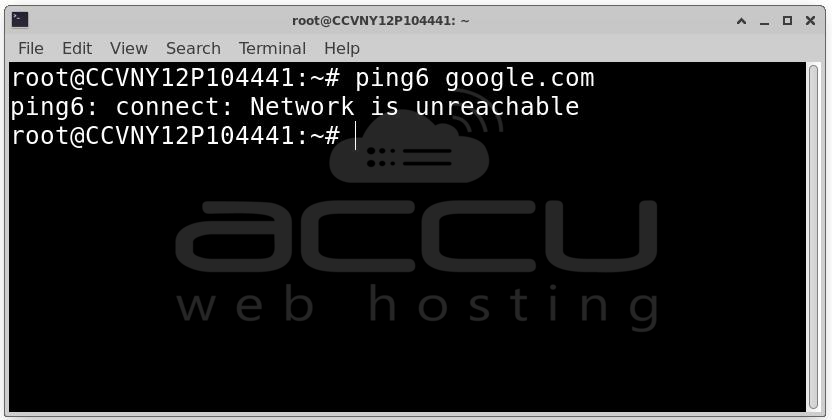
This indicates No IPv6 route, Firewall blocking IPv6 or Provider-level IPv6 misconfiguration.
Successful Example: 64 bytes from 2607:f8b0:4000:80f::200e: icmp_seq=1 ttl=114 time=17.4 ms]
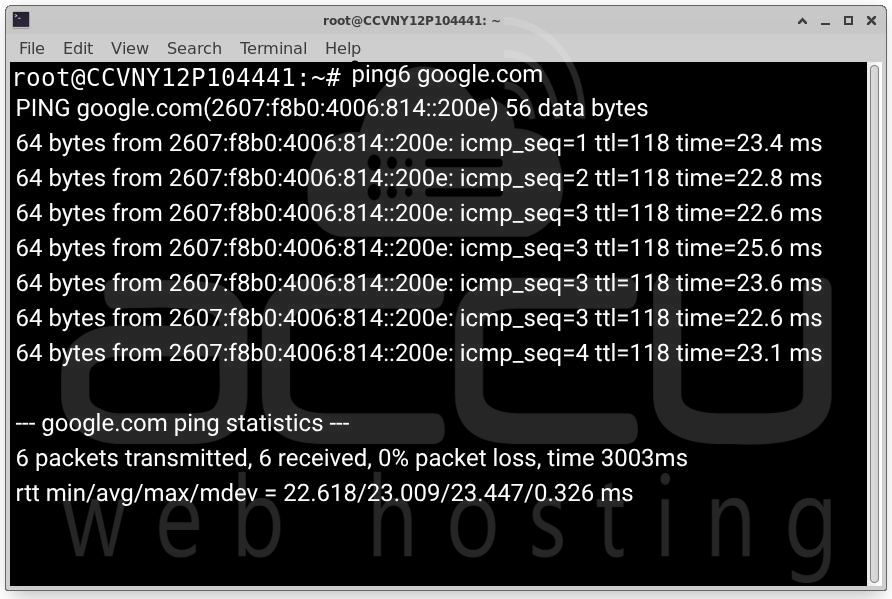
If the ping fails, verify IPv6 default route (ip -6 route), Firewall rules (iptables/ip6tables) and provider IPv6 assignment.
4. Verify Assigned IPv6 Addresses
Check configured IPv6 addresses: ip -6 addr show
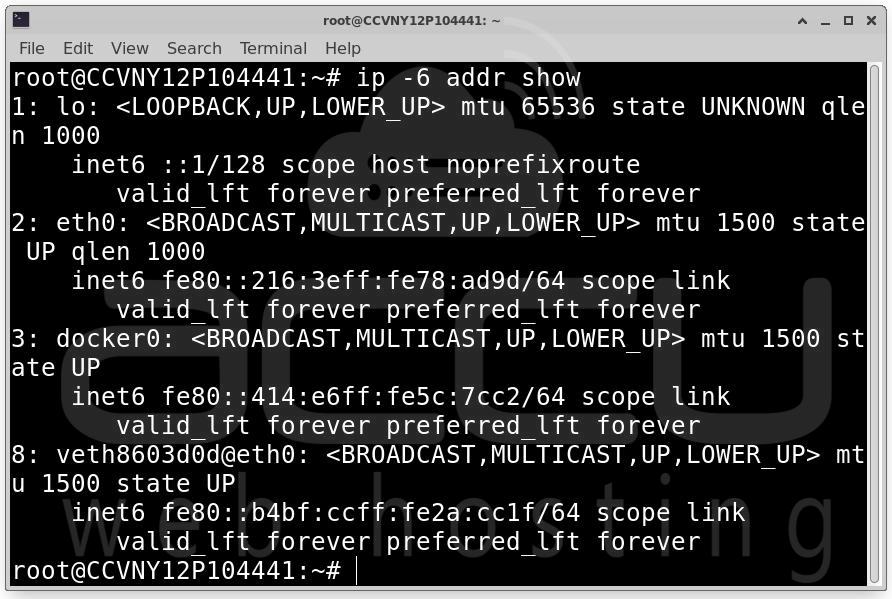
Confirm:
- The server has a global IPv6 address (not just fe80:: link-local).
- The address matches the AAAA record in DNS.
If the domain resolves to an IPv6 address that is not assigned to the server, AutoSSL will fail.
You may receive one of the following errors when running AutoSSL, where "IPv6_address" is an actual IPv6 address:
1. Local HTTP DCV Error Example:
Local HTTP DCV error (demovpstest.com): The system failed to fetch the DCV (Domain Control Validation) file at "http://demovpstest.com/.well-known/pki-validation/dcvfile.txt" because of an error: The system failed to send an HTTP (Hypertext Transfer Protocol) "GET" request to "http://demovpstest.com/.well-known/pki-validation/dcvfile.txt" because of an error: Could not connect to 'demovpstest.com:80': Network is unreachable. The domain "demovpstest.com" resolved to an IP address "IPv6_address" that does not exist on this server.
2. WARN Local HTTP DCV Error Example:
WARN Local HTTP DCV error (demovpstest.com): The system failed to fetch the DCV (Domain Control Validation) file at "http://demovpstest.com/.well-known/pki-validation/dcvfile.txt" because of an error (cached): Could not connect to 'IPv6_address:80': Network is unreachable.
5. Diagnose DNS Issues Using cpdig
AutoSSL uses the Unbound DNS library, not standard dig. Therefore, dig may succeed while AutoSSL fails.
Use the cPanel DNS diagnostic tool: /scripts/cpdig domain.tld A --verbose
Example Failure: sendto failed: Operation not permitted
error sending query to auth server 192.0.2.0 port 53
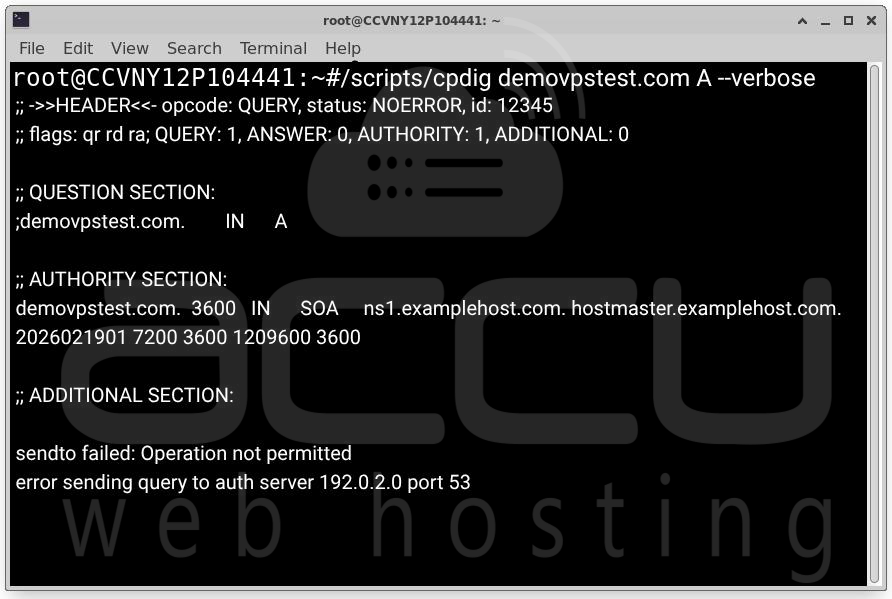
This indicates UDP port 53 outbound is blocked and firewall filtering DNS traffic.
Resolution: Ensure outbound DNS traffic is allowed, open UDP port 53, confirm no security software blocks outbound DNS and verify IPv6 DNS queries are permitted. After firewall correction, rerun cpdig and confirm it returns an ANSWER response.
6. Understand AutoSSL Local HTTP DCV Failures
Typical DCV error: The domain resolved to an IPv6 address that does not exist on this server.
A domain may have an A record (IPv4) pointing correctly to the server or an AAAA record (IPv6) pointing to a different address. Most certificate authorities used by AutoSSL do not fall back to IPv4 if IPv6 validation fails. Therefore: If AAAA exists and is unreachable → validation fails.
Resolution Options
Option 1 – Configure IPv6 Properly (Recommended)
Assign the correct IPv6 address to the server. Ensure the AAAA record matches the assigned IPv6.
Verify IPv6 Assignment: ip -6 addr show eth0
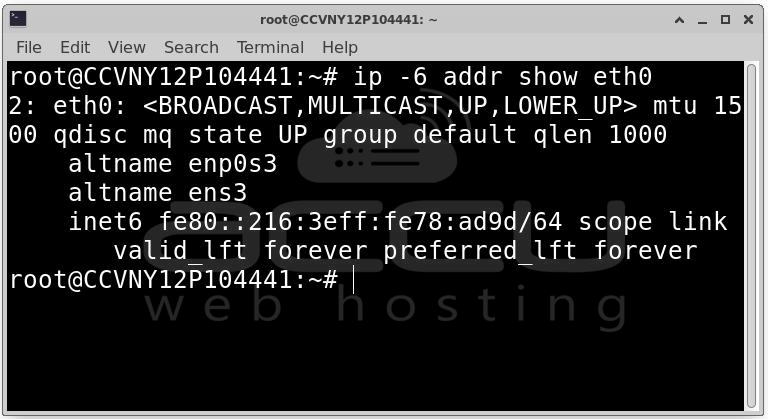
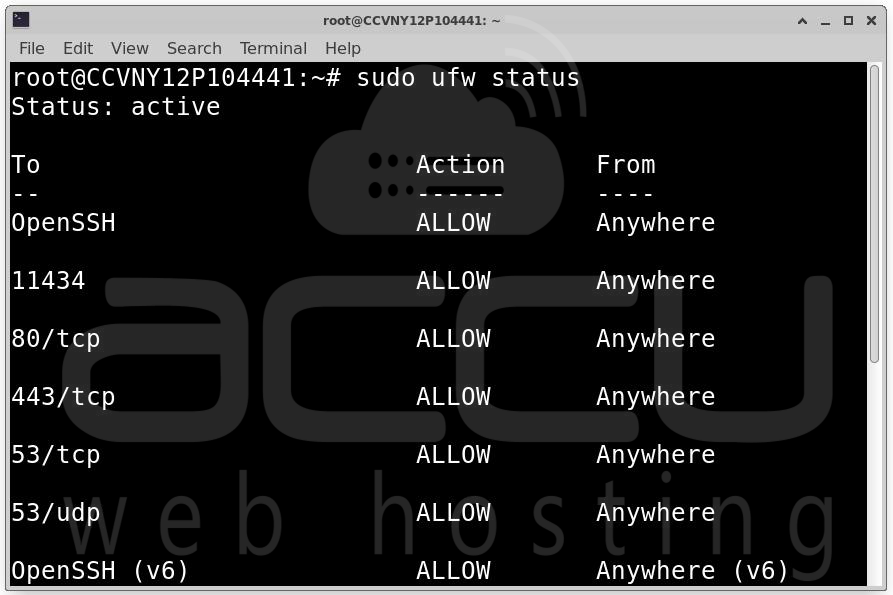
Confirm IPv6 routing and firewall rules allow: Port 80 (HTTP), Port 443 (HTTPS) and Port 53 (DNS). Then rerun AutoSSL.
sudo ufw status
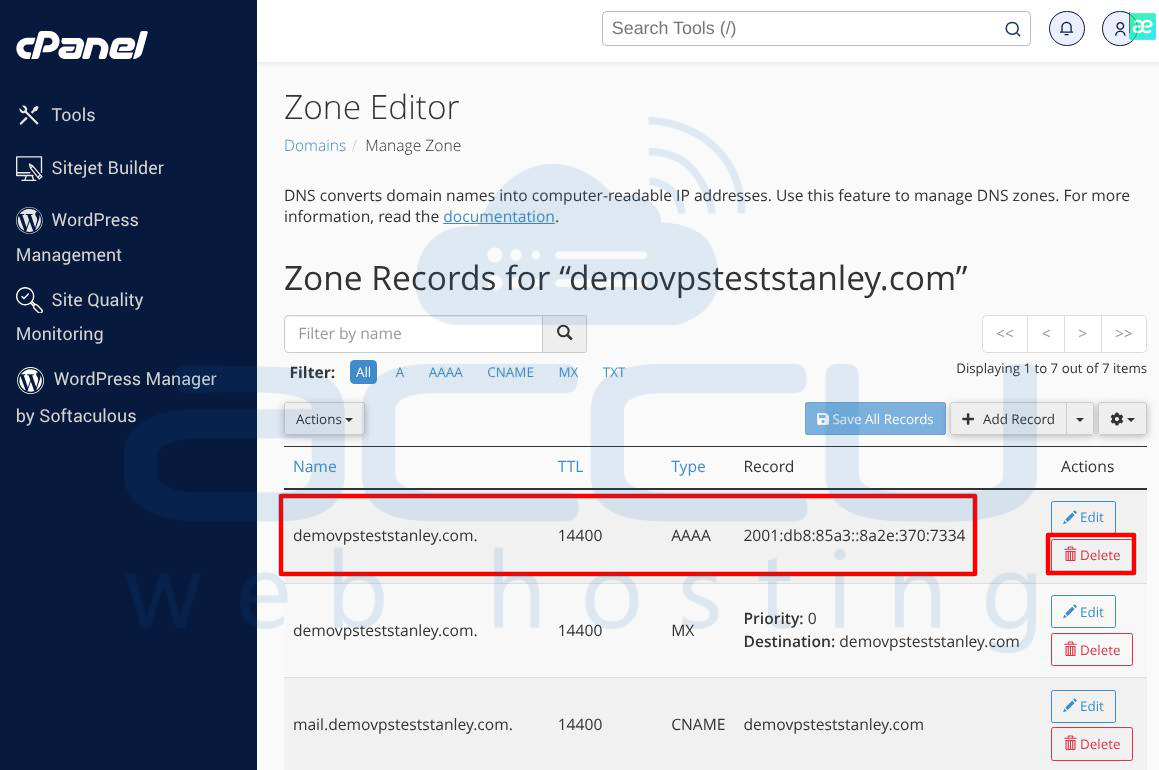
Option 2 – Remove the AAAA Record
If IPv6 is not required, remove or disable the AAAA DNS record. Ensure only IPv4 (A record) points to the server, wait for DNS propagation and rerun AutoSSL. This forces DCV validation over IPv4.
7. Quick Troubleshooting Checklist
|
Check |
Command |
Expected Result |
|
IPv6 enabled |
cat /proc/net/if_inet6 |
File exists |
|
IPv6 address assigned |
ip -6 addr show |
Global IPv6 present |
|
IPv6 routing |
ip -6 route |
Default route exists |
|
IPv6 connectivity |
ping6 google.com |
Successful replies |
|
DNS via Unbound |
/scripts/cpdig domain.tld A --verbose |
ANSWER returned |
|
Firewall |
ip6tables / CSF |
Ports 53, 80, 443 allowed |
Conclusion
AutoSSL failures caused by IPv6 issues typically IPv6 disabled at kernel level, No outbound IPv6 routing, Firewall blocking IPv6 traffic or Domain AAAA record pointing to a non-existent IPv6 address. For reliable SSL issuance ensure the domain resolves to an IPv6 address assigned to the server or remove the AAAA record if IPv6 is not configured. Correct IPv6 configuration ensures AutoSSL validation passes without interruption and prevents recurring certificate issuance failures.
