
Restoring your website from a cPanel backup is essential for recovering lost or corrupted data. In this article, we will walk you through the steps to restore your files, databases, and settings using cPanel's backup tools. This guide ensures that your website can be quickly recovered with minimal downtime, keeping your site operational and secure.
Method 1: Use the Backup Wizard option
1. Login into your web hosting cPanel account.
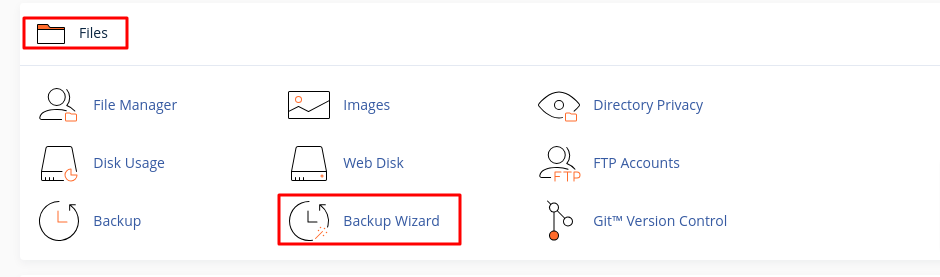
2. Click on the Backup Wizard button located in the Files section of cPanel.
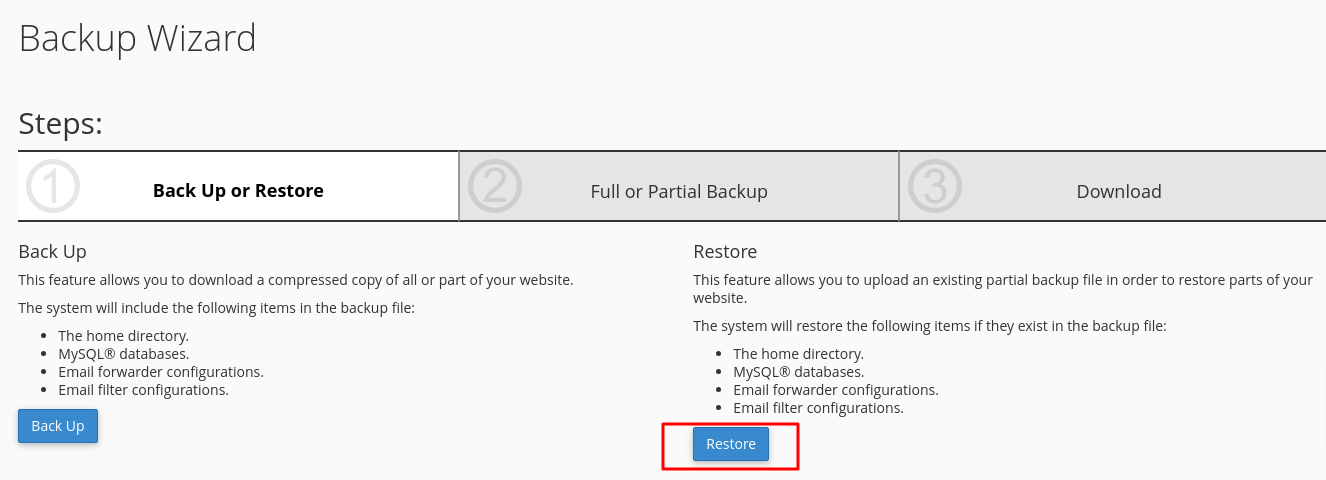
3. Click on the Restore button to begin the restoration process.
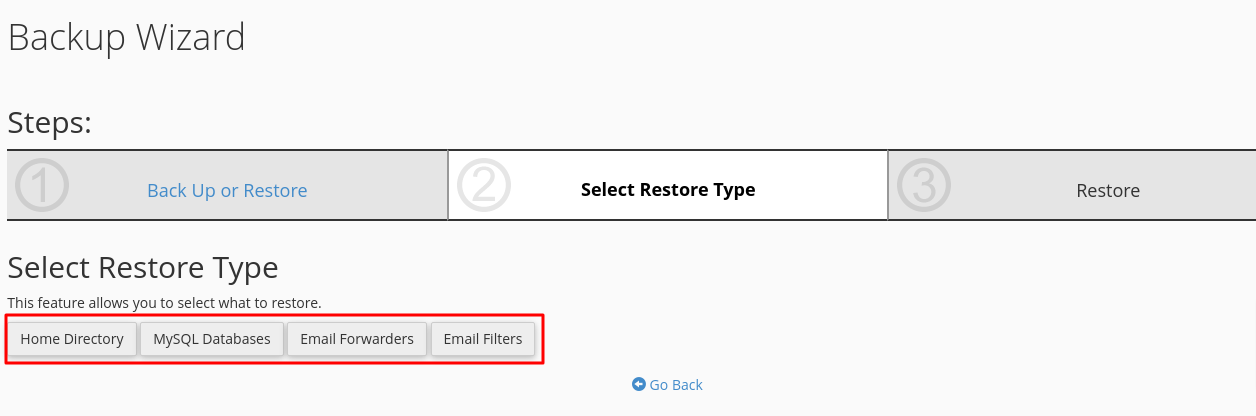
4. Select the type of backup you want to restore ( Home Directory, MySQL Databases, Email Forwarders, Email Filtres, etc.).
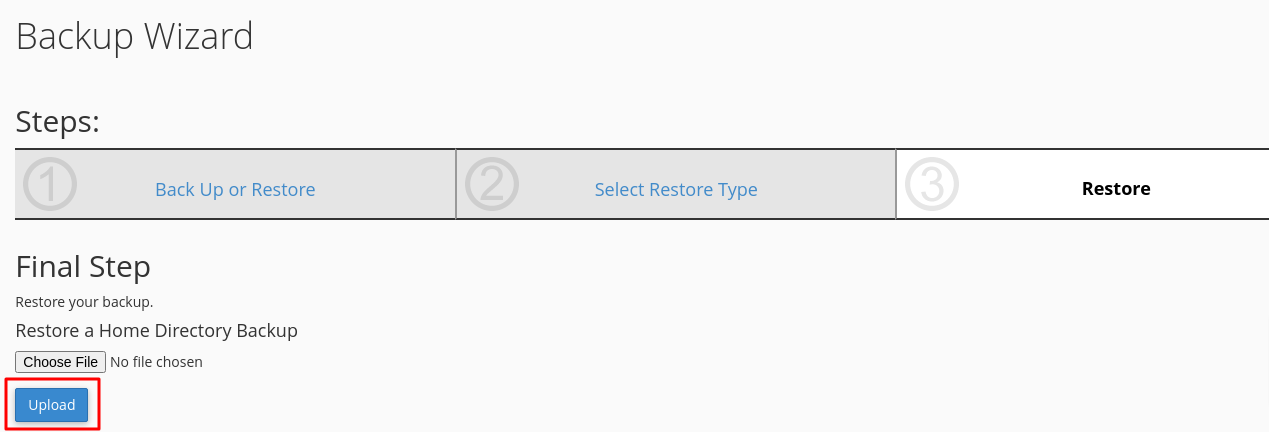
5. Upload a file from your computer that you want to use to restore your data.
6. Click Upload to start restoring your website from the backup. The time it takes will depend on the size of your backup file.
Method 2: Use the Backup option
1. Login into your cPanel account.
2. Click on the Backup button located in the Files section of cPanel.

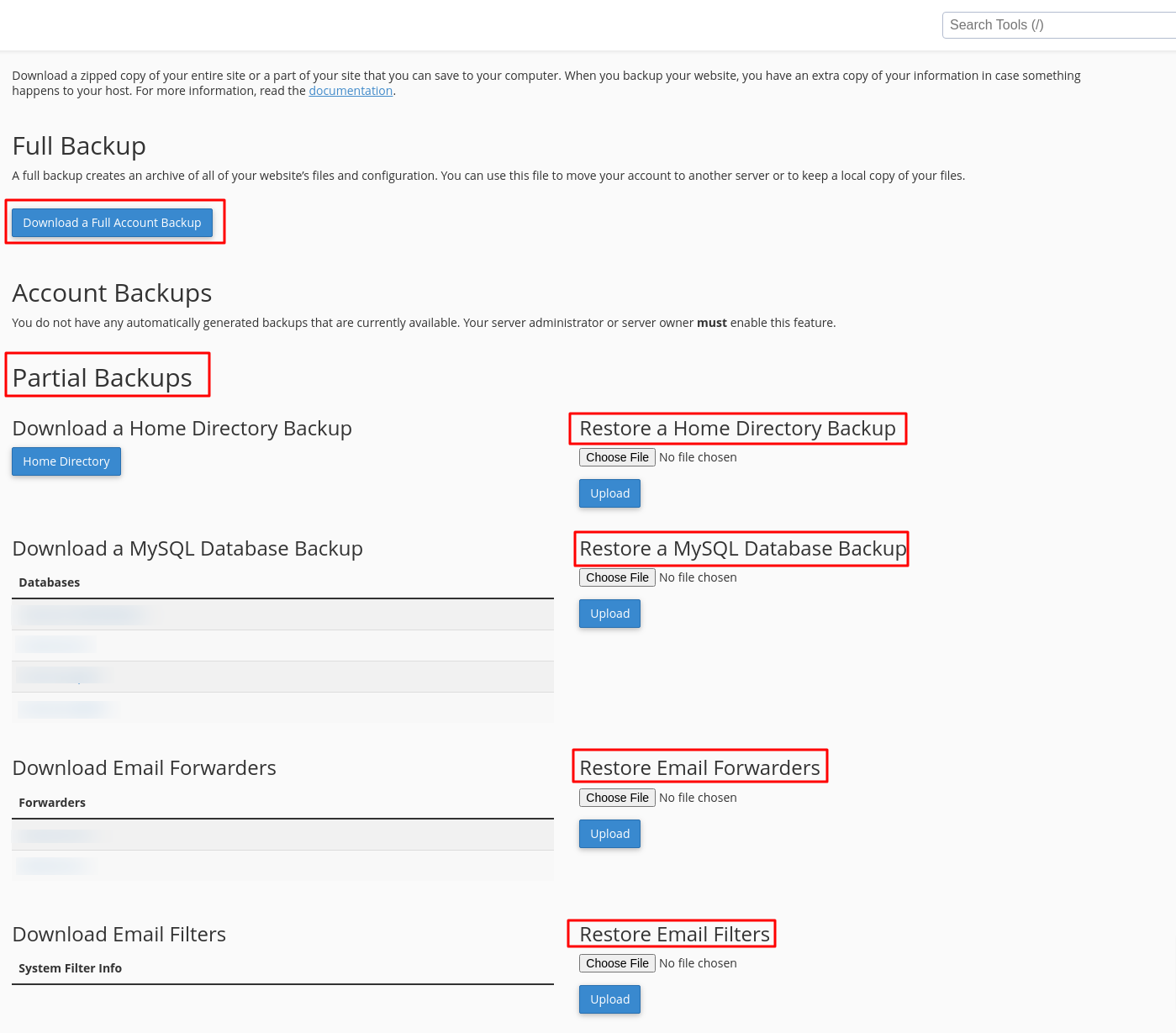
3. Here are several options for restoring your data. Choose the one that best fits your needs:
- Full Backup
- Partial Backups
- Restore a Home Directory Backup
- Restore a MySQL Database Backup
- Restore Email Forwarders
- Restore Email Filters
Regular backups are essential for recovering your website in emergencies. Make it a habit to restore from backups regularly to ensure easy execution when required.
Access cPanel: Log into your cPanel account.
Navigate to Backup Wizard: Locate the "Backup" section in cPanel.
Choose Restore Option:
If you have a full backup, select "Restore a Full Backup" to replace all files, databases, and emails.
For partial backups, choose the specific restore options for files or databases as needed.
Upload Backup File: If your backup is not already on the server, you will need to upload it from your local machine.
Confirm Restoration: Review the backup file details to ensure you are restoring the correct version, as this process will overwrite existing data.


