
A log file is a record of events that a computer keeps. It's created during software setups and by web servers. These files are plain text and don't take up much space. They can be opened in a basic text editor. Most have a ".log" extension, but some use ".txt" or a different type.
Specific log files contain account creation and termination details. These details are useful for understanding server activity and spotting issues like malware.
The log file that contains details about account creation and termination:
In cPanel and WHM, log files keep track of every action taken on the server. You can find the location of these log files in the default directories.
The log files are stored in the directory /var/log/.
Specifically, the log file that contains details about cPanel account creation and termination is located at /var/cpanel/accounting.log.
How do you check the account creation and termination log from the WHM Panel?
Here's how to check the log file for account creation and termination from the WHM Panel:
Step 1: Log in to your WHM Panel.
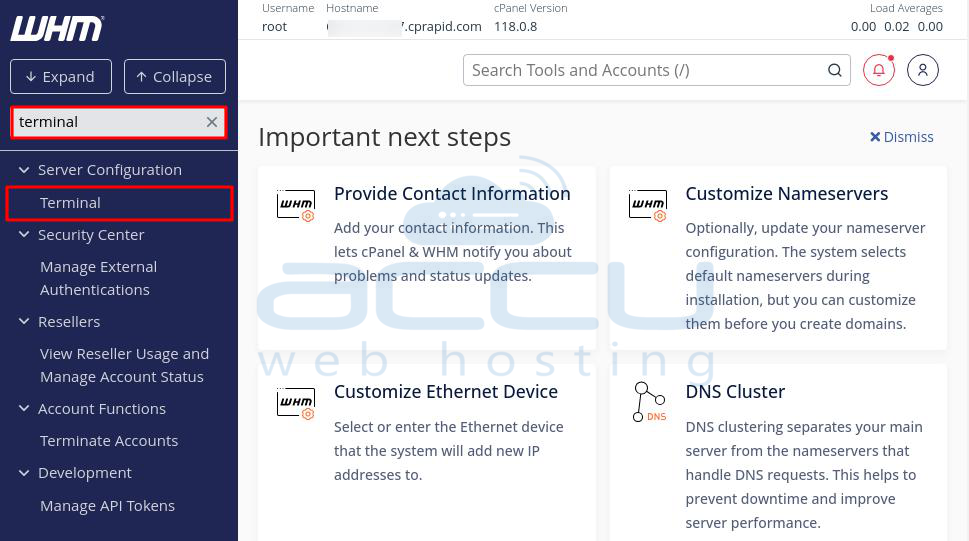
Step 2: Use the Search box on the left side of the screen and type Terminal.
Step 3: Click on "Terminal" under Server Configuration.
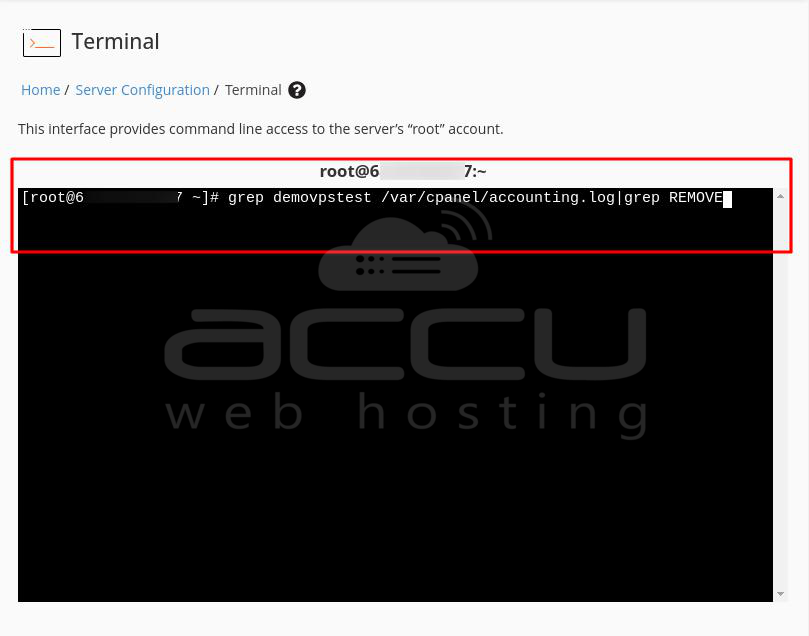
Step 4: In the terminal window, type the following command to find the removal log of the cPanel account:
# grep cpusername /var/cpanel/accounting.log|grep REMOVE
Note:
Replace cpusername with your cPanel username.
This command uses grep to locate "REMOVE" actions related to the account's username.
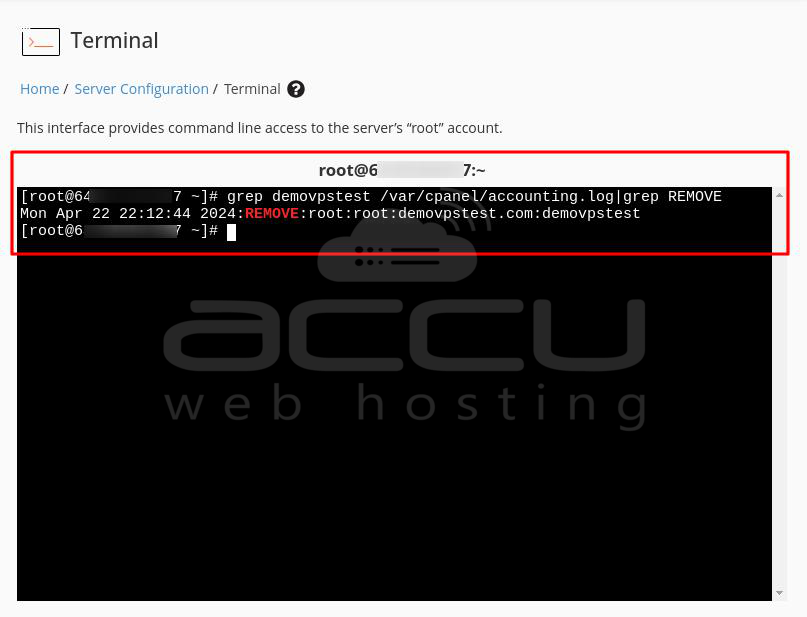
Step 5: After entering the command, you will see the removal log of the requested cPanel account, showing when the account was removed.
Step 6: To find the log of account creation, type the following command in the terminal:
# grep cpusername /var/cpanel/accounting.log|grep CREATE
Note:
1. Replace cpusername with your cPanel username.
2. This command also uses grep to locate "CREATE" actions related to the account's username.
Step 7: After entering the command, you will see the log of when the requested cPanel account was created.
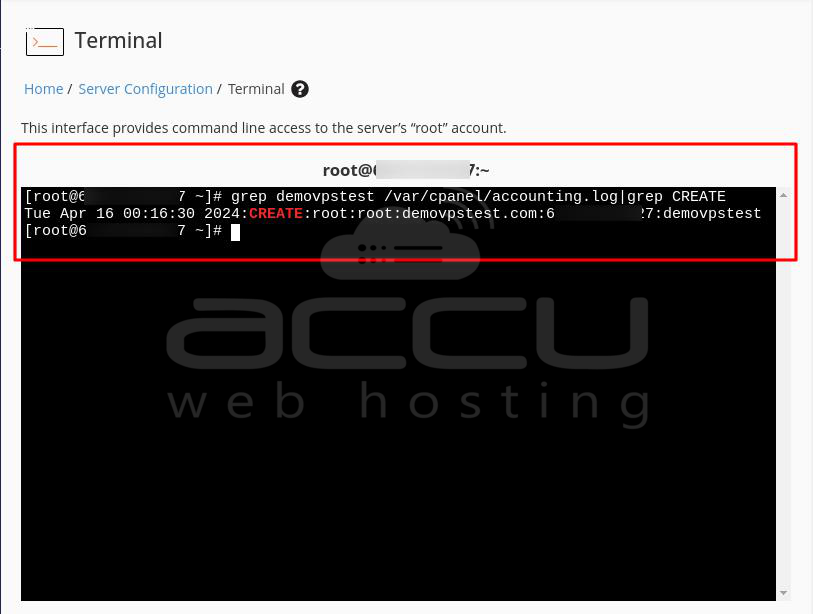
These steps allow you to use the terminal in WHM to search for specific actions, such as account removal (termination) and account creation, recorded in the log file.
How do you check the account creation and termination log from SSH?
You can check the accounting log file to find out when an account was closed. This file, located at /var/cpanel/accounting.log, records cPanel account activities like creating, deleting, or suspending accounts. This can help you know which backup dates are relevant or for other purposes.
Here's how to check the log for account removal (termination) and creation using SSH on your cPanel/WHM server:
Step 1: Log in to your cPanel/WHM Server using SSH.
Step 2: In the terminal, type the following command to search for the removal log of a cPanel account:
# grep cpusername /var/cpanel/accounting.log | grep REMOVE
Note:
1. Replace cpusername with your cPanel username.
2. This command uses grep to find "REMOVE" actions related to the specified account.
Step 3: After running the command, the log shows when the specified cPanel account was removed (terminated).
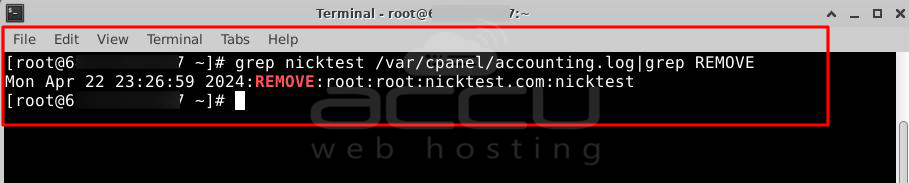
Step 4: To search for the log of account creation, enter the following command in the terminal:
# grep cpusername /var/cpanel/accounting.log | grep CREATE
Note:
1. Replace cpusername with your cPanel username.
2. This command also uses grep to find "CREATE" actions related to the specified account.
Step 5: After running the command, the log shows when the specified cPanel account was created.
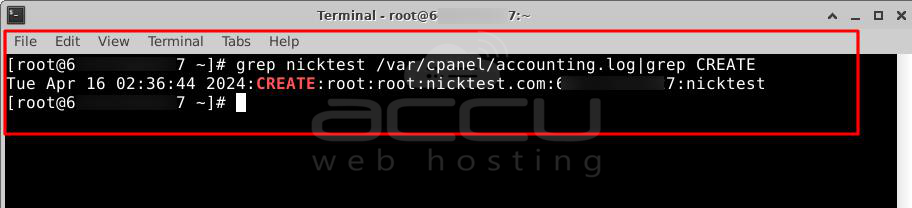
Using simple commands, these steps allow you to use SSH to search the accounting log file for specific actions (removal or creation) related to a cPanel account.
Conclusion:
Following these steps, you can quickly access and review the log file containing account creation and termination information, either through the WHM interface or via SSH on the server.
