
(1) Log in to the Smartermail using the admin user with http://IPAddress:9998
(2) Find your Domain name and click on it.

(3) Now go to "General" tab and scroll down to "Email Signing"

(4) Now click on "Enable" button. This will generate the DKIM Record.
(5) After clicking on Enable button, you will see below email signing dialog box. Copy the "Text Record Name" and "Text Record Value"(6) Add it on DNS Zone of your Domain.
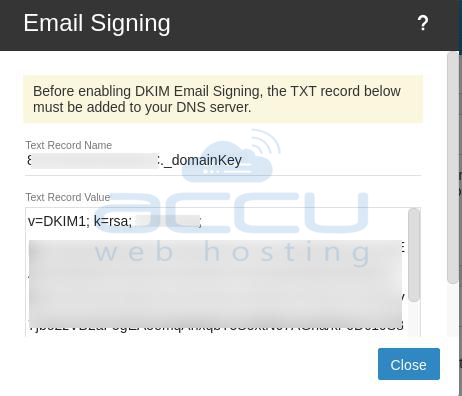
(6) In the TXT Record Value, you need to add the record version as follows:
v=DKIM1;p=<record value provided in SmarterMail>
That's all.
