
Please refer to the following steps to fix the cPanel error - IP Address has changed!
Step 1: Log in to the WHM Panel.
Step 2: Inside the security configuration, click on the Tweak Settings.
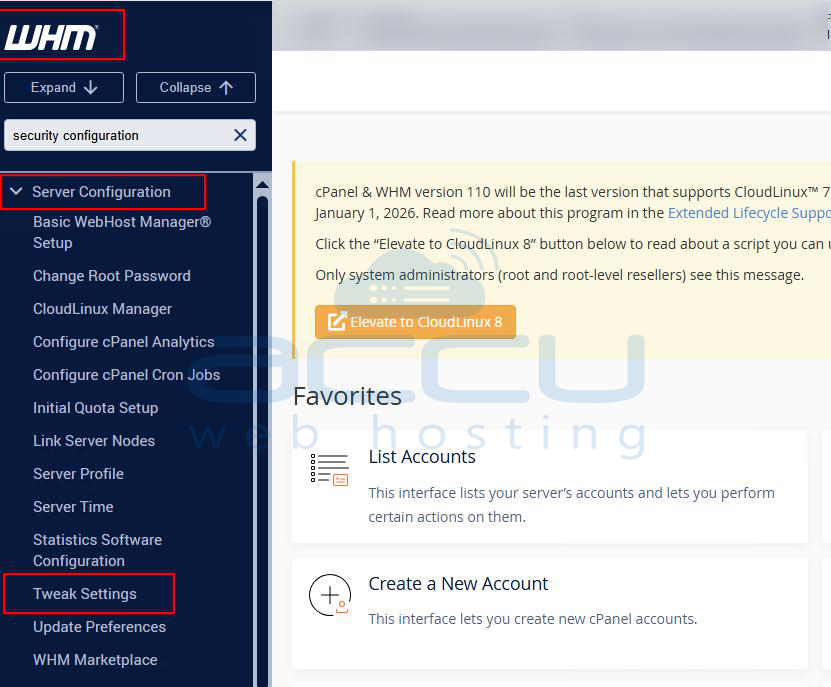
Step 3: Go to the security button.

Step 4: Inside security, find the Cookie IP validation option and check the radio button with the option loose.
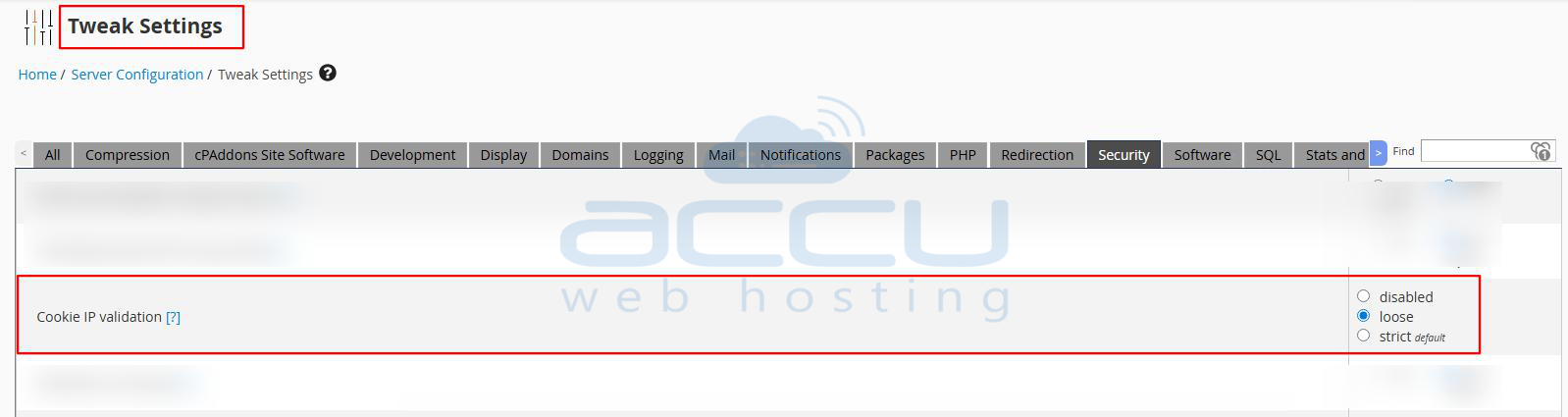

Step 5: Once done, click on the Save button.
Step 6: Go to your web browser and clear the browser cache, and try to load the cPanel again.


