
ModSecurity is a web application firewall. It blocks the incoming web request, depending on the added ruleset. Using ModSecurity, you can protect your web application against attacks like session hijacking, SQL injection, cross-site scripting, etc.
In this article, we will install the ModSecurity version 3. It is faster than the previous versions.
Please refer to the following steps to install ModSecurity 3 in cPanel. We assume you have root access to the server, and also that EasyApache4 is installed on it.
Step 1: Log in to your server using SSH.
Step 2: Run the command below to install the EasyApache4 experimental repository.
# yum install ea4-experimental
Step 3: Please uninstall ModSecurity 2 if you have already installed it on the server.
# yum remove ea-apache24-mod_security2
Step 4: Run the command below to install connectors that allow ModSecurity to work with a web server.
For Apache
# yum install ea-modsec30-connector-apache24
For Nginx
# yum install ea-modsec30-connector-nginx
WHM Part
Step 1: Log in to your WHM Panel.
Step 2: Inside the software, click on the EasyApache 4.
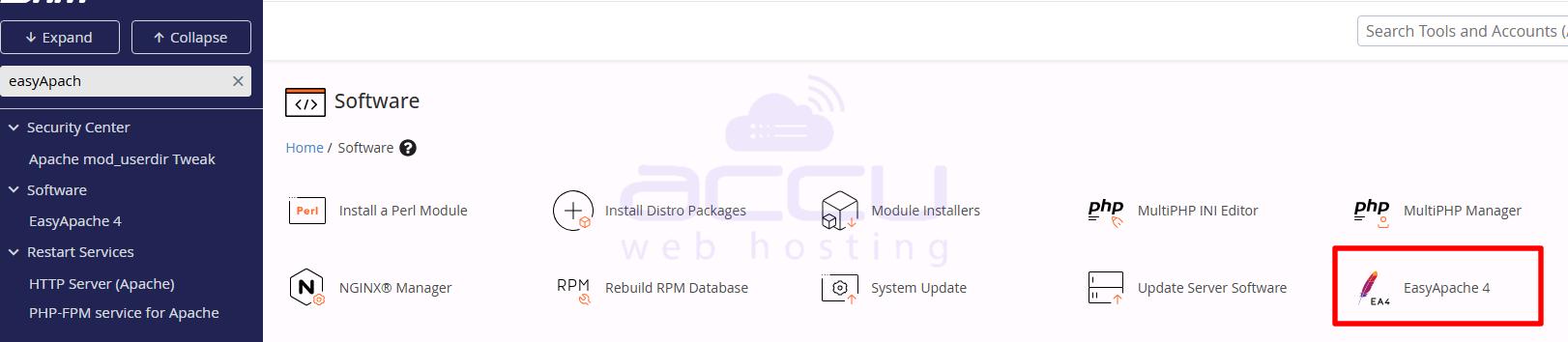
Step 3: Click on the Customize button.
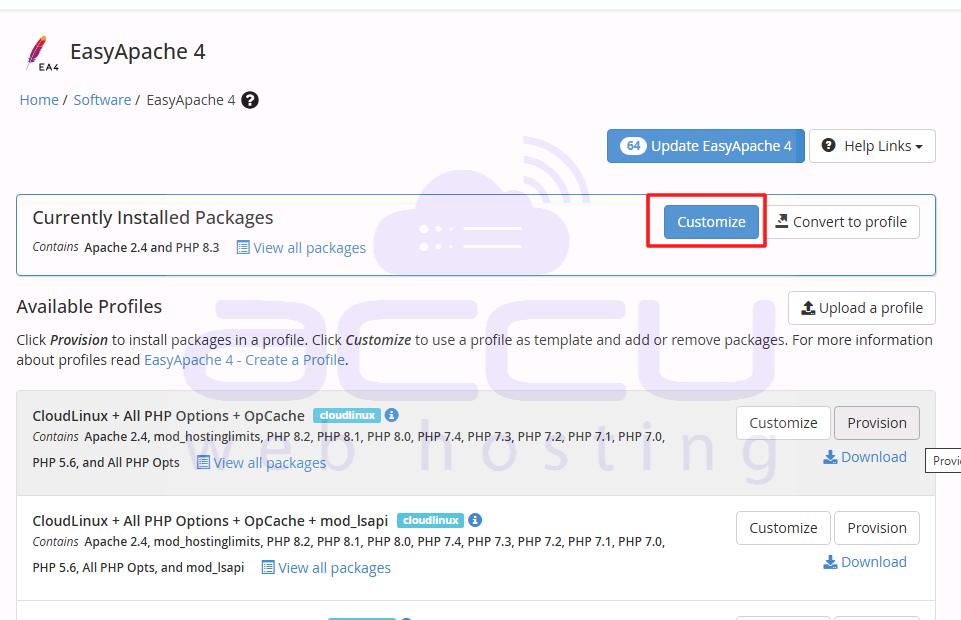
Step 4: Go to the additional packages and ensure the connector is installed. If you are working for Apache, ensure that modsec30-connector-apache24 is installed. For Nginx, you require modsec30-connector-nginx.

Step 5: Click on the Next, review, and provision button to complete the installation.

Step 6: Now, install the OWASP Core Rule Set using the command below.
# yum install ea-modsec30-rules-owasp-crs
ModSecurity Configuration
In ModSecurity configuration, you can set up several global settings. It allows configuring the behavior of the audit log, rules engine, and connection engine.
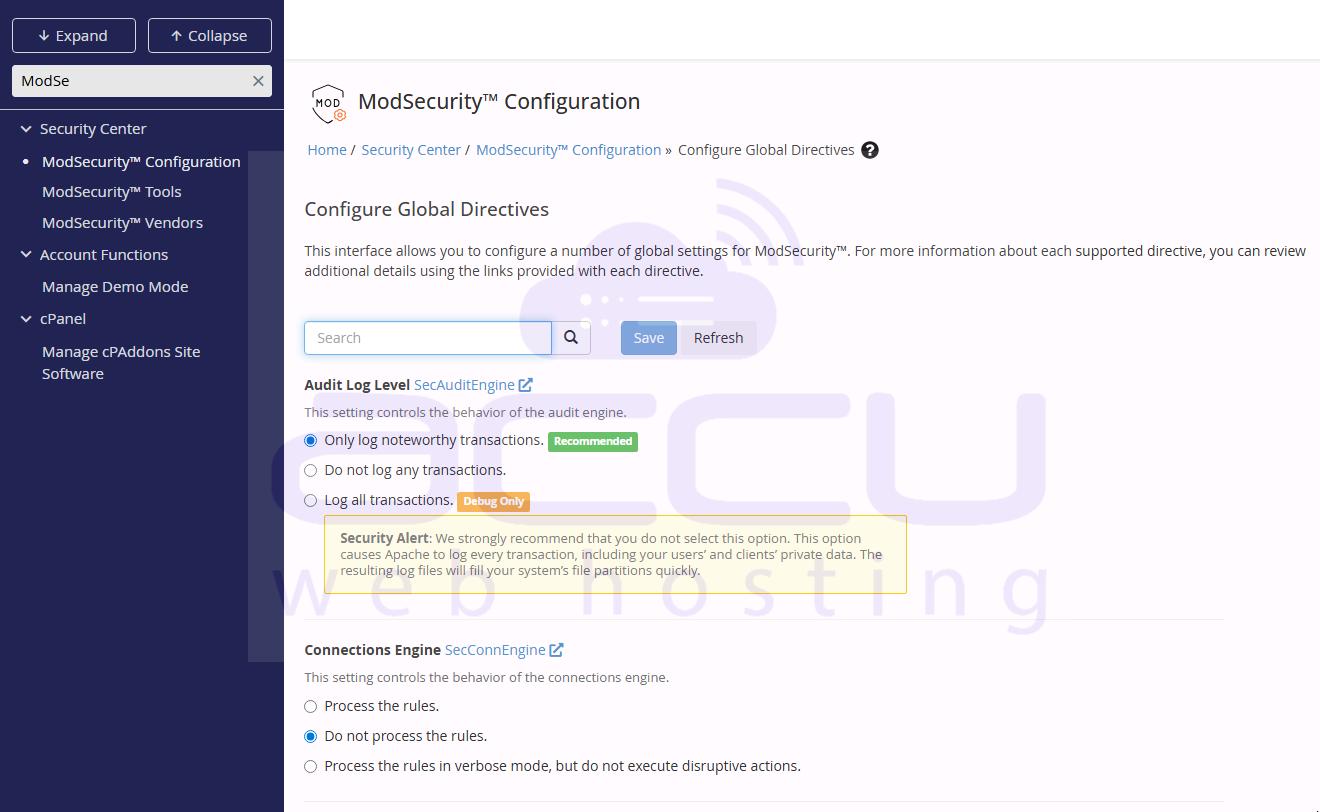
To learn more about these configuration options, please refer to the ModSecurity configuration documentation.
ModSecurity Tools
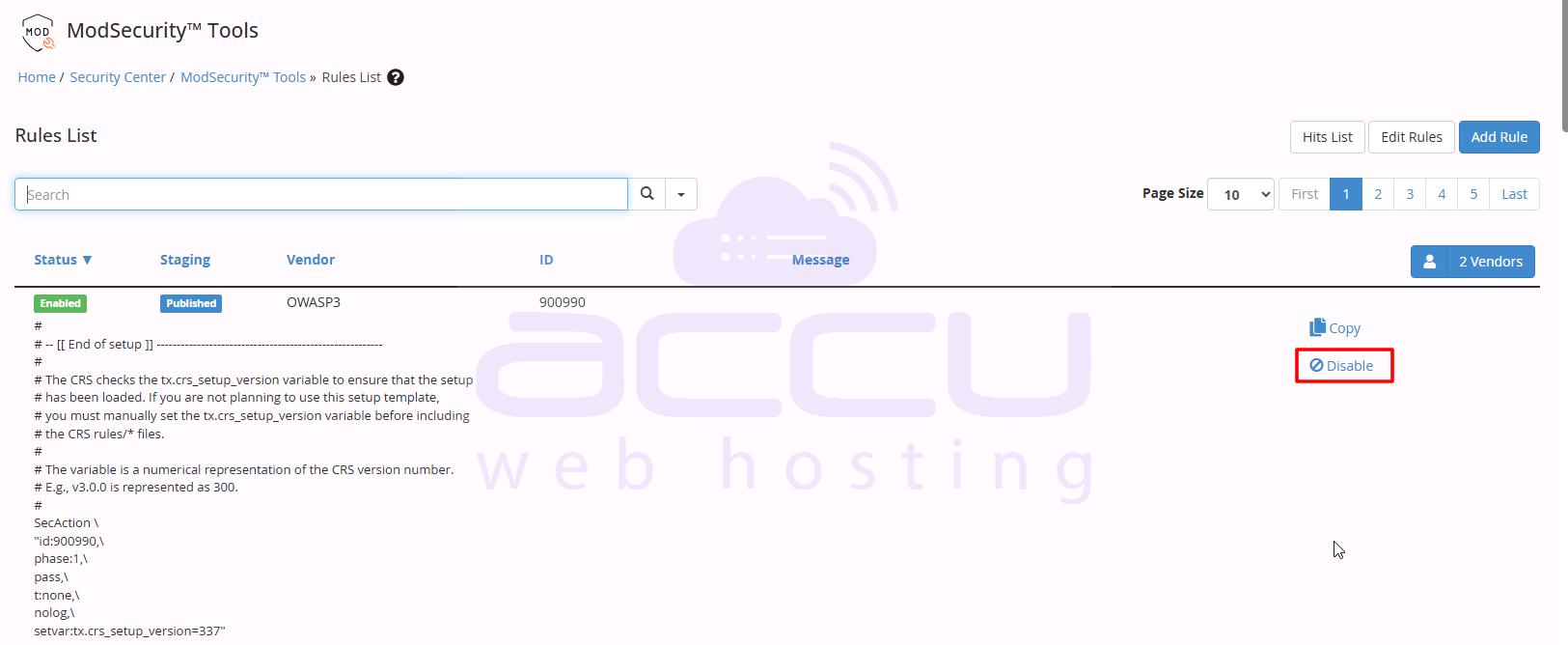
ModSecurity Tools allows monitoring and configuring the firewall’s rules. You can find all the rules here and also activate/deactivate rules as per the requirement. It also allows adding a new rule.
ModSecurity Vendors
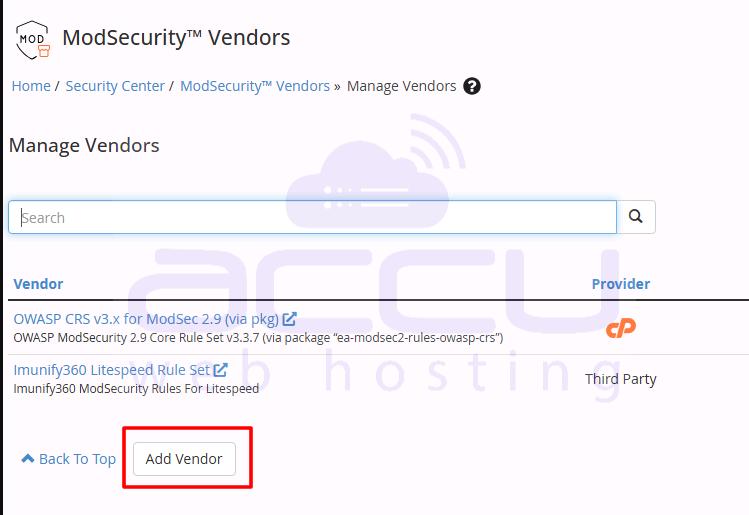
ModSecurity Vendors allow adding and managing various rule sets. You can see the OWASP CRS rule set that we have installed. You can activate or deactivate it from here. You can also edit or exclude the rule set, like IP reputation, Wordpress exclusion, etc.
Installing ModSecurity 3 on cPanel provides an essential layer of security for web applications, offering protection against a wide range of attacks. By following the steps in this guide—installation, rule configuration, and monitoring—server administrators can ensure robust, up-to-date defense while maintaining flexibility to customize rules according to their applications’ needs. Proper use of ModSecurity Tools and Vendors allows ongoing optimization and fine-tuning, ensuring both security and performance.
