Please refer to the following steps to enable a website preview in the Plesk panel.
- Login to your Plesk Panel.
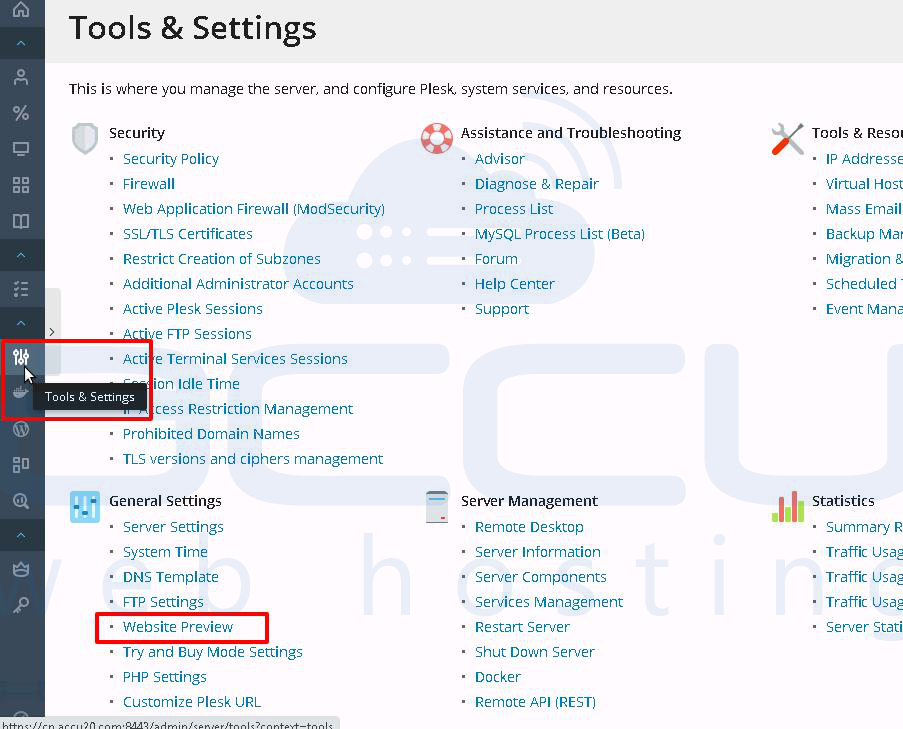
- Go to the Tools & Settings and click on Website Preview.
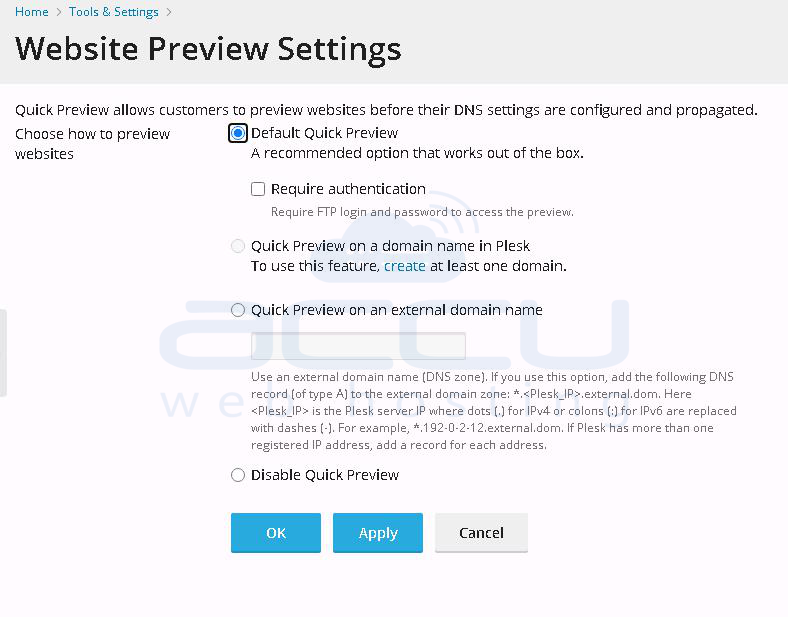
- Choose default preview settings and click on the OK button.

Please refer to the following steps to enable a website preview in the Plesk panel.
In Plesk, adjusting file and folder permissions lets you decide who can see your files and what...
At some point in managing your email server, you may encounter the need to blacklist a domain in...
Log in to the Plesk panel with the username and password: Step 1: The URL of the Plesk control...
This article will guide you through the steps to add a new domain or subdomain in the Plesk...
Please refer to the following steps to create an MSSQL database from Plesk. Log in to your...


