
Please refer to the following steps to change the primary domain for a cPanel account in WHM.
Step 1: Log in to WHM as root.
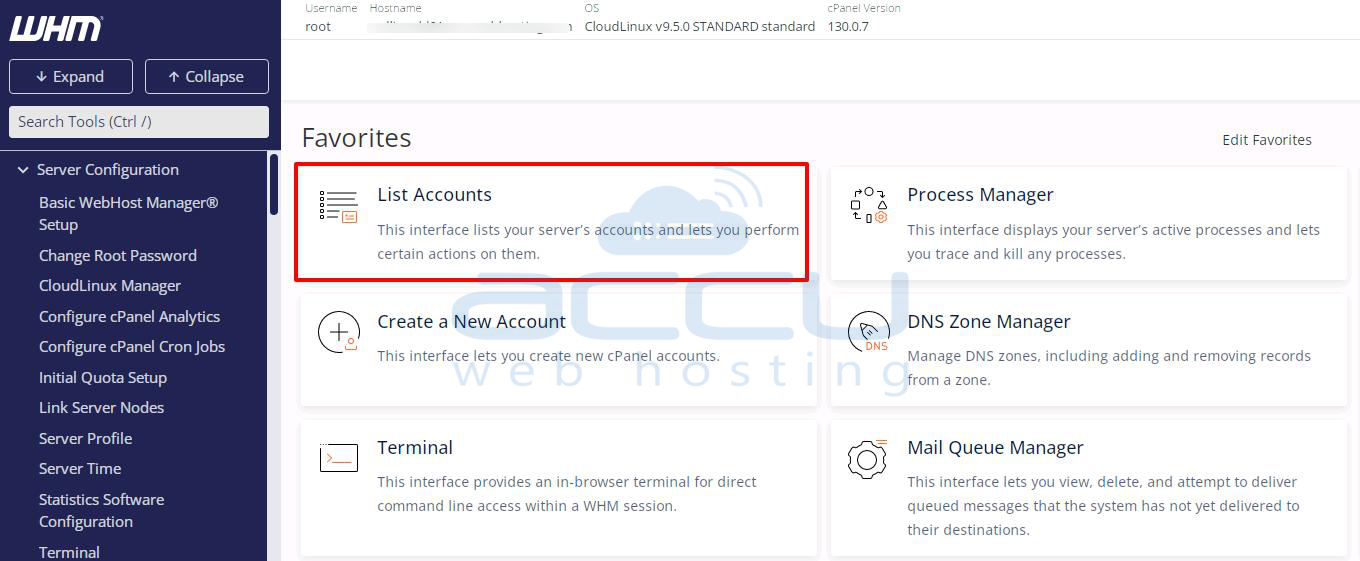
Step 2: Navigate to the List Account option from Home. Also, you can find the List Account option from the left-hand search bar.
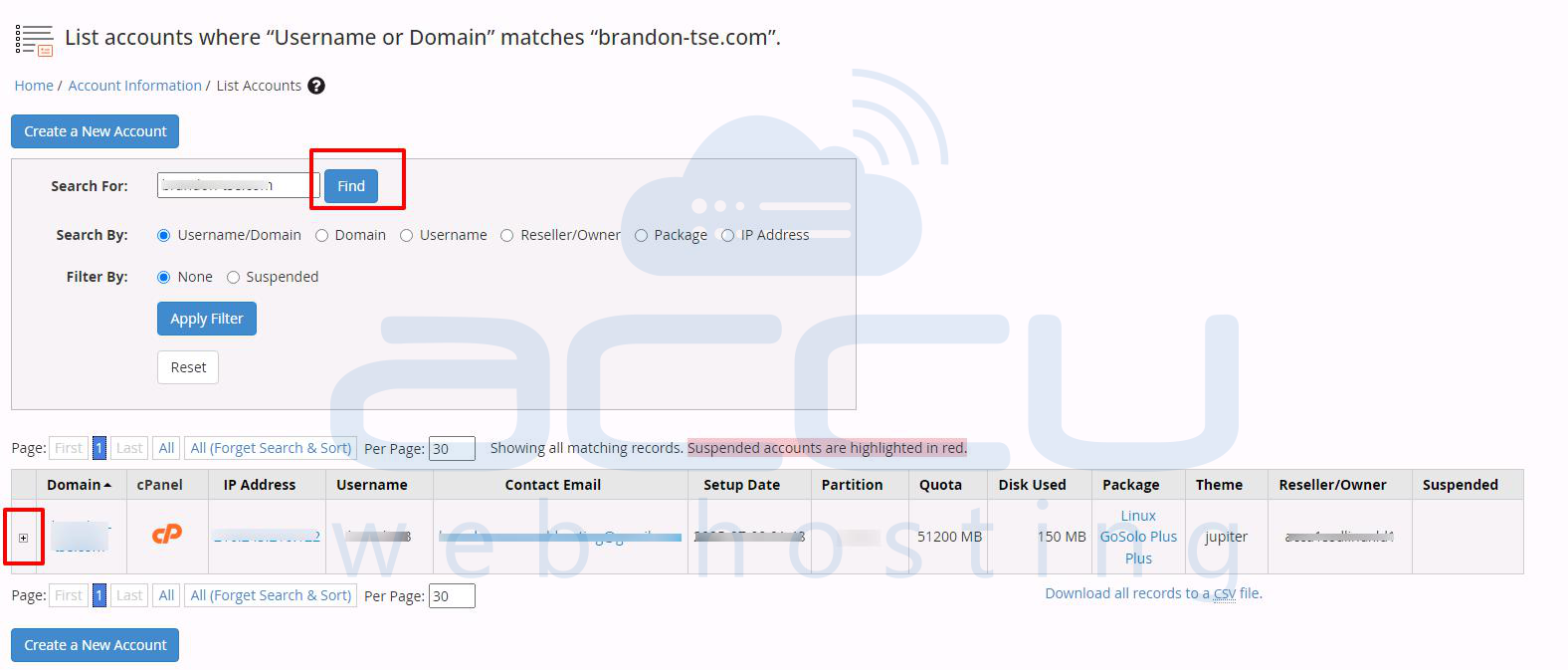
Step 3: In the search box, find the domain or user whom you want to change the primary domain and tap on the + button
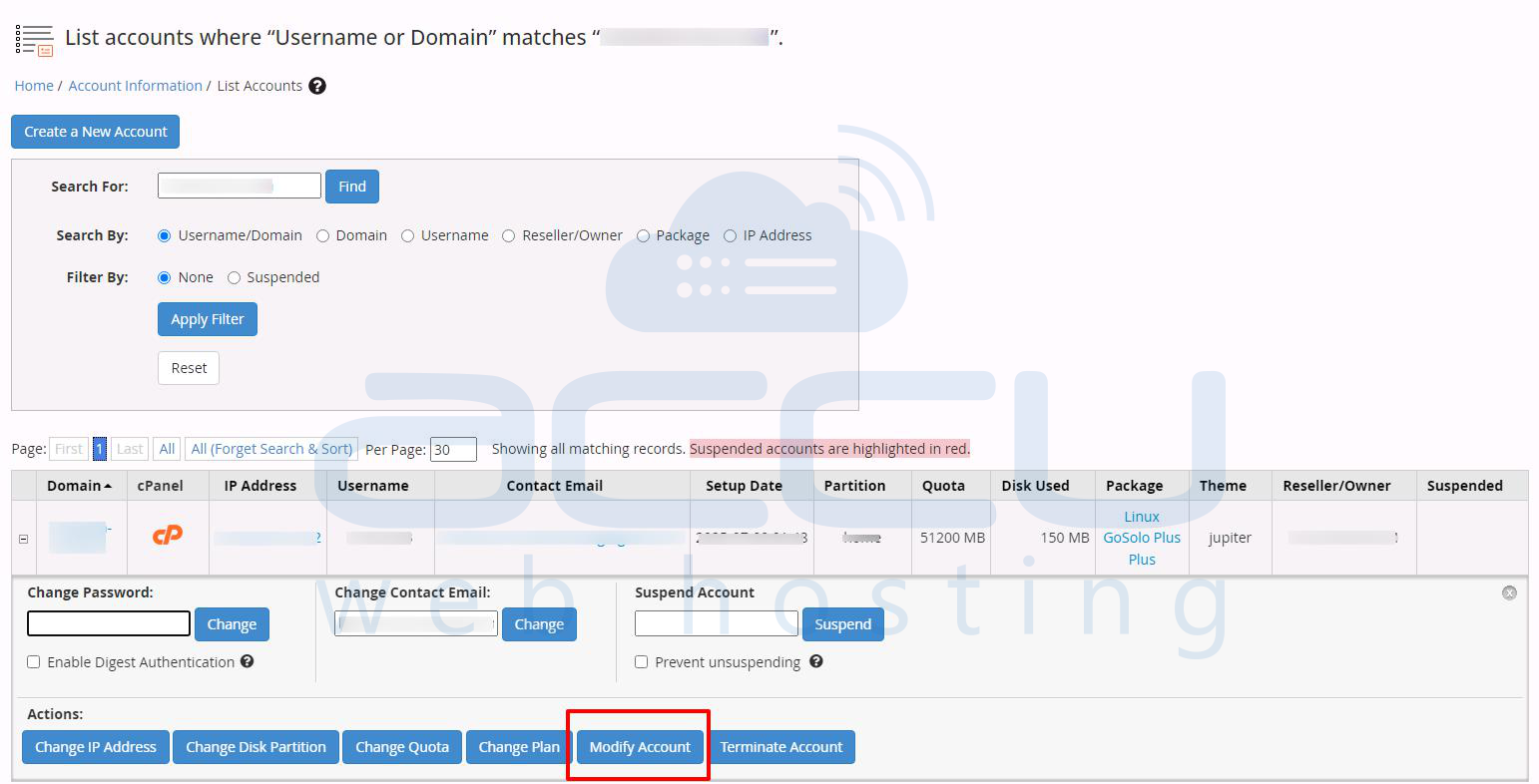
Step 4: Now, click on the Modify Account button to proceed further.
Step 5: It will redirect you to modify the account details of that particular user. On the Basic Information field, there is a field of “Primary Domain”. From there, you can change your primary domain.
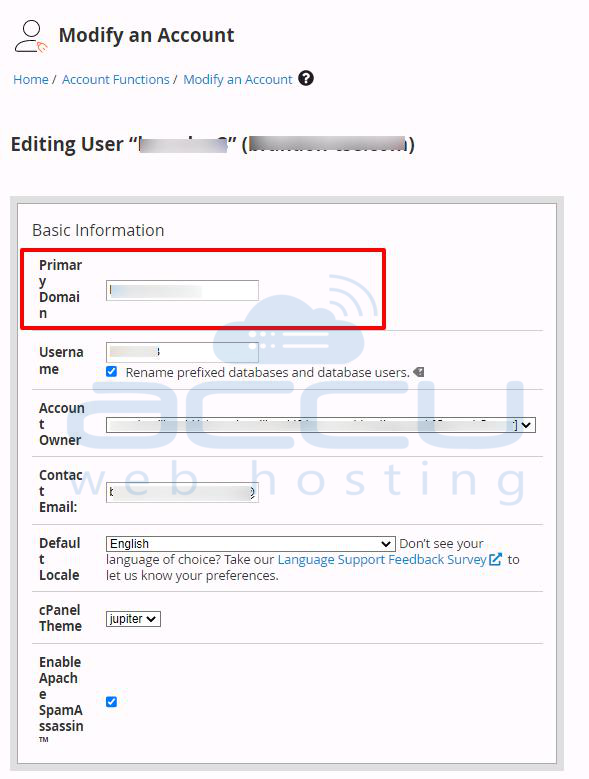
Once you change your primary domain, scroll down the page and click on the Save button. That’s it, you have changed your Primary Domain successfully.
