
You may face the following error while updating cPanel with the upcp command or while updating CentOS using the yum update command
[xxxx-11-23 22:39:12 -0600] ***** FATAL: Failed to download updatenow.static from server:
(XID 6ytug8) “/bin/rpm” reported error code “1” whe$

[xxxx-11-23 22:39:12 -0600] error: db5 error(-30973) from dbenv->failchk:
BDB0087 DB_RUNRECOVERY: Fatal error, run database recovery

[xxxx-11-23 22:39:12 -0600] error: cannot open Packages index using db5 - (-30973)

[xxxx-11-23 22:39:12 -0600] error: cannot open Packages database in /var/lib/rpm

[xxxx-11-23 22:39:12 -0600] error: rpmdb: BDB0113 Thread/process 10040/139989472626752 failed:
BDB1507 Thread died in Berkeley DB library

[xxxx-11-23 22:39:12 -0600] error: db5 error(-30973) from dbenv->failchk: BDB0087 DB_RUNRECOVERY:
Fatal error, run database recovery
As per the above error, there is an issue with the RPM database on the Linux machine. Please refer to the following workaround to fix this issue.
Step 1: Log in to your WHM Panel.
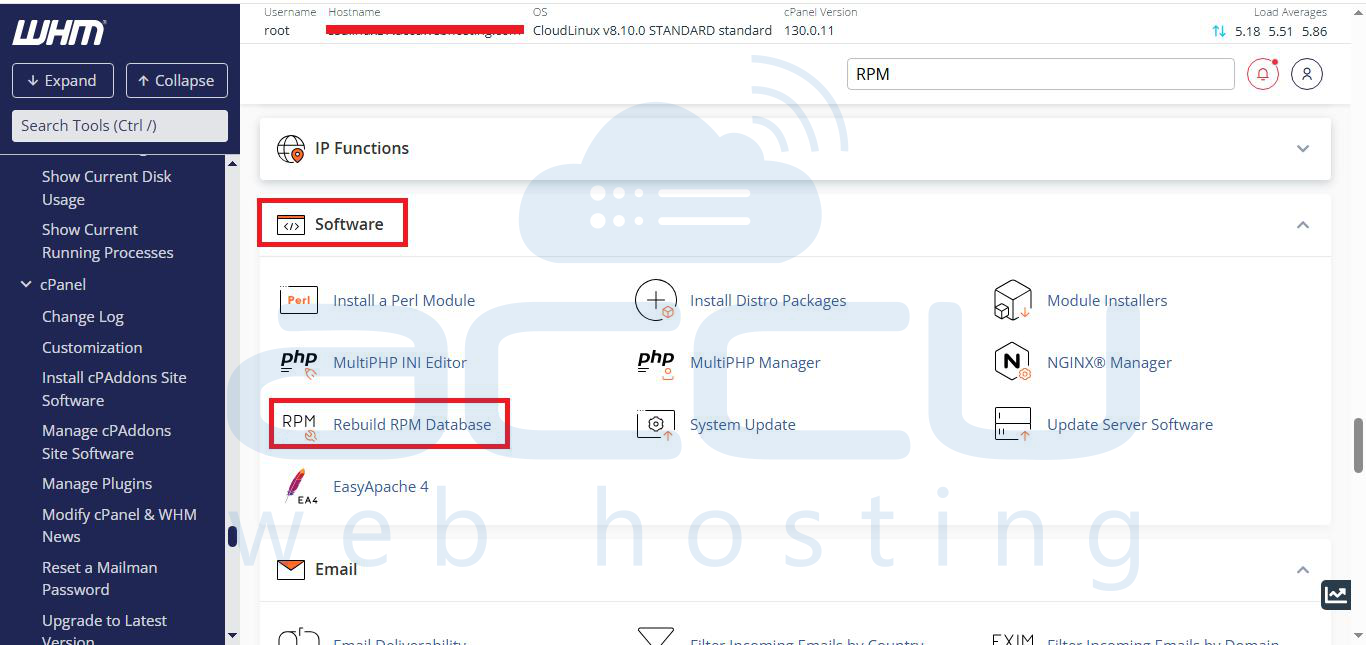
Step 2: Go to the Software and click on Rebuild RPM Database.
Step 3: Click on the Proceed button to start the RPM rebuilding.
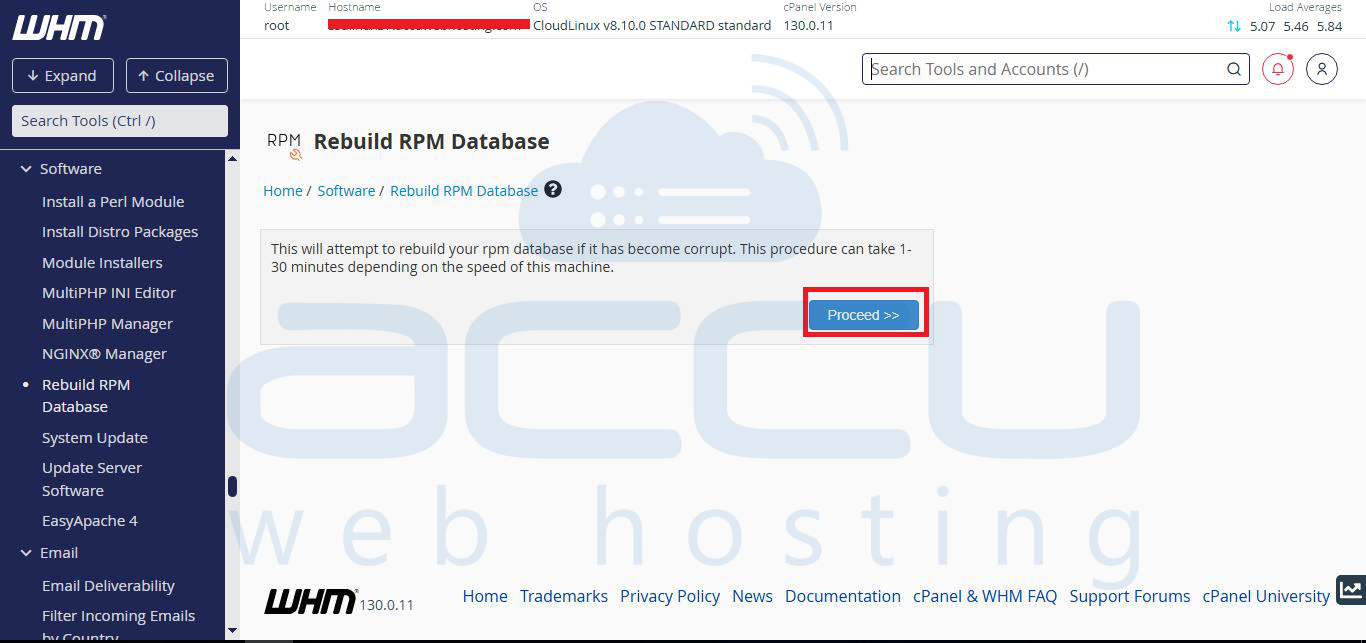
Once the process is completed, you should be able to update cPanel without any issues.
You can also run the below command in case you are facing the issue with yum and don't have WHM/cPanel.
Create a backup folder for existing RPM DB files
# mkdir /root/old_rpm_dbs/
Move all existing RPM DB files to the backup folder
# mv /var/lib/rpm/__db* /root/old_rpm_dbs/
Rebuild the RPM database
# rpm --rebuilddb -vv
Clean all cached yum metadata
# yum clean all


