
Please refer to the following steps to enable two-factor authentication in cPanel.
Step 1: Log in to the WHM Panel.
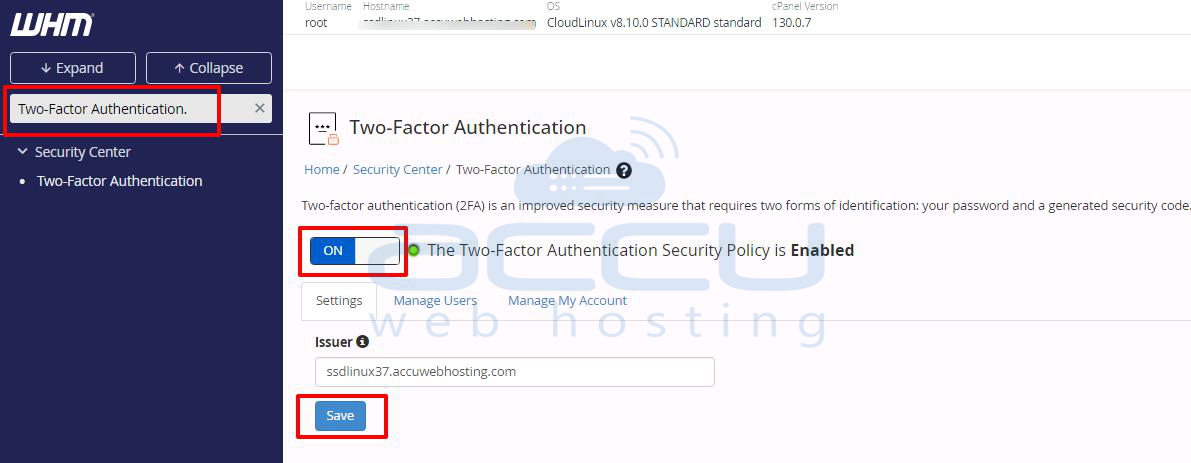
Step 2: In the search bar, search the Two-Factor Authentication and enable it.
Step 3: Now, log in to the cPanel account.
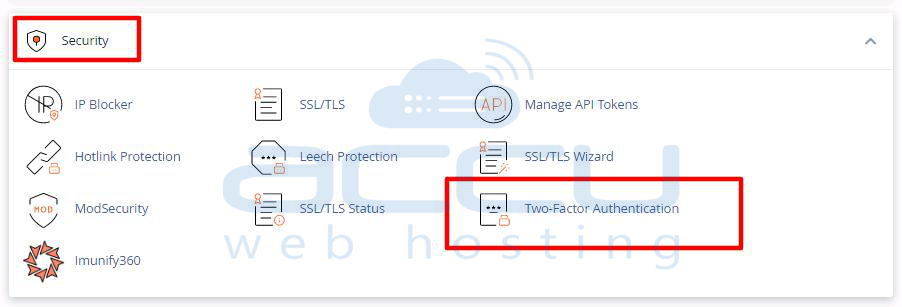
Step 4: Inside Security >> Click on Two-Factor Authentication.
Step 5: Scan the QR code with the Google Authentication application.
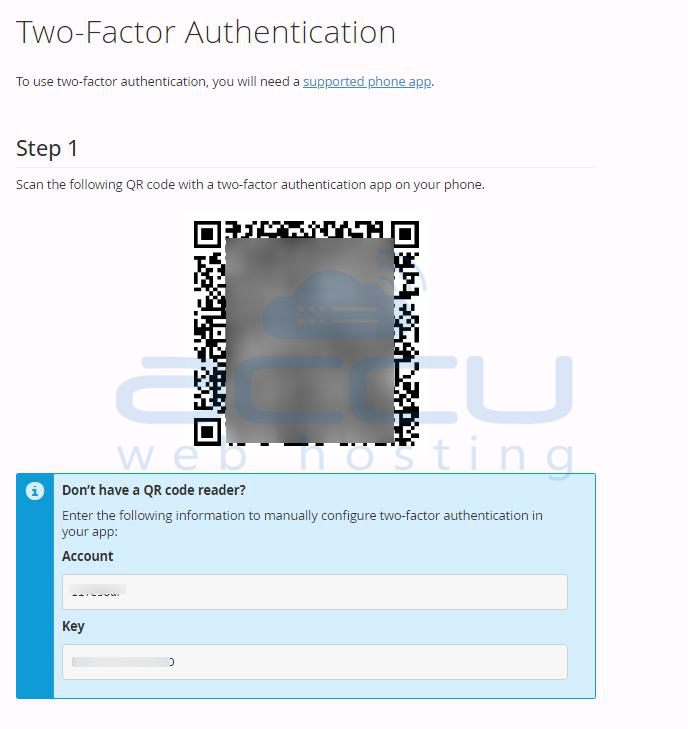
Step 6: Once you are done with scanning the code, you will have the six-digit code generated by the Google Authentication app.
You need to enter the security code in the box below and click Configure Two Factor Authentication.
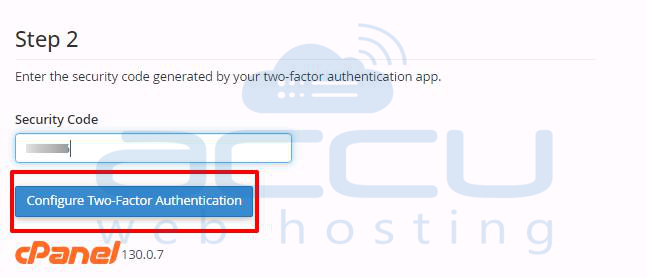
If you get the message said success, it means two-factor authentication is enabled on your cPanel. Now, you will be required to enter the code whenever you log in to the cPanel.
