
Please refer to the following steps to set the default Plesk page in Windows.
Step 1: Log in to your Plesk control panel
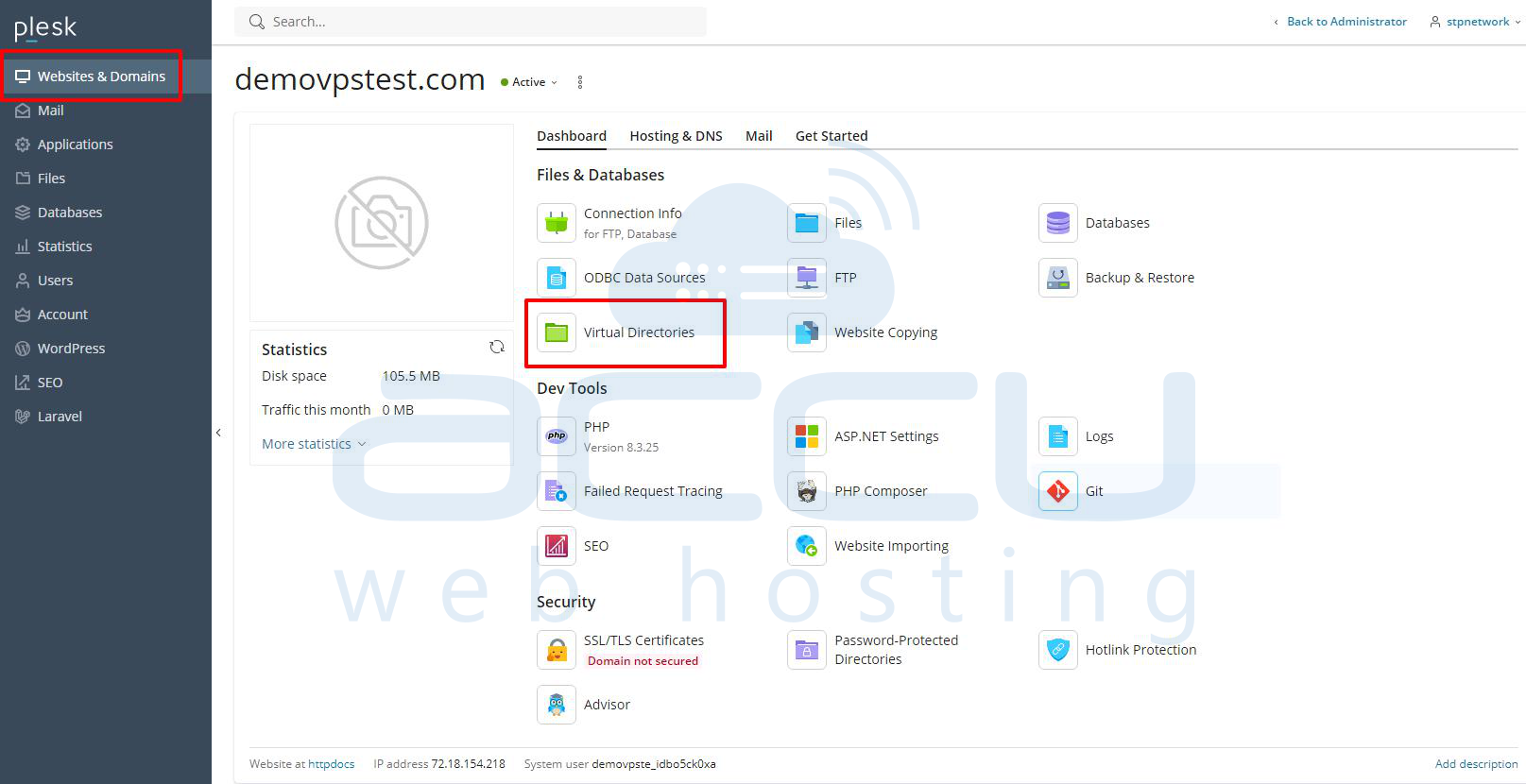
Step 2: Select the Websites & Domains.
Step 3: Go to your domain and click on the Virtual Directories.
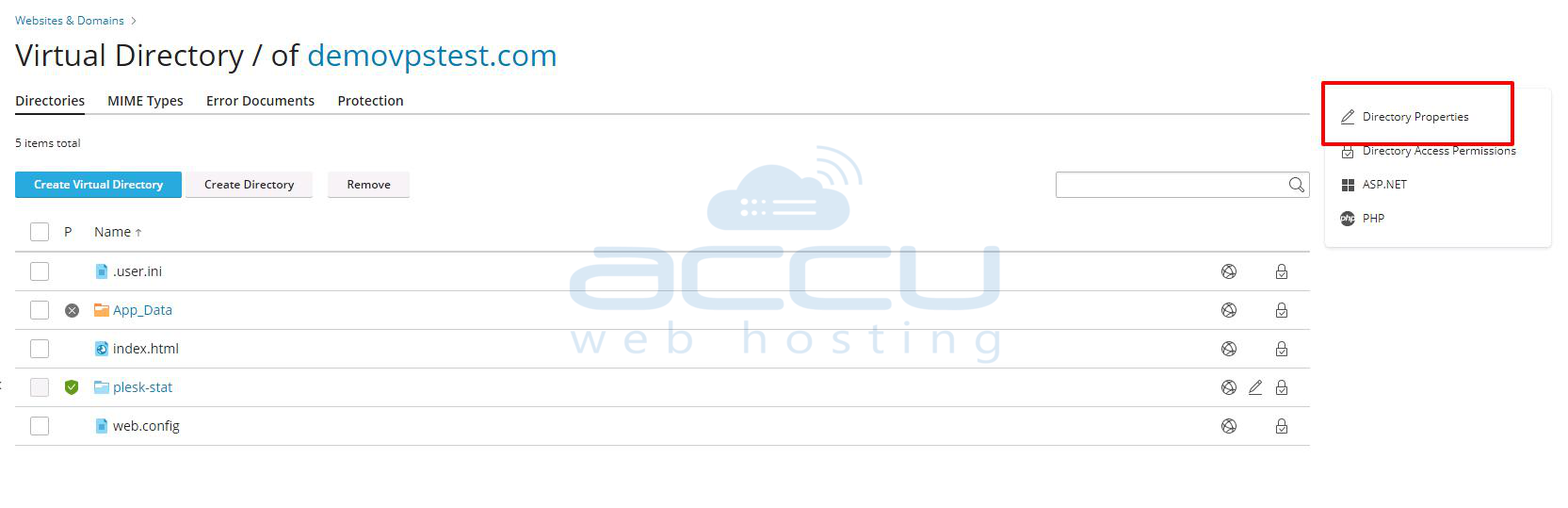
Step 4: Now, click on the Directory Properties button.
Step 5: Inside the Documents section, type your default page name and click on the ADD button.
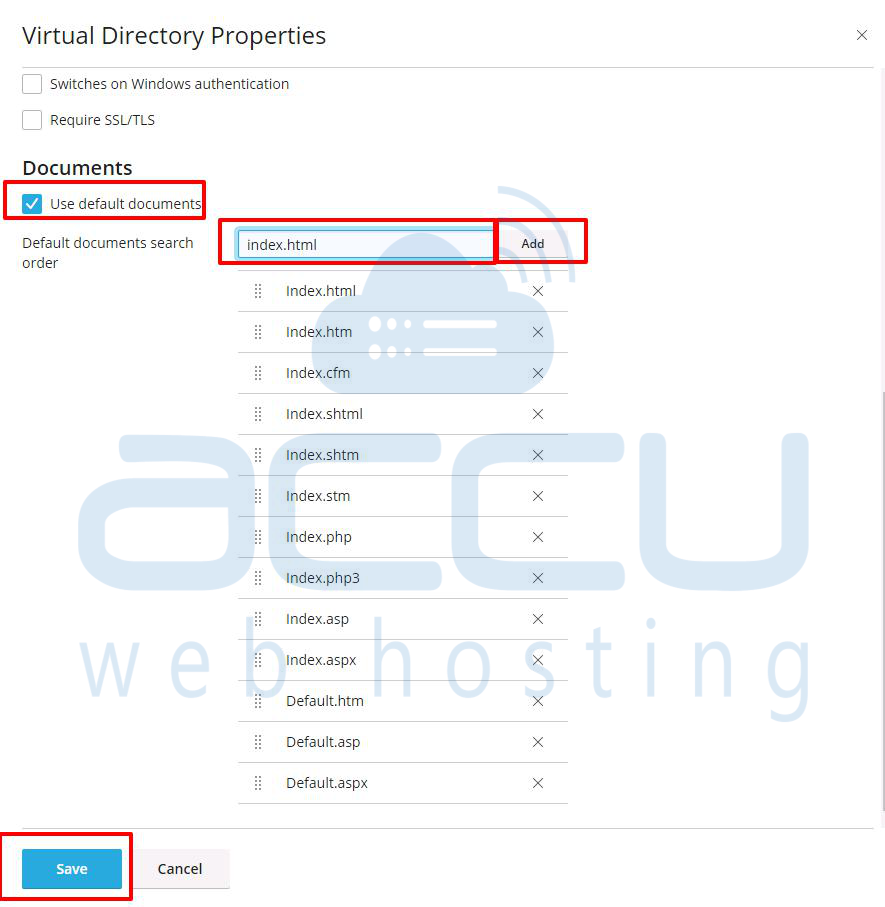
Step 6: Finally, click on the OK button.


