
In this article, we will discuss how to resolve the error: check_mysql Has Determined That There Are Corrupted Database Tables (eximstats) in cPanel.
check_mysql has determined that there are corrupted database tables
cPanel & WHM has determined that the following database tables are corrupt:
Database Error eximstats error : Record at pos: 26819502 is not remove-marked
error : record delete-link-chain corrupted
error : Corrupt
error : record delete-link-chain corrupted
error : Corrupt”
RewriteRule .* – [F,L]
This error generally indicates that one or more tables in the eximstats database are corrupted. To resolve this, you need to repair the database.
Steps to Repair the eximstats Database in cPanel
Step 1: Log in to WHM as root.
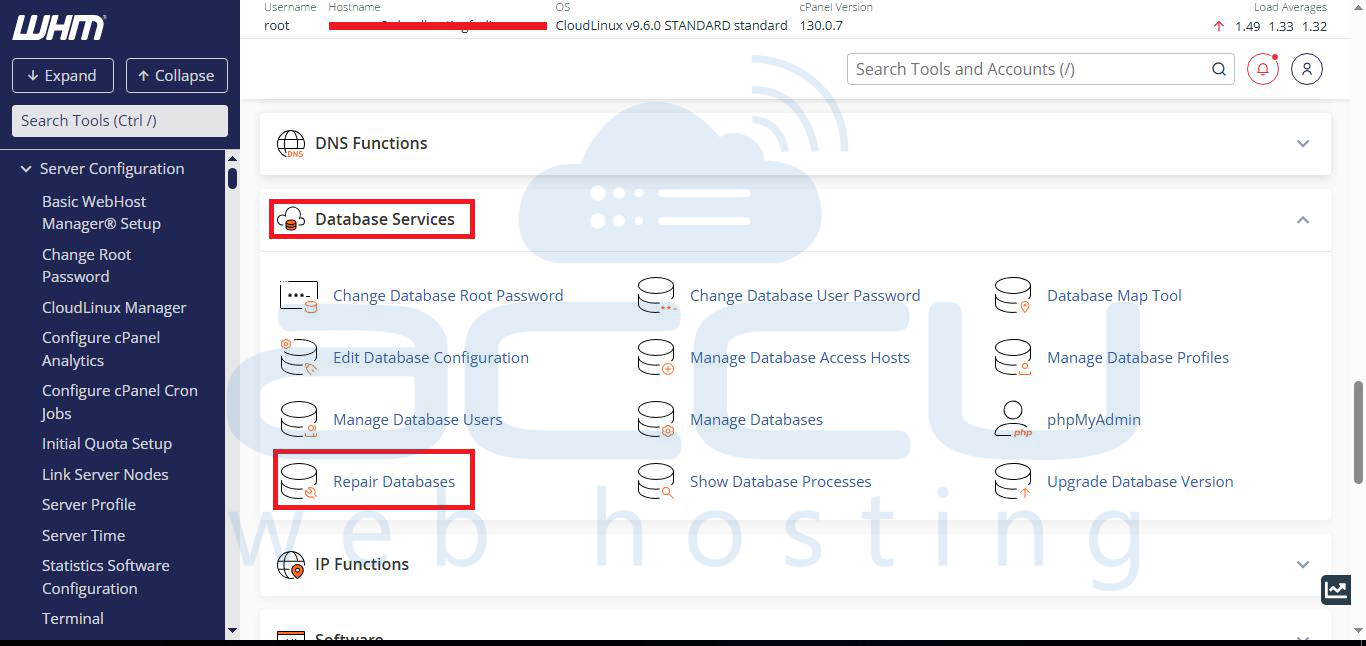
Step 2: Navigate to: WHM » Database Services » Repair Database
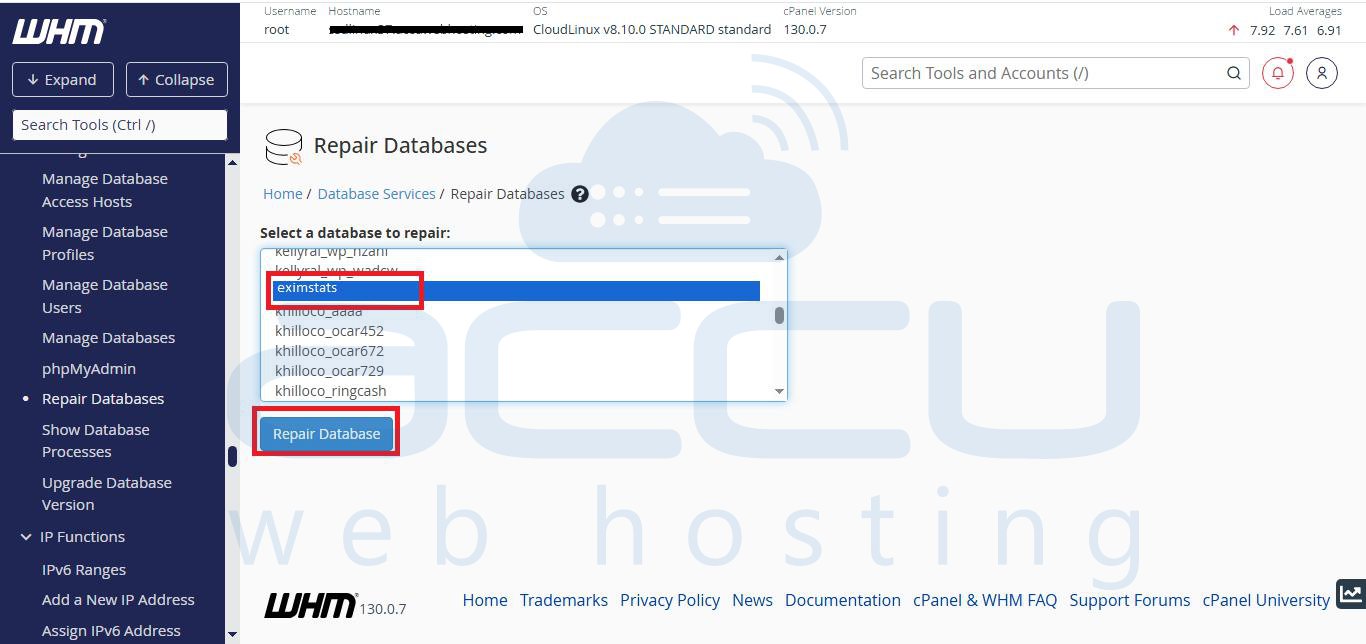
Step 3: From the dropdown, select the eximstats database and click on Repair Database.
Step 4: WHM will attempt to repair all corrupted tables inside the database and display the repair logs on-screen.
Repairing eximstats
eximstats.defers
note     : The storage engine for the table doesn't support repair
status   : OK
eximstats.sends
note     : The storage engine for the table doesn't support repair
status   : OK
eximstats.failed
warning  : Found row where the auto_increment column has value 0
status   : OK
eximstats.total
status   : OK
Alternative: Command Line Repair
If you prefer, you can also repair the database directly from SSH:
# mysqlcheck -r eximstats
In this case, you might need to repair your MySQL Database. Click on MySQL Database > Repair to fix this.
