
If there is no index file to display your website, it will show the directories and other files. This is not secure to display all the files and folders of the website. For security purposes, we will disable the Directory Browsing. The following are the steps to disable the Directory Browsing.
Step 1: Log in to your cPanel.
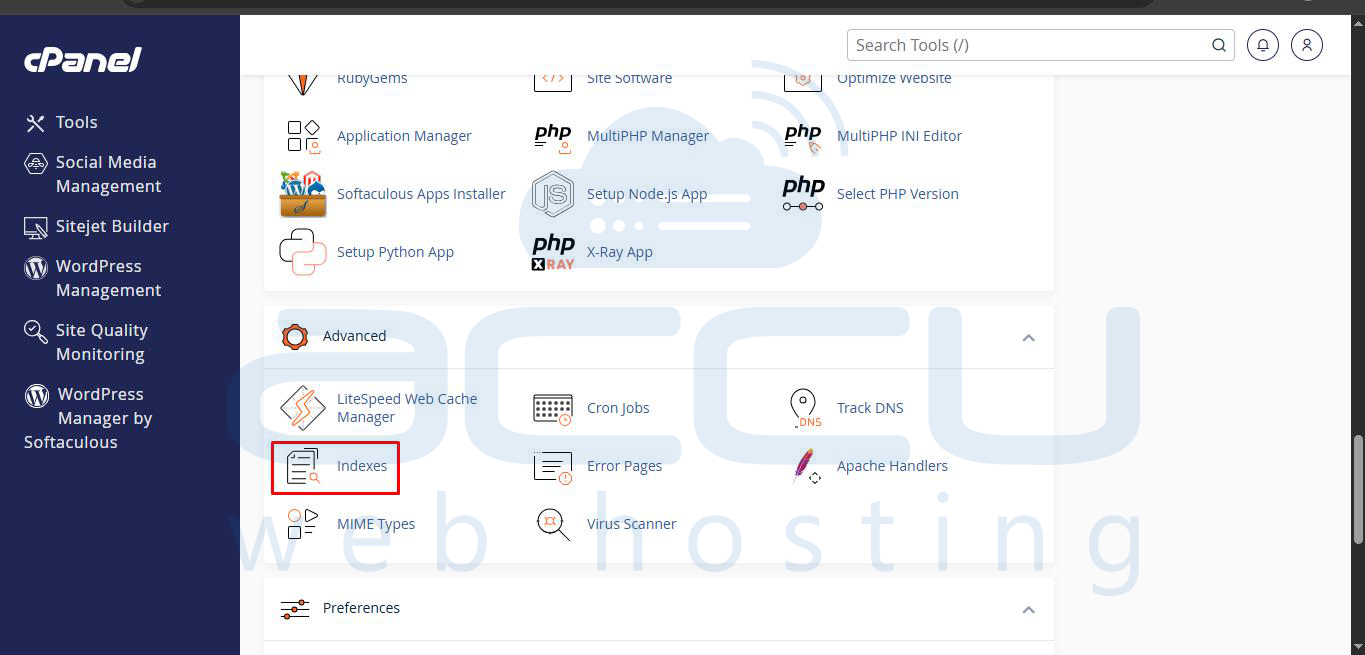
Step 2: Click on "Indexes" inside "Advanced". It will display the Directory tree.
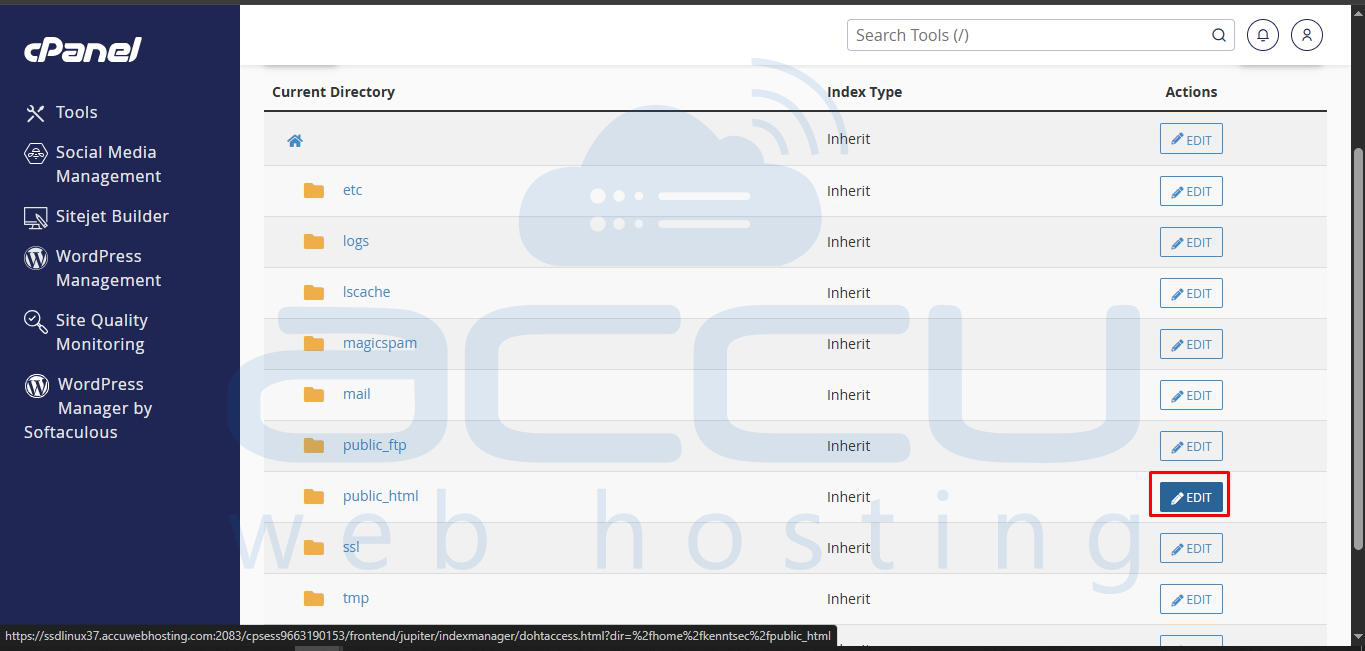
Step 3: Select the domain or directory you want to configure. Navigate through the directory tree to reach the folder you want to secure. To apply settings to the entire website, go to the public_html folder (or the main web root for your domain) and click on “Edit”.
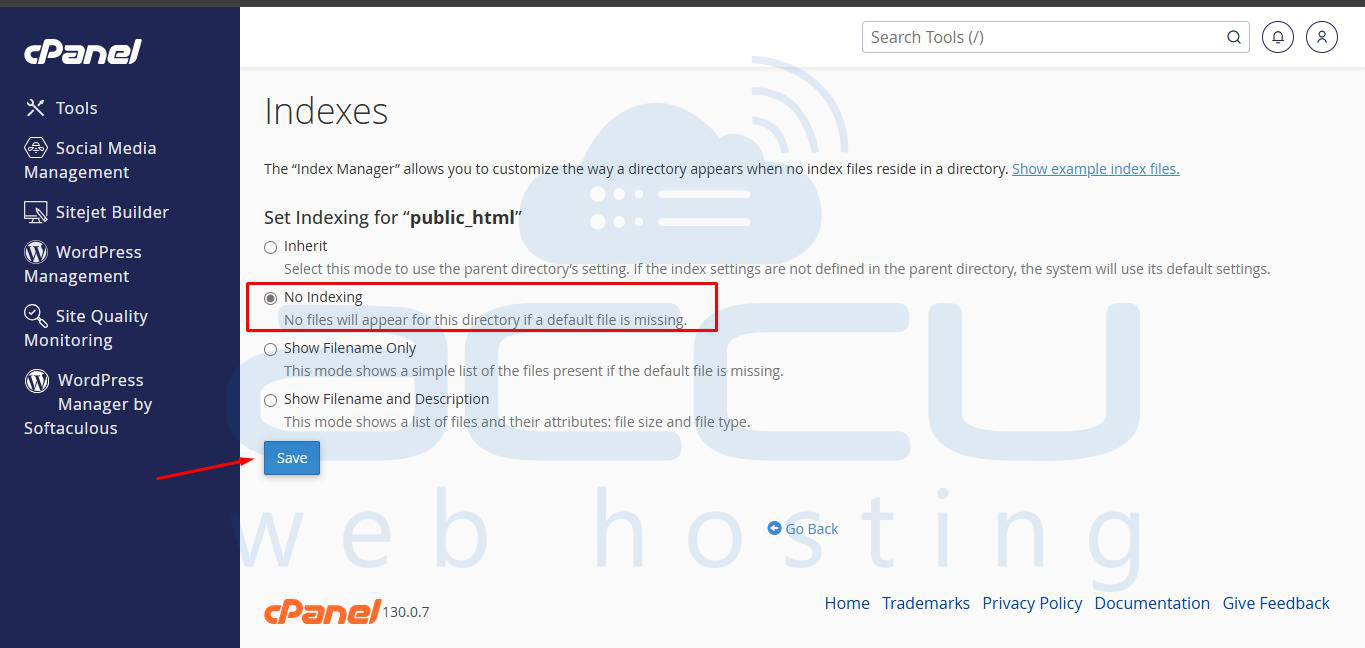
Step 4: Tick on No Indexing and hit the Save Button.
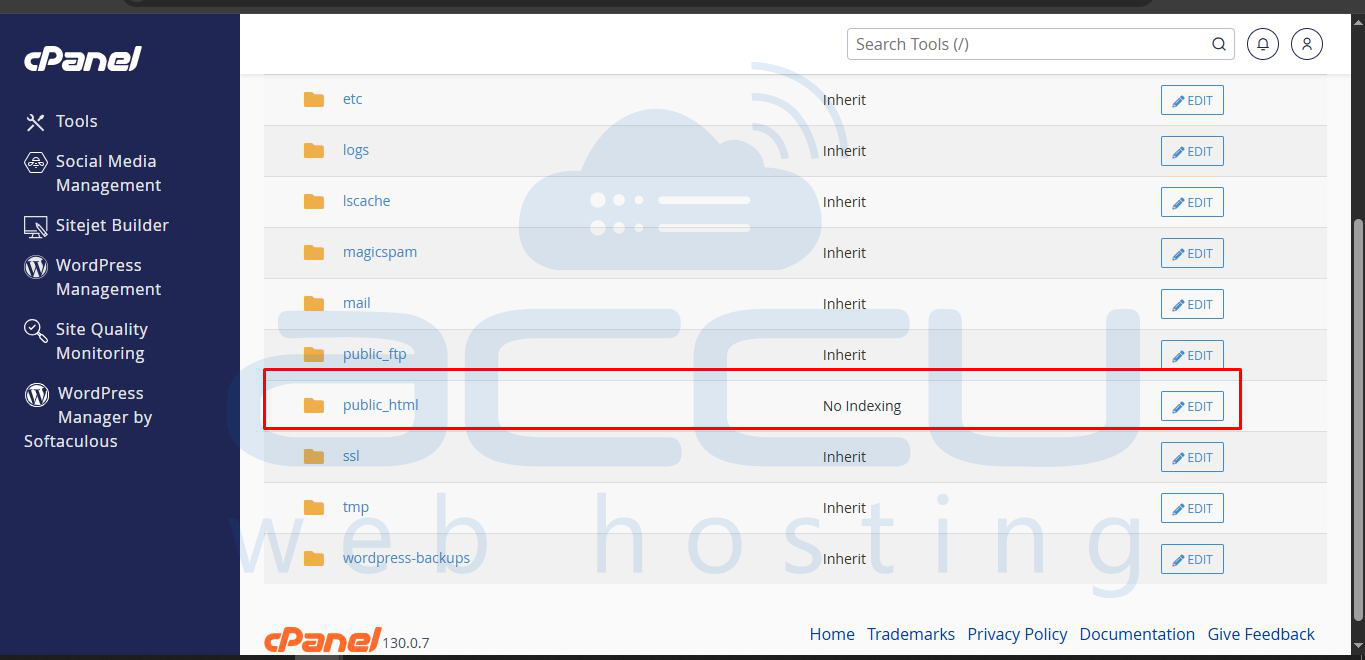
This is it. Anyone who tries to access the files will get 403 Forbidden.
