
You may have multiple add-on Domains hosted in a cPanel account.
The following article will help you to separate those addon domains into their own cPanel account.
You require the WHM root access to achieve it. A WHM Reseller account with the required permission, Rearrange Accounts can also perform this successfully.
Step 1: Log in to the WHM account.
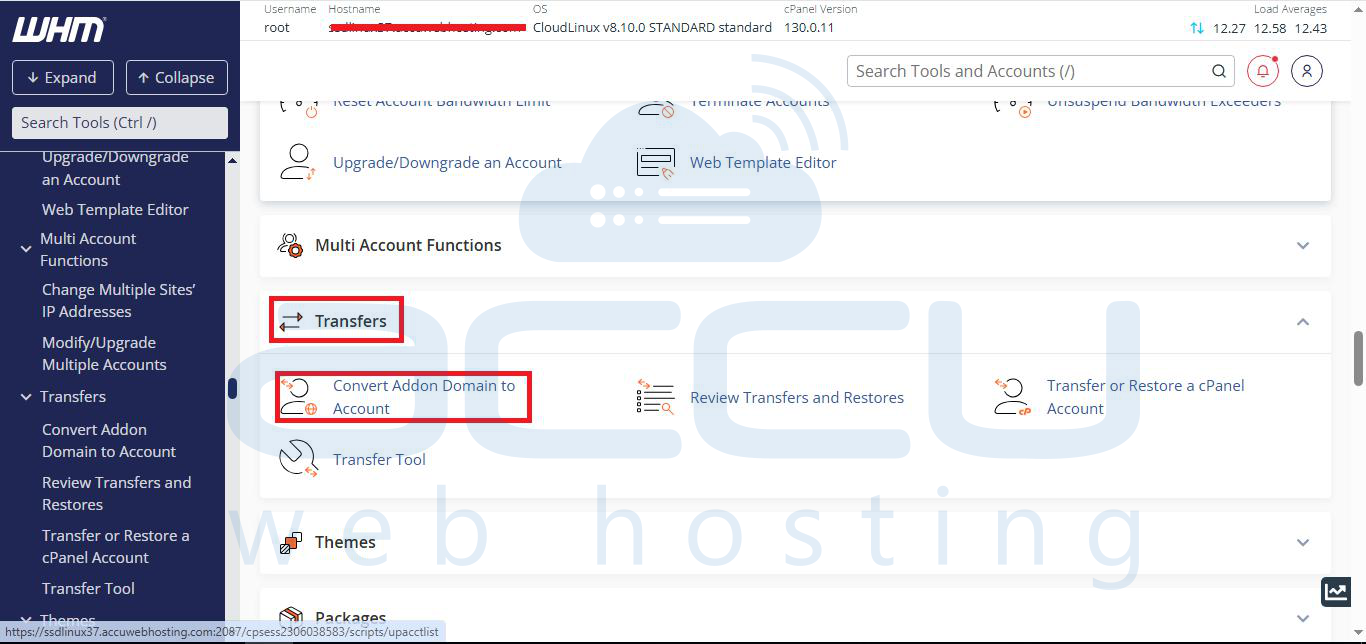
Step 2: Select the Convert Addon Domain to Account inside the Transfer section. This will list all the addon domains with their usernames.
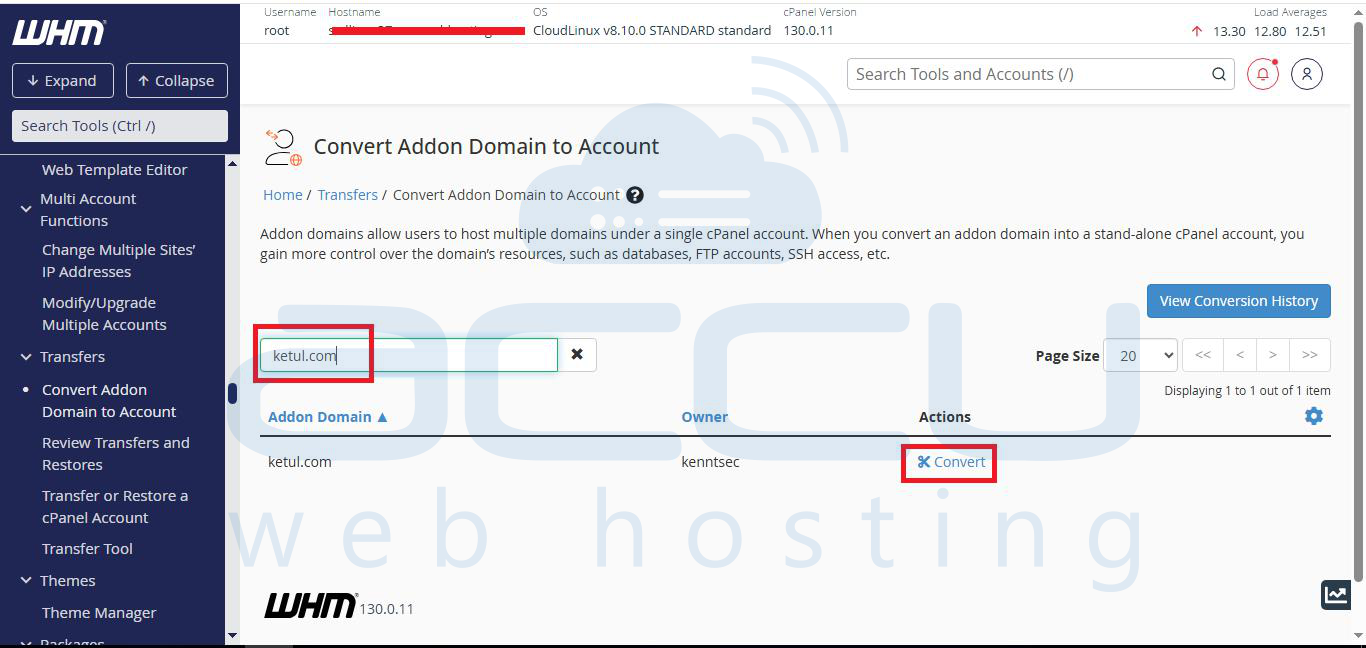
Step 3: Search your Domain and click on the convert button.
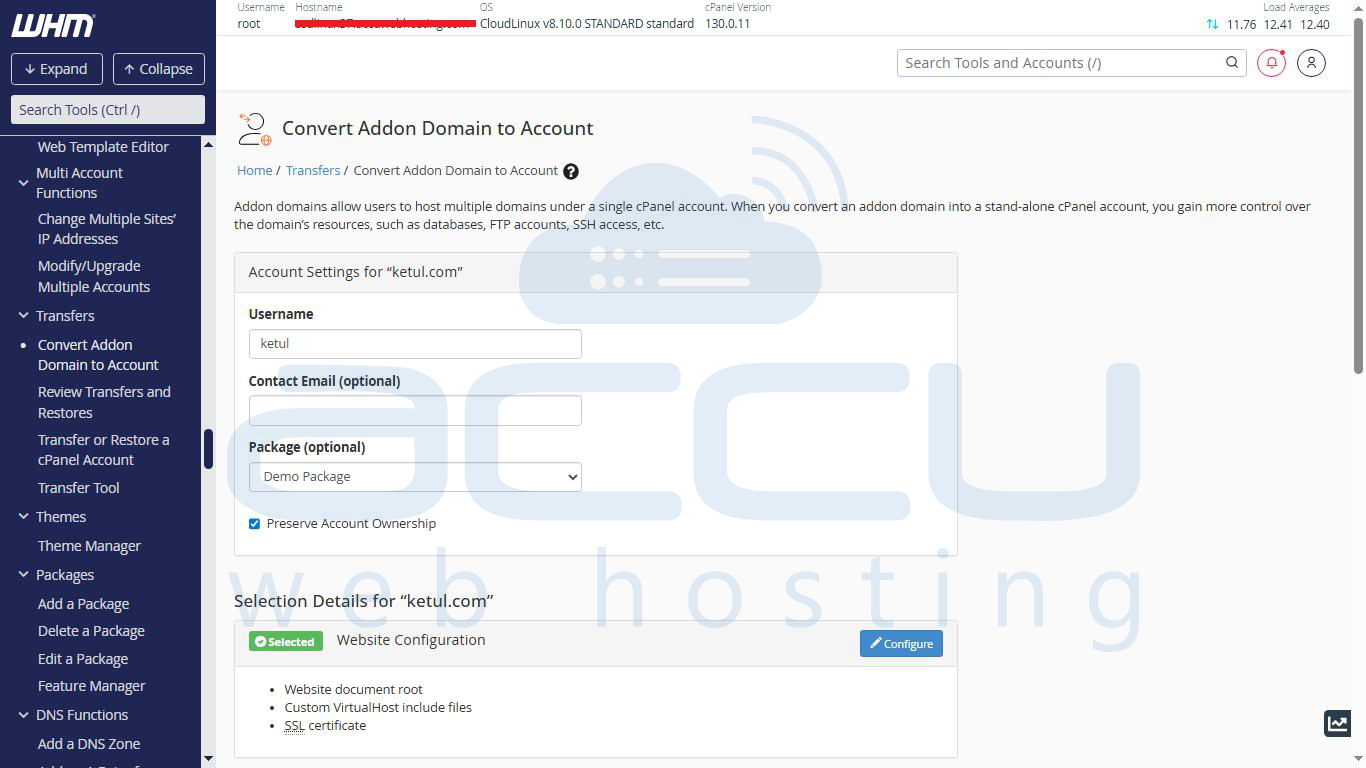
Step 4: The convert button will take you to a page where you can provide a new account username, its package, and a few other options.
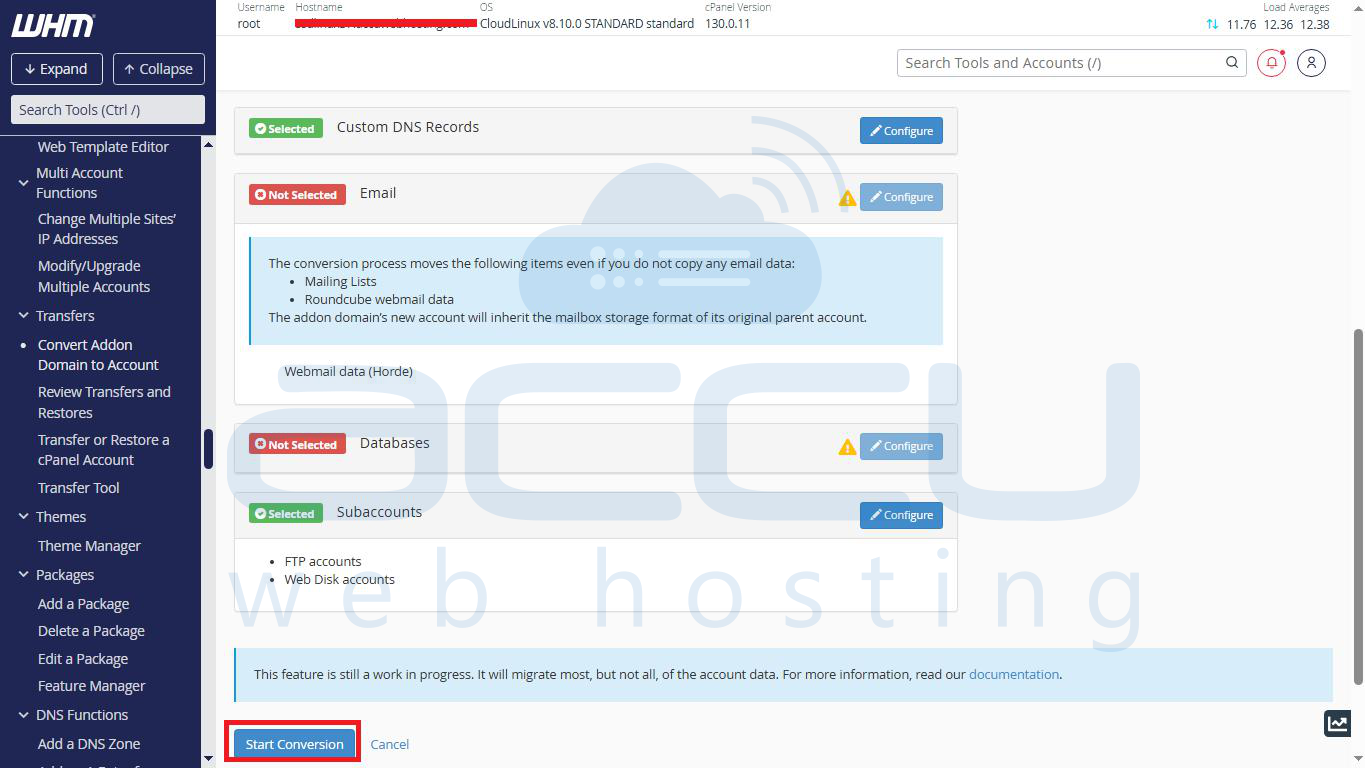
Step 5: You can select MySQL Databases and Database Users that you want to move with this addon domain. It will also move the email account associated with your addon domain. (This is a very critical step. Please make sure you are selecting the exact MySQL Database and Username.) Click on the Start Conversion button. It will take some time (depends on the size of the addon domain).
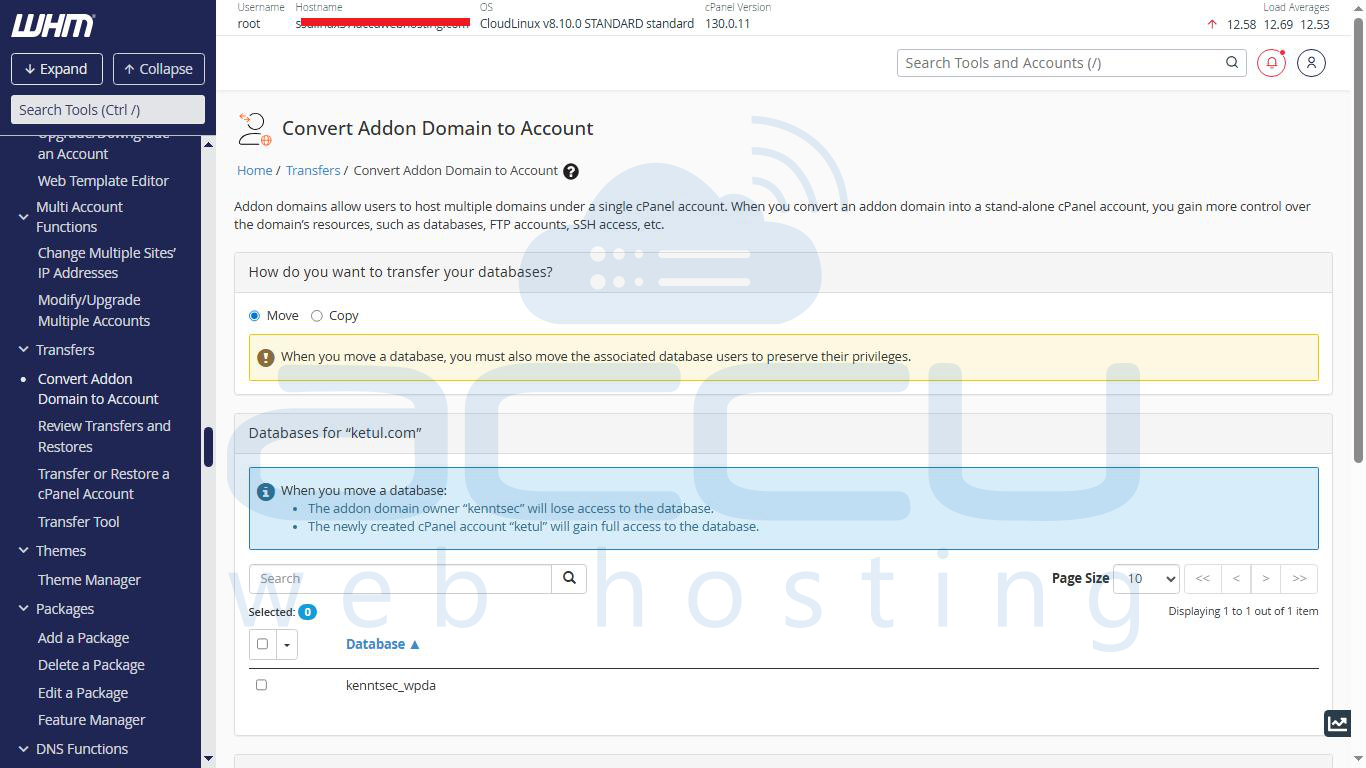
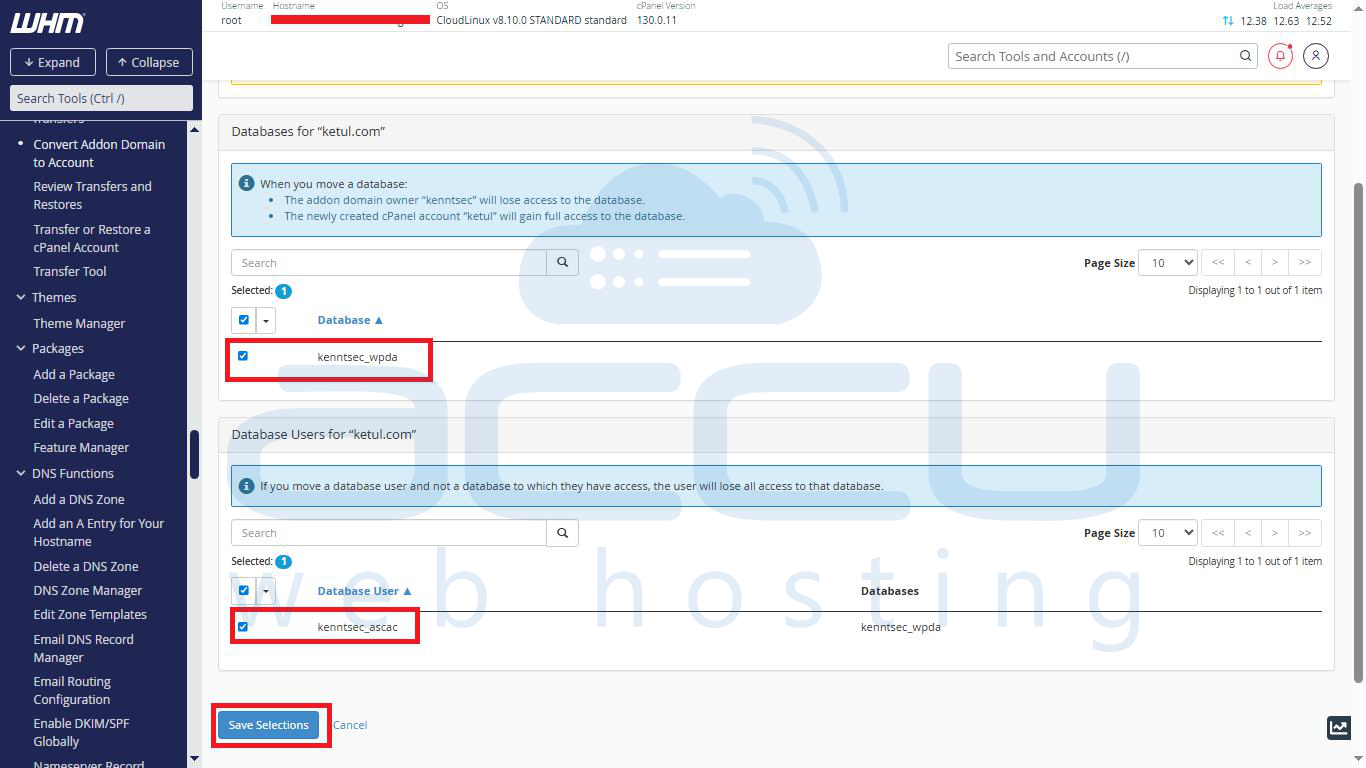
Step 6: After conversion, you can click on the Details button to find the logs of the same account conversion.
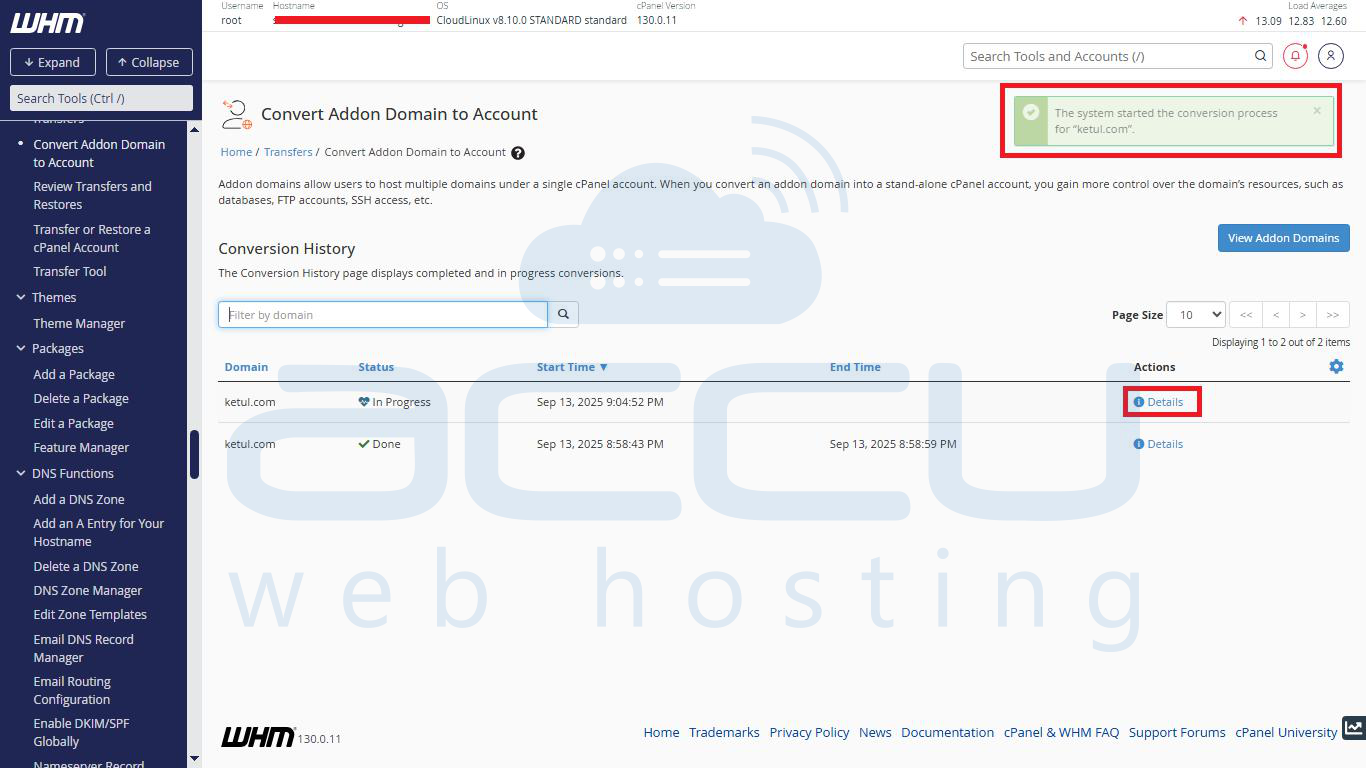
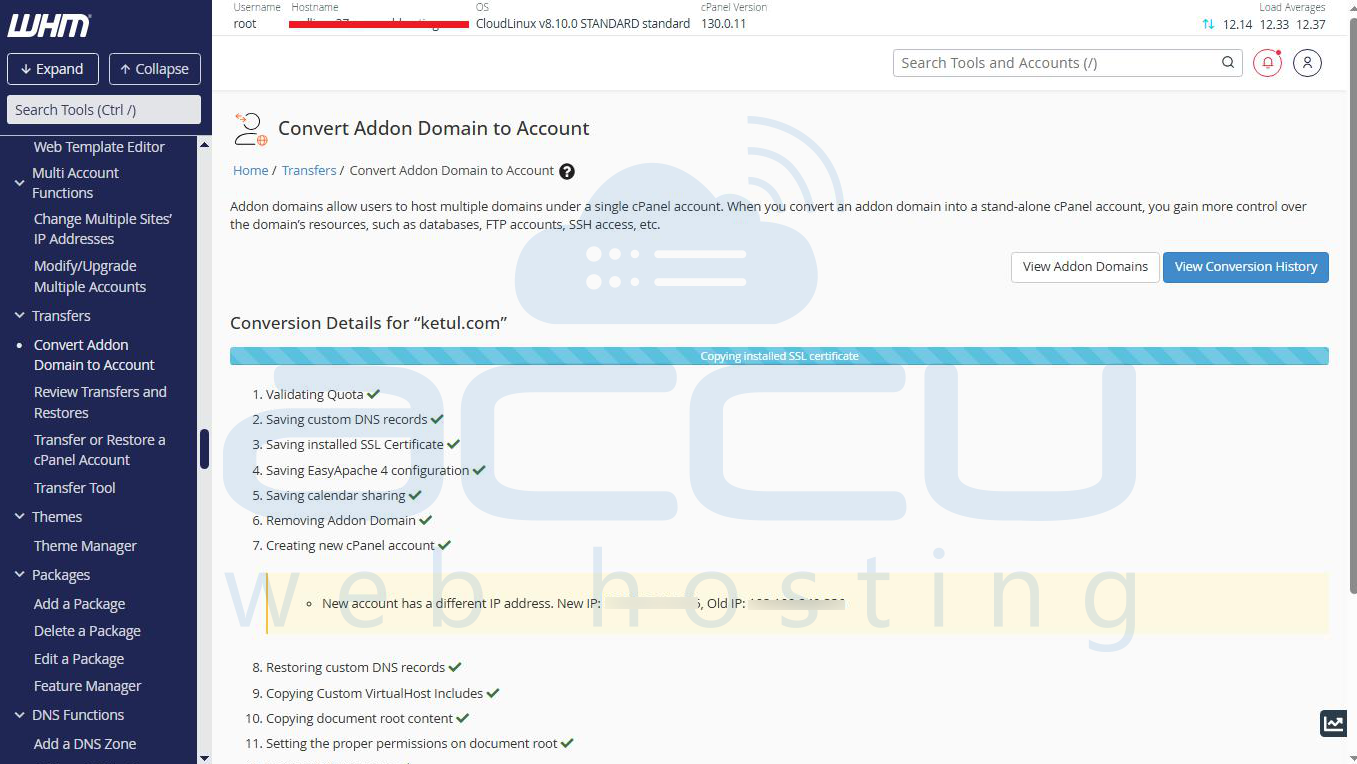
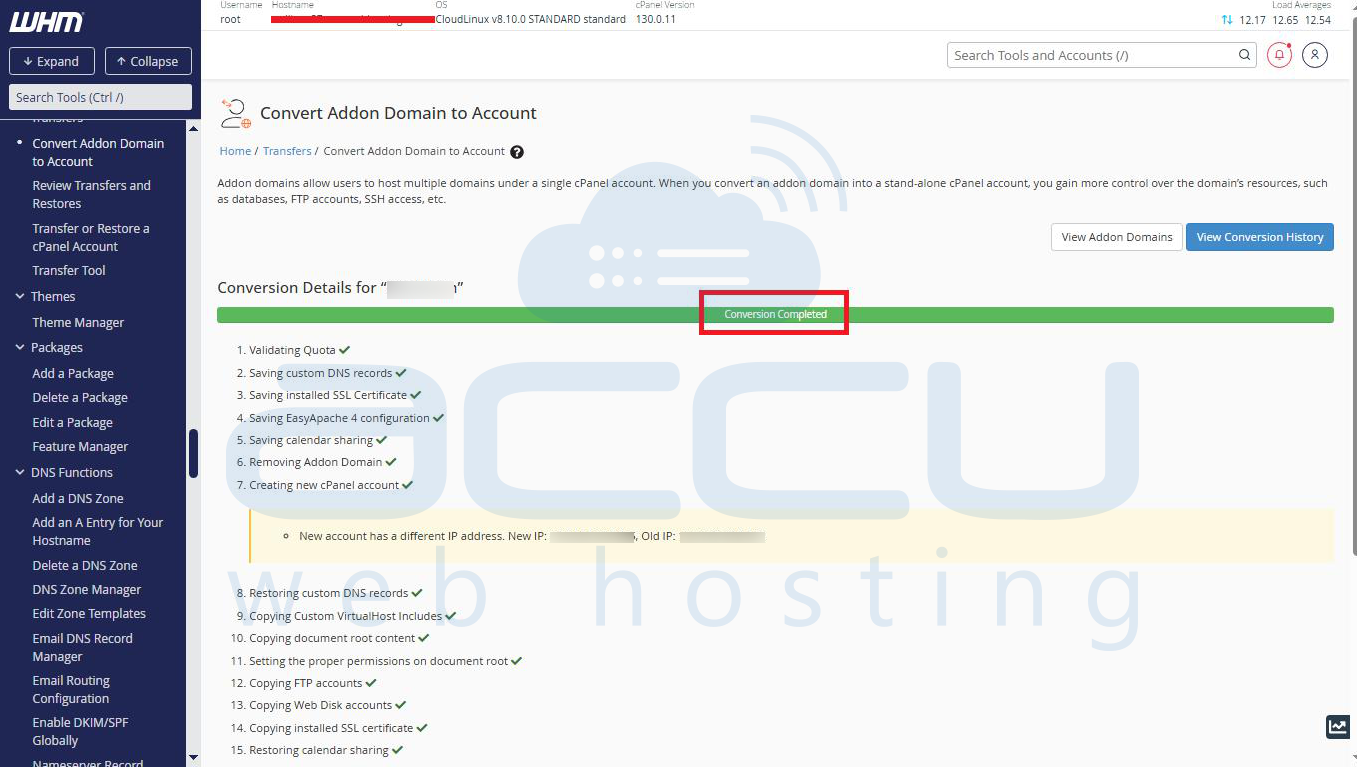
Now, your addon domain account is separated into a cPanel account.
