A database dump is a file containing a database structure and table content. You can use it for backup purposes. In earlier Plesk versions, dumps could be created only using database management tools. Now, Plesk offers a quicker way to create database dumps, store them, and restore previously created dumps on the server. Database dumps are created in the SQL format and saved as ZIP archive files. If you need to create a dump in another format or to set custom settings for a dump, use the native functionality of database management tools like phpMyAdmin, myLittleAdmin, etc.
In Plesk, to export a database dump means to save or back up a source database in a file that can be used for storage or distribution. To import a database dump means to restore data from the file to a destination database.
Below are the steps to take a backup and restore the MSSQL/MySQL database in the Plesk control panel.
Step 1: Log in to Plesk Control Panel.
Step 2: You will see the Plesk Home screen. Click on the Database tab under your domain options pane.
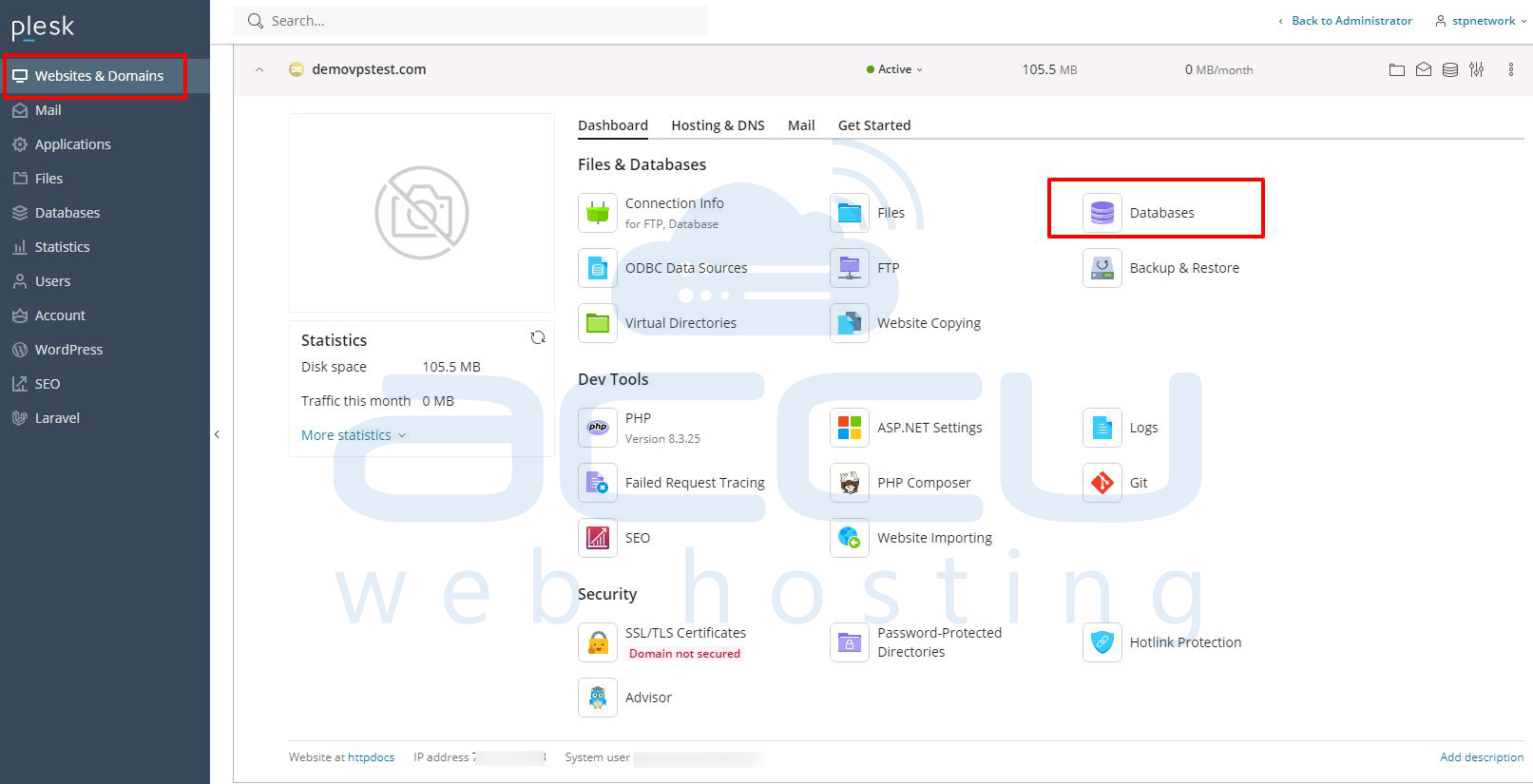
Now, you can perform the following steps in order to take a backup of the database of MSSQL from Plesk.
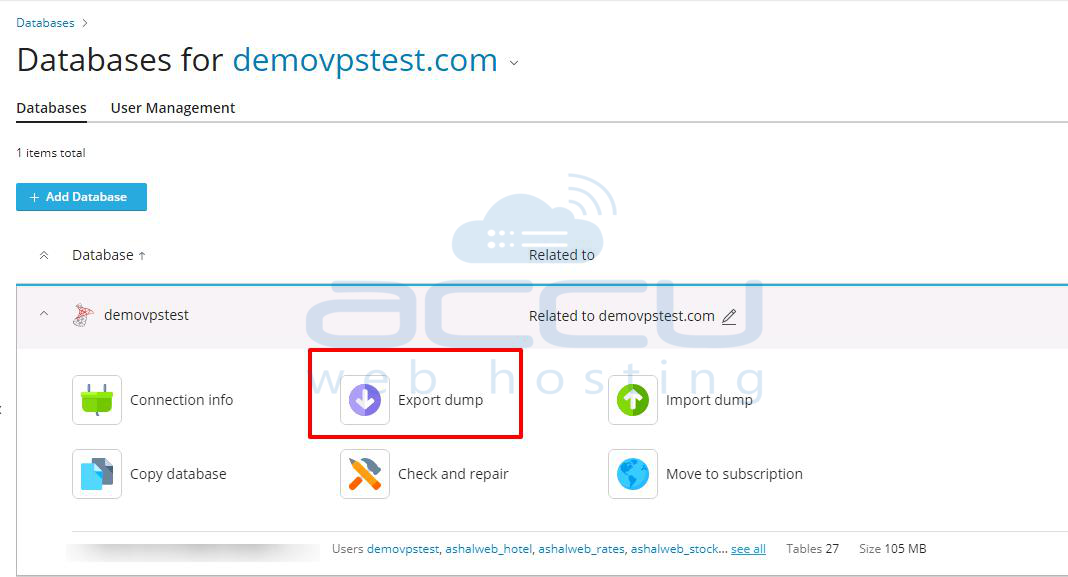
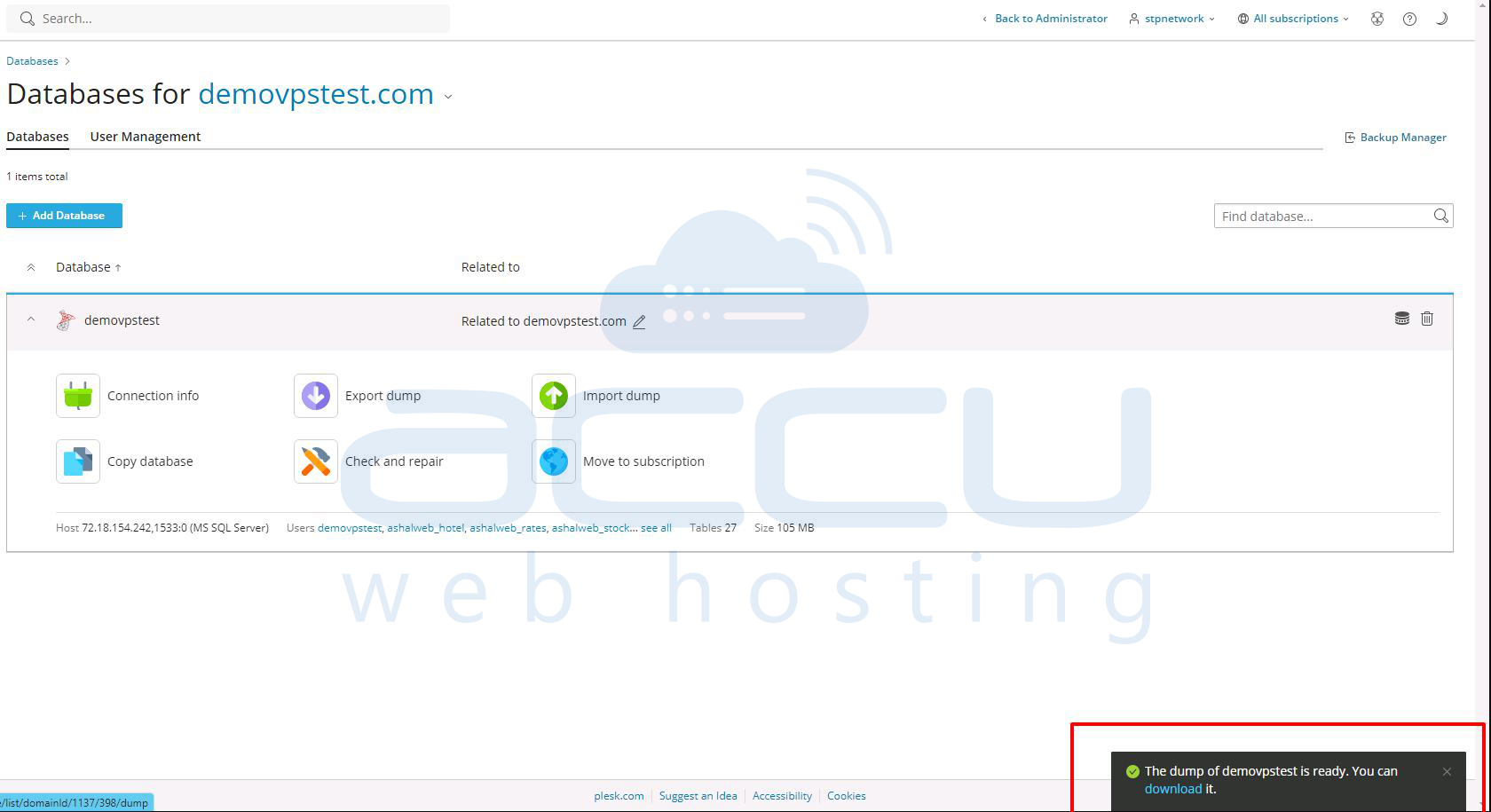
Step 1: Find the name of the database you wish to back up and click Export Dump from the options pane.
Step 2: A pop-up box will show you the directories inside your domain. Select the path where you wish to store the backup.
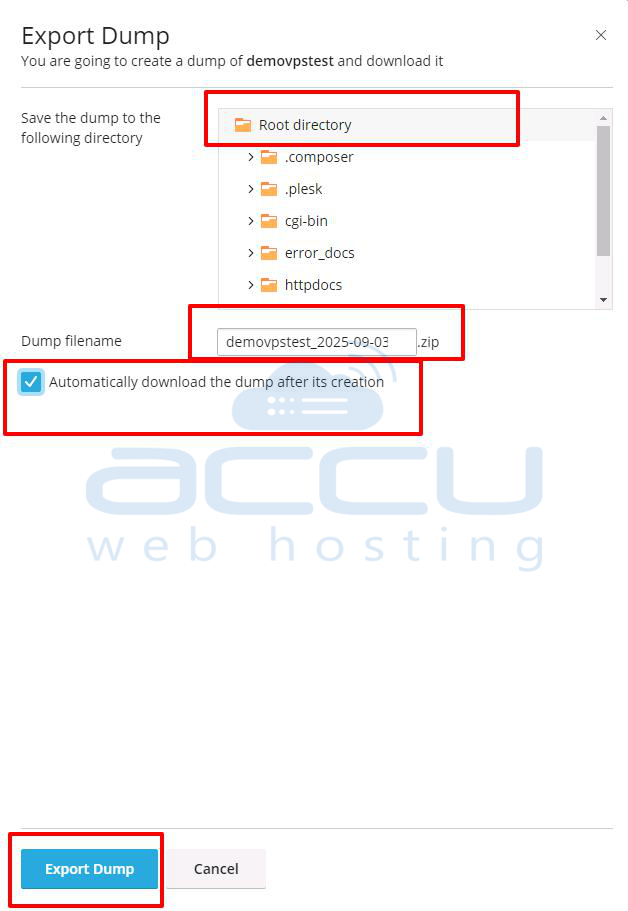
If you wish to download the backup immediately, check Automatically download dump after creation option. Click OK to create the backup.
Step 3: We strongly recommend that you take a backup of your database regularly. Once your database backup has been created, you will be given the option to download your backup. If you don't want to download at this time, just click on the Cancel button.
The following are the steps to restore a database of MSSQL from Plesk.
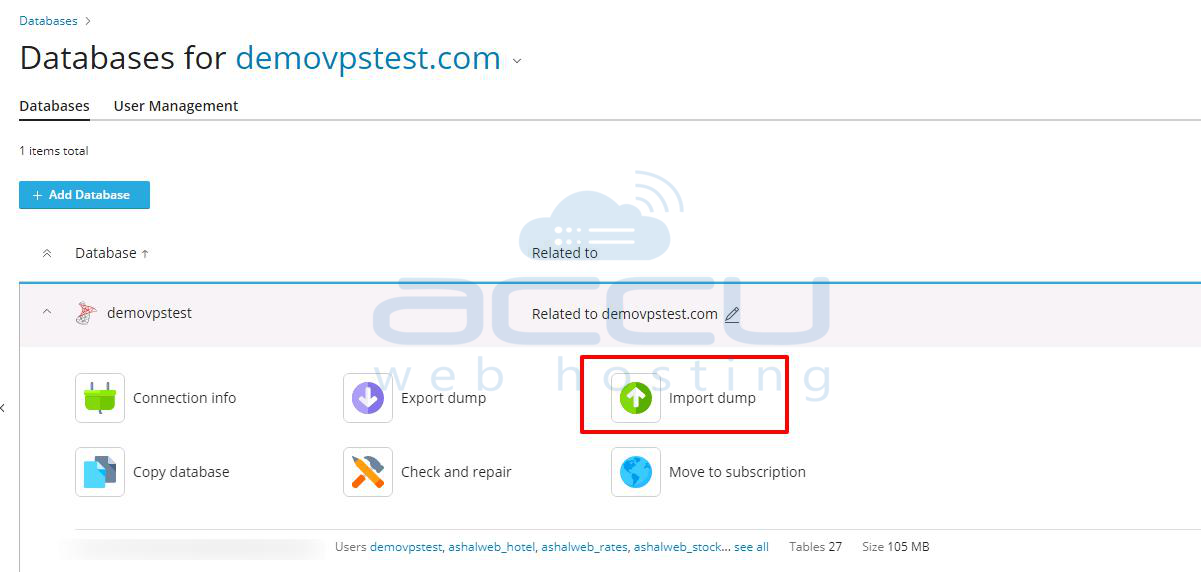
Step 1: You will see all the databases of your domain on this page. Click the Import Dump option in the database tools pane.
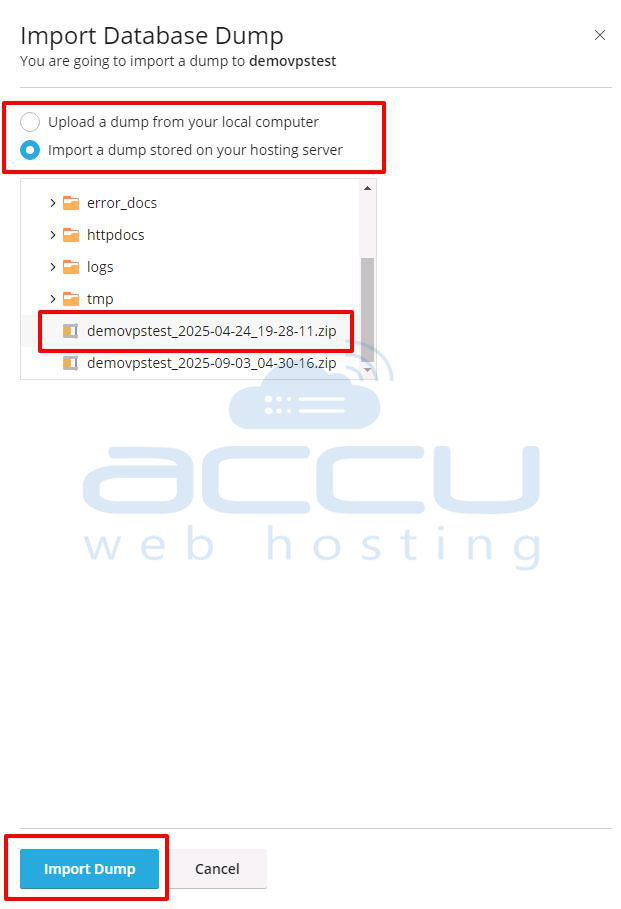
Step 2: You will see the Import Database Dump box. You can choose from two options: Upload and Import.
Once you select the database file, click OK to restore the database. Plesk will start the database restoration process, and it will take a while(It depends on the database file size).