
Leech Protect is one of the Security protections provided by cPanel. If users are publicly posting their username and password to the restricted area of your site, this will compromise your website's security. Enabling Leech protection will restrict such users. This will also prevent users from making multiple login attempts within a short time. It will redirect and suspend the compromised accounts to a specific URL.
How to set up Leech Protection in cPanel?
Step 1: Log in to the cPanel using your username and password.
Step 2: Click on the Leech Protection inside the security section.
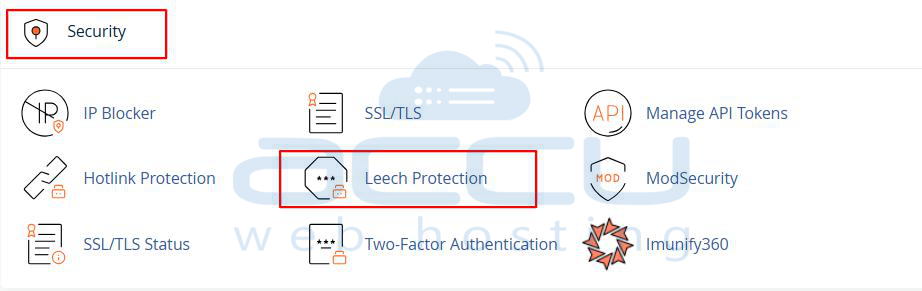
Step 3: Now, select and click on the folder that you want to protect.
Step 4: Once you select the directory, we will need to set up the required permissions in the new tab.
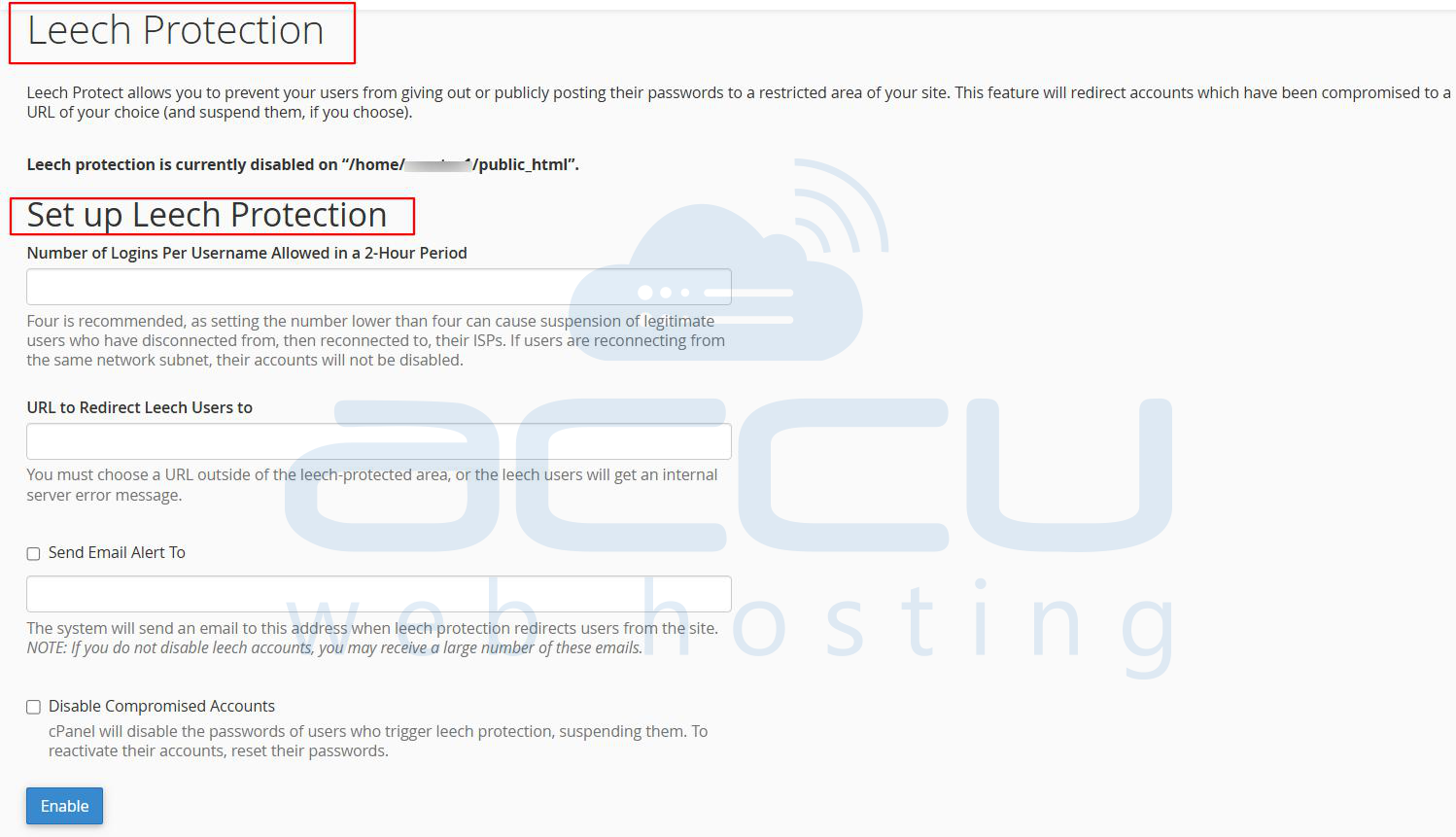
- Number of Logins per username allowed within 2 2-hour periods: Set the number of login attempts that can be made within 2 hours. Users will not be able to log in beyond the limit allocated by you.
- URL to Redirect Leech Users: Enter the URL into the box. By this, you can redirect the leech user to a specific URL if they exceed the maximum number of login attempts.
- Send Email Alert: You can send an email to the same user's email account.
- Disable Compromised Account: By selecting this, you can suspend the account, and this will also disable the user's password. You can enable the account by resetting the password of the user account.
- Disable Protection: You can deactivate the Leech Protection by clicking on the Disable button under Disable Protection.
