
Sometimes, websites may contain legacy files with a .asp extension. Even though these files do not contain any ASP code, the server may still attempt to process them as ASP scripts. This can cause unnecessary errors or improper rendering.
To fix this, you can configure the server to parse .asp files as normal Text/HTML files using the MIME Types feature in cPanel.
This article will guide you through the configuration process.
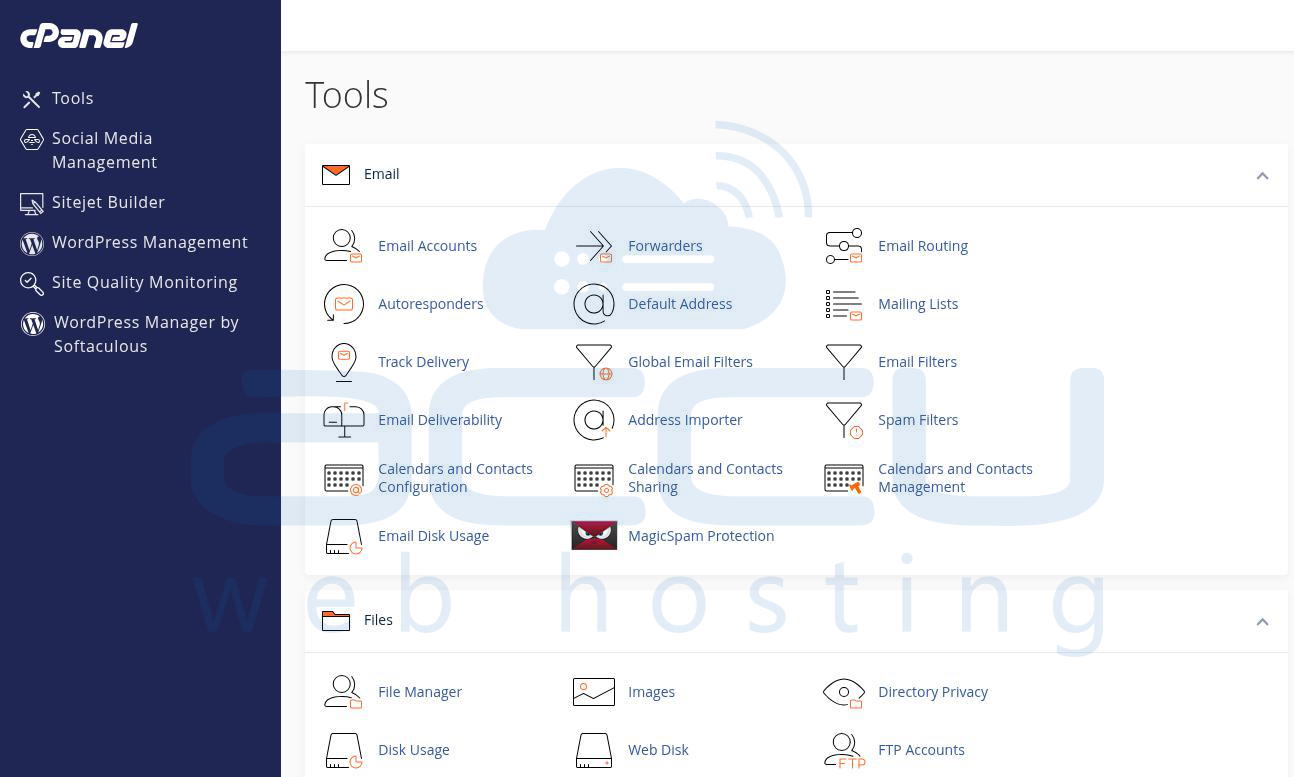
Step 1: Log in to your cPanel account
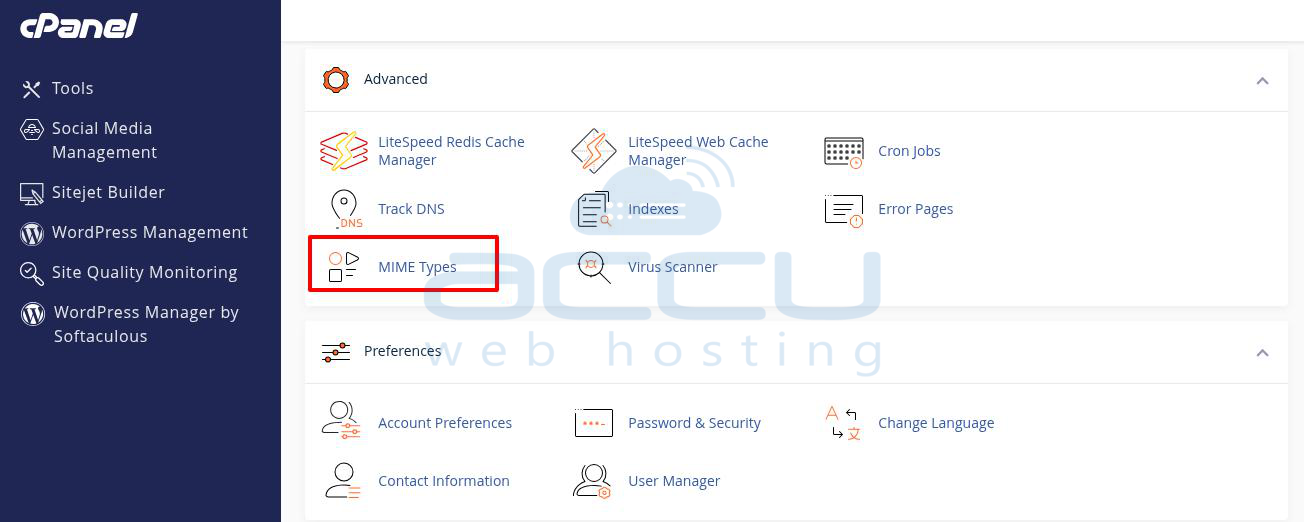
Step 2: Under the Advanced section, click on MIME Types
Step 3: You will see two input boxes:
Fill them out as follows:
MIME type: text/html
Extensions: asp .asp
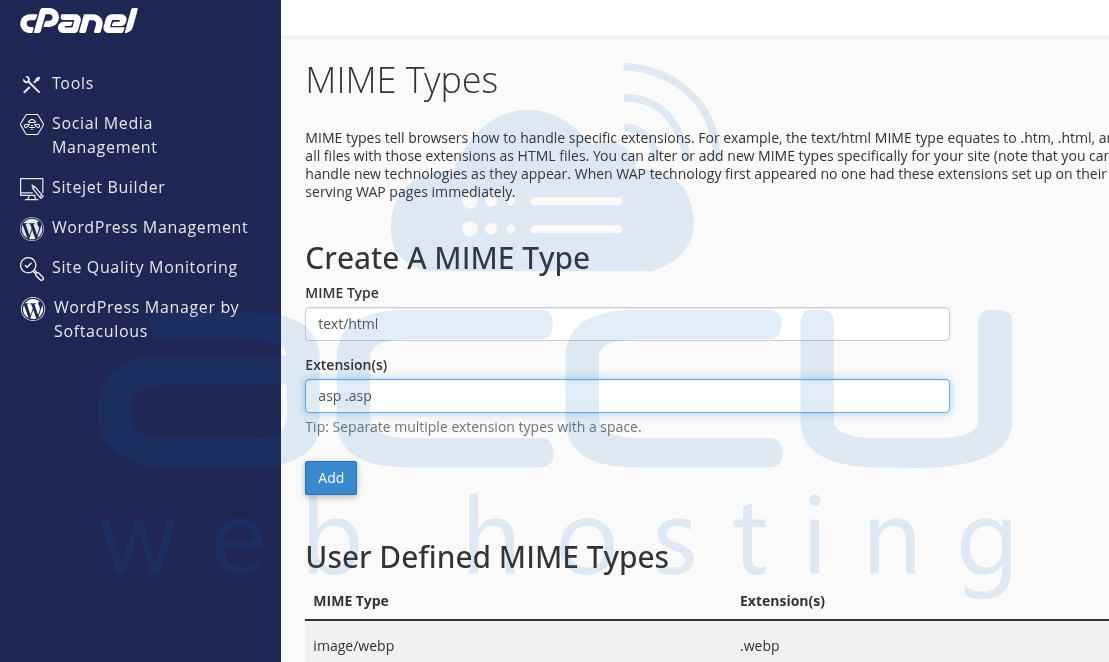
Step 4: Save the changes
Once configured, Apache will treat .asp files as normal HTML files and render them without attempting to execute them as ASP scripts.
Conclusion
By adding a MIME type rule in cPanel, you can easily parse .asp files as Text/HTML instead of ASP scripts. This method is useful when hosting websites with old .asp files that only contain HTML content, ensuring proper display without requiring code changes.


