
Some customers may notice that images on certain web pages do not appear. This usually happens when Hotlink Protection is enabled in cPanel, but some of the website’s own domains or subdomains are not included in the allowed list.
Hotlink Protection prevents other websites from directly using your images, but if not configured correctly, it can block images on your own site.
To fix this issue, follow these steps:
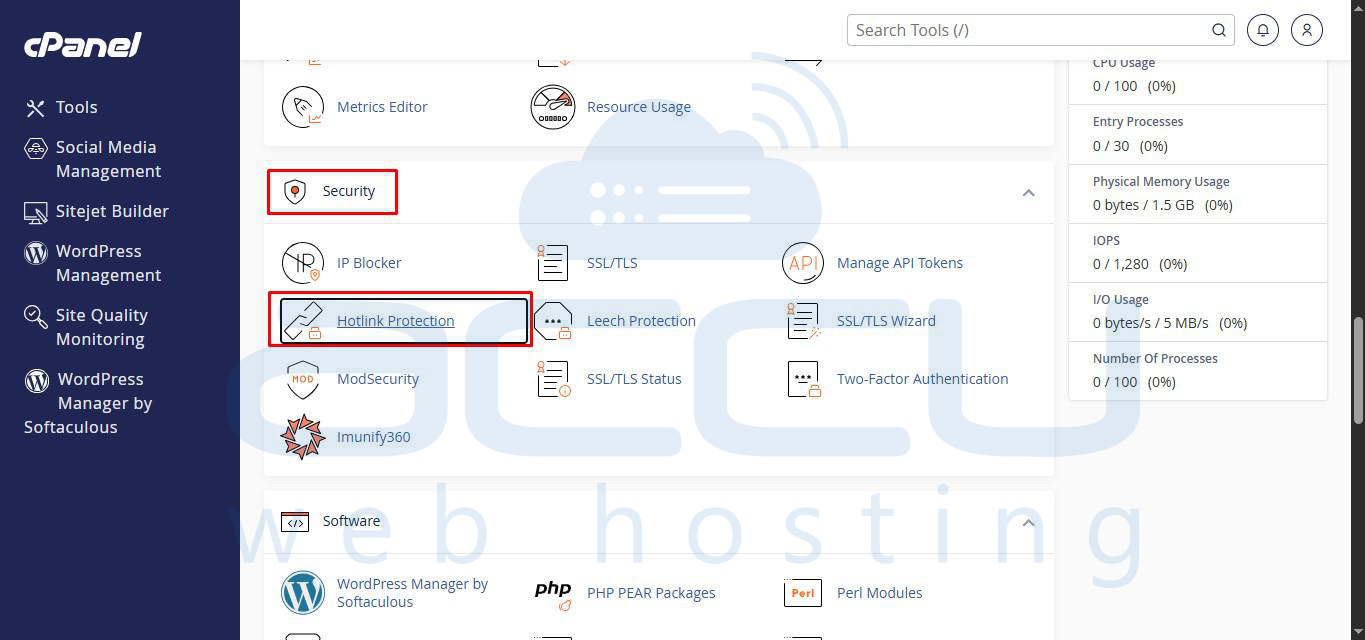
Step 1: Log in to cPanel and navigate to Hotlink Protection under the Security section.
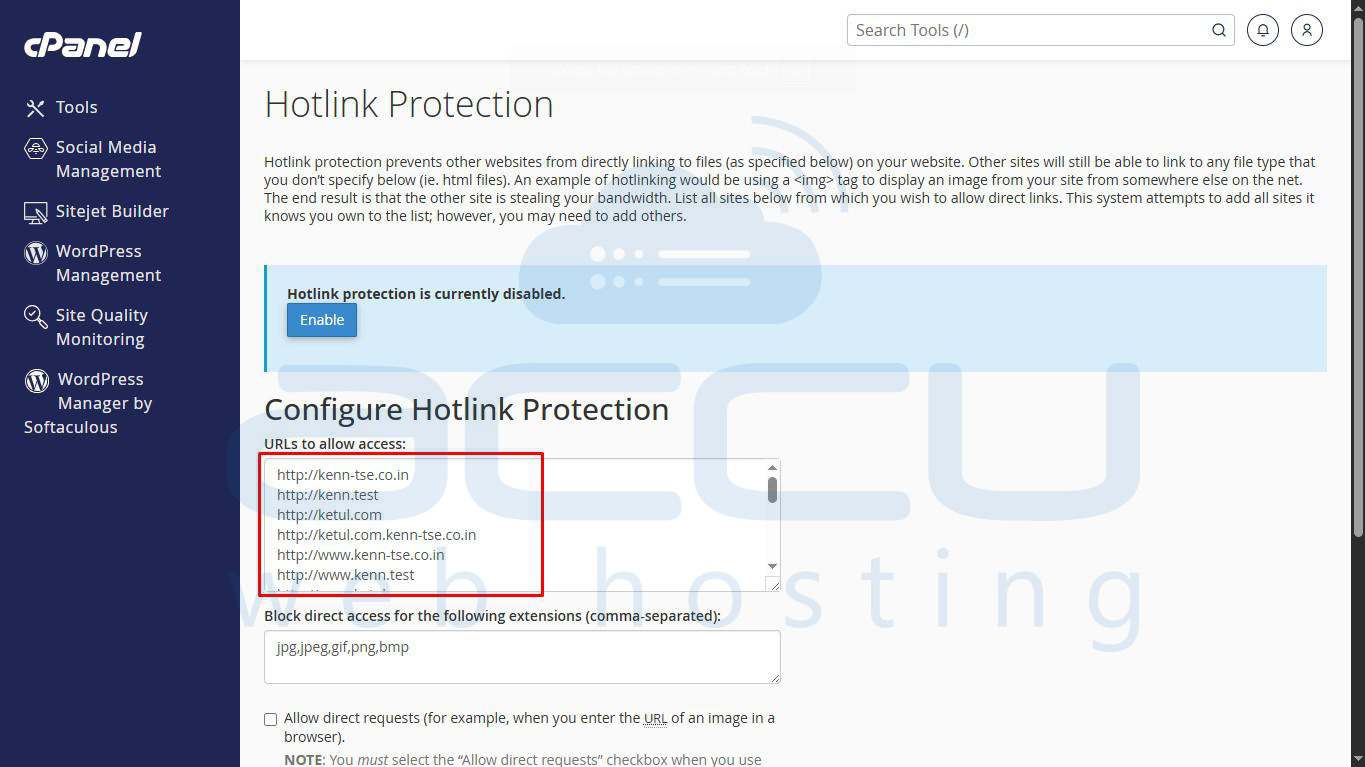
Step 2: Add all your domains and subdomains to the “URLs to allow access field (e.g., example.com, www.example.com, blog.example.com).
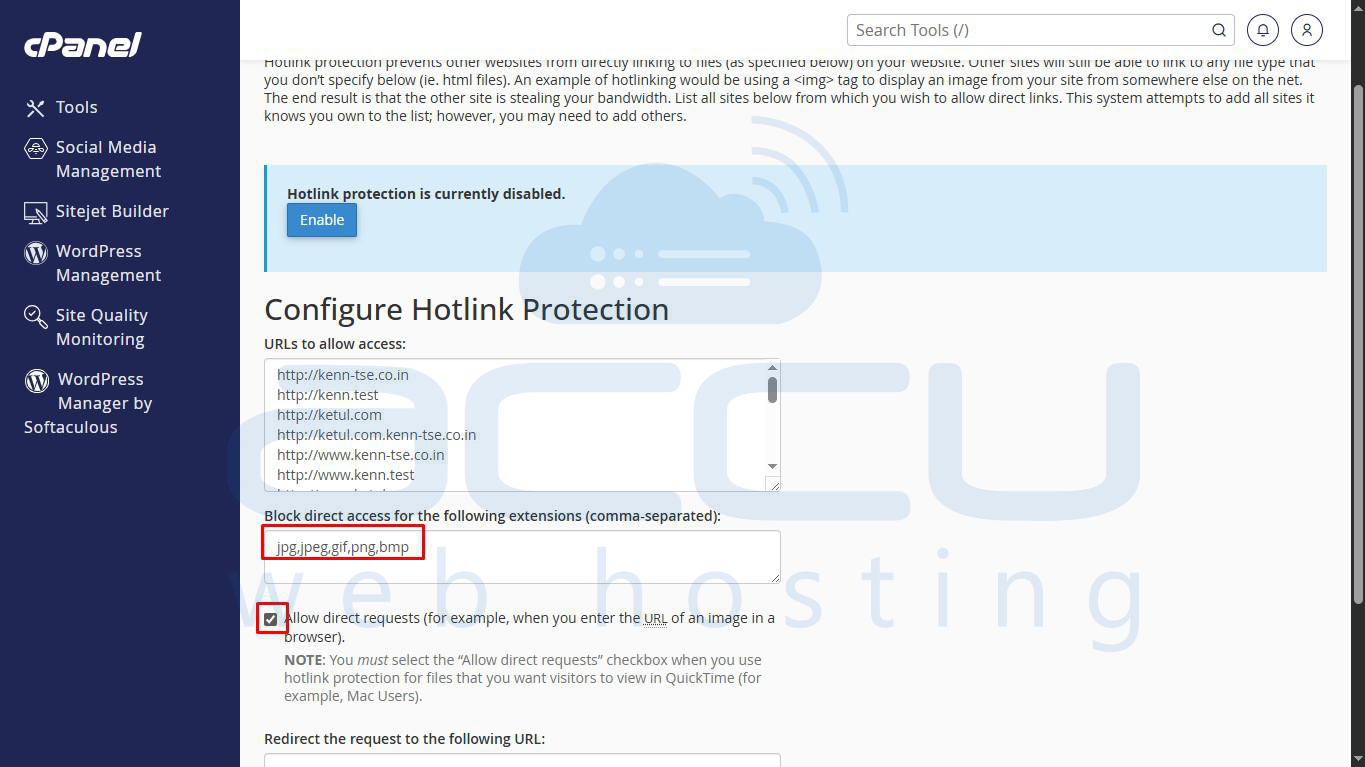
Step 3: Ensure common image extensions are listed under “Block direct access for these extensions” (e.g., .jpg, .jpeg, .png, .gif). Check “Allow direct requests and leave “Redirect request to this URL” blank.
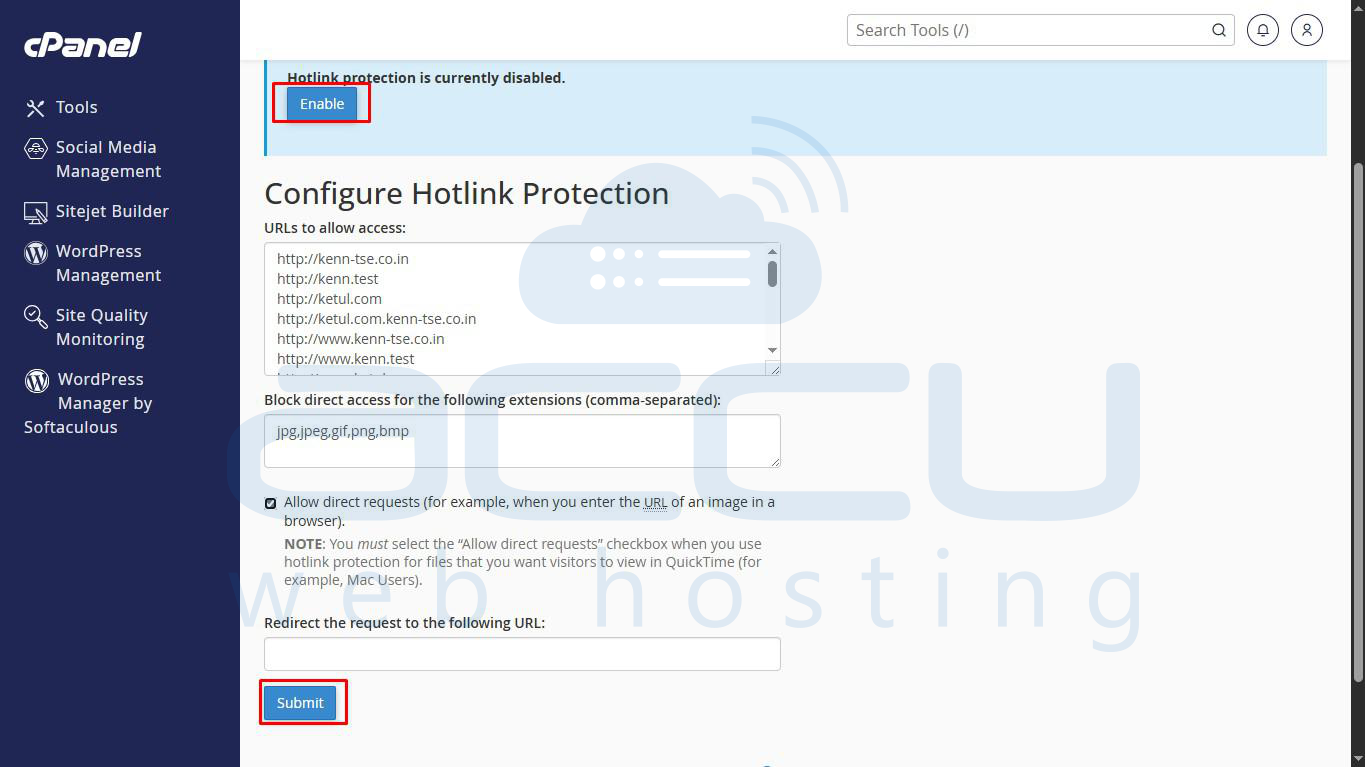
Step 4: Click Submit (or Enable) to save changes.
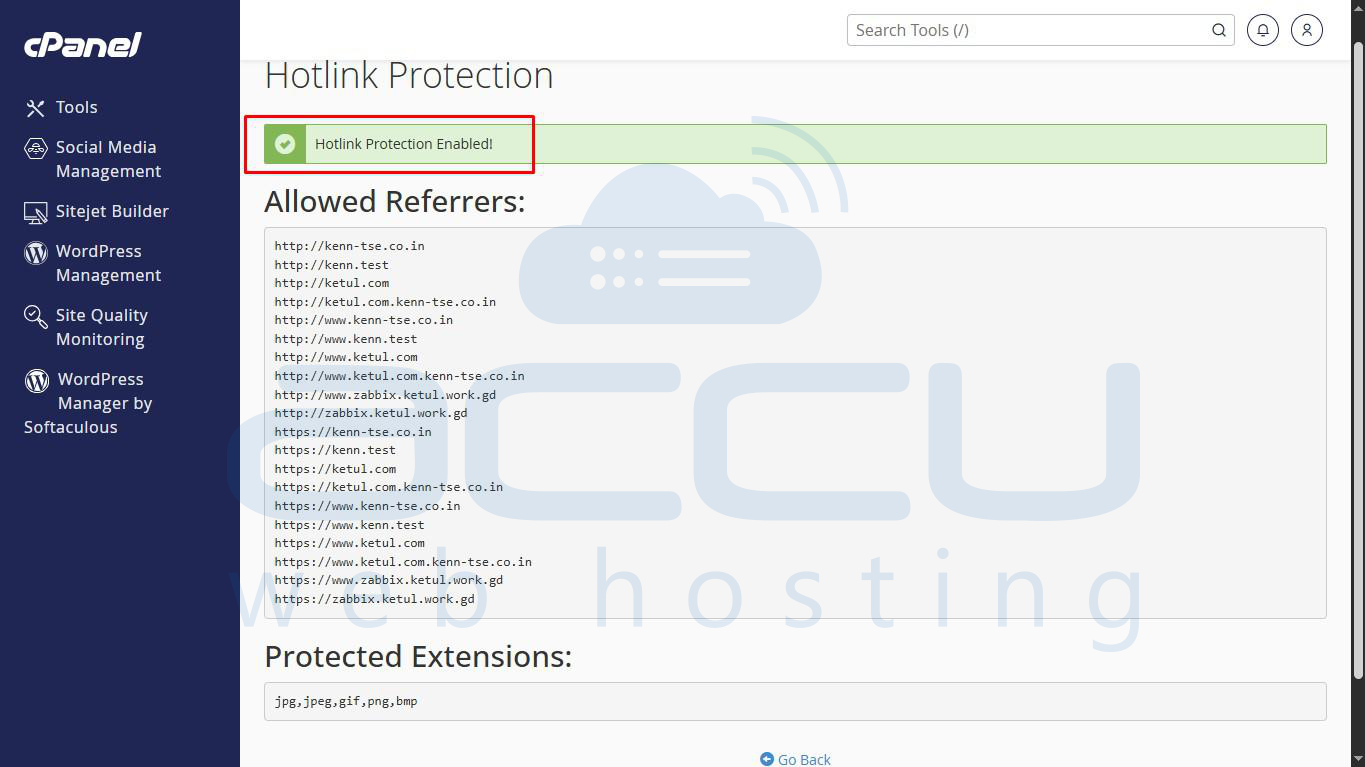
After these steps, images should now display correctly on all pages of your website.
Conclusion:
Properly configuring Hotlink Protection ensures that your images load correctly on your site while still preventing other websites from using your content. Always include all your domains and subdomains in the allowed list.


