This article will guide you on how to create an email account in Plesk Control Panel.
Step 1: Log in to the Plesk Panel.
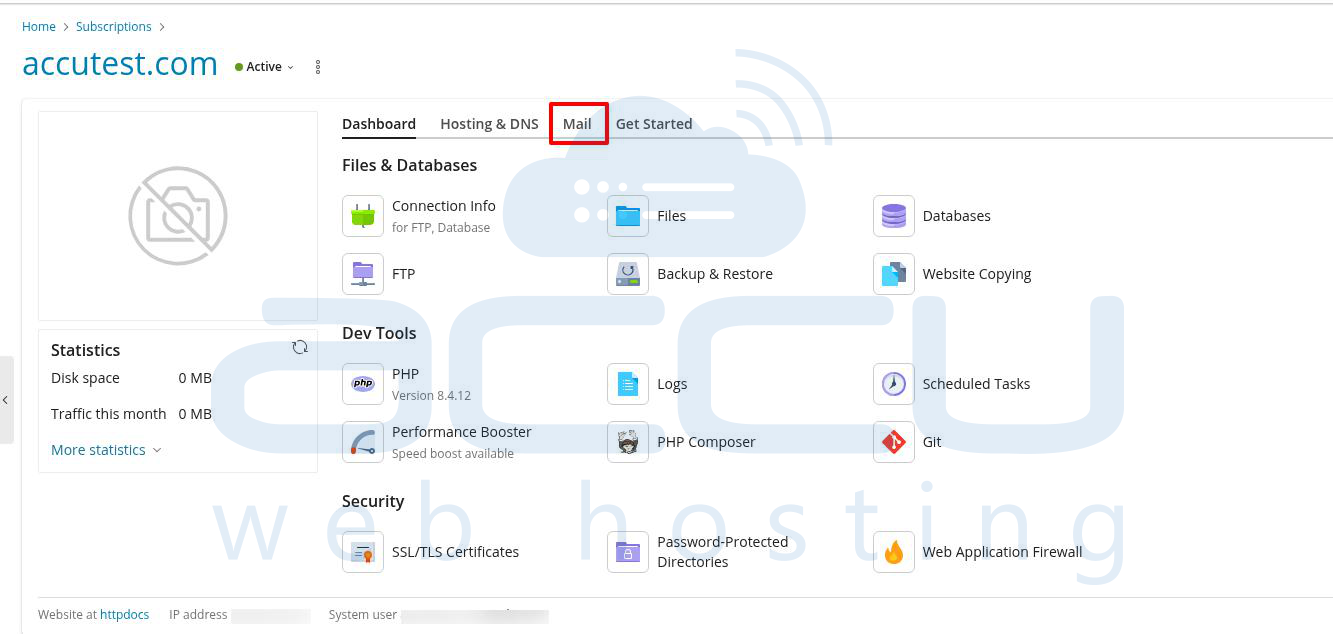
Step 2: From the dashboard screen, click on the “Mail” tab.
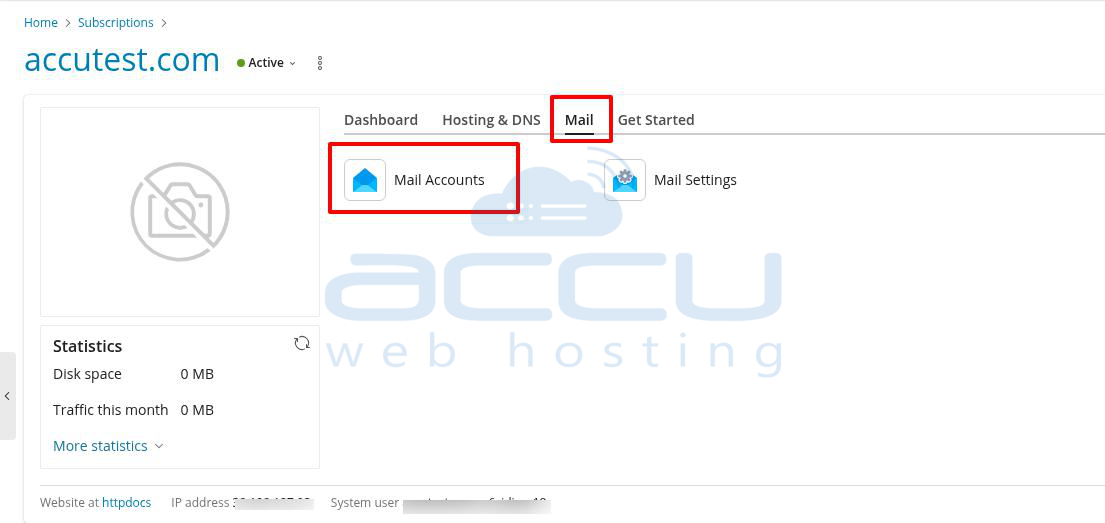
Step 3: Under the Mail section, click on "Mail Accounts".
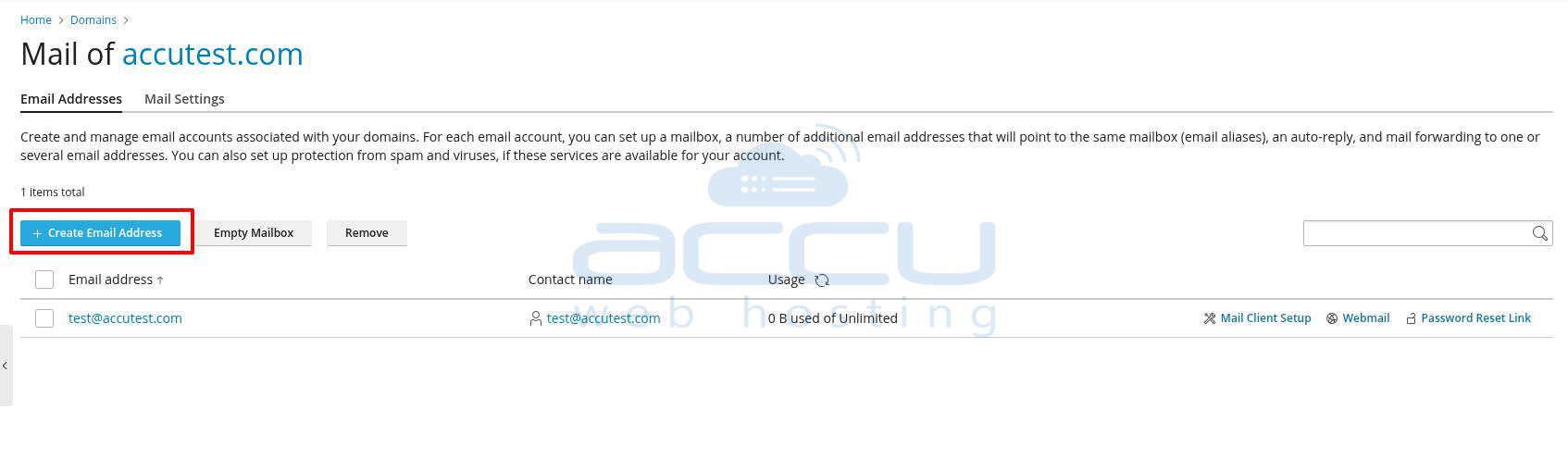
Step 4: Now, click on the "Create Email Address" button to add a new email account.
Step 5: Now, you will need to enter the details mentioned below for the email account that you are creating:
Email address: <A name of your email account>
External email address: <Will be used to reset your password if you lose access to the primary email address>
Password: <A password which you want to set for your email account>
Confirm password: <Retype the above password>
Mailbox: <Specify the limit for your email account>
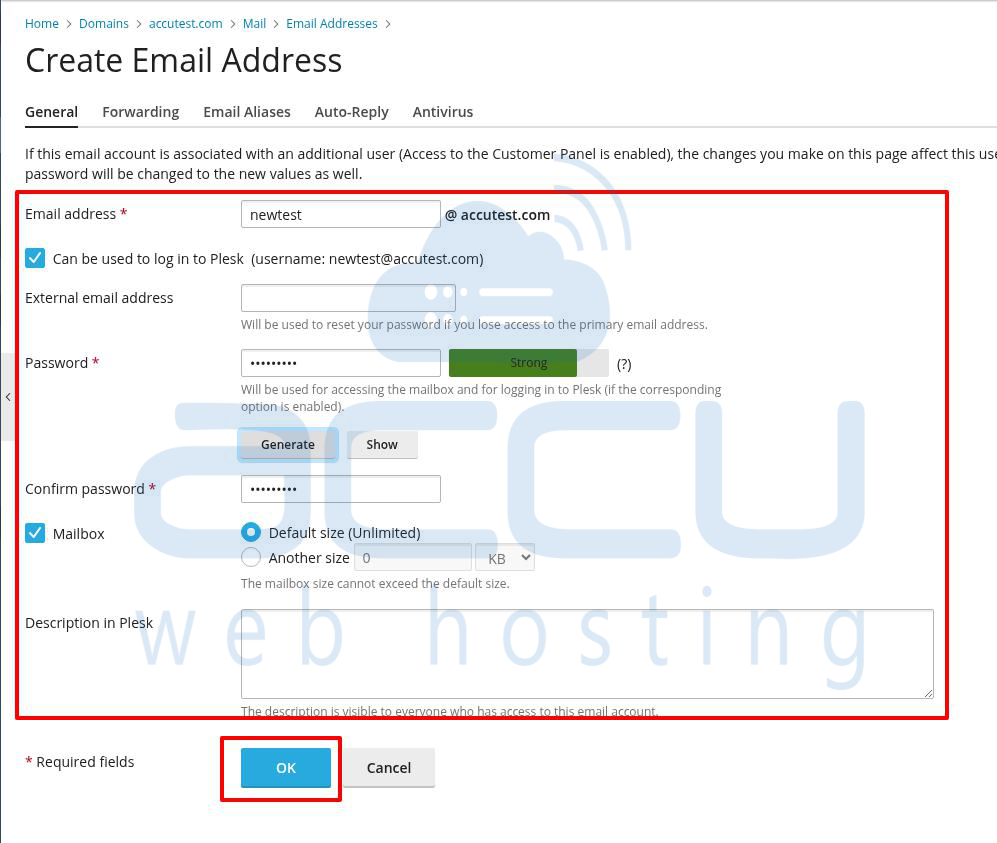
Once you enter these details, click on “OK”.
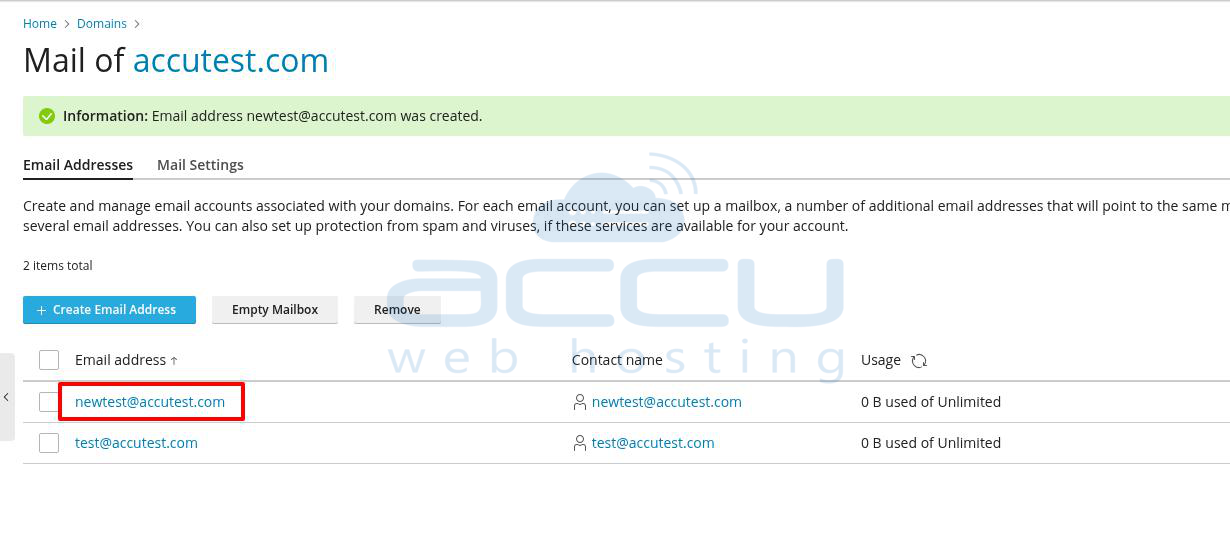
Step 6: You can see that an email account has been successfully created.