
Email spam remains one of the most common challenges for hosting providers, businesses, and website owners. Unwanted emails consume server resources, increase security risks, and make it harder for users to identify legitimate messages. Fortunately, cPanel & WHM includes SpamAssassin, a powerful spam filtering solution that helps detect and manage spam before it reaches users' inboxes.
This article explains how SpamAssassin works and provides recommended configuration settings for WHM/cPanel servers
What is SpamAssassin?
Apache SpamAssassin is an open-source email filtering system that analyzes incoming messages and assigns a spam score based on various tests.
Instead of relying on a single rule, SpamAssassin evaluates multiple characteristics of an email, including:
-
Email headers
-
Sender reputation
-
Message content
-
URLs within the email
-
DNS-based blocklists (DNSBL)
-
Bayesian filtering
-
SPF, DKIM, and DMARC authentication results
Each test contributes points to the overall spam score. If the score exceeds a configured threshold, the email is marked as spam.
How SpamAssassin Works?
SpamAssassin processes incoming emails through a scoring system.
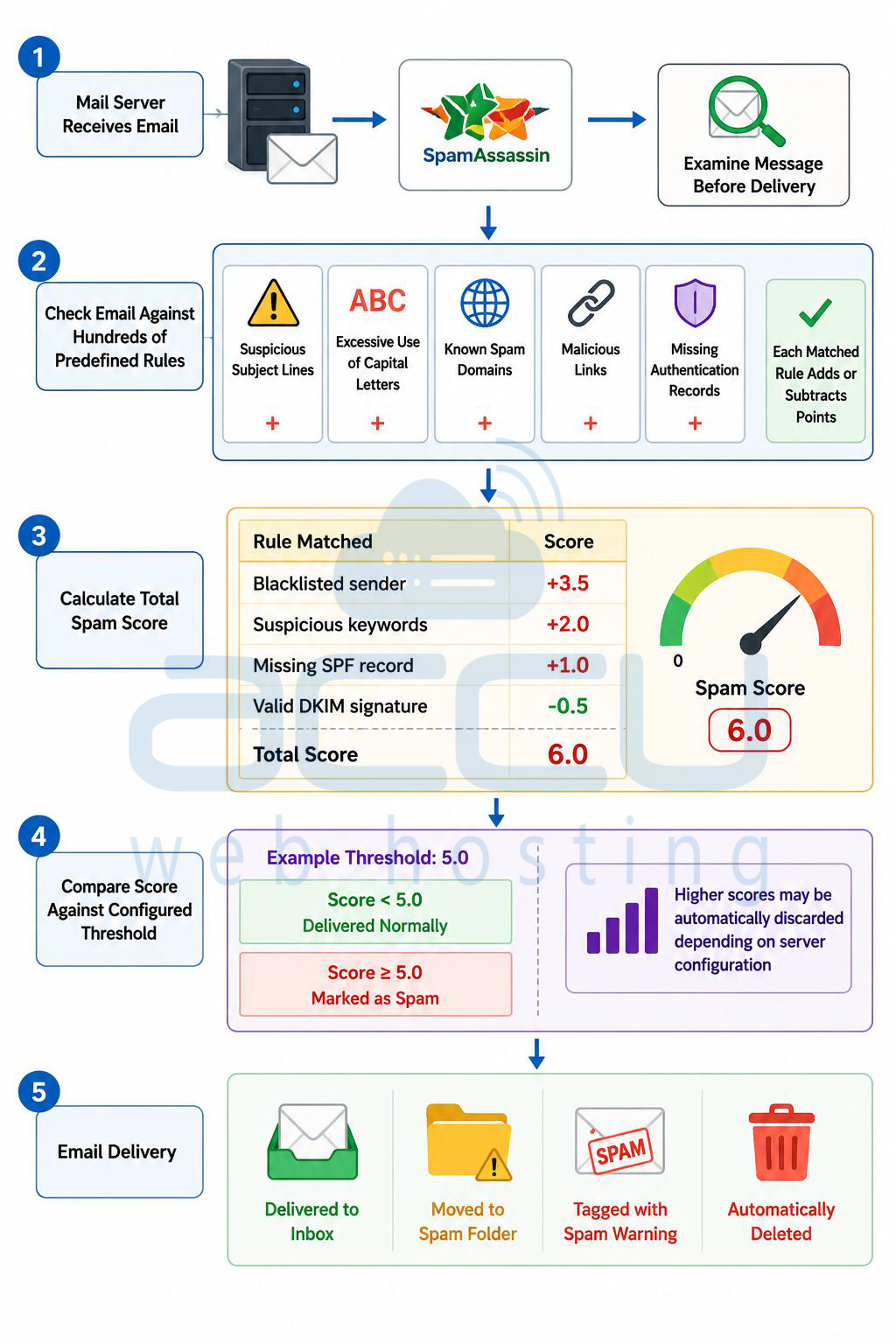
Step 1: When a mail server receives an email, SpamAssassin examines the message before delivery.
Step 2: The email is checked against hundreds of predefined rules, such as:
-
Suspicious subject lines
-
Excessive use of capital letters
-
Known spam domains
-
Malicious links
-
Missing authentication records
Each matched rule adds or subtracts points.
Step 3: SpamAssassin calculates a total spam score.
Example:
-
Blacklisted sender: +3.5
-
Suspicious keywords: +2.0
-
Missing SPF record: +1.0
-
Valid DKIM signature: -0.5
Total Score: 6.0
Step 4: The message is compared against the configured threshold.
For example:
-
Score below 5.0 → Delivered normally
-
Score 5.0 or higher → Marked as spam
-
Higher scores may be automatically discarded depending on server configuration
Step 5: Email Delivery. The email is either:
-
Delivered to the inbox
-
Moved to a spam folder
-
Tagged with a spam warning
-
Automatically deleted
SpamAssassin Features in WHM/cPanel
WHM provides centralized management for SpamAssassin.
Key features include:
-
Global spam filtering
-
Automatic spam deletion
-
Spam score threshold configuration
-
Spam box management
-
Per-account customization
-
Apache SpamAssassin rule updates
Administrators can configure spam protection server-wide while allowing users to manage their own filtering preferences through cPanel.
Accessing SpamAssassin in WHM
To configure SpamAssassin:
-
Log in to WHM as root.
-
Navigate to:
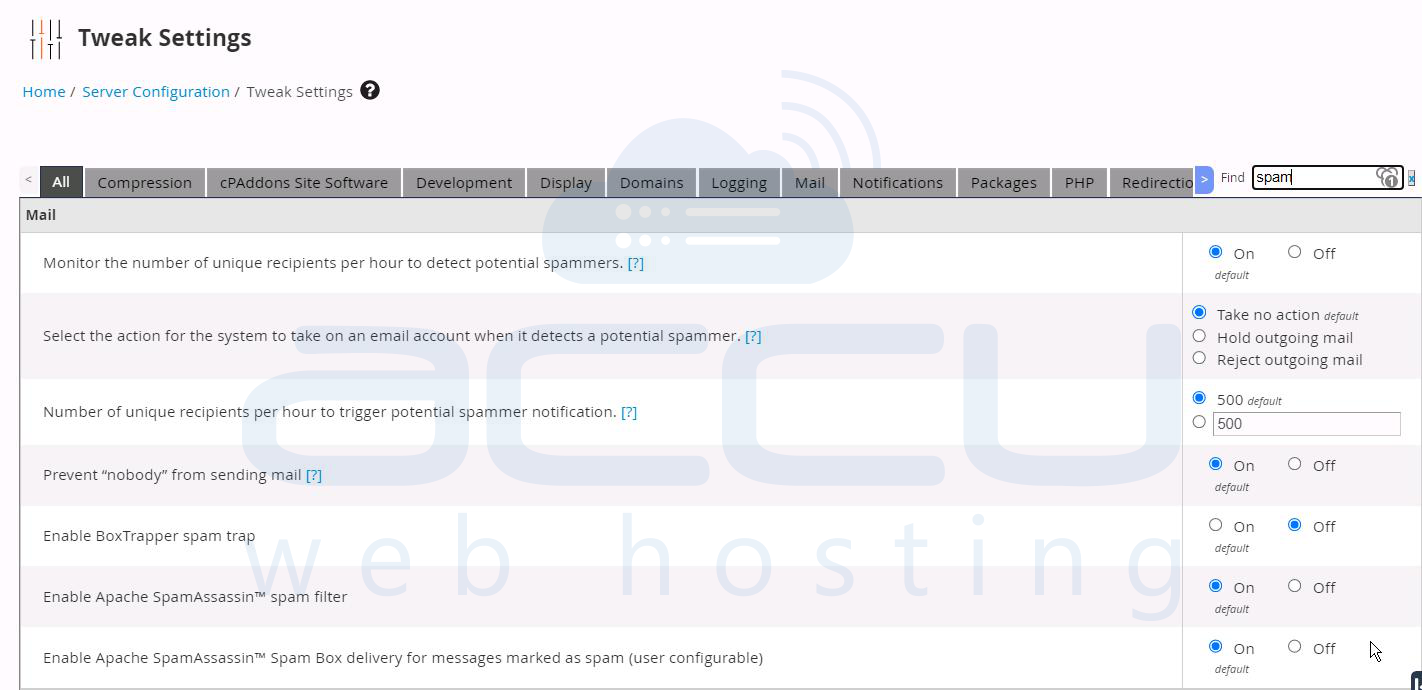
Home → Service Configuration → Tweak Settings → Apache SpamAssassin™ -
Review and adjust the available settings.
Recommended SpamAssassin Configuration
The following settings provide a good balance between spam detection and minimizing false positives.
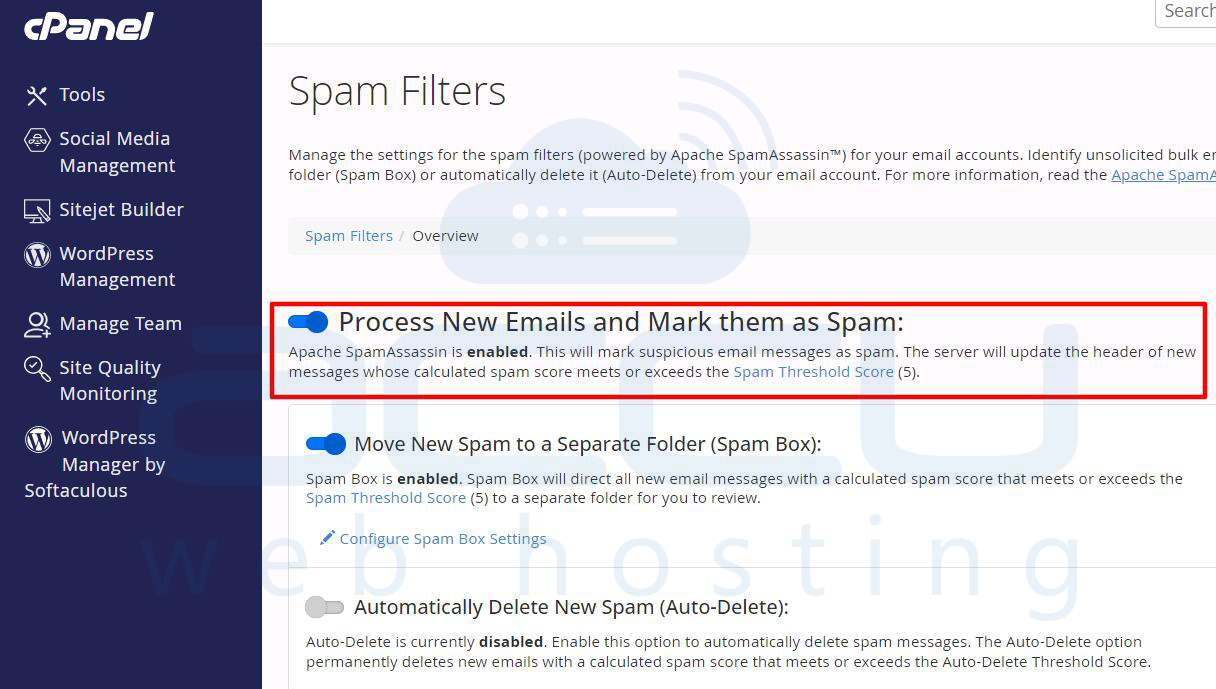
1. Enable Apache SpamAssassin
Recommended: Enabled
This activates spam filtering for all accounts that choose to use SpamAssassin.
Benefits:
-
Better inbox protection
-
Reduced spam volume
-
Improved mail server reputation
2. Required Score Before Marking as Spam
Recommended Score: 5.0
The default value of 5.0 is generally suitable for most environments.
3 – 4: Aggressive filtering
5: Balanced filtering
6 – 8: Conservative filtering
Using a score lower than 5 may increase false positives.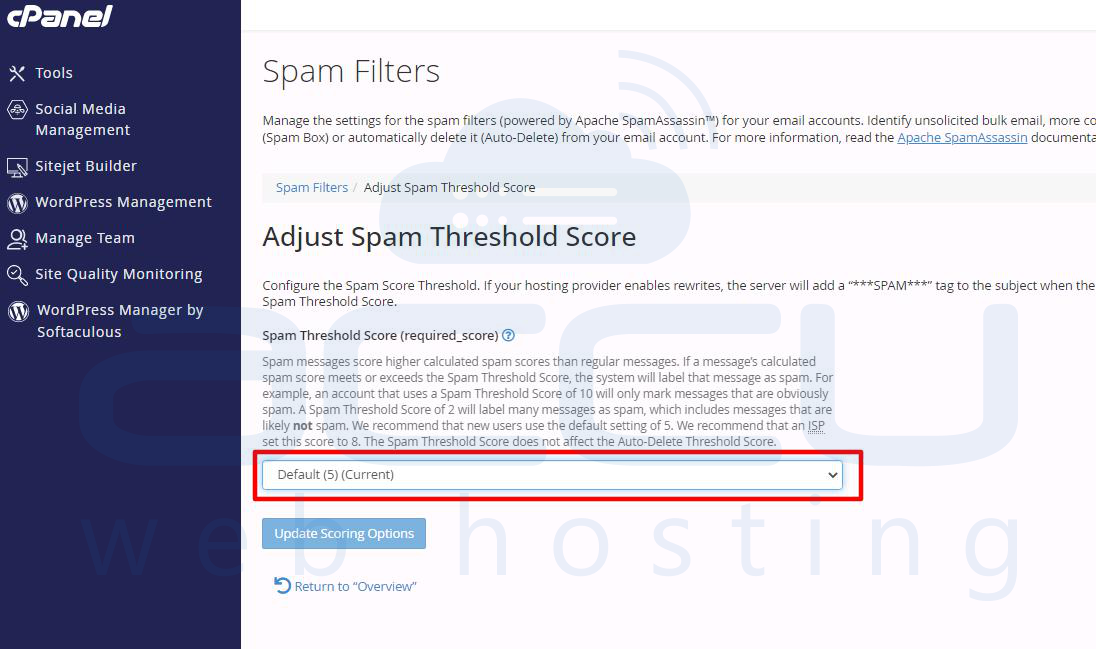
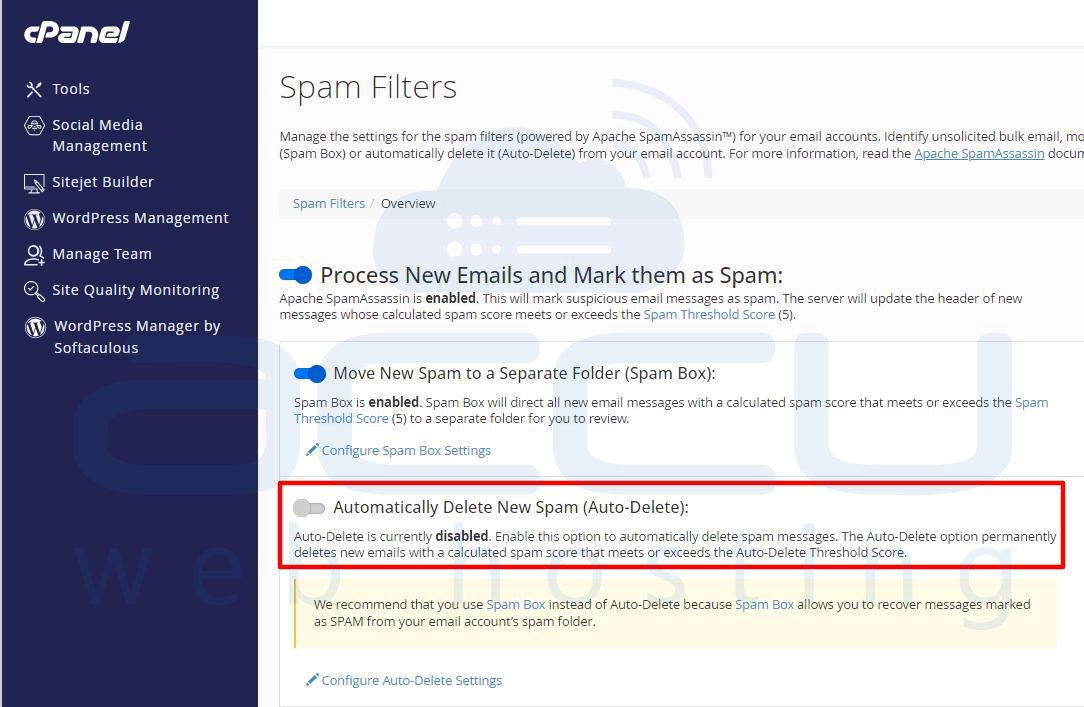
3. Automatically Delete Spam
Recommended: Disabled
While WHM allows automatic deletion of messages exceeding a certain score, this setting can cause legitimate emails to be lost permanently.
Best practice:
-
Mark spam instead of deleting it.
-
Allow users to review spam folders regularly.
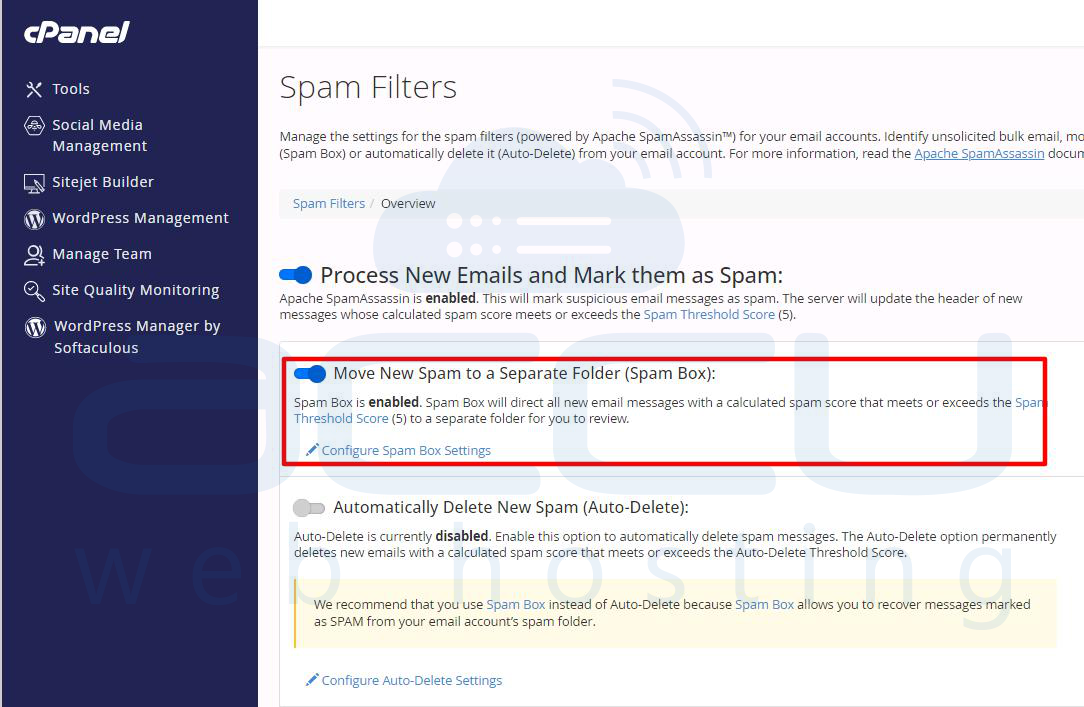
4. Spam Box
Recommended: Enabled
Spam messages are redirected to a dedicated spam mailbox.
Advantages:
-
Users can review blocked emails.
-
Reduces accidental loss of valid messages.
-
Simplifies spam management.
5. Auto-Whitelist
Auto-whitelisting learns from previous email interactions and lowers spam scores for known senders.
Potential concerns:
-
Compromised senders may bypass filtering.
-
Can reduce filtering accuracy over time.
Modern spam filtering generally performs well without heavy reliance on auto-whitelisting. Apache SpamAssassin (used by default in cPanel) includes an Auto-Whitelist feature.
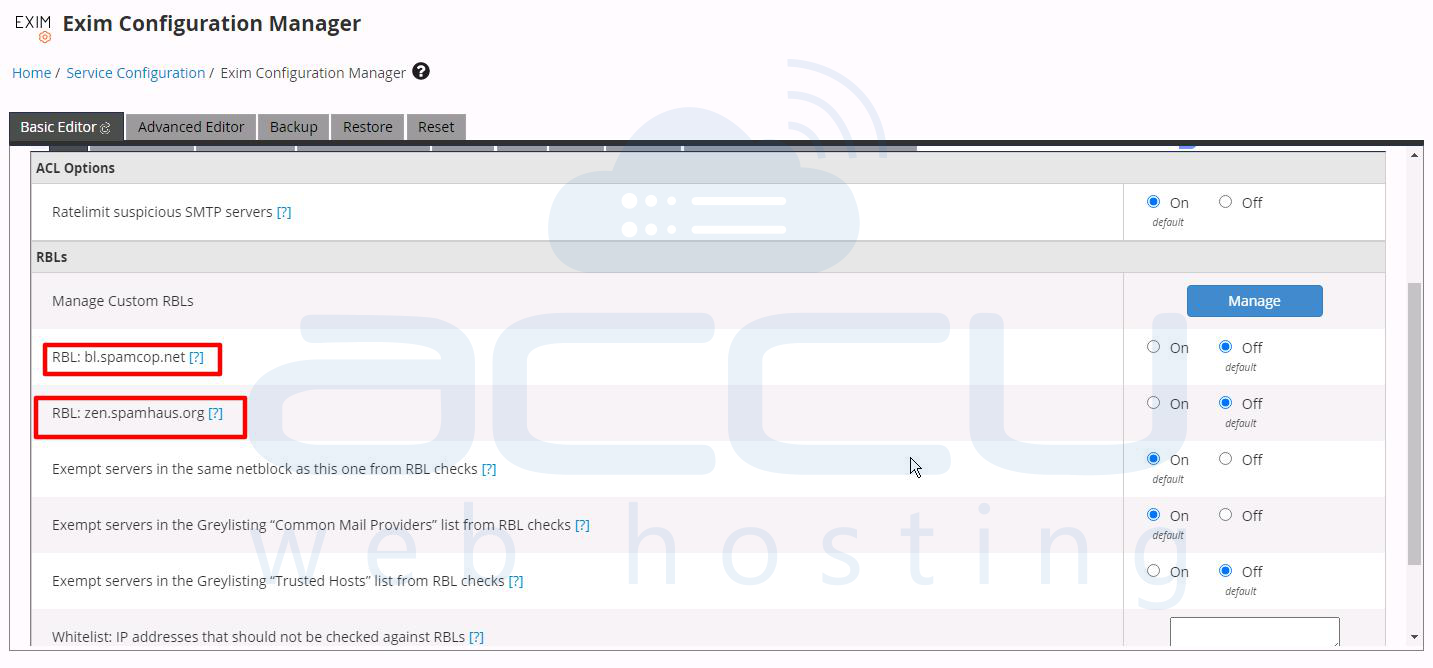
6. RBL (Realtime Blackhole List) Checks
Recommended: Enabled
RBLs help identify known spam sources by checking sender IP addresses against public blocklists.
Benefits:
-
Faster spam detection
-
Reduced server processing
-
Improved filtering accuracy
7. SPF, DKIM, and DMARC Validation
Recommended: Enabled
These authentication mechanisms help verify sender legitimacy.
SPF: Sender Policy Framework verifies whether the sending server is authorized for the domain.
DKIM: DomainKeys Identified Mail validates message integrity through cryptographic signatures.
DMARC: Domain-based Message Authentication, Reporting and Conformance combines SPF and DKIM results to improve protection against spoofing.
Properly configured authentication significantly improves spam filtering effectiveness.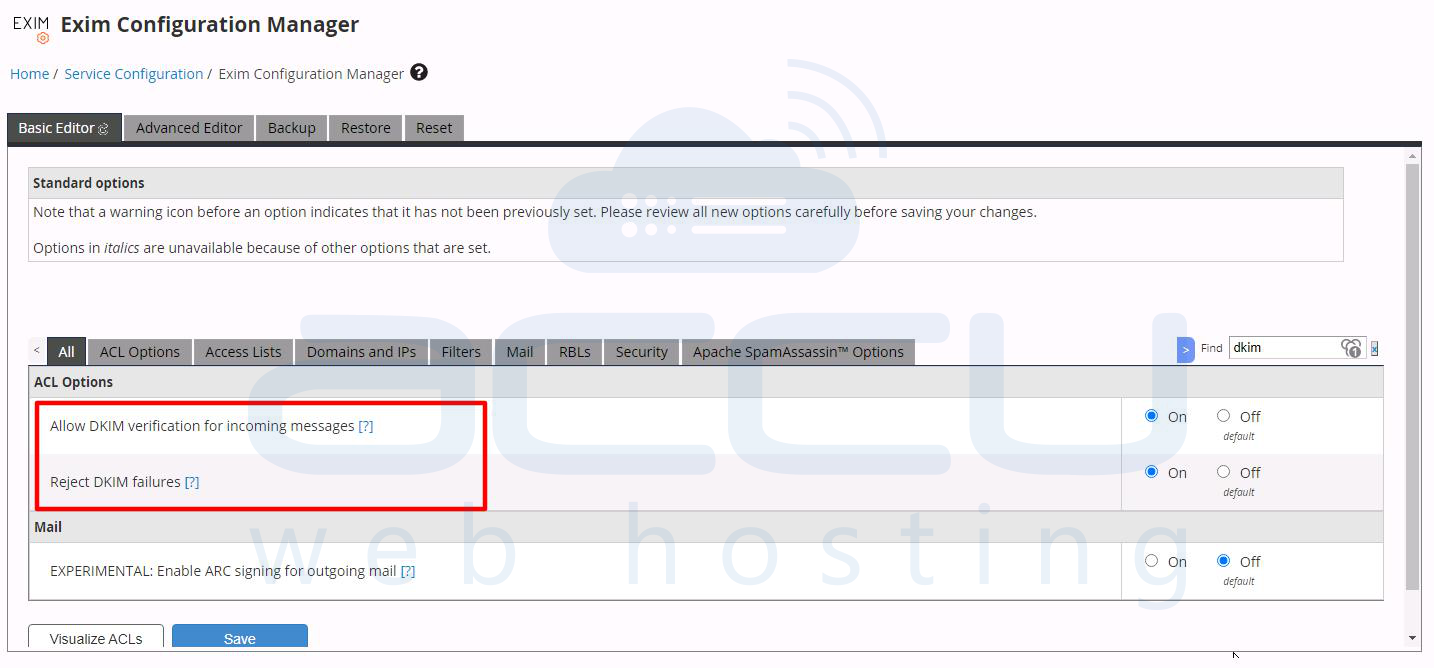
Recommended Mail Server Practices
SpamAssassin performs best when combined with good email server hygiene.
Maintain Accurate DNS Records
Ensure all domains have:
-
SPF records
-
DKIM enabled
-
DMARC policy configured
-
Proper PTR (reverse DNS) records
Keep SpamAssassin Updated
Regular updates ensure the latest spam detection rules are available.
WHM automatically updates SpamAssassin rule sets during system updates.
Monitor Mail Logs
Review logs regularly for:
-
False positives
-
High spam volume
-
Authentication failures
-
Blacklist-related issues
Useful log locations:
/var/log/exim_mainlog
/var/log/exim_rejectlog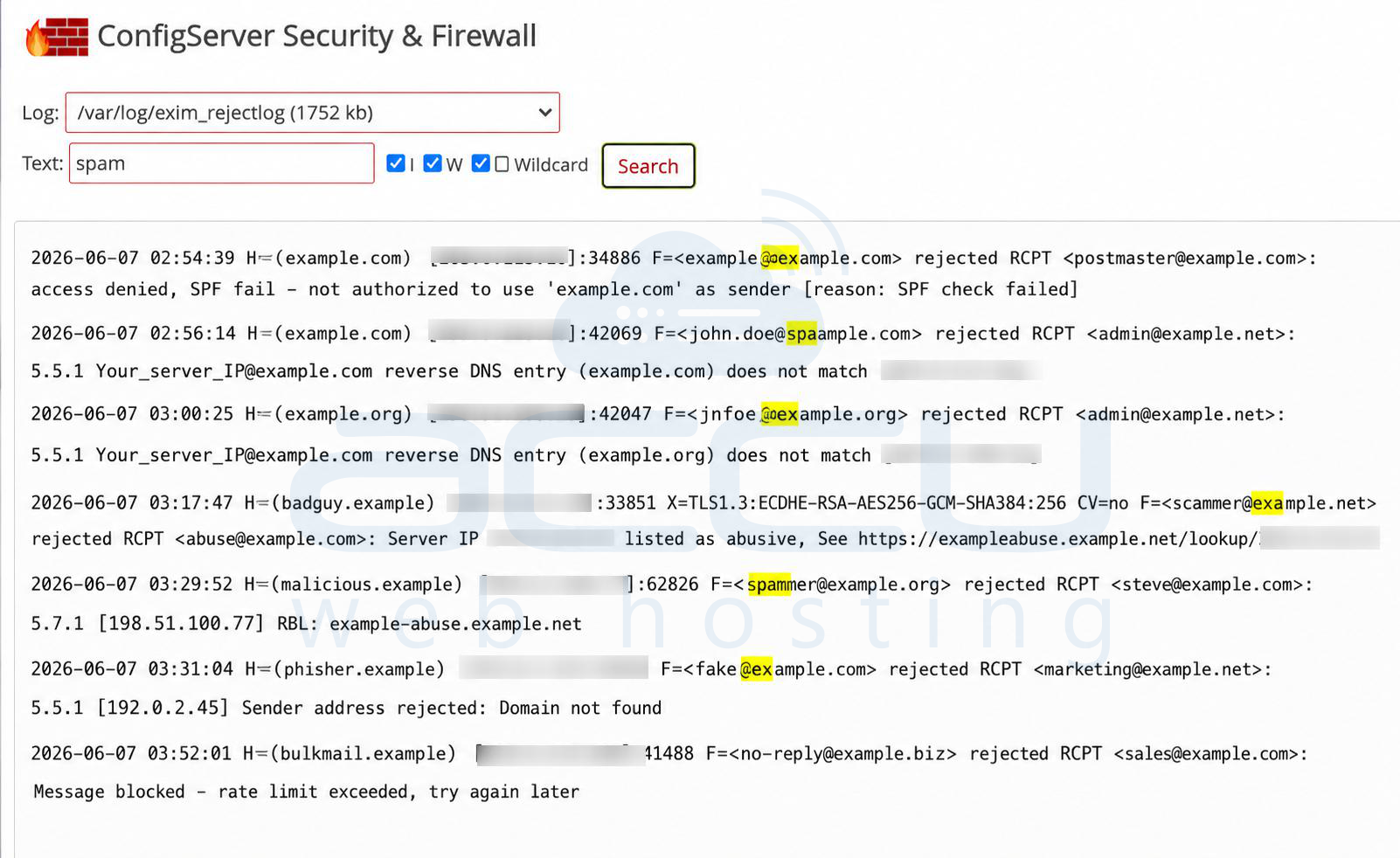
Avoid Excessive Custom Rules
While custom SpamAssassin rules can improve filtering, excessive modifications may:
- Increase CPU usage
- Create false positives
- Complicate troubleshooting
Use custom rules only when addressing specific spam patterns.
Troubleshooting Common SpamAssassin Issues
Legitimate Emails Marked as Spam
Possible causes:
- Low spam threshold
- Missing SPF/DKIM records
- Aggressive custom rules
Solution:
- Increase score threshold to 5 or higher.
- Verify email authentication records.
- Review SpamAssassin rule hits.
Spam Still Reaching Inboxes
Possible causes:
- Weak spam threshold
- Disabled RBL checks
- Poor sender reputation analysis
Solution:
- Verify SpamAssassin is enabled.
- Review spam scores in email headers.
- Enable additional reputation-based checks.
High Server Load
Possible causes:
- Large email volume
- Excessive custom rules
- Resource limitations
Solution:
- Optimize mail filtering rules.
- Use reputable DNSBL providers.
- Monitor mail queue and server performance.
Conclusion
SpamAssassin is a reliable and highly configurable spam filtering solution included with WHM/cPanel. By evaluating emails using multiple scoring mechanisms, it helps reduce spam while allowing legitimate messages to reach users safely.
For most hosting environments, the recommended configuration is:
- Enable SpamAssassin
- Set spam score threshold to 5.0
- Enable Spam Box
- Disable automatic spam deletion
- Enable SPF, DKIM, and DMARC validation
- Use RBL checks
- Regularly monitor mail logs and DNS records
When combined with proper email authentication and server maintenance, SpamAssassin can significantly improve email security and reduce unwanted messages across your WHM/cPanel server.


