
Plesk Problem – The Subscription Cannot Be Created: IP Pool is Empty
Creating subscriptions in Plesk should be a smooth process, but administrators and resellers may sometimes encounter the following error message:
"Error: Unable to create a subscription: the IP pool is empty."
If you’re facing any of these problems, this guide will help you pinpoint the causes and resolve the issue step by step to get your Plesk environment back to normal.
Understanding the Problem
In Plesk, subscriptions (which are sometimes called "domains" or "hosting accounts") require an IP address to be assigned. This IP can be either shared or dedicated.
The error message typically appears when:
- There is no shared IP address available in the system.
- Or, a reseller or client has not been assigned a dedicated IP address within their IP pool.
Without an IP address in the pool, Plesk cannot determine where to deploy the website, hence the error.
Steps to fix: The subscription cannot be created: IP pool is empty.
1. Make an IP Address Shared
The quickest solution is to ensure there’s a shared IP available for hosting.
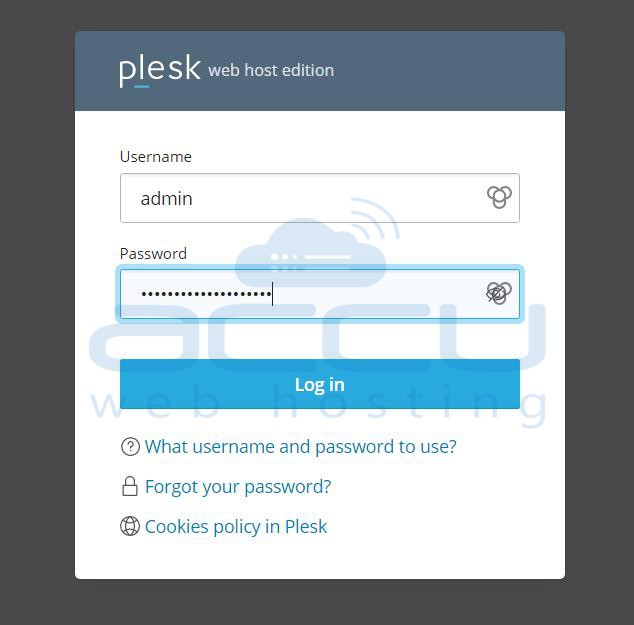
Step 1: Log in to your Plesk server as the Administrator.
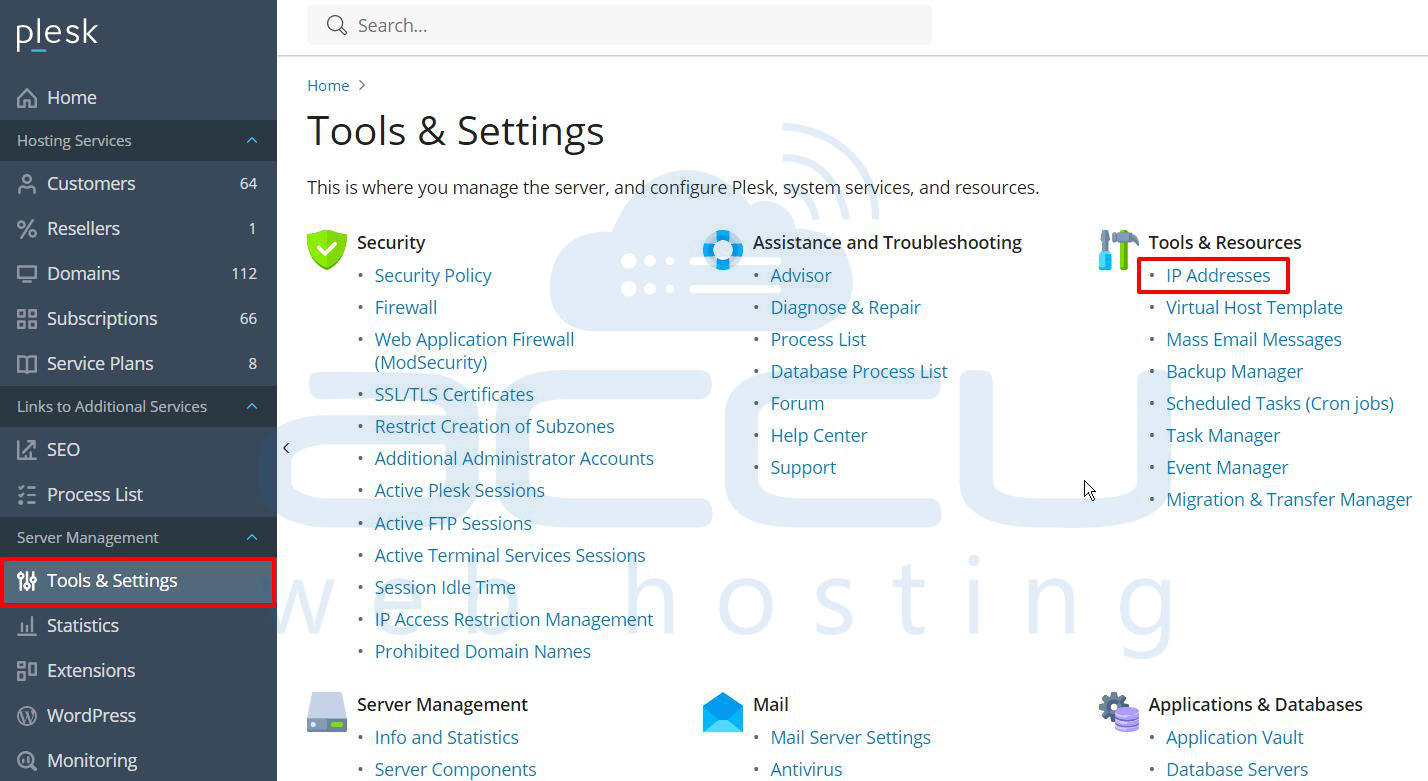
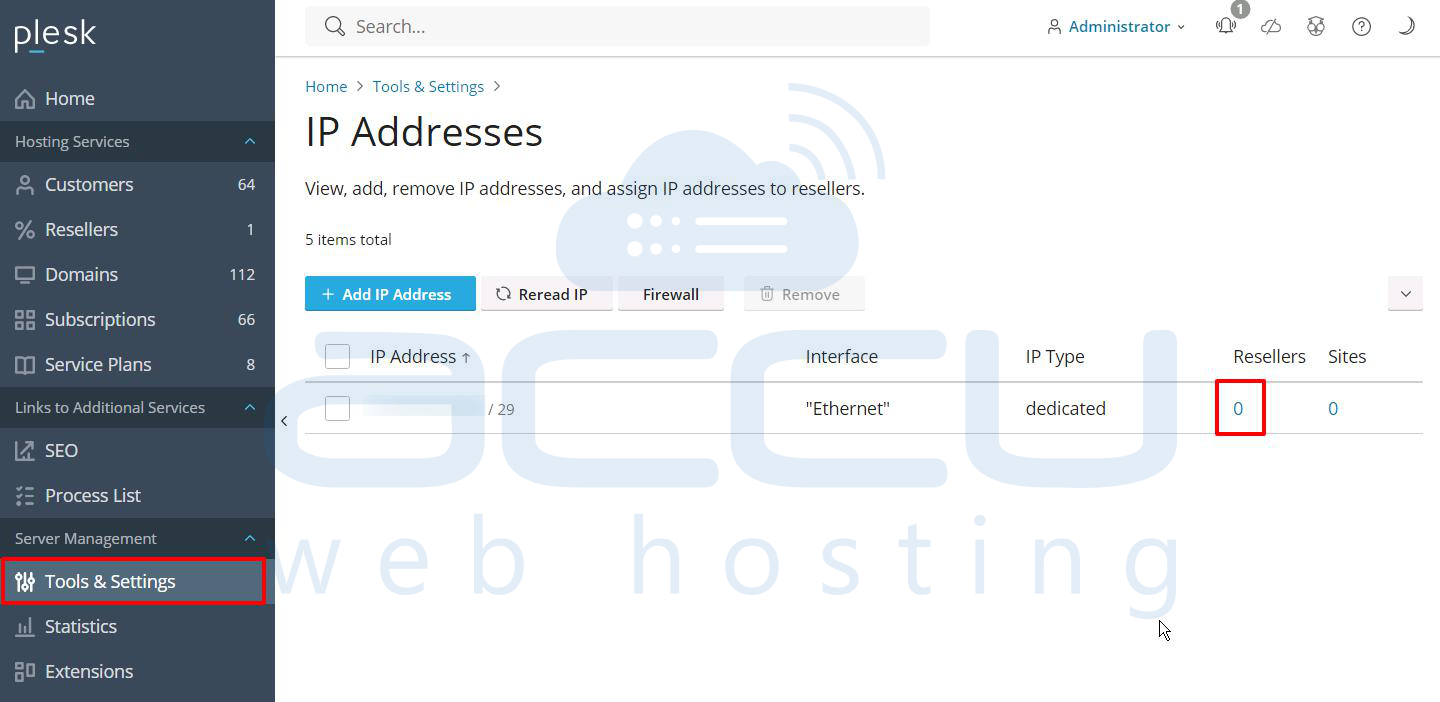
Step 2: Go to: Tools & Settings > IP Addresses.
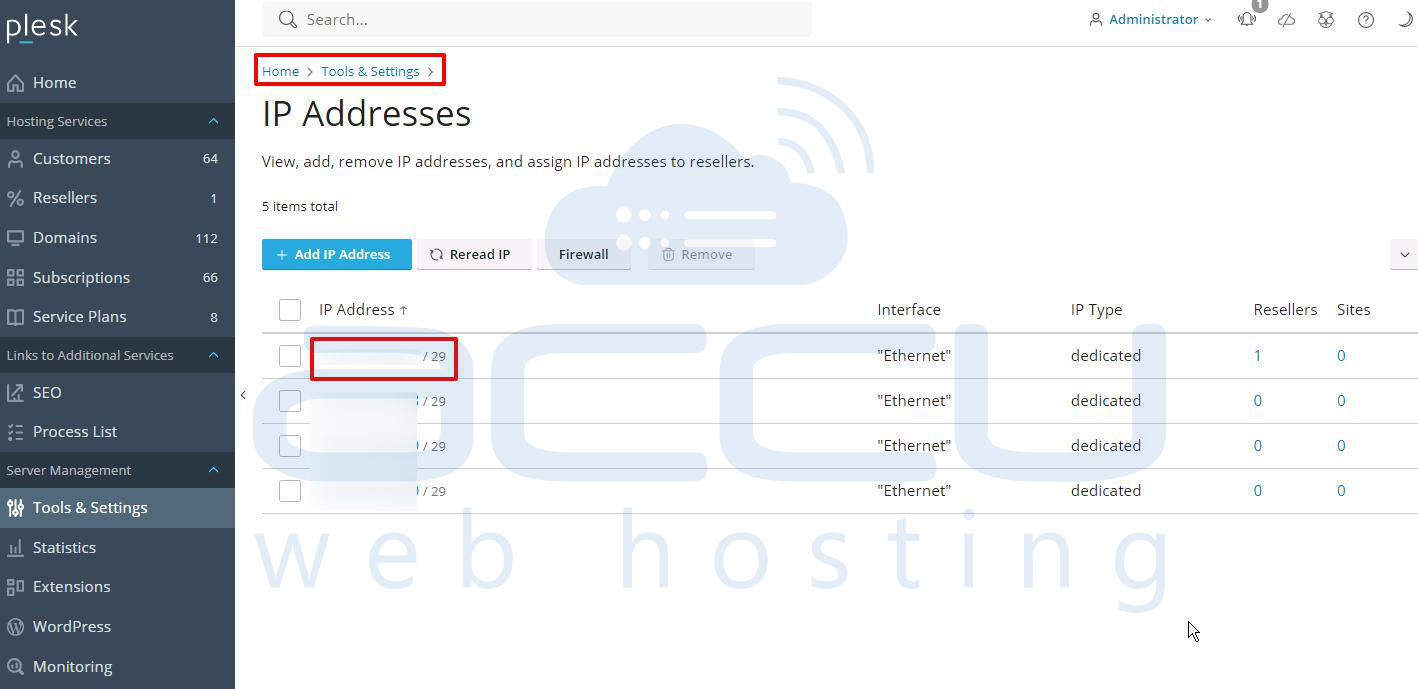
Step 3: Click the IP address currently marked as Dedicated.
Step 4: Change the type to Shared.
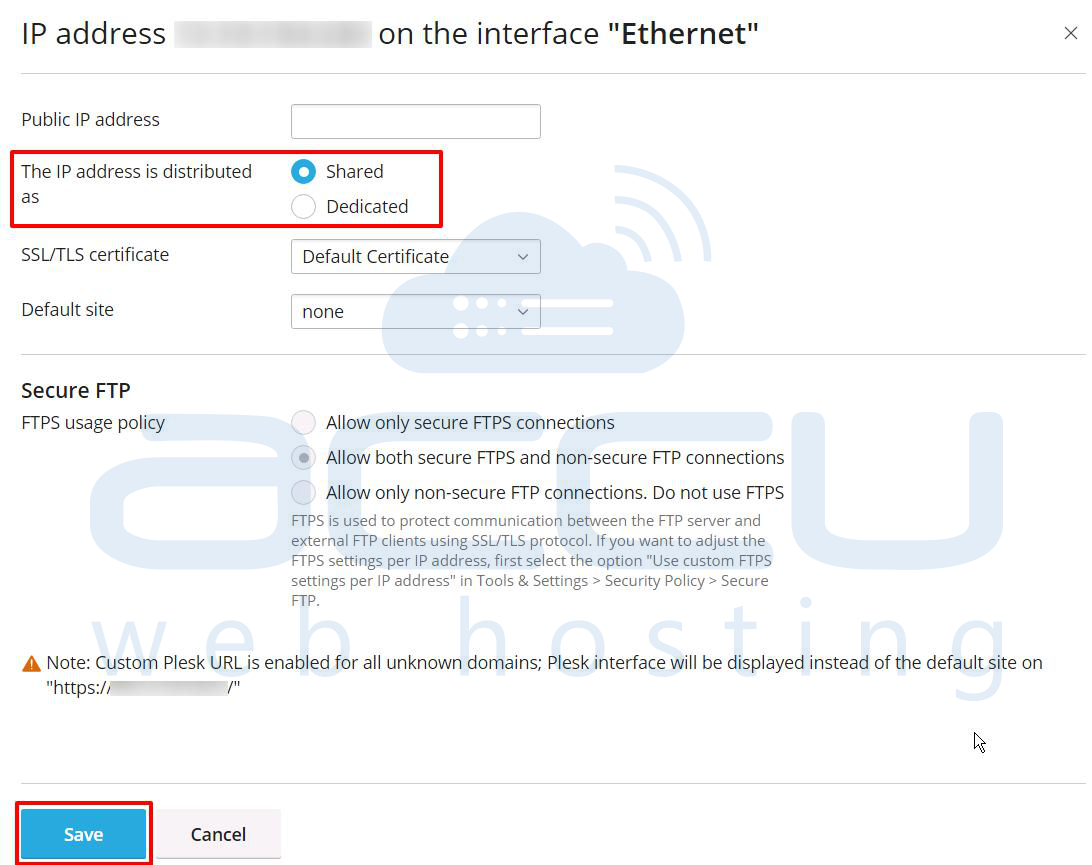
Step 5: Click Save.
2. Add a Dedicated IP Address for your Reseller account
If your architecture requires that each reseller or client gets their own dedicated IP, ensure that it is properly assigned.
Step 1: Go to: Tools & Settings > IP Addresses > click on 0 under the Reseller line.
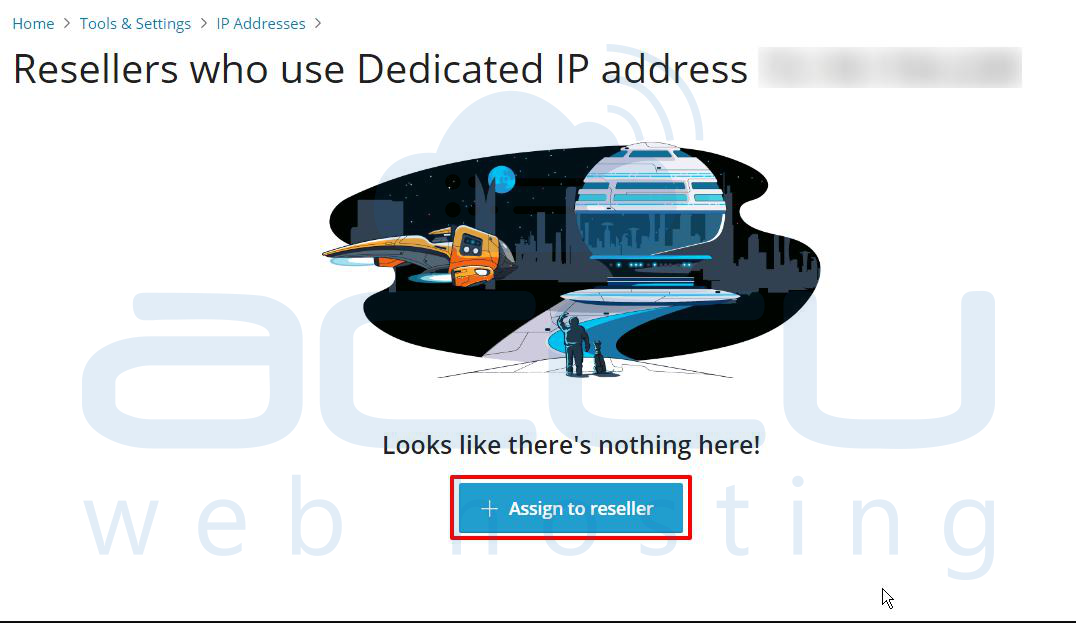
Step 2: Click Assign to Reseller.
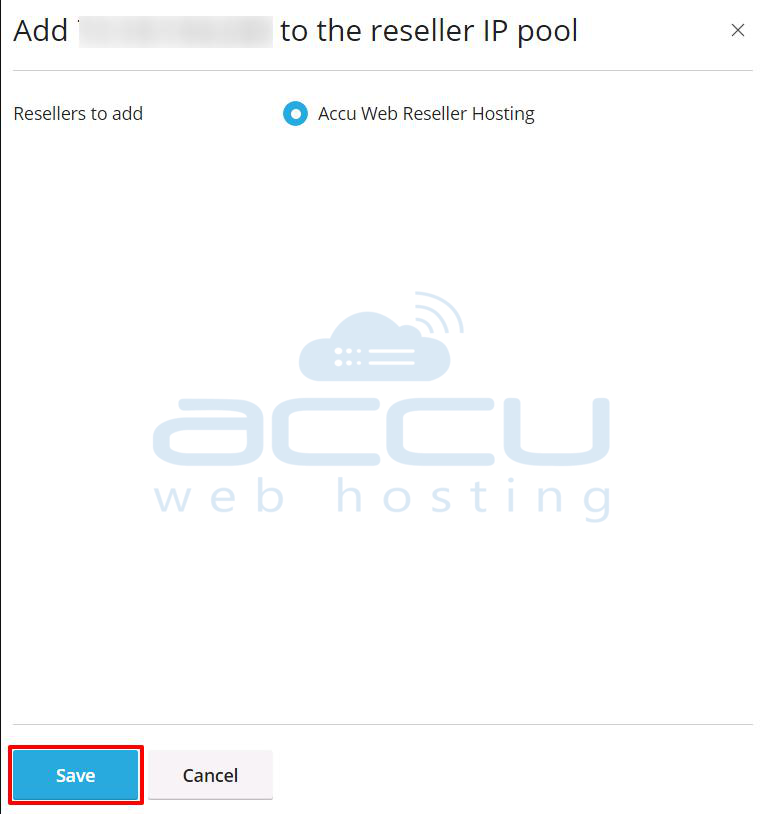
Step 3: Now, select the reseller from the list that you want to assign an IP address to.
Step 4: Click on the Save button.
Step 5: Now, navigate to Service Plans > Reseller Plans. Select the reseller plan and navigate to IP Address.
Step 6: In IP Address window, select the IP Address and click on the >> button.
Step 7: Once the IP Address shows in the Selected section, click on the Update & Sync button.
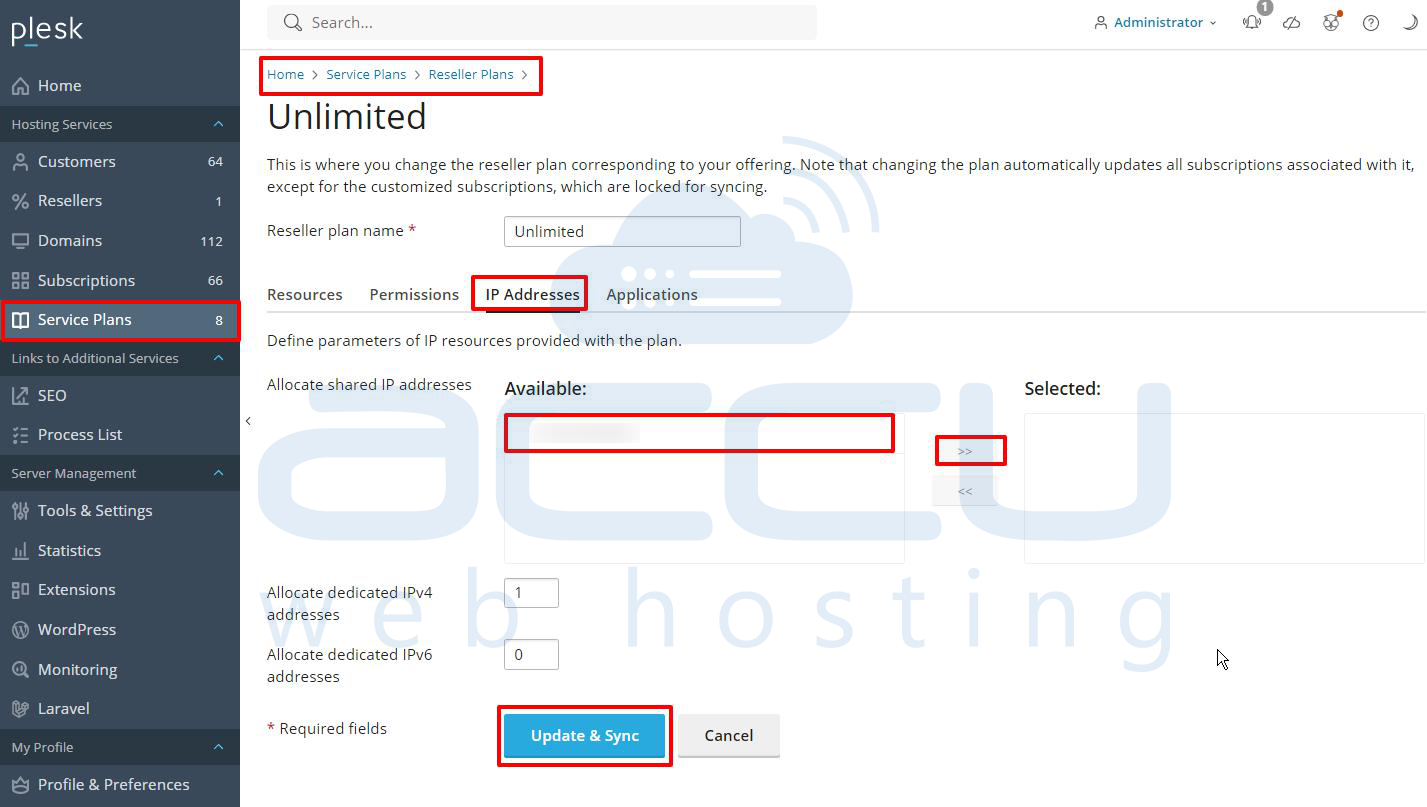
Now, this dedicated IP will be available in the reseller’s IP pool, allowing them to create subscriptions.
Conclusion
The “IP pool is empty” error in Plesk is easy to resolve once you understand its cause. In most cases, it comes down to the availability and assignment of IP addresses within the system. Ensuring that there is at least one shared IP address configured allows subscriptions to be created without issues. If your setup requires dedicated IPs, make sure those are properly assigned to the relevant clients or resellers. Addressing these areas typically resolves the issue and restores normal subscription functionality.


