
Step 1: Login to the Plesk panel
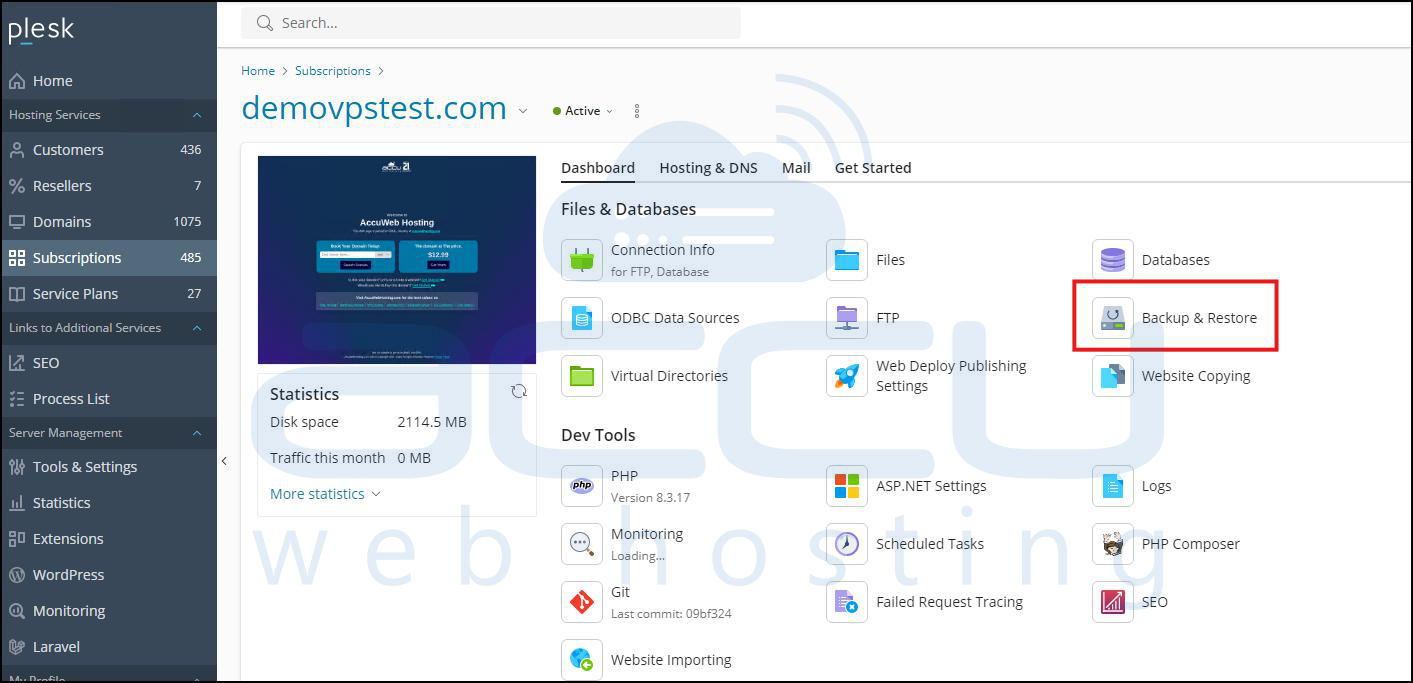
Step 2: Click on the "Backup & Restore" option.
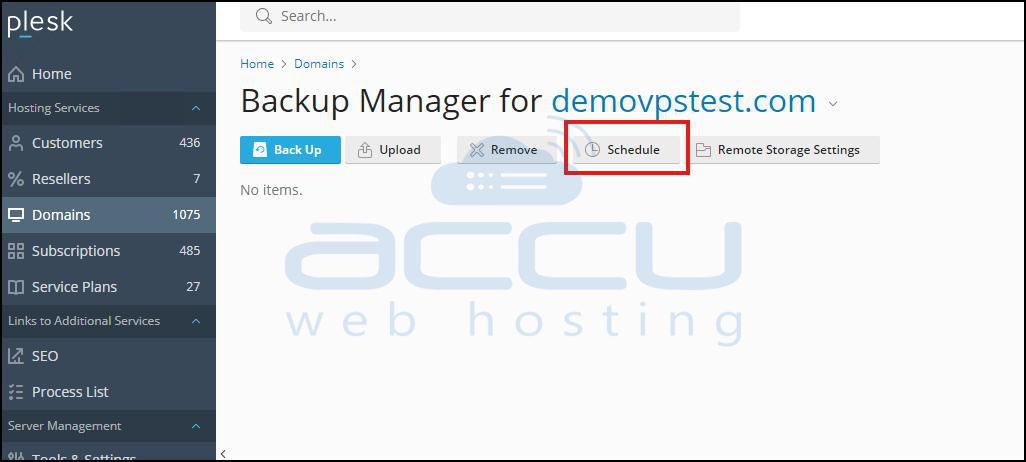
Step 3: Click on the "Schedule" option to secure a backup of the databases, web files, and emails automatically at the provided time.
Step 4: Now, tick the "Activate this backup task" option.
Under the "Run this backup task" option set it as daily and set your preferred time.
Under the "Backup settings" option set only for the database.
Last, untick the "Use native MS SQL backup functionality" option and apply and save the settings.
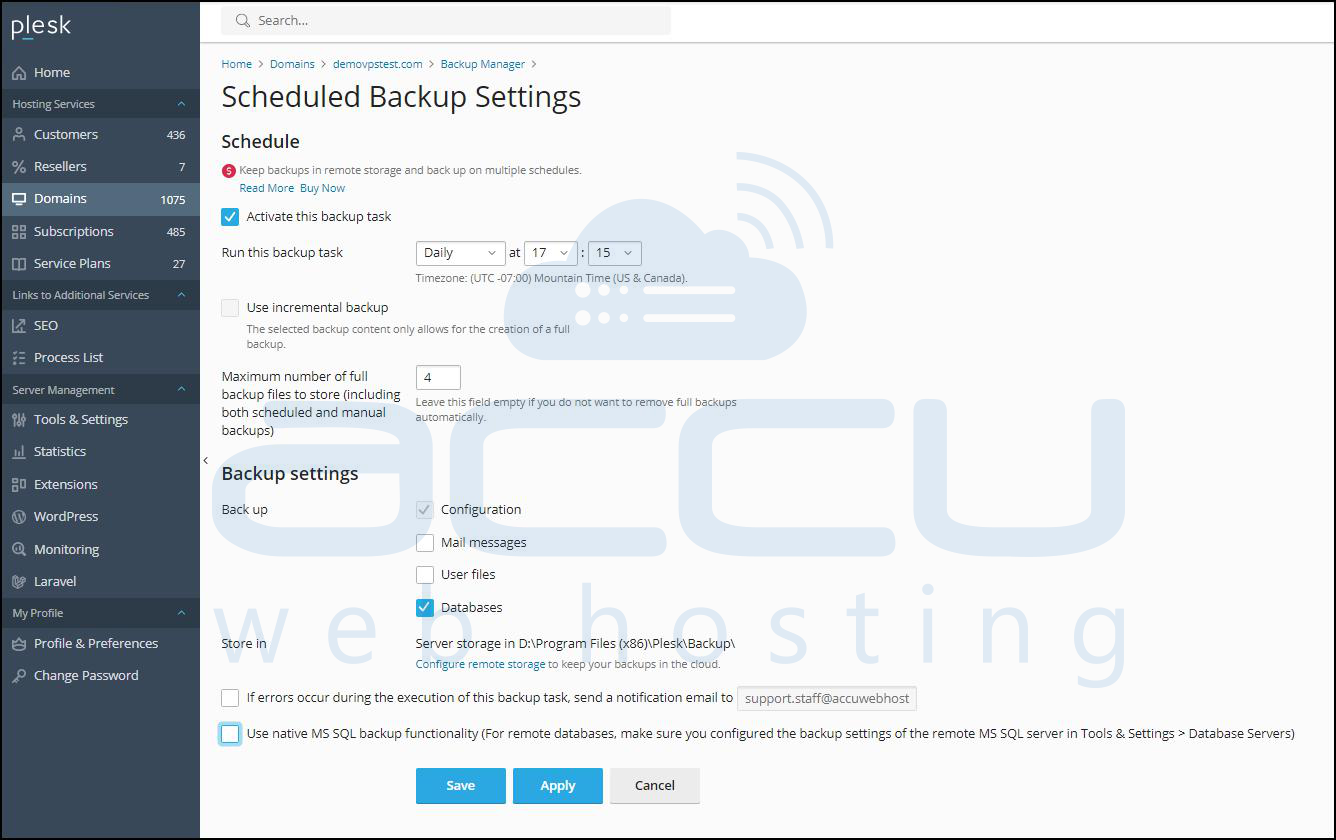
After saving these settings, your daily backup of the database is configured.
This is the same process as securing the MySQL database.


