
The whmapi1 command allows you to access the WHM panel without the root password. However, you must have root access to the server through SSH.
Kindly follow the below-mentioned steps to access the WHM panel without the root password using the whmapi1 command.
Step 1: SSH into your server as the root user.
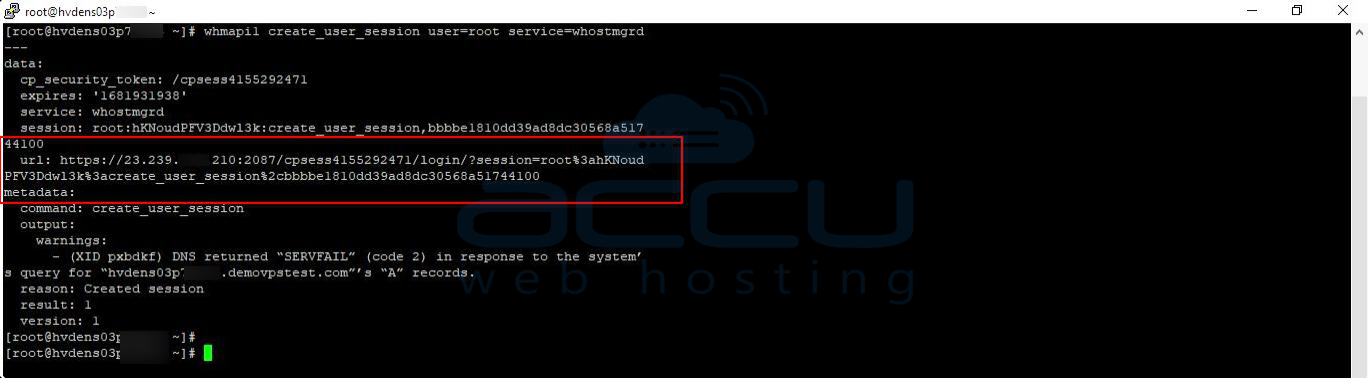
Step 2: Run the below command to create a temporary session:
whmapi1 create_user_session user=root service=whostmgrd
It creates a temporary root WHM session and returns a URL for accessing the WHM panel.
https://23.239.XXX.XXX:2087/cpsess4155292471/login/?session=root%3ahKNoudPFV3Ddwl3k%3acreate_user_session%2cbbbbe1810dd39ad8dc30568a51744100
Step 3: To access WHM, copy and paste the URL into the browser. By using this method, you don't need to enter your password to access WHM.
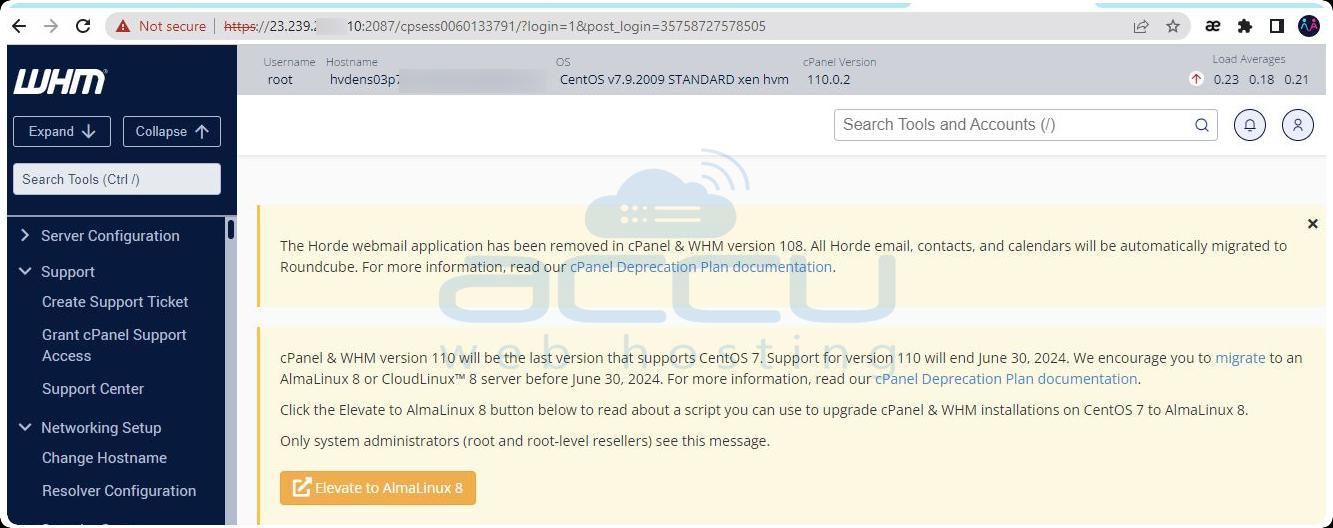
It is a one-time session for accessing WHM.
That's all. You can follow the steps mentioned in this article to access the WHM panel without the root password.


