
Please refer to the following steps to enable port 587 to relay your emails from Plesk.
1. Log in to Plesk Panel using admin credentials.
2. Click on Tools & Settings >> Mail Server Settings.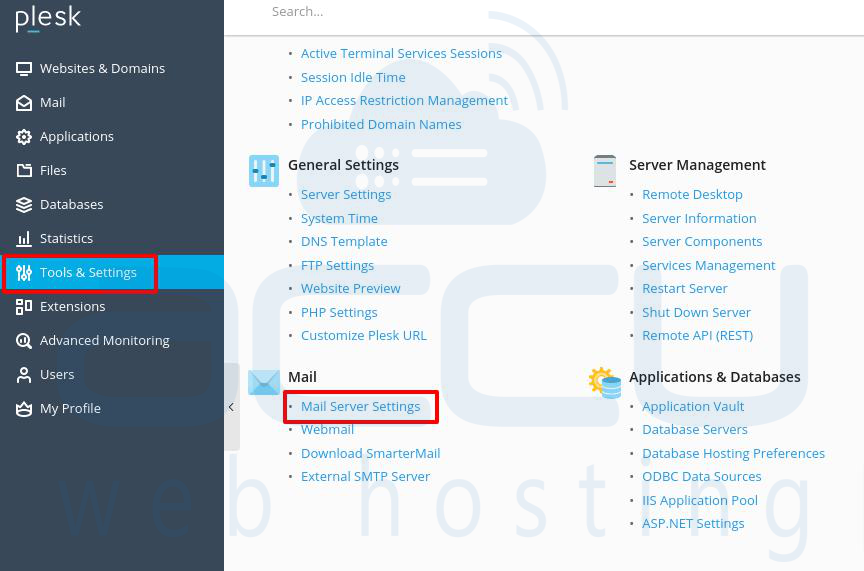
3. At Mail server settings, find Enable SMTP service on port 587 on all IP addresses and tick the check box.
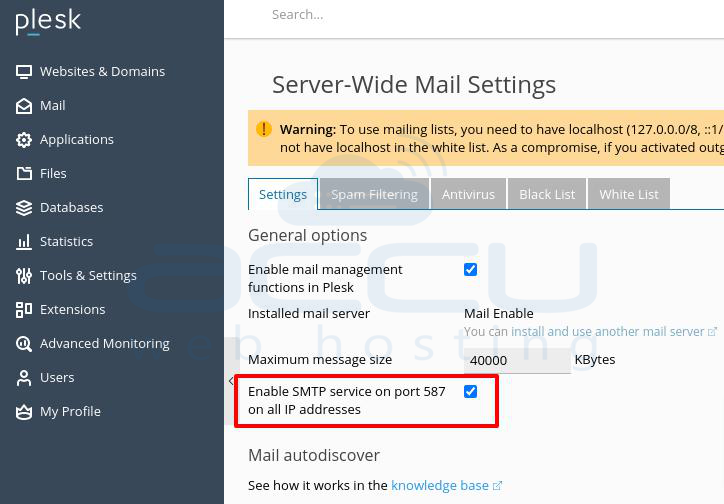
4. Finally, click the OK button and allow port 587 in your server firewall without fail.


