It is easy to make regional changes on Windows Server 2016. Here we have mentioned all the steps for it.
How to change the country/region?
Step 1: Log in to your Windows Server 2016. Please refer to how to connect Windows VPS from various OS.
Step 2: Click on the date and time on your bottom right. 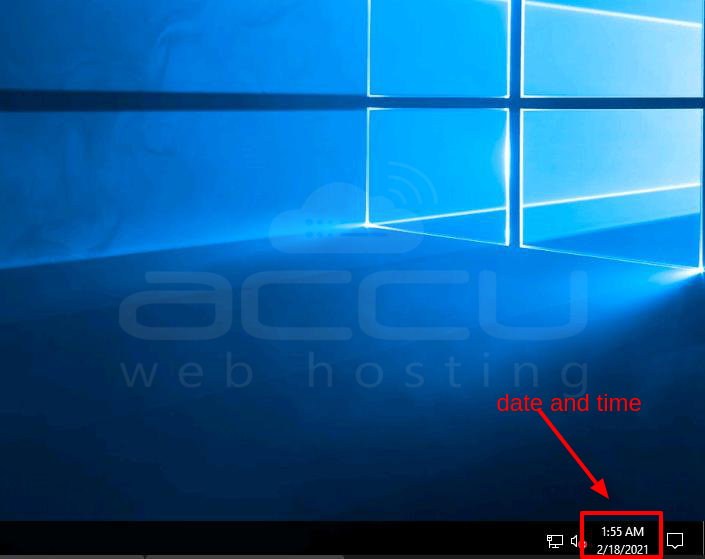
Step 3: Click on the date and time settings button.
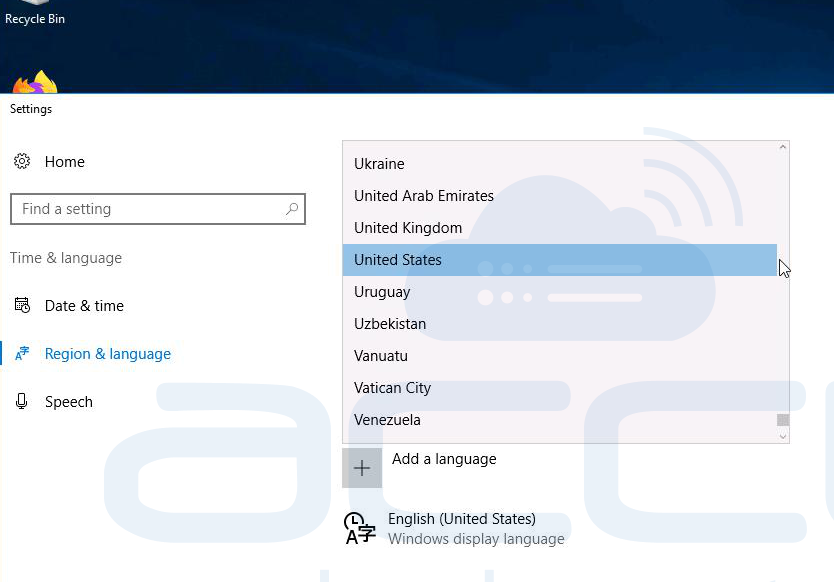
Step 4: Select your country or region from the drop-down. It will save it automatically.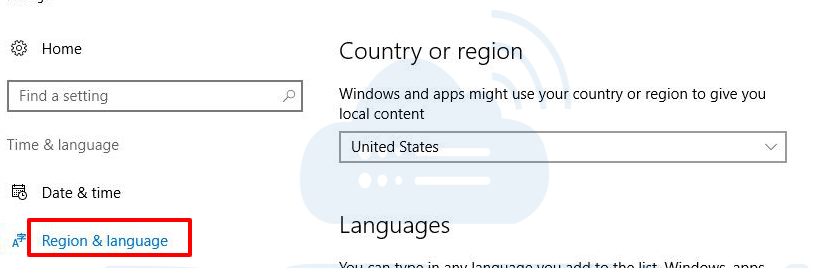
How to change the language?
Step 1: Log in to your Windows Server 2016.
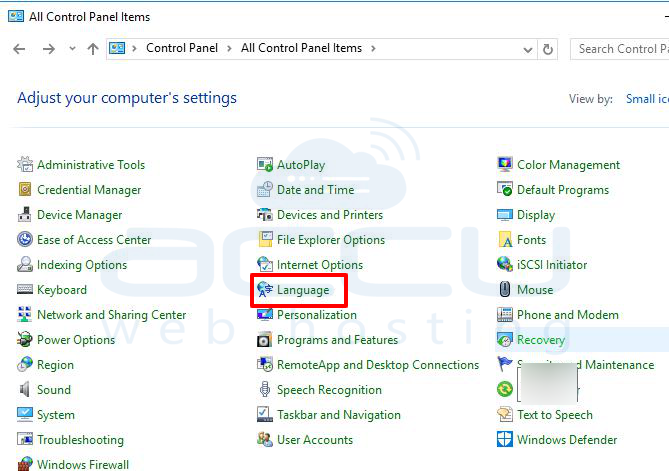
Step 2: Go to the control panel and click on Language.
Step 3: Click on Add a Language button.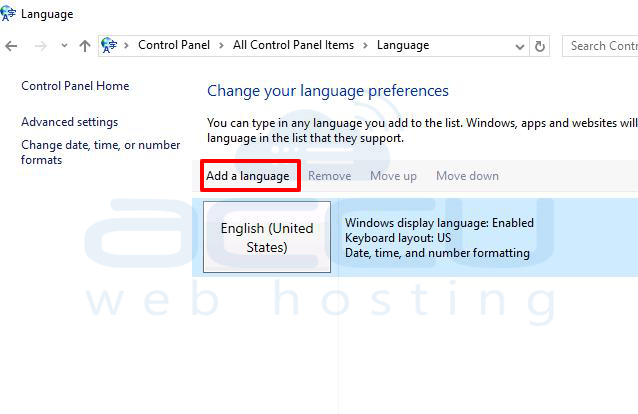
Step 4: Select your language and click on the add button.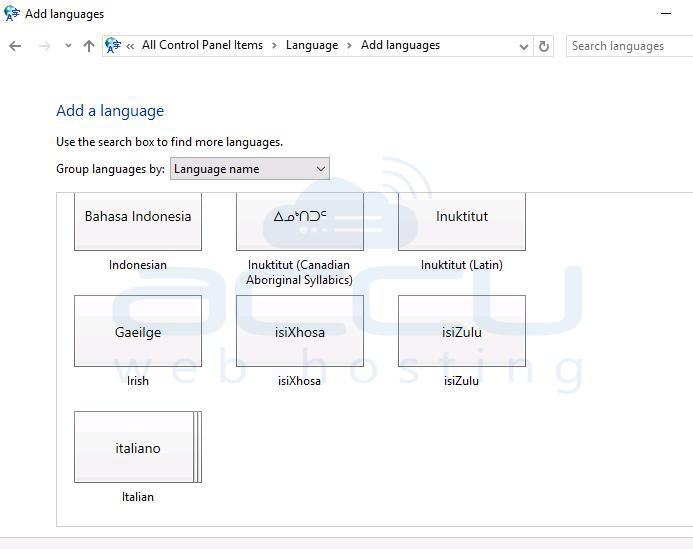
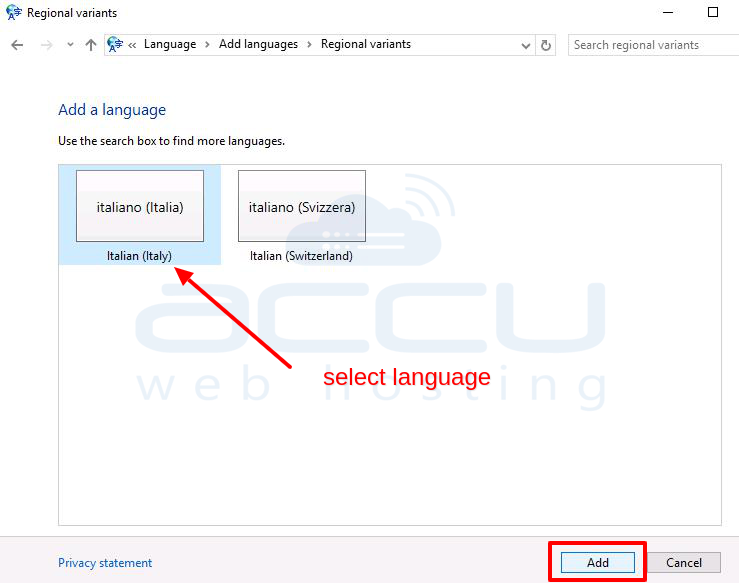
Step 5: Click on the options button and install the language pack.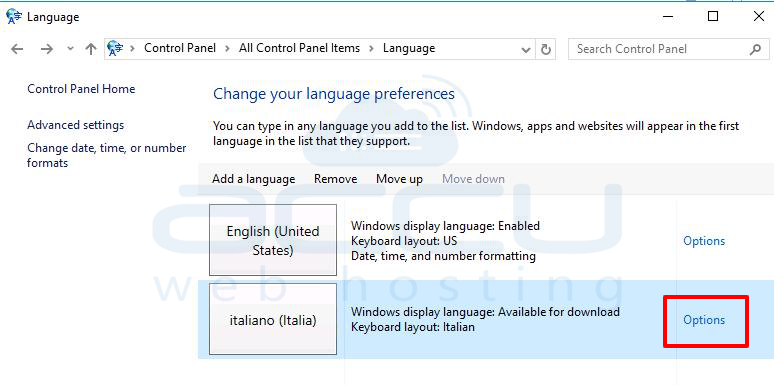
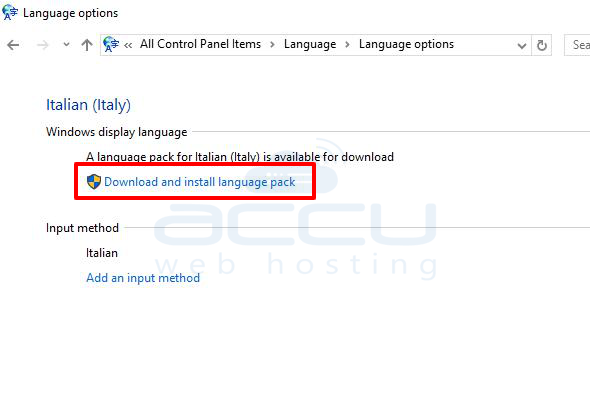
Step 6: Once you install the language pack, check at the bottom-right of the Windows screen and change the language.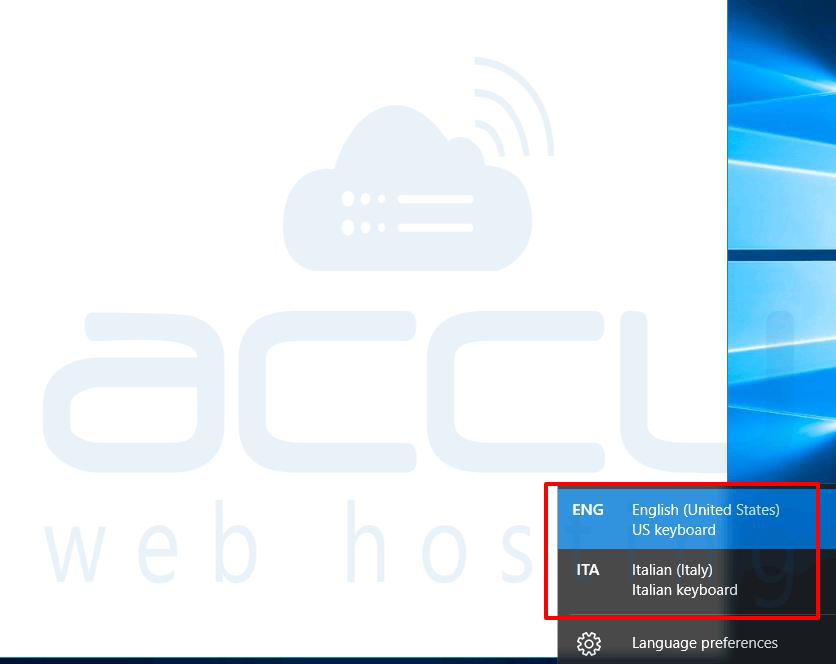
How to change the time format?
Step 1: Click on the date and time on your bottom right. 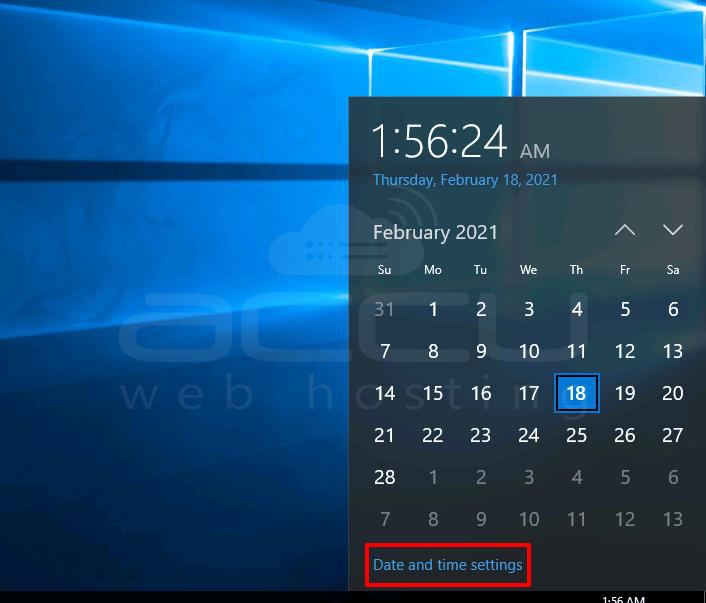
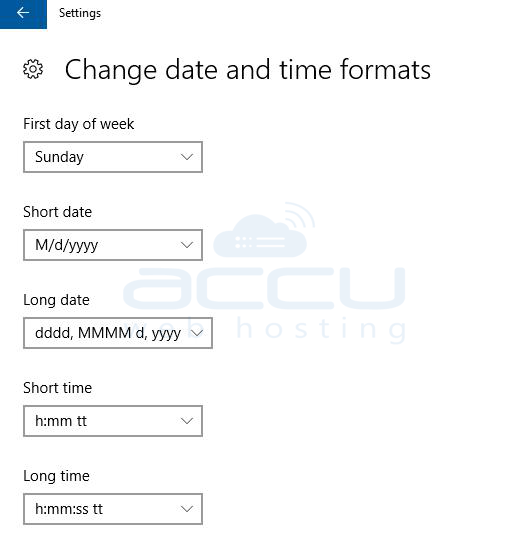
Step 2: Scroll down a bit and inside Formats, click on Change Date and time formats.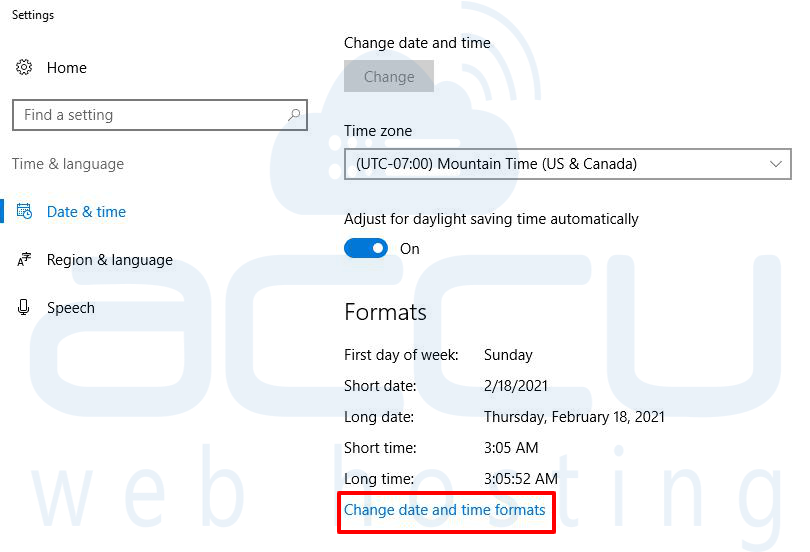
Step 3: Here, you will find all the formats. Select the required format from the drop-down.