
The IIS application pool is used to isolate one or more websites or applications into their own process in IIS. Because of this separation, errors received in one application pool can't affect other websites. In Plesk, we can assign a dedicated application pool for each website or share its application pool with a single user. There are two types of the IIS application pool.
Shared pool - All the users and websites use a single application pool.
Dedicated pool - By default, Plesk provides a separate application pool to each customer. Plesk also offers the option to allocate the application pool per package.
Step 1: Log in to the Plesk Panel.
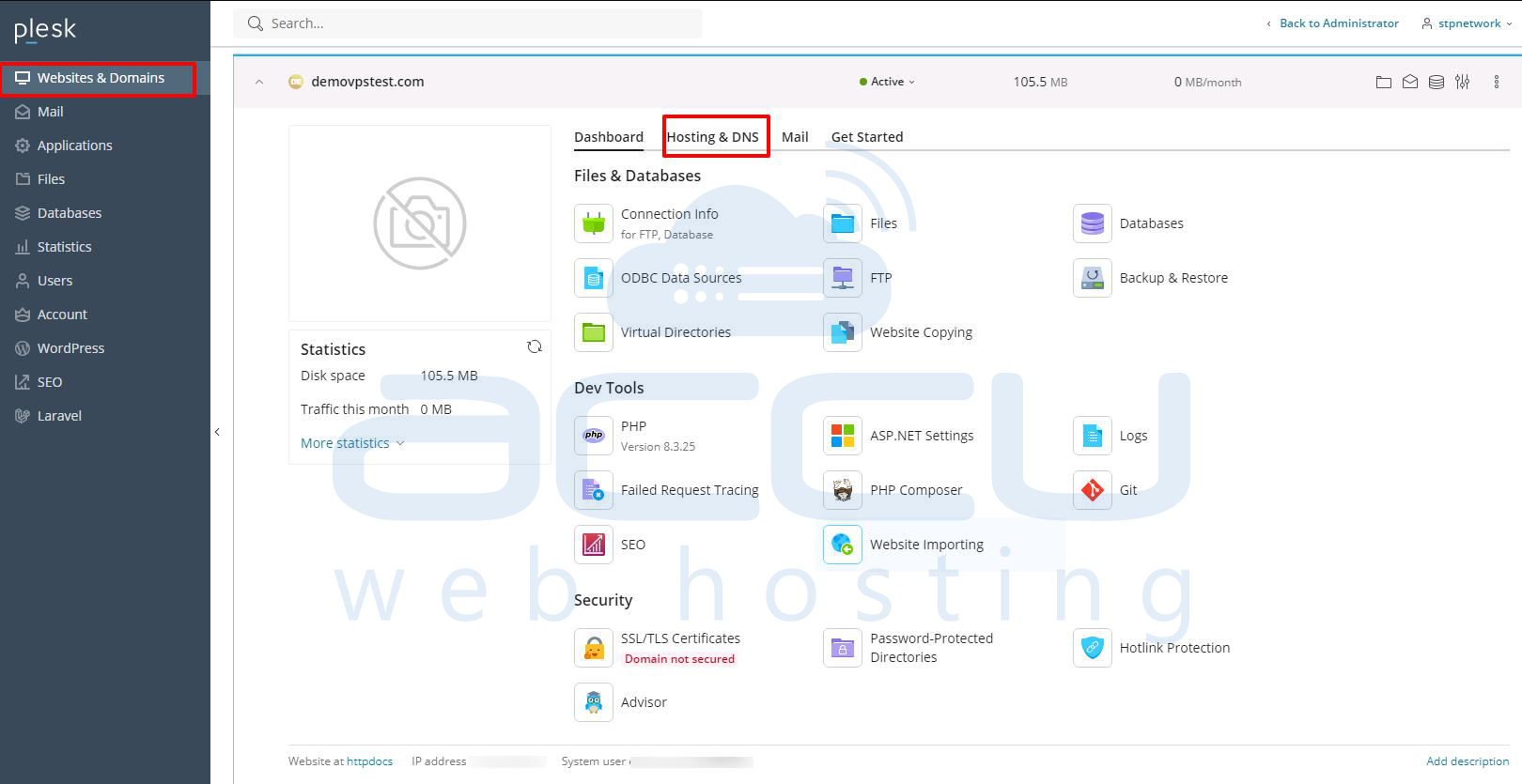
Step 2: Click on Websites & Domains. >> Hosting & DNS
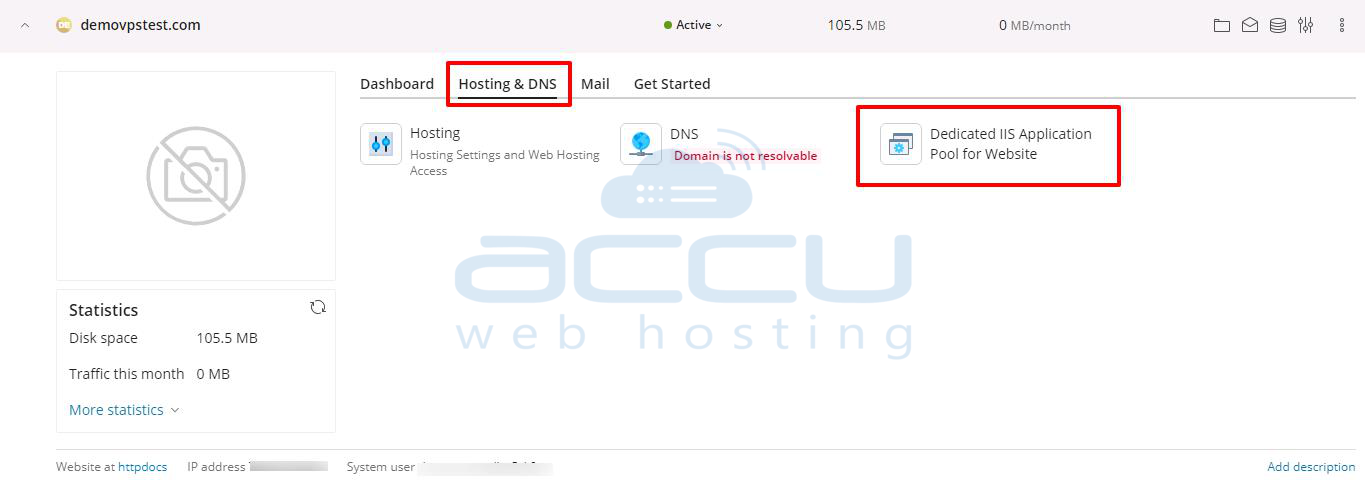
Step 3: Inside the Hosting & DNS, click on Dedicated IIS application pool for the website.
Step 4: As mentioned in the screen capture below, you can click on the start button to start the IIS application pool, and click on the Switch Off button to stop your IIS application pool. To restart the application pool, click on the recycle button.



