
Please refer to the following article to generate a CSR key in the DirectAdmin panel.
- Login to your user account/domain account created in DirectAdmin. Please refer to how to create a user account in DirectAdmin.
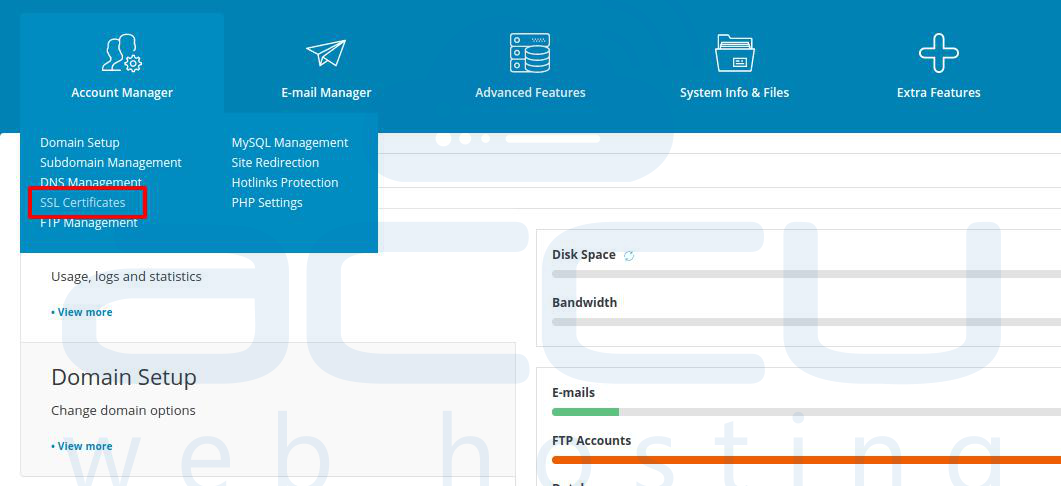
- At the Account Manager, click on the SSL Certificates.
- Enter your details to generate the CSR key and click on the Save button.
Key Size (bits),: 2048-bit
Certificate type, select the SHA 256.
Force SSL with the HTTPS redirect: If you want to redirect your website from HTTP to HTTPS.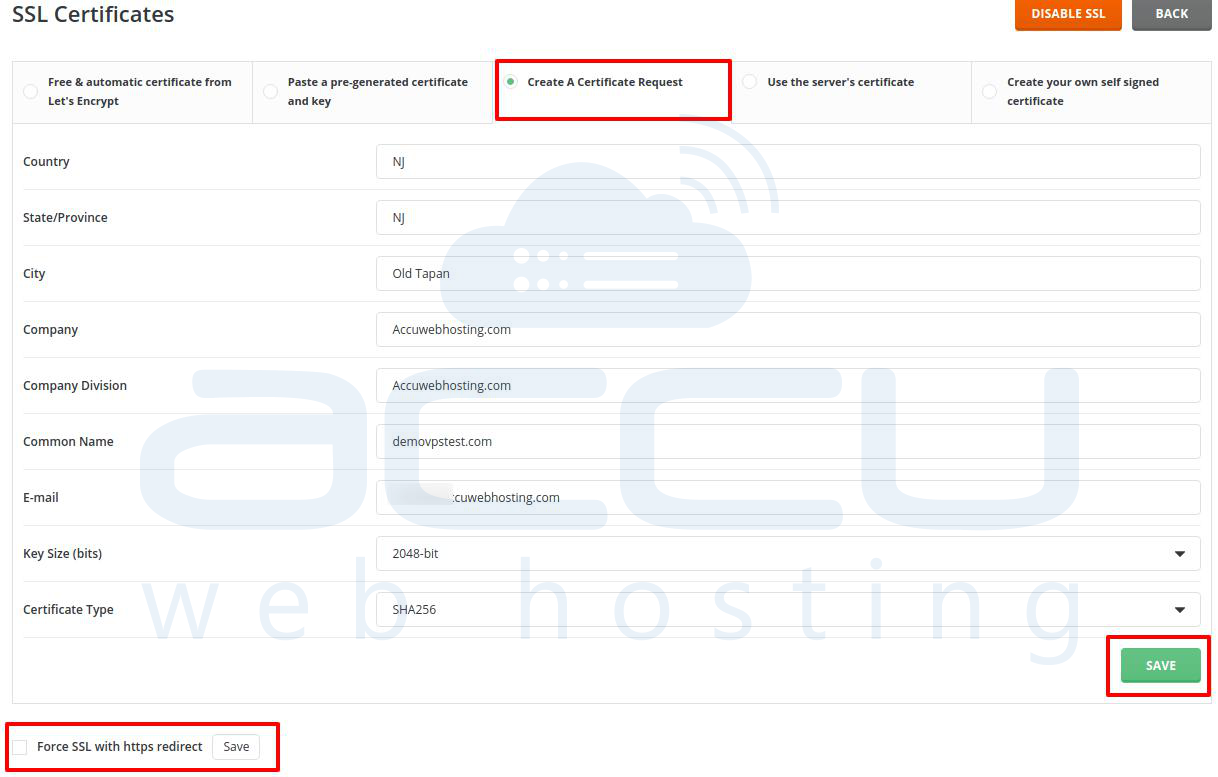
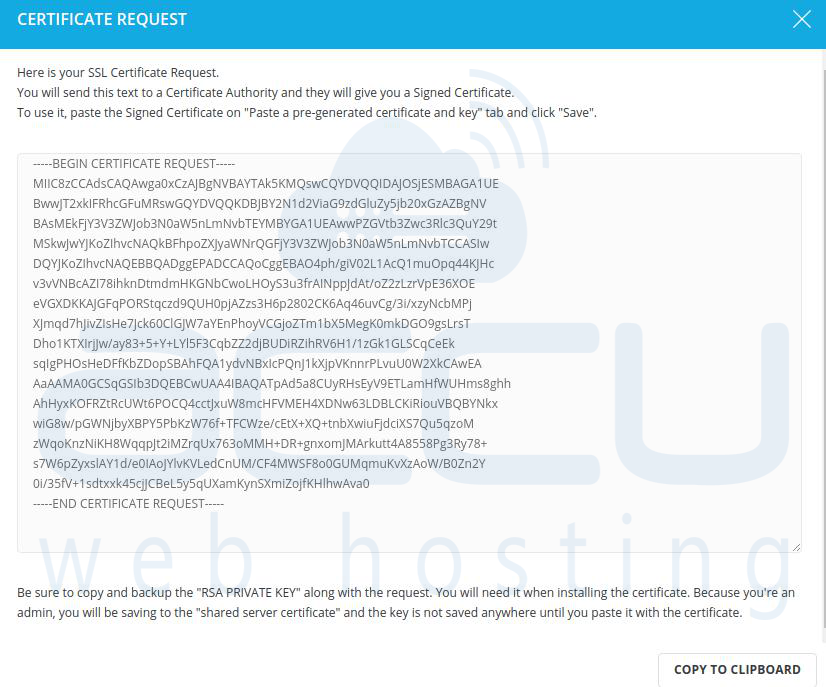
- Once the CSR is generated, you will see the below screen. You can copy the CSR details using the copy to clipboard button.
→ Looking to move the domain to the dedicated IP address in DirectAdmin? Please refer to move the domain to dedicated IP for more details.
→ Looking to install SSL Certificate in DirectAdmin? Please refer to install SSL for more details.


