Hotlink protection on Plesk will prevent other websites from directly linking your website’s files (typically images, PDFs, etc.) to your website. Once you enable Hotlink protection, your website will not allow other websites to link to your images and other media files on their website.
Please refer to the following steps to enable hotlink protection in Plesk.
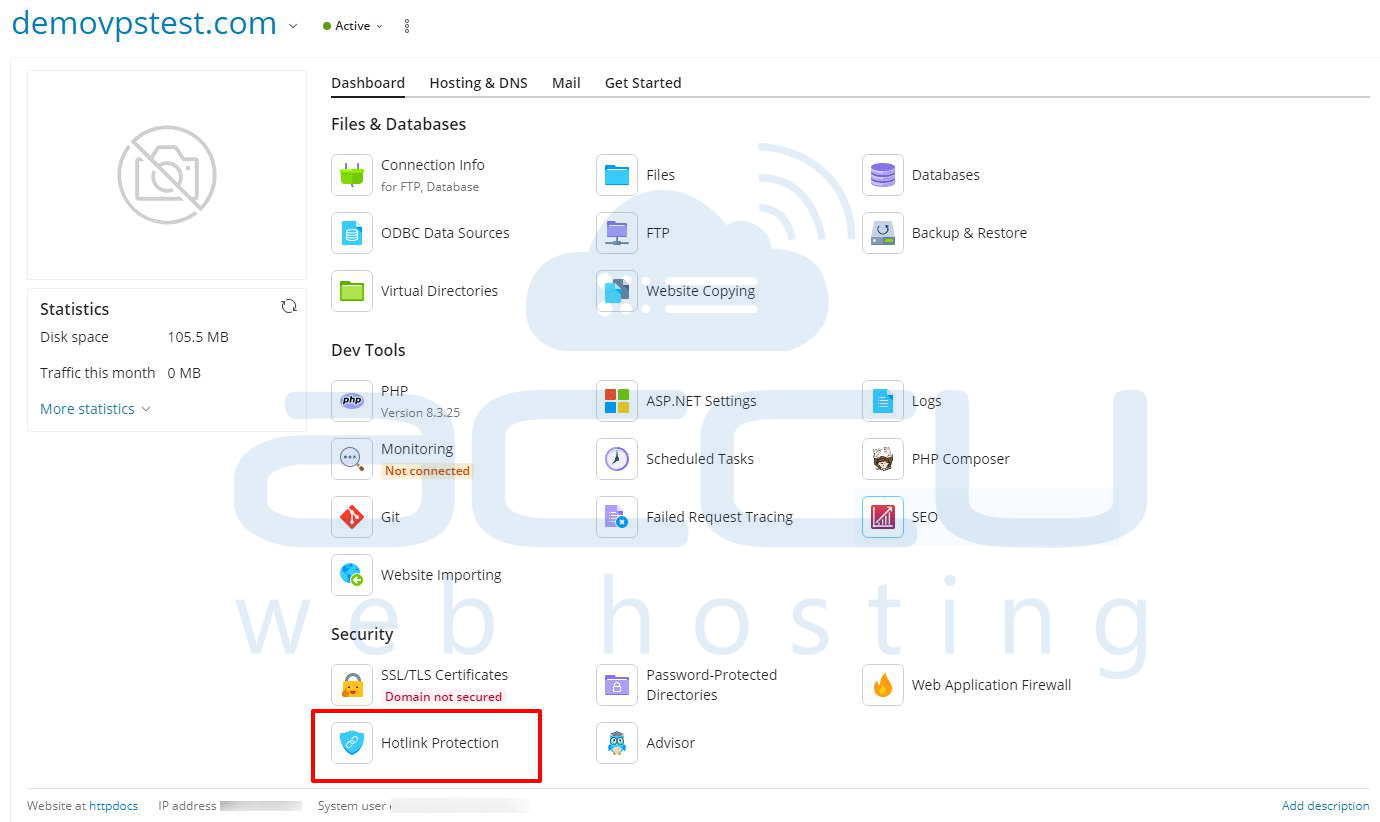
Step 1: Go to Websites & Domains and find the website’s name.
Step 2: Click on the Hotlink Protection.
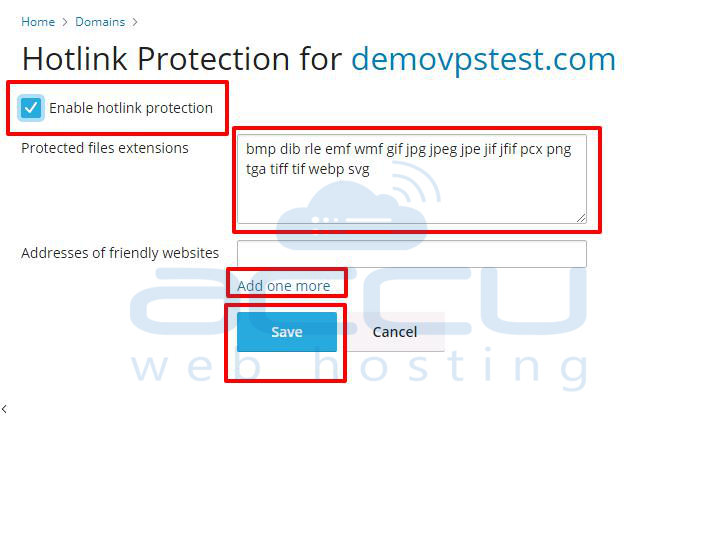
Step 3: Tick the checkbox to enable the protection for your website.
In the Protected files extensions field, you can specify the extensions of files that you want to protect using hotlink. (jpg, bmp, etc.). Separate the extension with white spaces.
Under Addresses of friendly websites, you can add any other domains/subdomains you own that should be allowed to use your images.
Click the OK button.