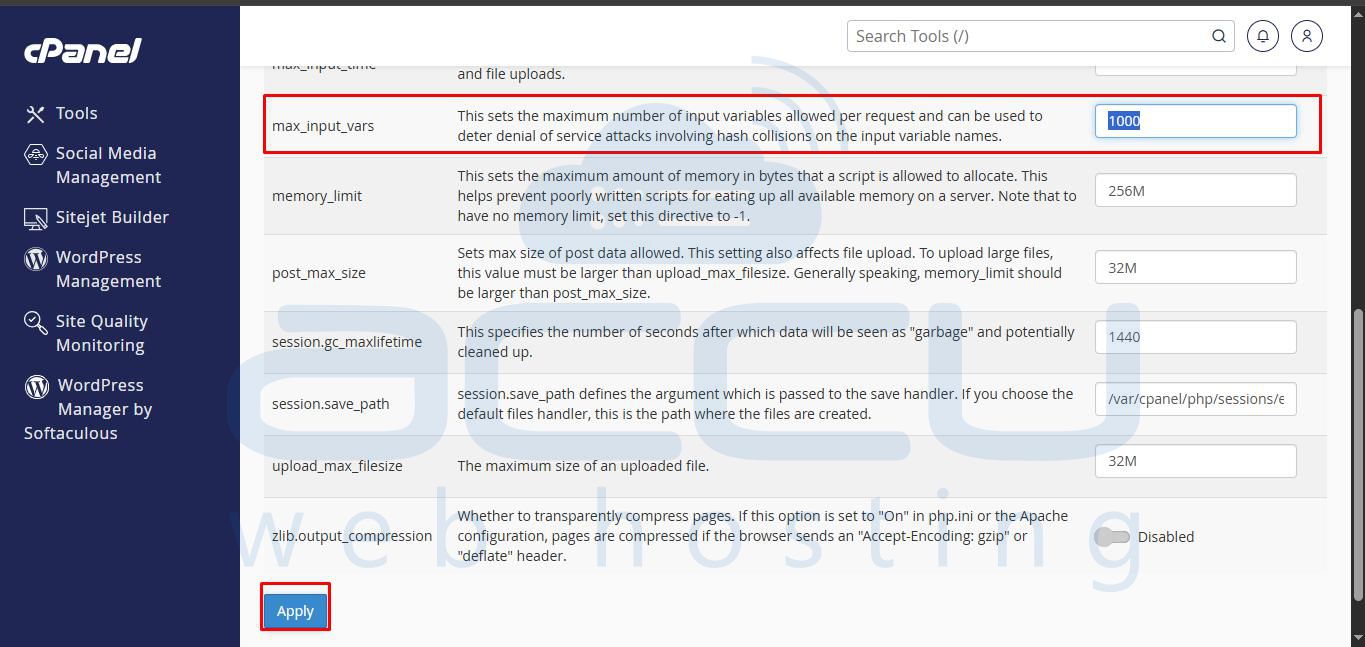
PHP collects input variables from cookies enabled on the page, as well as from GET and POST requests.
By default, PHP scripts can only handle 1000 variables, and many WordPress themes require the Max Input Variables to be increased from the default values.
Please refer to the steps below to change the max input vars in cPanel.
Step 1: Log in to your cPanel account.
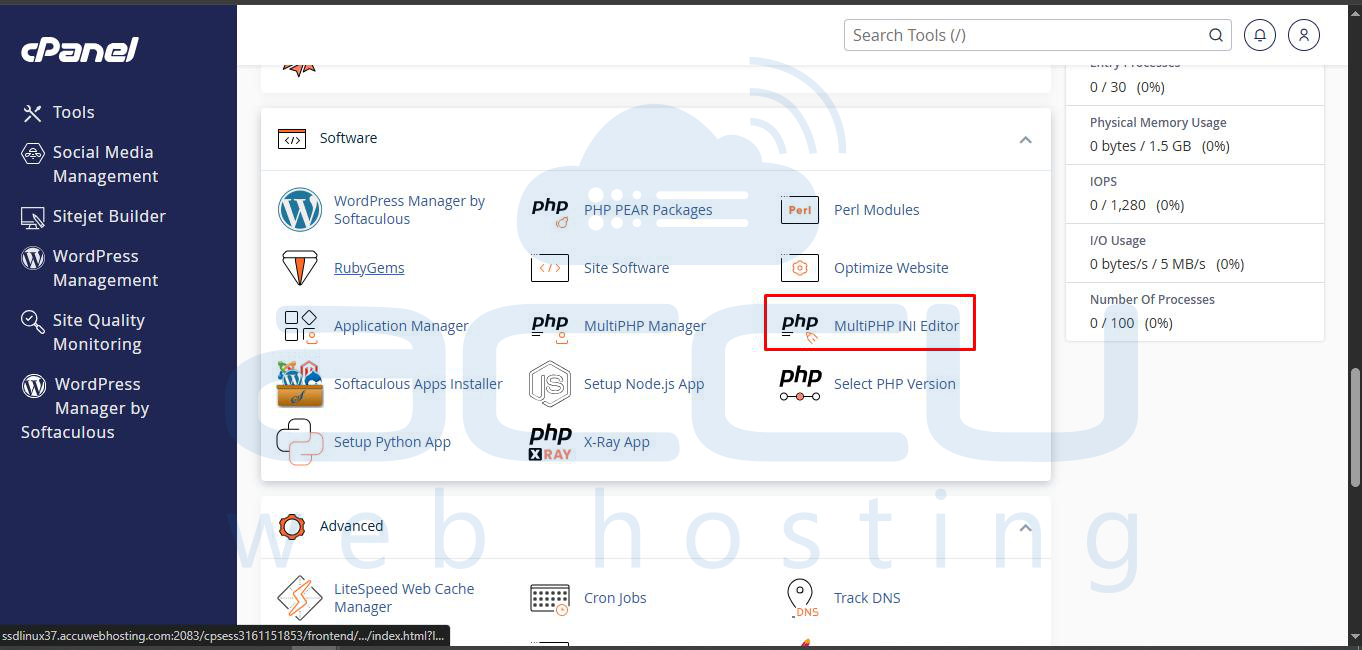
Step 2: Click on the MultiPHP INI Editor under the software section.
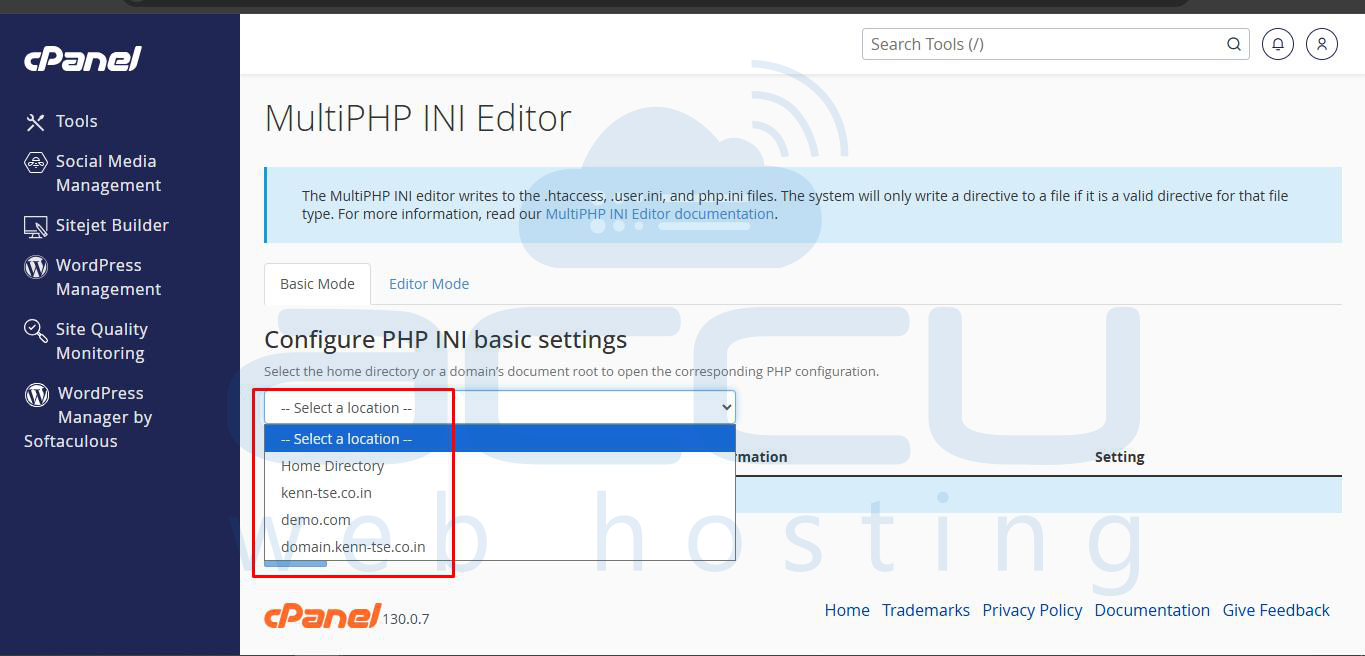
Step 3: Select the location of php.ini for which you want to increase and click on the Apply button.
Step 4: Now, find the max_input_vars and enter your preferred value in it, then click on the Apply button at the bottom of the page.