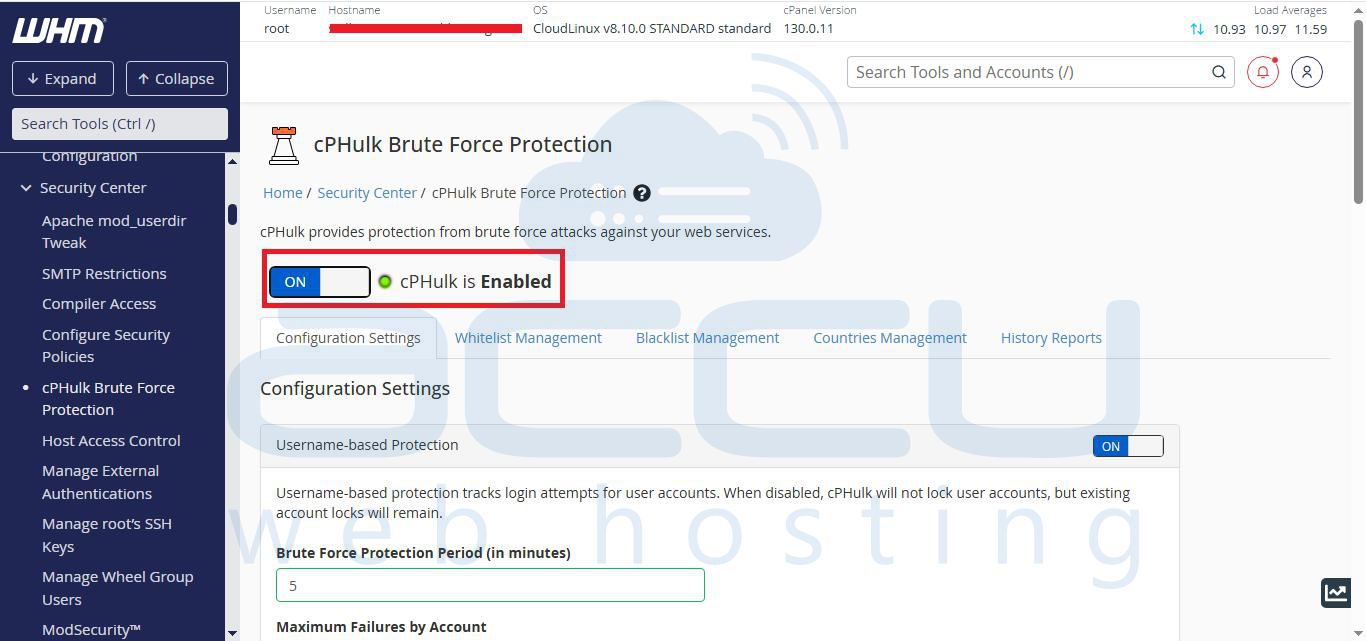
cPHulk is a powerful extension that protects your server from brute force attacks. In this article, we will show you how to enable it in your VPS/Dedicated server from WHM
Step 1: Log in to your WHM with the root user.
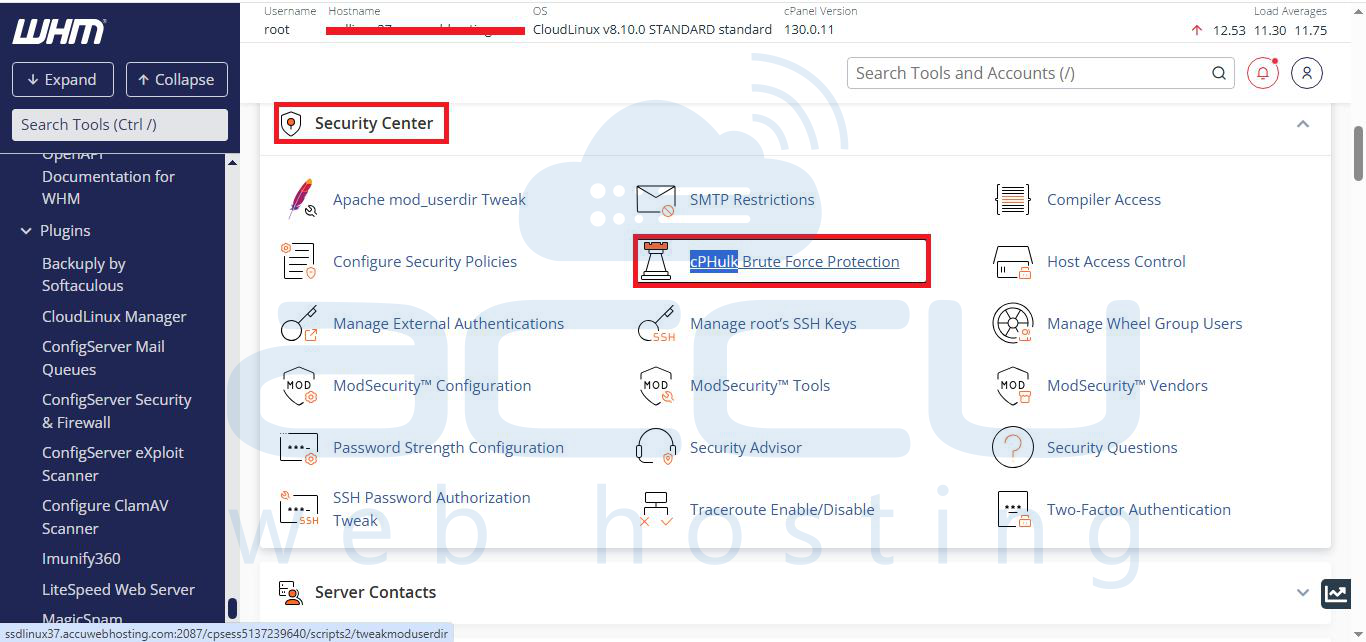
Step 2: On the left side, click on Security Center. You will find cPHulk Brute Force Protection inside the Security Center.
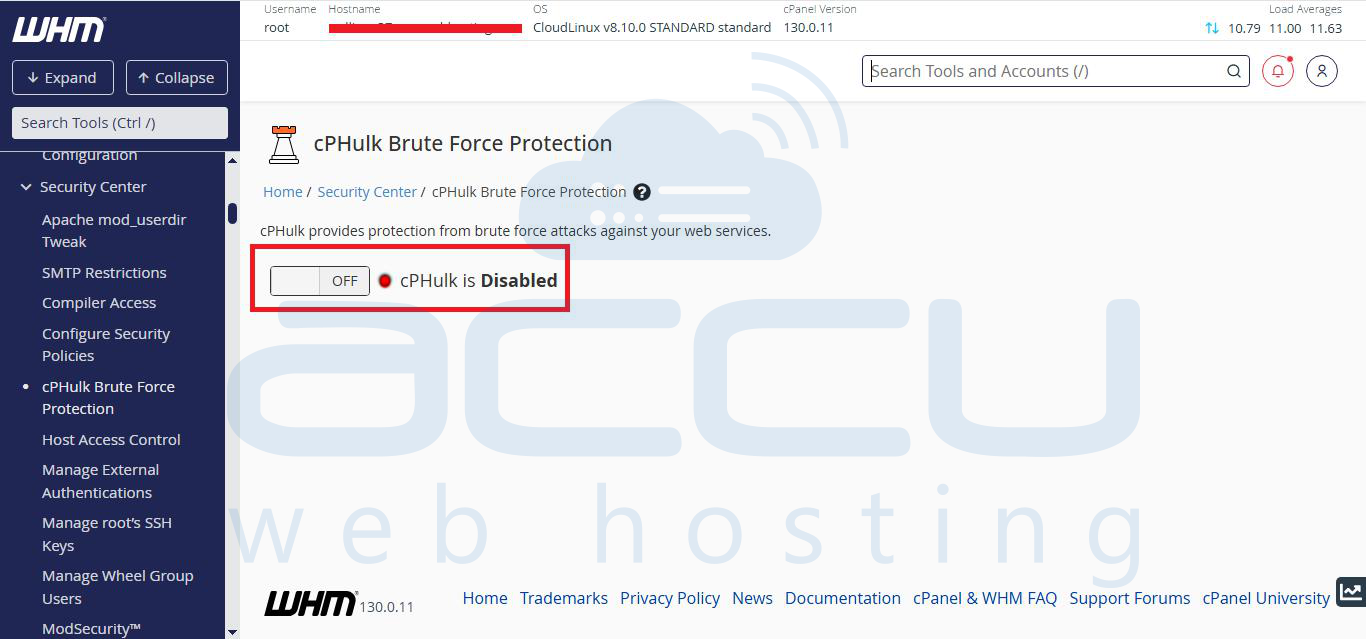
Step 3: If it is disabled, you will see cPHulk is Disabled.
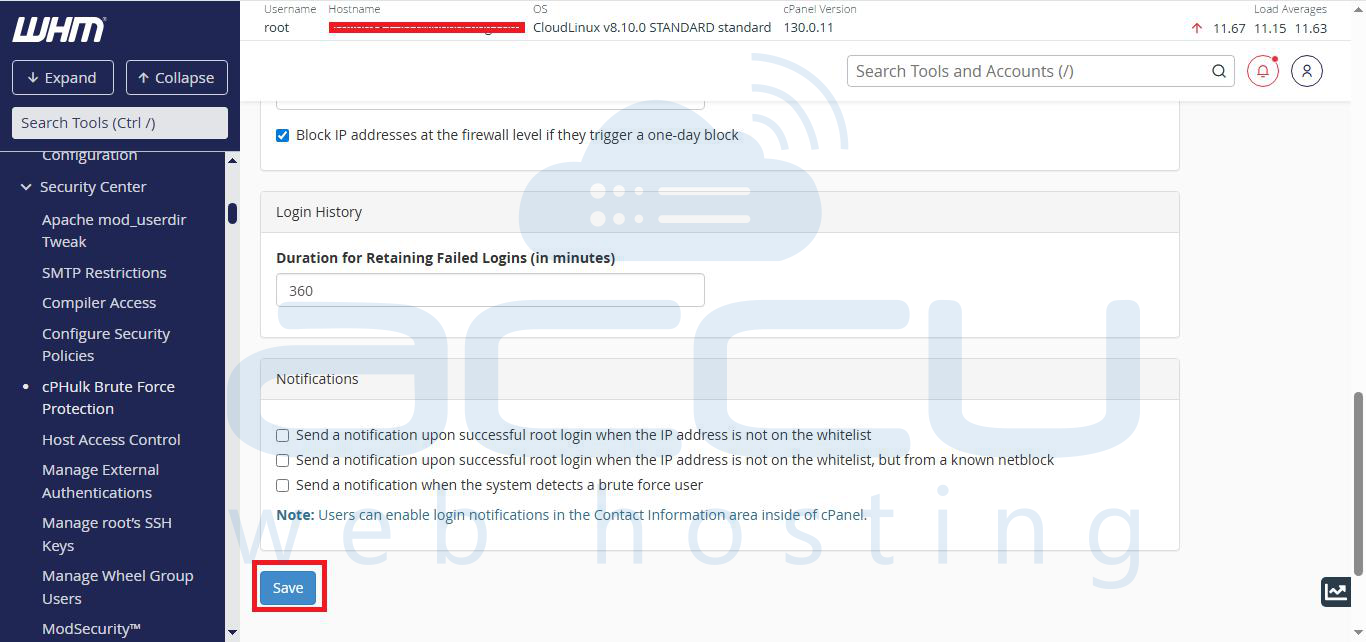
Step 4: Click on the button to enable it and configure it as per your needs, then click on the Save button at the bottom of the page.