
This article will describe how to change the document root directory in Plesk.
The document root directory is the directory that contains the files for a website.
By default, the document root directory for the primary domain is the httpdocs directory.
Step 1: Log in to a Plesk Panel.
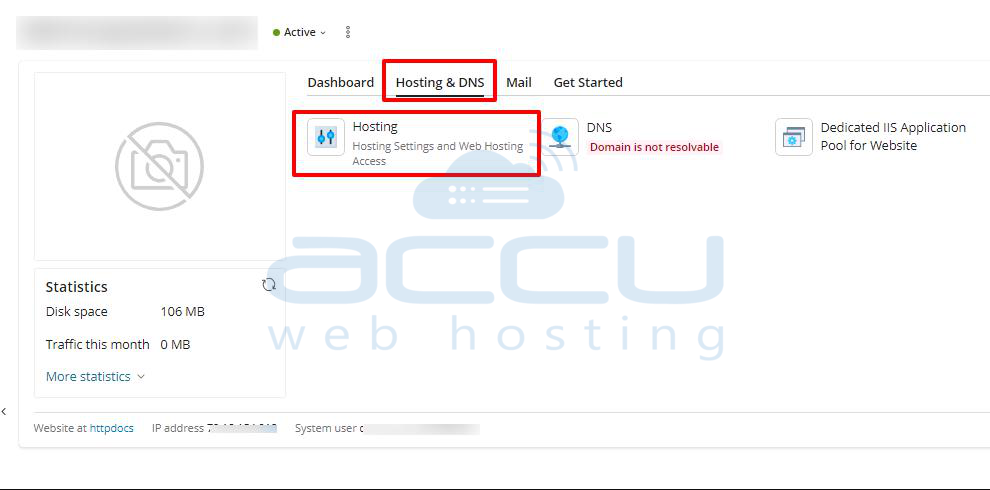
Step 2: Navigate to the Hosting Settings option under the Websites & Domains.
Step 3: Go to the Document Root option.
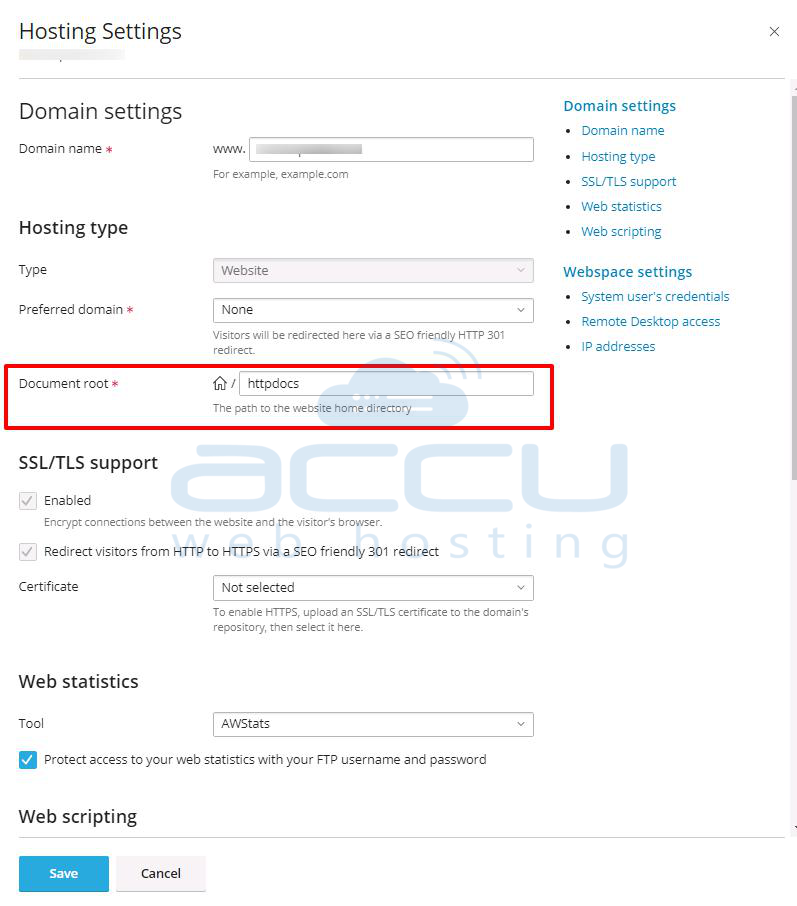
Here, you can select your required path and click on the Save button. This is how you can change the document root directory in Plesk Panel.


