
cPanel provides a feature called the Database Map tool. You can provide ownership of databases and database users to specific cPanel accounts with the Database Map tool.
This ownership is retained in the internal mapping of databases to users and will allow management of the databases from within the owner’s cPanel interface.
Internal Mapping Database will maintain the ownership of the cPanel user with that database from the cPanel interface.
The following are the steps to set up the Database Map tool.
Step 1: Log in to the WHM Panel.
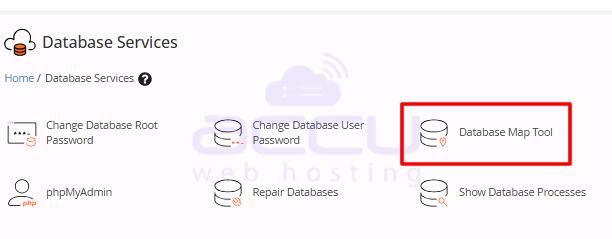
Step 2: Select Database Services >>> Database Map tool
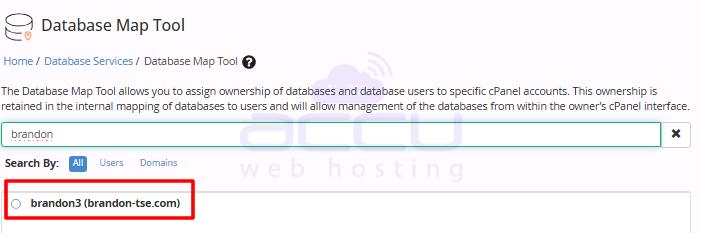
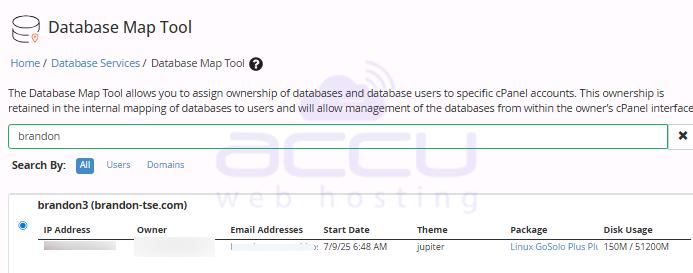
Step 3: Select the Username or Domain name of the cPanel user. Hit the select Button.
Step 4: At the Next step, enter the database users. You can enter multiple DB Users by separating them with a comma.
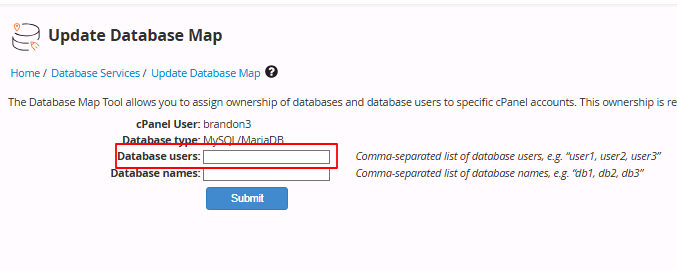
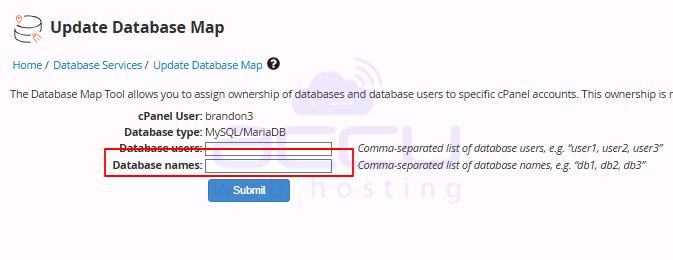
Step 5: Click on the Submit Button to apply all the changes.
Conclusion:
Setting up the Database Map tool in WHM is a straightforward process that empowers you to assign database ownership to specific cPanel accounts efficiently. By following the steps outlined—logging into WHM, navigating to SQL Services, selecting the desired cPanel user, adding database users, and submitting the changes, you can ensure seamless database management from the user’s cPanel interface. This not only streamlines administrative tasks but also maintains accurate internal mapping of databases to users. Implementing the Database Map tool enhances control, organization, and security of your databases within the WHM environment.


