
Following are the steps to add a Domain in Centos Web Panel.
- Login to CWP.
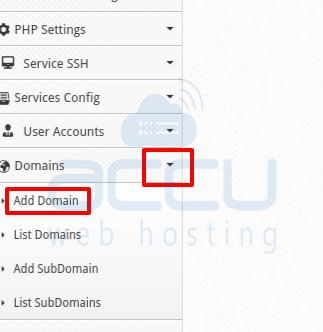
- Expand Domain from Drop-Down Button.
- Add a New Domain from Add Domain Dialog Box.
- Enter below Details
- Add Domain : Enter your Domain name which you want to add
- to User : Select the required user from drop-down
- Folder Path : Enter the path where you want to save domain file.
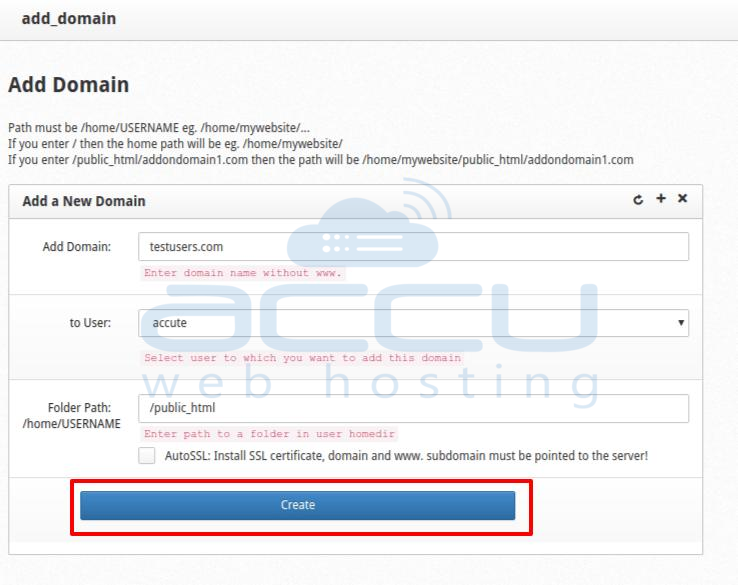
- Hit Create Button to add domain.


