Please refer to the following steps to create a MySQL Database on Plesk.
Step 1: Log in to Plesk Panel using the login details added in your AccuWebHosting client area.
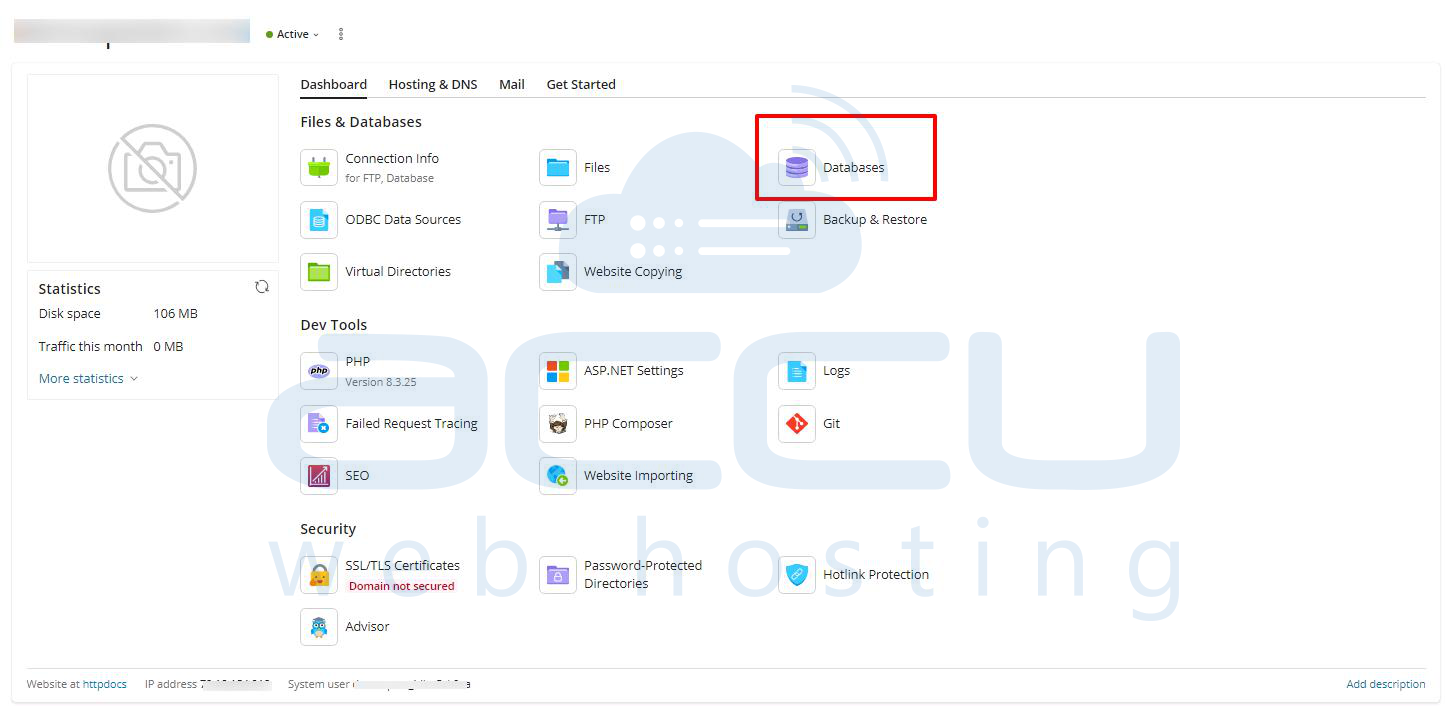
Step 2: Click on the Databases option.
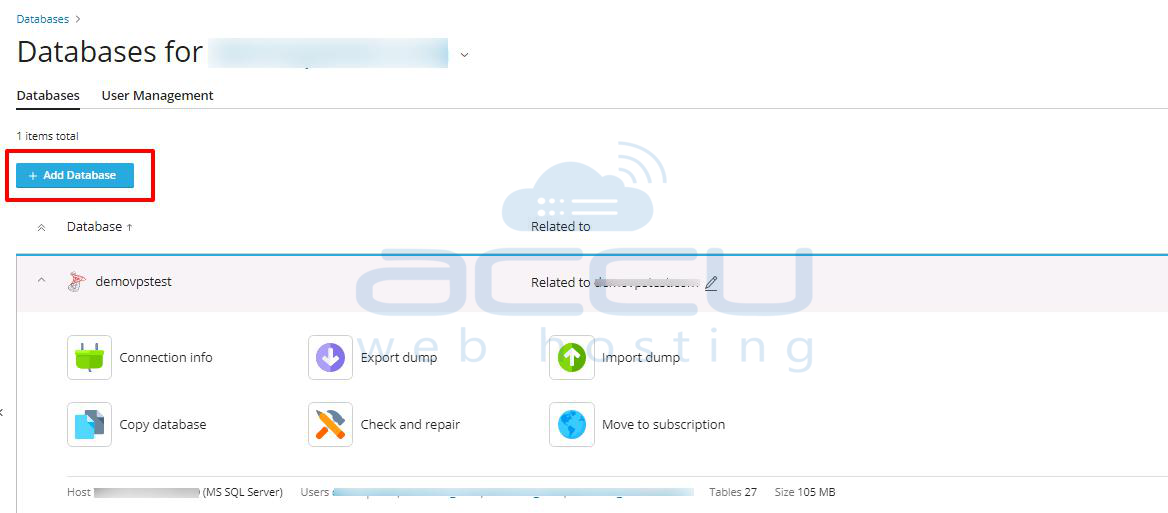
Step 3: Click on Add Database Button.
Step 4: Inside Database, enter details below.
- Database name: Your DB Name
- Database server: Select your MySQL DB Server from the Drop-Down
- Related site: Select your Website from the Drop-Down
Inside Users,
- Database user name: Database Username
- Password: Your Password
- Access control, select allow remote connections from any host.
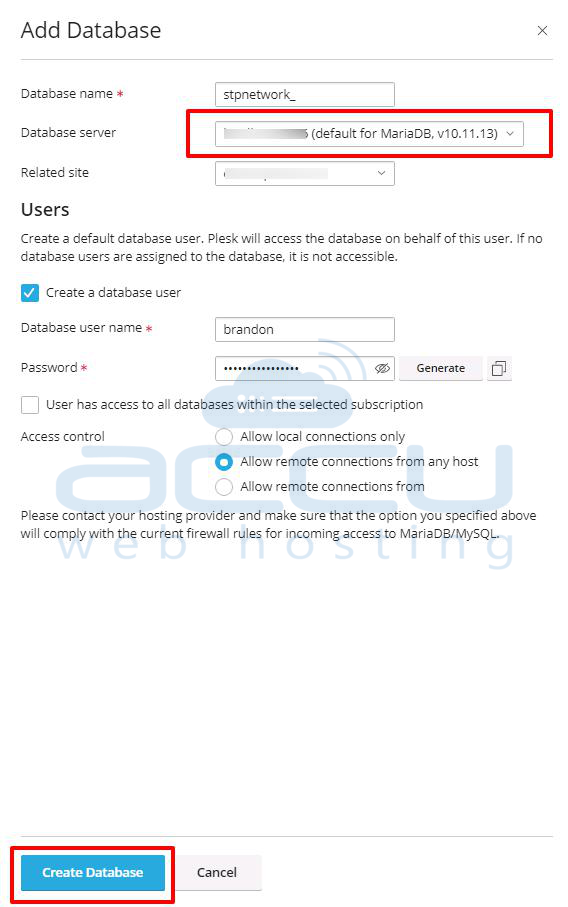
Step 5: Click on the Create Database Button to create it.
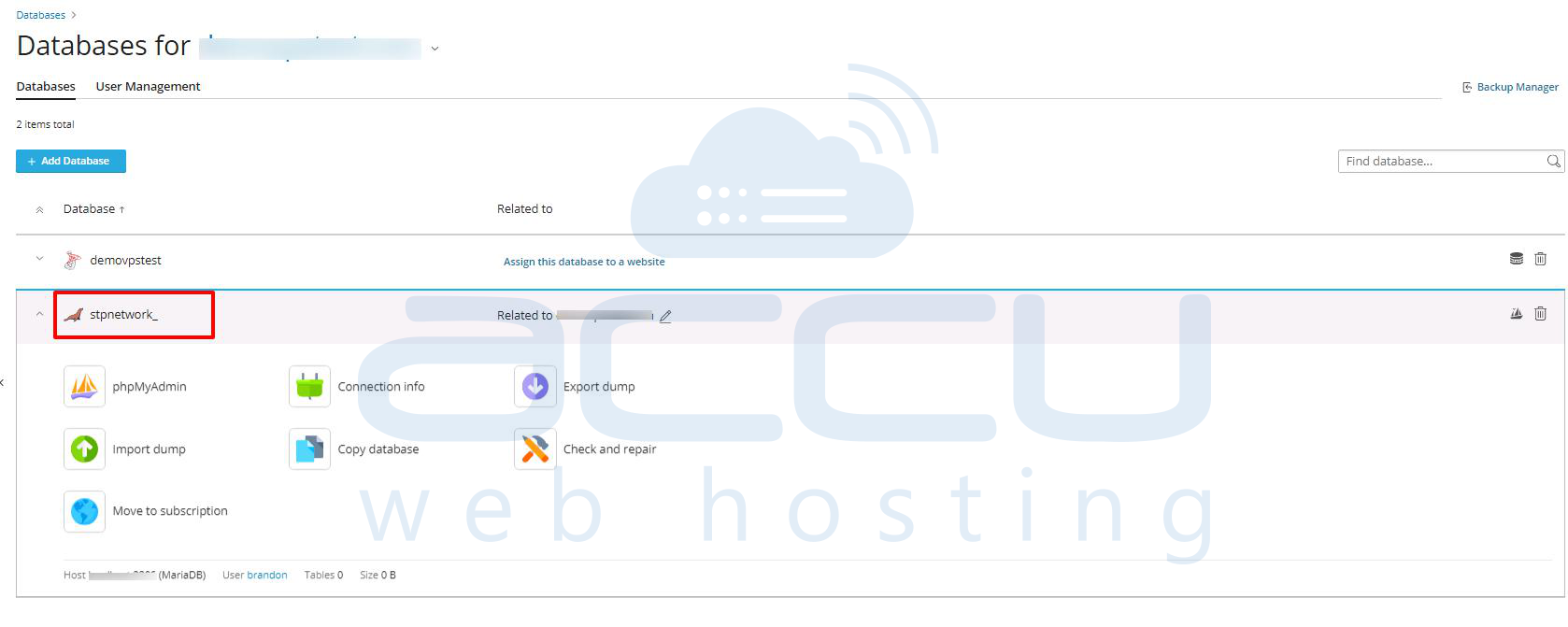
Step 6: Now you can see your created MySQL database in the database list.