
You may need to free up the cPanel Disk space by removing emails from your email account permanently.
cPanel provides an in-built tool that will remove the emails permanently. The following are the steps for this.
Step 1: Log in to the cPanel.
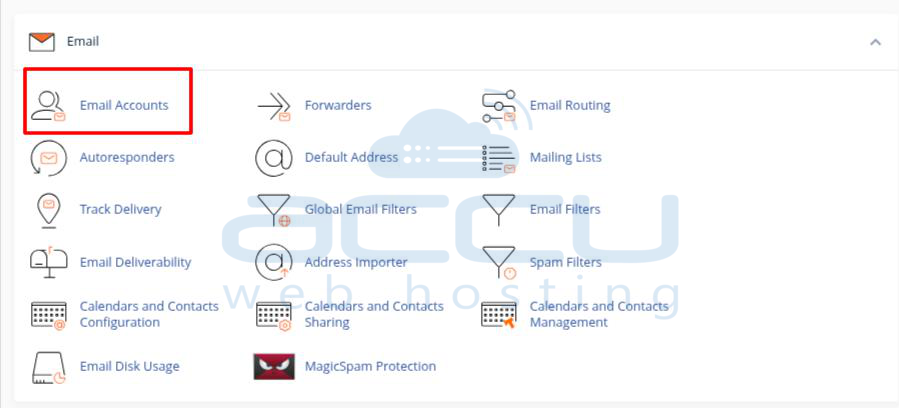
Step 2: Click on Email Accounts.
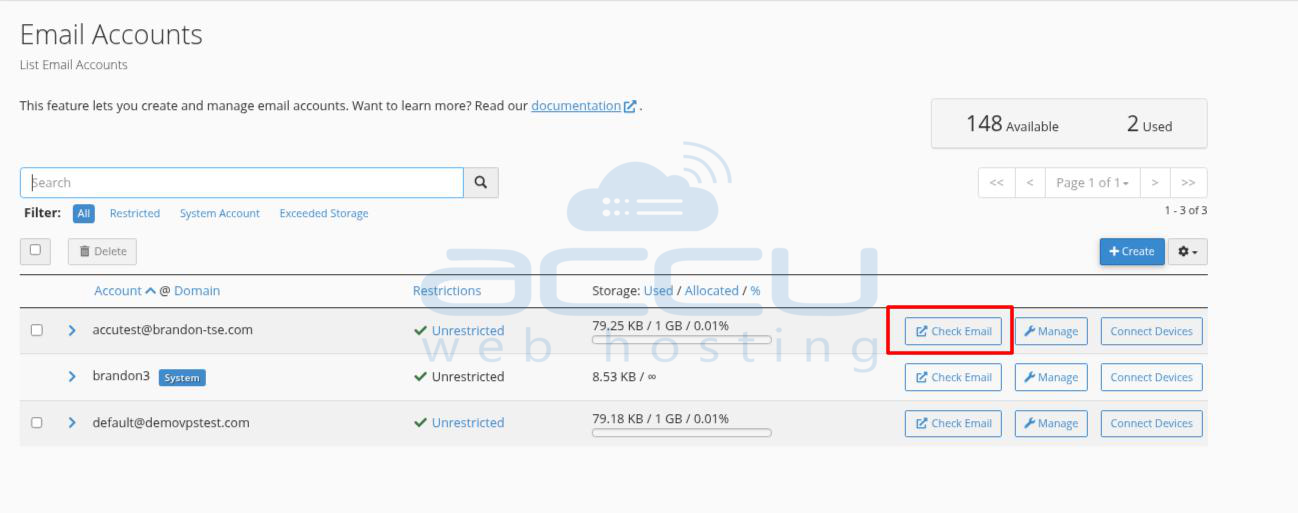
Step 3: Go to the Email account that emails you want to remove permanently and click on the check Email button.
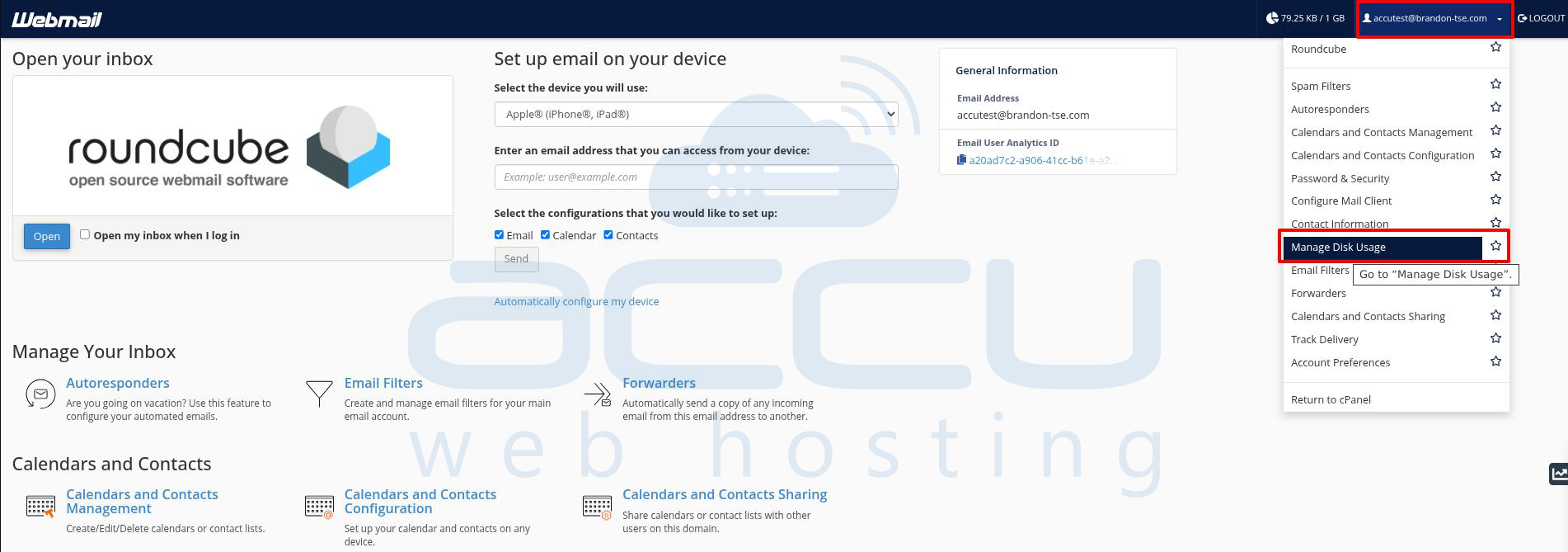
Step 4: You are now on the Webmail Page. Click on the email account (Top-Right) and select Manage Disk Usage.
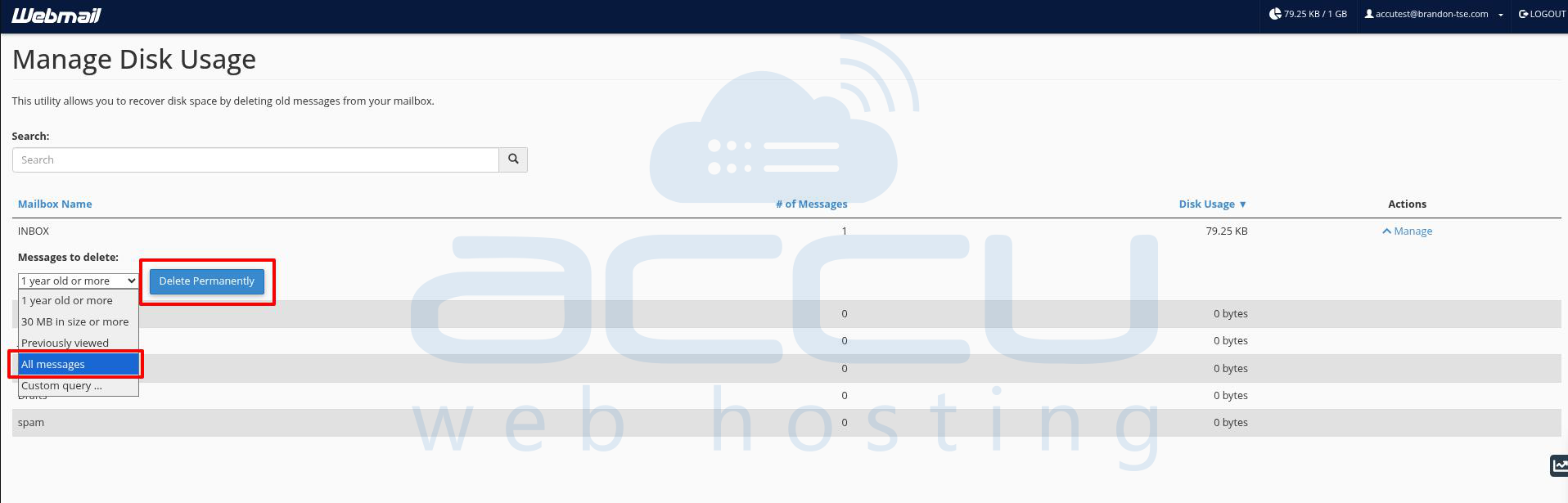
Step 5: In Manage Disk Usage >> go to the required folder. In Actions, click on Manage.
Step 6: Select the All Messages (If you want to remove all emails) and click on Delete Permanently.
That's it. You are done with removing emails.


