
Following are the steps to enable the Signature in MailEnable
- Login to your email account.

- Click on the options.
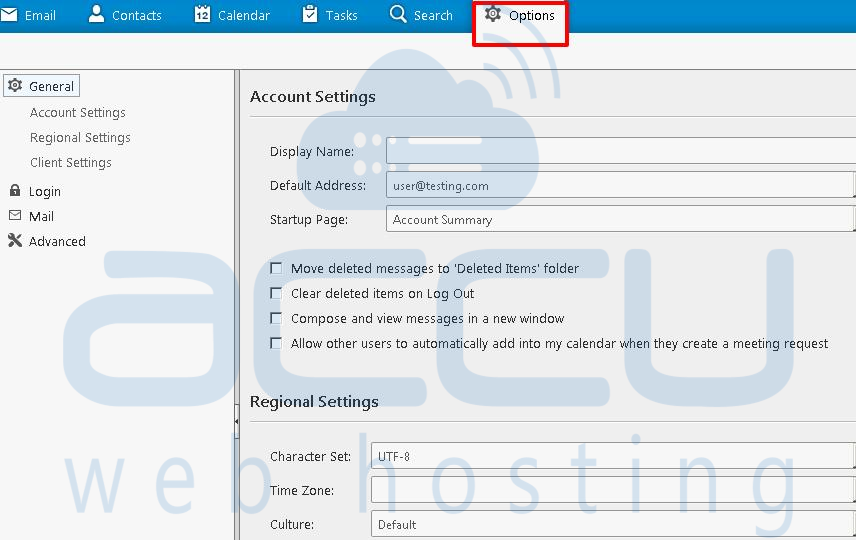
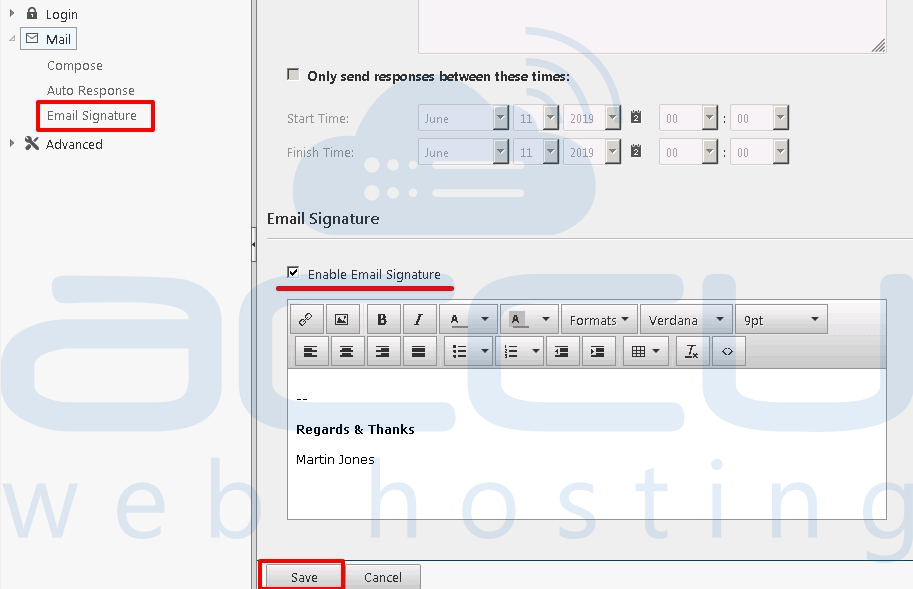
- In the sidebar, expand the email tab and click on Email Signature.
- Tick the Enable Email Signature.
- Type the required signature and click on save button.
Now, you can check the added signature by clicking on the New Email.


