
By Default, MailEnable creates the email account with the unlimited Disk space. Please refer to the following steps to define the mailbox size.
- Expand the Domain and select the MailBoxes.
- Right-Click and select the email account you want to modify the Disk.
- Tick the MailBox has a size limit and define the MailBox quota size and click Ok.
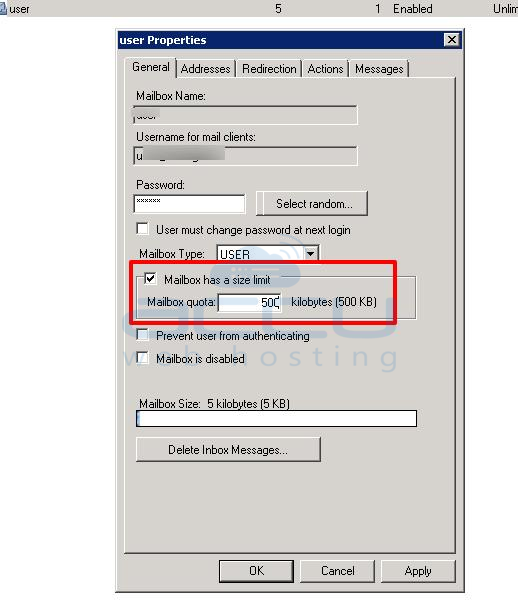
This is how you can change the MailBox size limit


