
You can generate the CSR Key directly from the Plesk Panel.
The following are the steps to generate the CSR Key from the Plesk Panel.
Step 1: Log in to the Plesk Panel.
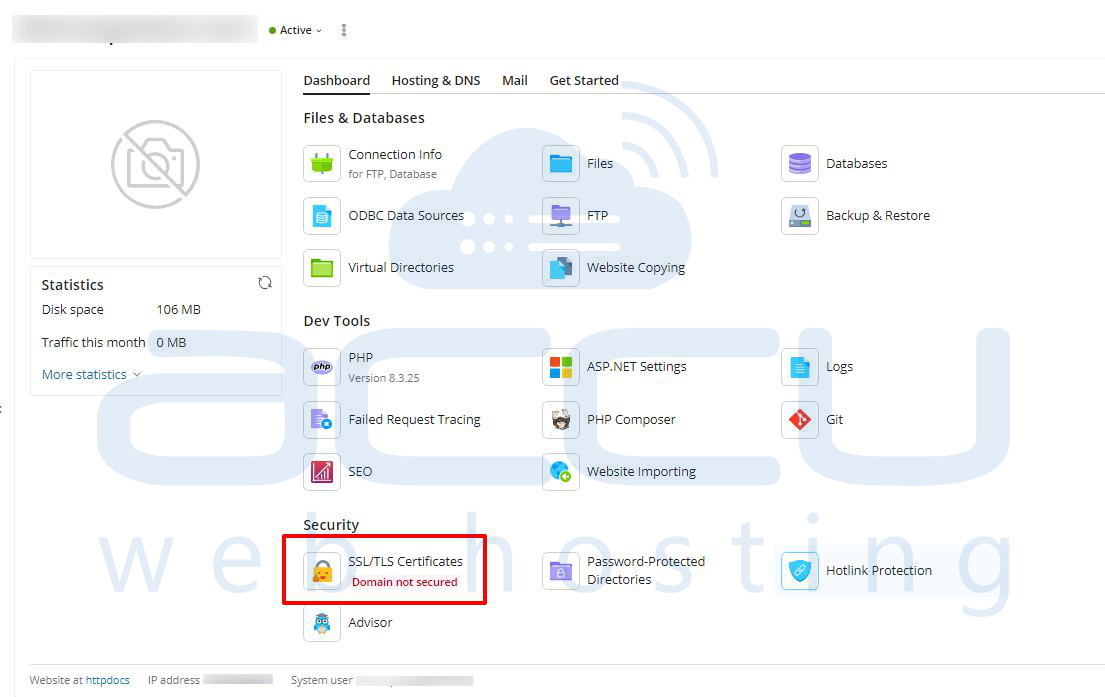
Step 2: Click on the SSL/TLS Certificate.
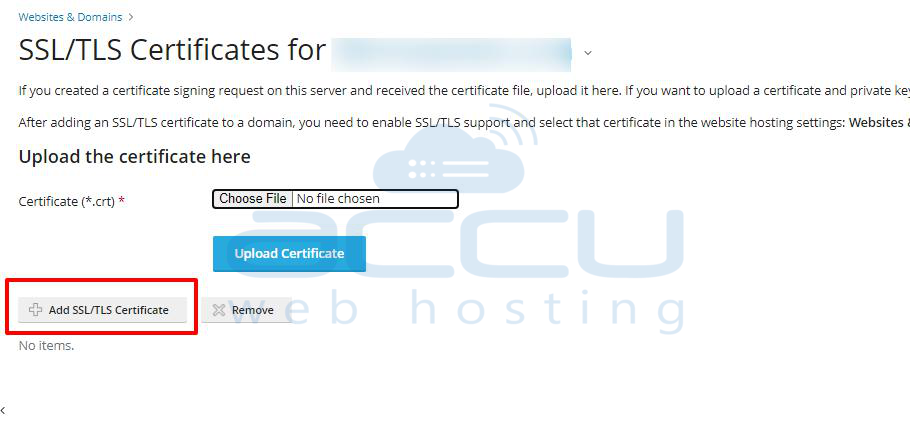
Step 3: Click on the Add SSL/TLS Certificate.
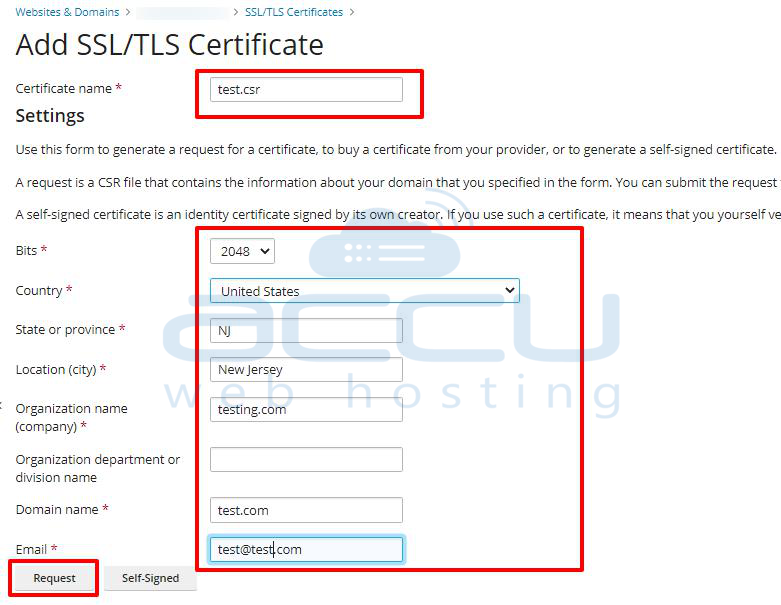
Step 4: You will receive a Request Certificate wizard in which you will need to fill in the details mentioned below.
- Certificate name :
- Bits :
- Country :
- State or Province :
- City :
- Organization name :
- Organization Department :
- Domain name :
- Email :
Step 5: After filling in all the required details, click on the request button.
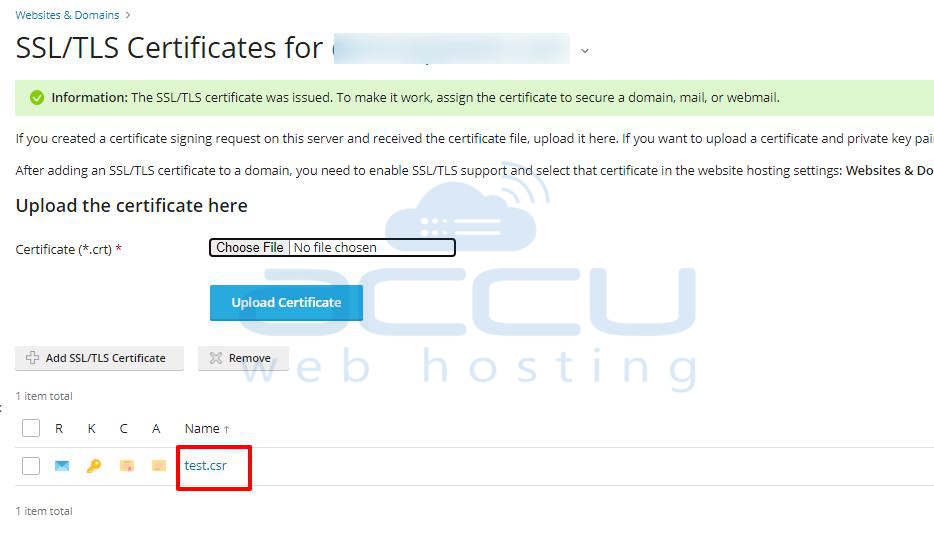
CSR and Private Key will be added at (Domains > example.com > SSL/TLS Certificates).
Step 6: Click on the Certificate Name that you have given earlier to open the CSR Key.
Scroll down to view the CSR key and Private key.
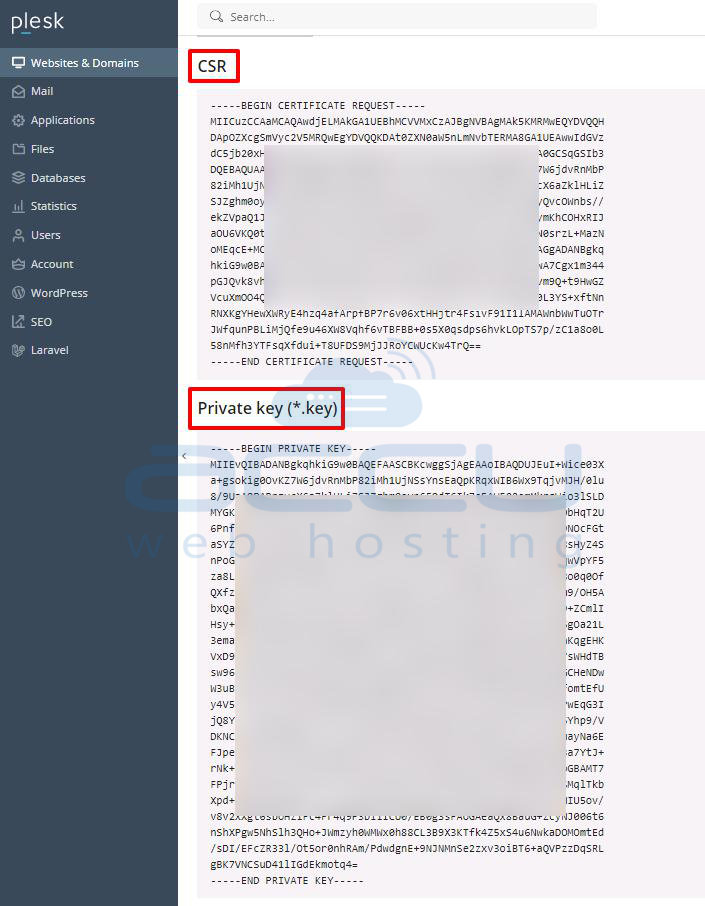
You are now done with the CSR generation.


