
Step 1: Log in to Plesk Control Panel.
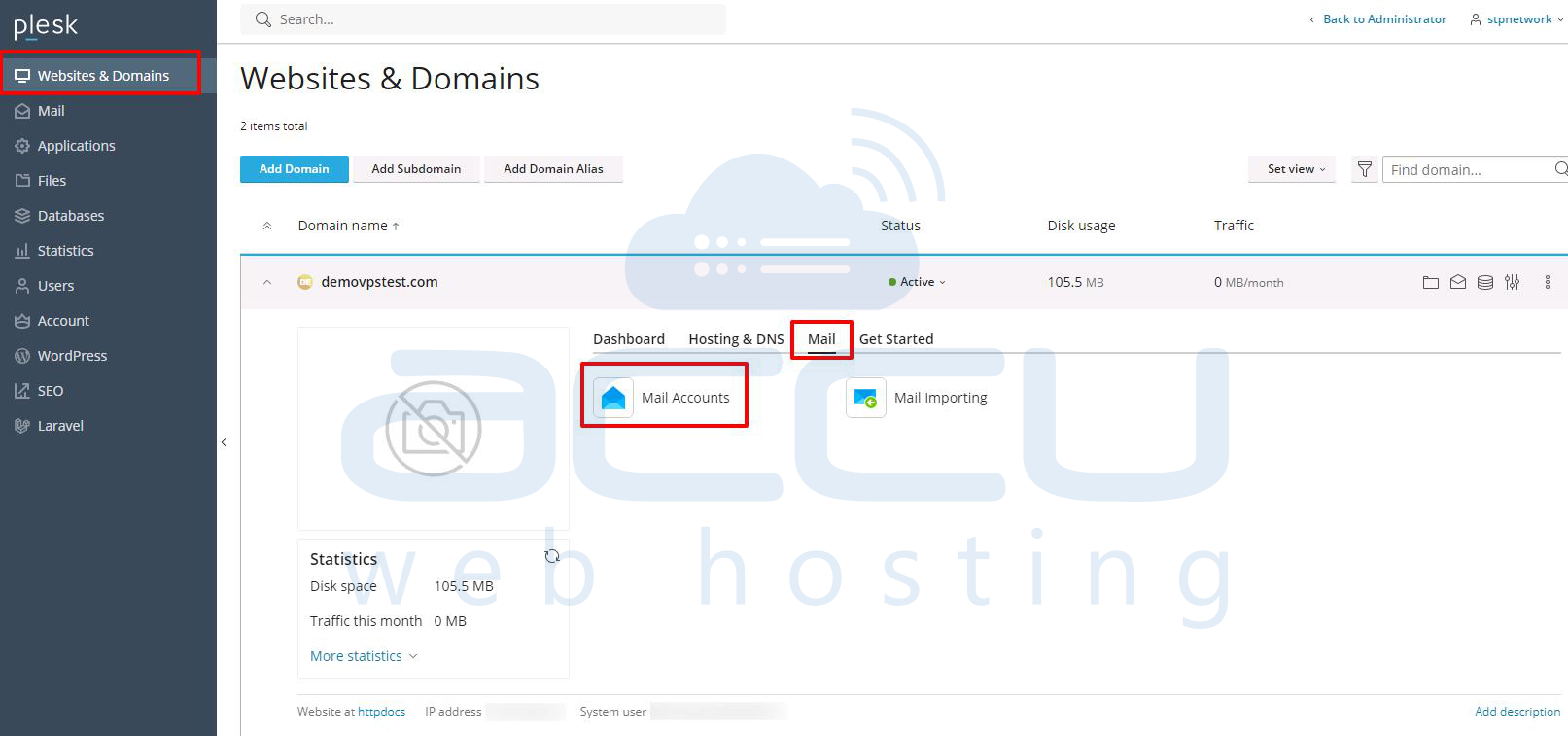
Step 2: Locate the domain name for which you want to delete an email account and click on the Email addresses.
Navigate to Website and domains >> Mail >> Mail Accounts.
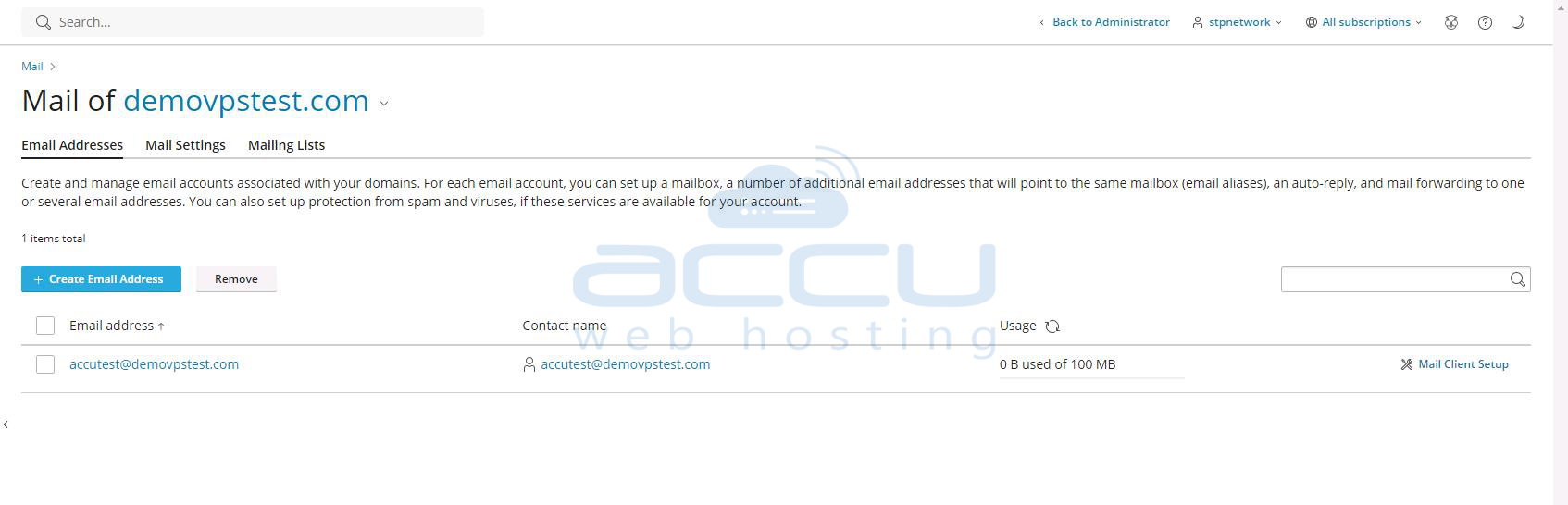
Step 3: Once you click on the Email address, you can see all the email accounts that you have created.
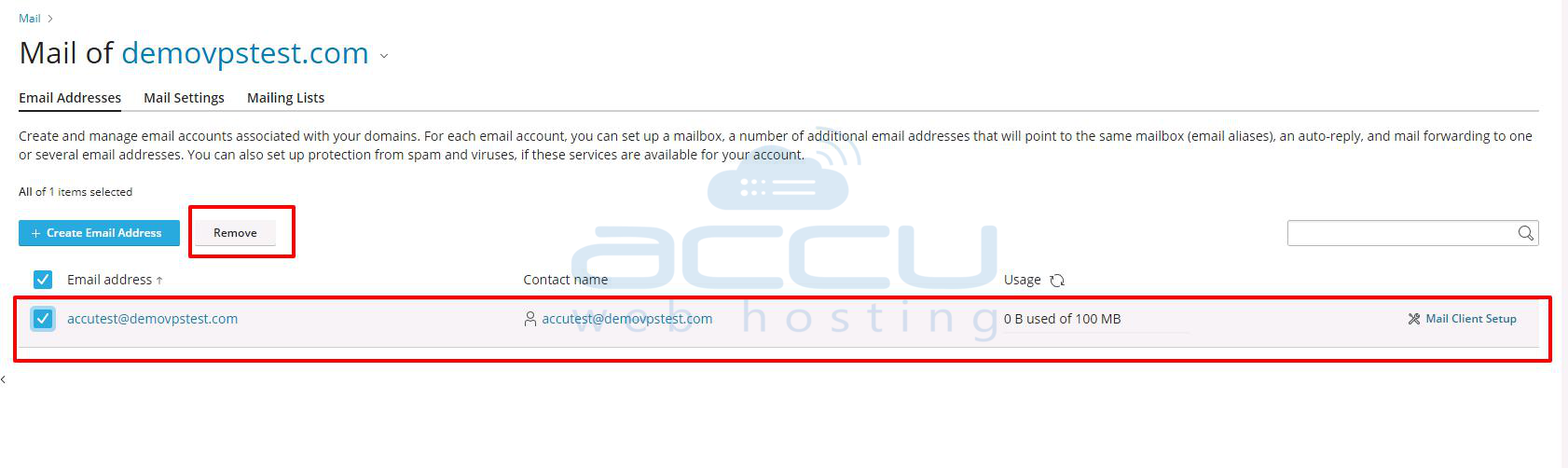
Step 4: Select the email account that you want to delete and click on the remove button.
Step 5: Once you click on the Remove button, the system will ask for confirmation. If you have decided to delete it, click on the Yes button. You can click on the No button if you want to abort the delete process.
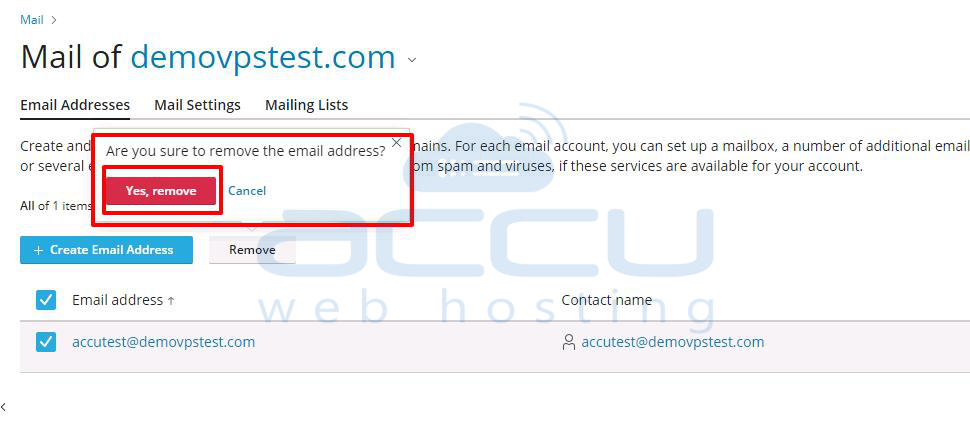
By clicking on the Yes button, the email account will be deleted, and you will get a successful message at the top of the screen.


