
Apache is a freely available Web server that is distributed under an "open source" license. Version 2.0 runs on most UNIX-based operating systems.
cPanel & WHM manages the Apache web server and its components with EasyApache. When you install cPanel & WHM version 11.52 or later, the default (fast) installation method uses a precompiled default EasyApache configuration, which includes the basic requirements for a functional web server.
cPanel & WHM versions 11.50 and earlier compile EasyApache during the installation process.
The Apache web server is probably too restrictive when not optimized. You can follow the steps below to tweak the Apache directives for maximum performance.
Step 1: Log in to WHM as the root user.
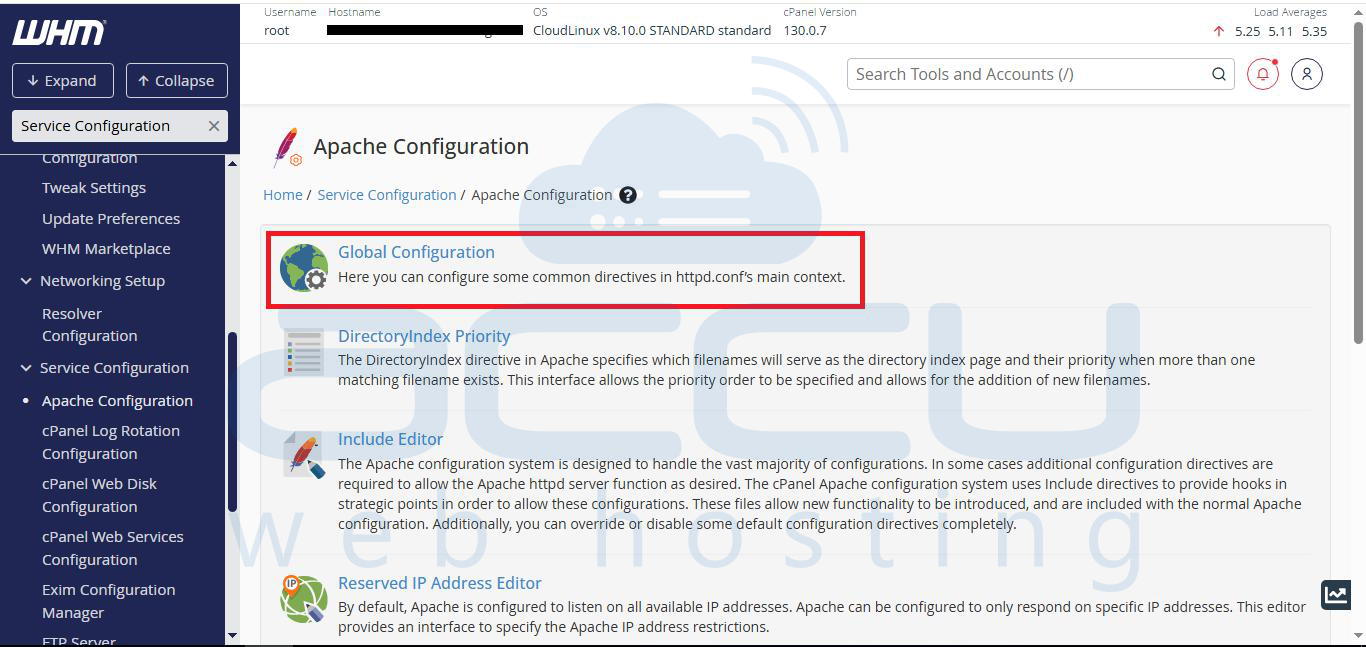
Step 2: Once you are logged in, search for Apache Configuration under Service Configuration and click on it.

Step 3: In Apache Configuration, select Global Configuration.
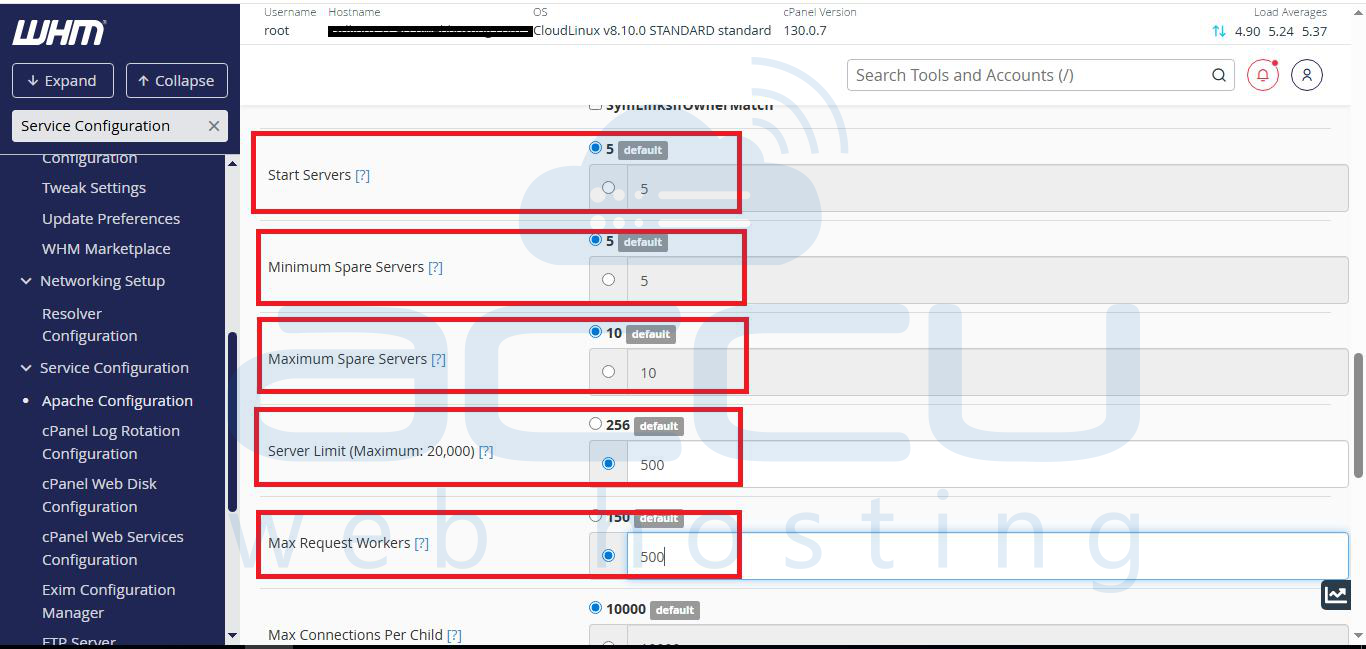
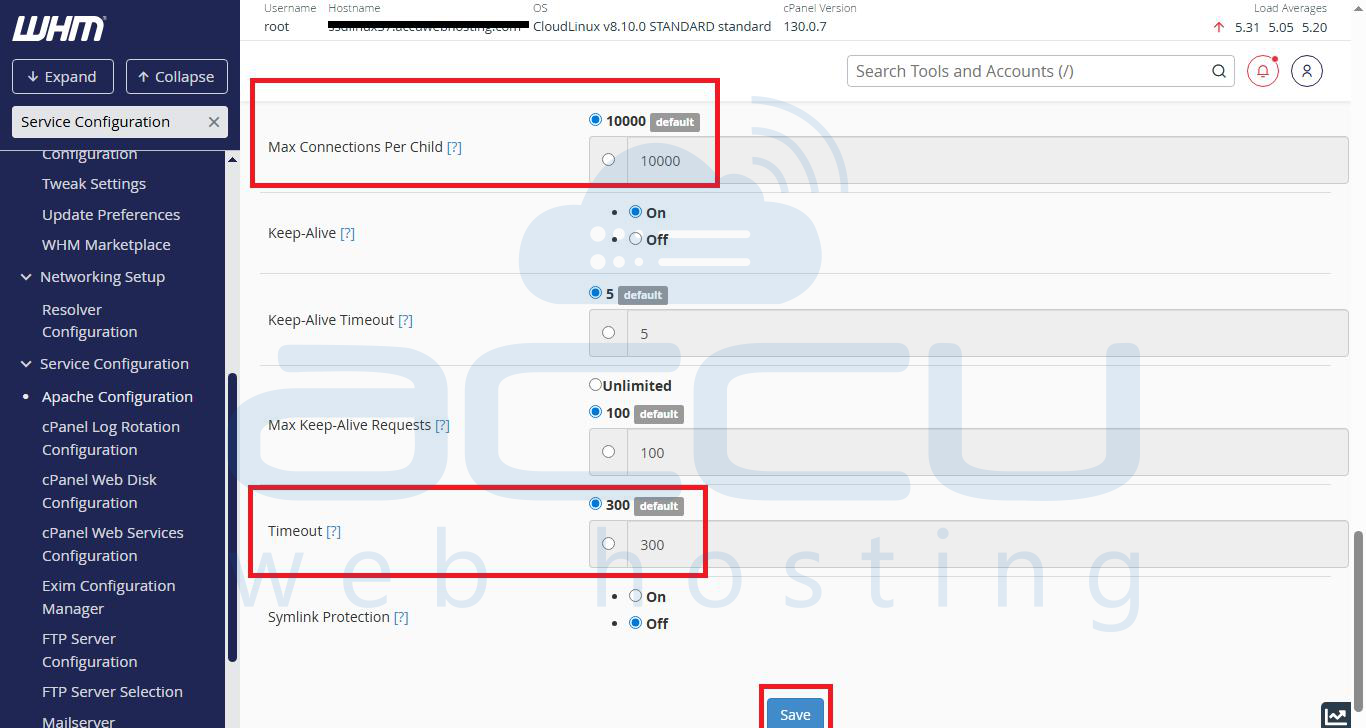
Step 4: In the Global Configuration menu, we will need to make changes in different fields as below and click on save.
StartServers = 5
MinSpareServers = 5
MaxSpareServers = 10
ServerLimit = 500
MaxRequestWorkers = 500
MaxRequestsPerChild = 4000
Timeout = 20
That's it! Enjoy the optimized Apache configuration to load your website faster without impacting your server resources like CPU/RAM.


