
MySQL Workbench is a popular and powerful visual tool for database architects, developers, and DBAs. It enables users to manage MySQL databases using a graphical interface. With the release of MySQL Workbench 8.0 and above, users benefit from improved stability, updated security protocols, and enhanced connection features.
This article will walk you through connecting to a remote MySQL database using the latest version of MySQL Workbench, including the necessary prerequisites and a step-by-step guide with screenshots.
Prerequisites:
Installed MySQL Workbench 8.0 or later (Download here)
The following details from your hosting provider or cPanel:
- MySQL hostname or IP address
- MySQL username
- MySQL password
- Database name
Your IP address has been added to the remote MySQL access list (from cPanel > Remote MySQL)
For Linux VPS customers, check out an article to allow remote connections to the MySQL server via WHM. Windows VPS customers should refer to this article to allow remote connections to the MySQL server. Once you allow remote connections to your MySQL server, follow these steps.
Practical Steps to connect MySQL database using MySQL Workbench
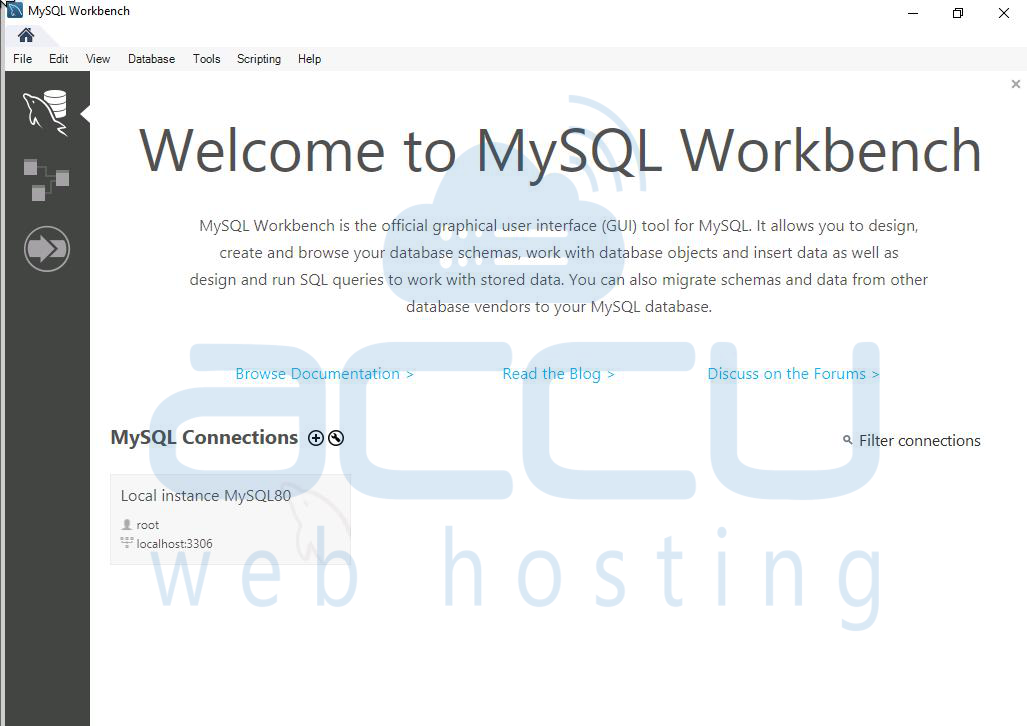
Step 1: Launch the installed MySQL Workbench application.
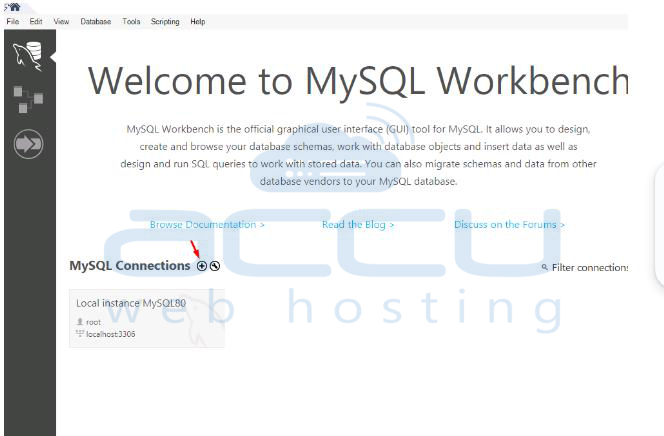
Step 2: Click the + icon next to MySQL Connections to create a new connection.
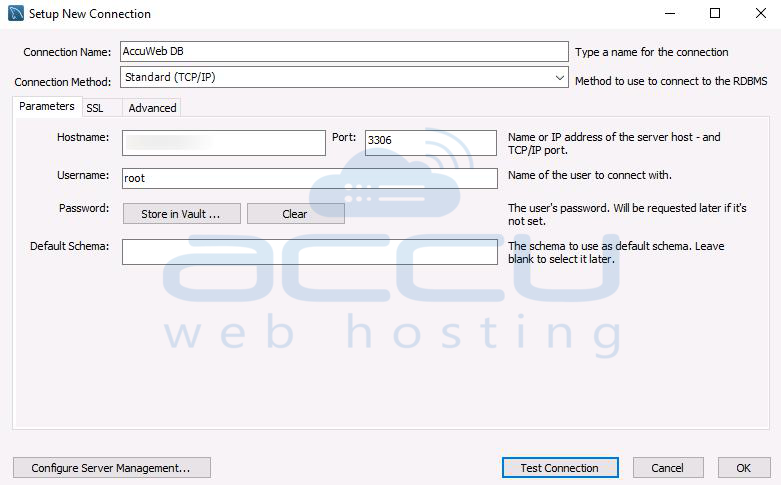
Step 3: Configure Connection Parameters
Fill in the connection details as follows:
- Connection Name: Any friendly name (e.g., AccuWeb DB)
- Connection Method: Standard (TCP/IP).
- Hostname: The IP address or domain of your MySQL server (e.g., sql.yourdomain.com)
- Port: Default is 3306
- Username: Your MySQL username
- Leave Password blank (you’ll be prompted later or click Store in Vault to save it.
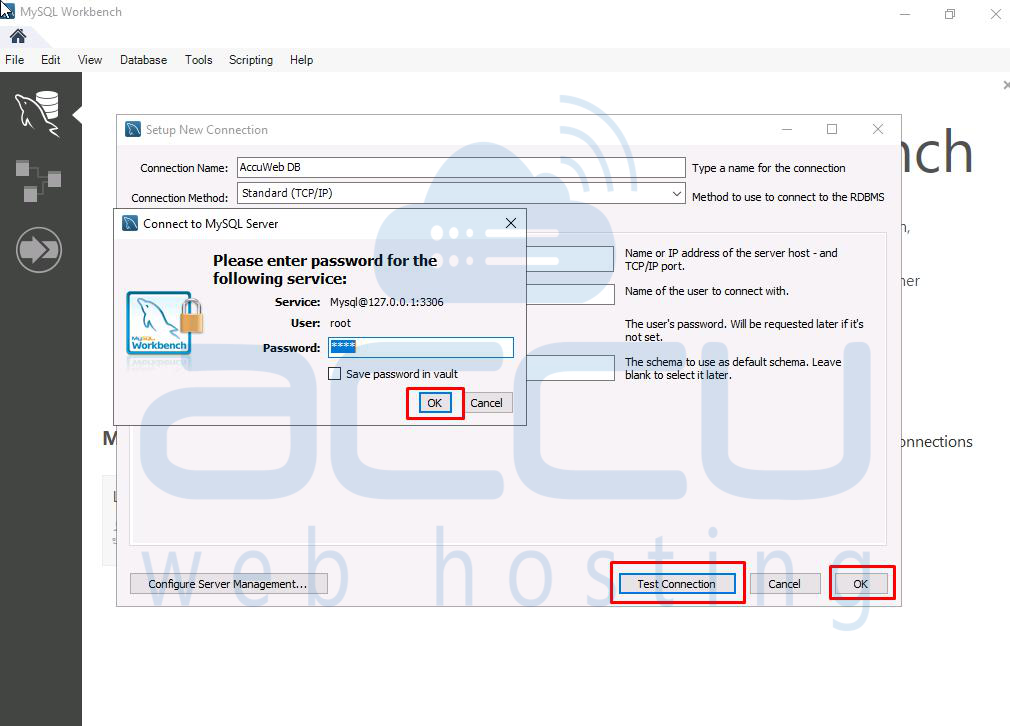
Step 4: Test the Connection:
Click the Test Connection button. If prompted, enter your MySQL password.
A successful message means you are connected to the server.
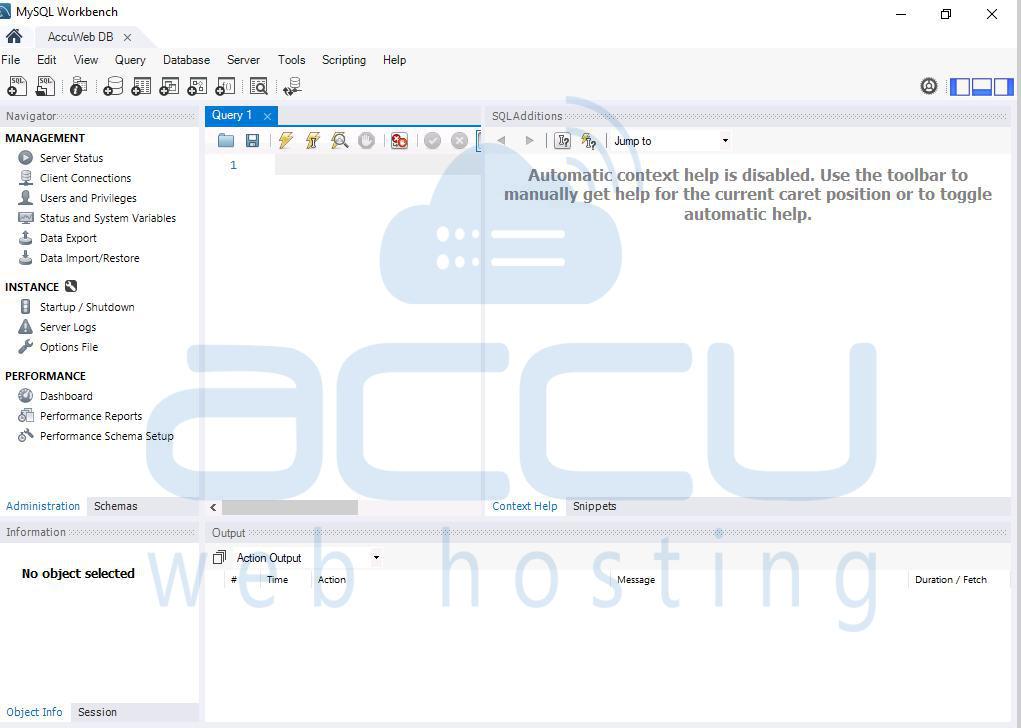
If you encounter errors:
- Make sure your server allows remote MySQL connections.
- Confirm that your IP is added in cPanel > Remote MySQL.
Conclusion:
Connecting your MySQL database using MySQL Workbench 8.0+ is a straightforward process once you have the necessary credentials and remote access configured. This GUI tool enhances your productivity by offering query building, database modeling, and server administration—all in one platform. If you encounter any issues, make sure your IP is whitelisted and double-check your login credentials. MySQL Workbench remains one of the best tools to interact with MySQL databases securely and efficiently.


